Adobe Scan AI PDF Scanner, OCR
- 60.27K
- 4.7
- Installs
- 100.00M
- Price
- Free

Screenshots

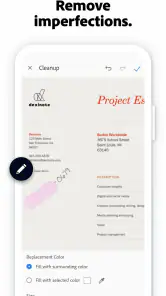


Analysis by Reviewed
I reach for a phone scanner when a paper document shows up at the least convenient moment: a receipt I need to keep, a form I have to send, or notes I want to search later. Adobe Scan: PDF Scanner, OCR is Adobe’s free business app for that job. It has a 4.7 average from around 3 million ratings, with over 100 million installs, so it is a familiar option rather than a niche tool. I find it most useful when I want to turn loose pages into a shareable PDF without finding a flatbed scanner.
A good fit for documents that arrive unexpectedly
The app makes the most sense when I need to act on paper while I am away from my usual desk setup. Think of a receipt handed over after a purchase, a form that needs to be returned before the end of the day, or a page of meeting notes I do not want to misplace. In those moments, using the phone I already have is more practical than waiting to reach a conventional scanner.
It is also helpful when the goal is not simply to keep a picture, but to make a document easier to pass along or revisit. A PDF is a more natural handoff for many work and administrative tasks than a camera roll image. OCR can add another layer of usefulness by making printed text easier to locate, although it does not remove the need to check the page itself.
The Latest on Adobe Scan AI PDF Scanner, OCR
From loose paper to a usable file
A practical workflow starts with the paper itself. I put the page on a contrasting, uncluttered surface, check that the corners are visible, and hold the phone steady. Those small choices matter: a shadow, a curled edge, or a tilted page can leave the app with more correction work and make the final scan harder to read. For a multi-page document, I keep the pages in order as I capture them, then review the result before sending it. That quick check is worth doing, especially for contracts, forms, or anything with small print.
Once the scan is in the app, OCR can make the text in the image more useful than a plain photo. I would still treat recognition as a convenience, not a guarantee: names, handwritten notes, faint printing, and cramped layouts deserve a careful read. A good habit is to zoom in on important fields before relying on extracted text. For a rental agreement, for example, I would check the dates and amounts against the page rather than assuming every character was recognized correctly.
Small choices that improve the capture
For a document with several pages, I find it useful to pause briefly after each capture rather than rushing through the whole stack. That makes it easier to spot a missing page or a change in order while the paper is still in front of me. It is a simple workflow improvement, but it can save the awkward task of asking someone to resend a form because a page was left out.
Lighting is another part of the process I would not leave to chance. If overhead light throws a dark band across a page, moving the paper or changing the angle of the phone can be more effective than trying to rescue the image later. When the document has a signature or handwritten addition, I check the actual scan at a larger size, since those marks may matter more than whether the printed text looks tidy.
More From Our News Desk

Weather by Xiaomi Review: Clear at a Glance, Less Clear Up Close

X Under Pressure: Can It Recover When Posting Goes Wrong?

Clash of Clans Is Won Between the Battles

Android Auto Makes the Case for Quieter Car Software

EA SPORTS FC™ Mobile Soccer: Redefining Mobile Sports Gaming

How Microsoft OneDrive Became a Mobile Productivity Giant
Where handoffs help—and where they take care
The useful handoff is from camera capture to a PDF another person can open, or to text I can locate more easily later. Adobe Scan supports sharing from within the app, and its Adobe Document Cloud connection can suit people who already work across Adobe tools and devices. Before sharing sensitive paperwork, I pause to confirm I have selected the right file and recipient; a quick scan of a folder is not a substitute for that check. If I only need to send one page, I also make sure the final document contains just what the recipient needs.
For a straightforward handoff, I think of the scan as one stage in a larger task: capture the document, check the result, give it a recognizable name, then send or store it where I will actually find it again. That last part is easy to skip when I am in a hurry. A file name connected to the purpose—rather than a vague label—helps distinguish a receipt from a form when I return to it later.
Free to start, with paid options to consider
Adobe Scan is free to start, rated for Everyone, and offers in-app purchases ranging from $3.99 to $69.99 per item. It was released on May 31, 2017, and Adobe is the developer. Those details make it approachable for occasional scanning, though I would look at the purchase screen before building a regular workflow around any paid capability. For a one-off receipt or signed page, the free app may be enough; frequent document work is a better reason to consider whether its available options fit your needs.
In practical terms, I would begin with the task I need to complete rather than assume that every scanning or document feature I might want is included at no cost. If I only need to make a readable copy and share it, the app is a sensible starting point. If my work depends on a particular paid capability, I would check its terms in the app before making it part of a routine.
Turning Your Phone Into a Portable Scanner
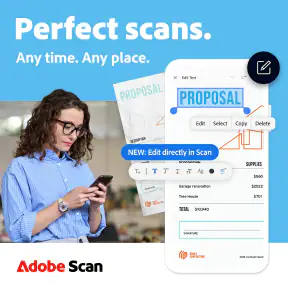
Imagine having a scanner right in your pocket. That's exactly what the Adobe Scan: PDF Scanner, OCR offers. With just a few taps, you can transform your smartphone camera into a high-powered scanner. Whether it's receipts, notes, documents, photos, business cards, or even whiteboards, this app handles it all with ease. And let me tell you, the quality of the scans is nothing short of impressive.
The Magic of OCR
One of the standout features of this app is the Optical Character Recognition (OCR) technology. It's like having a little wizard in your phone that magically turns text from images into editable content. So, if you’re scanning a document and need to pull out the text, Adobe Scan does that seamlessly. Trust me, it’s a game-changer for anyone who deals with text-heavy documents.
Easy Organization and Sharing
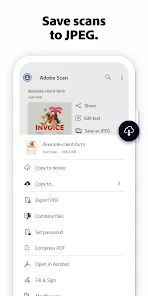
After scanning your documents, the app doesn't just leave you hanging. It offers intuitive organization tools that let you sort your scans into folders, making it super easy to find what you need later. Plus, you can share your scans directly from the app in a variety of formats. Whether you’re emailing a PDF or uploading to the cloud, Adobe Scan has got you covered.
Integration with Adobe Cloud
If you're already in the Adobe ecosystem, this app fits right in. It integrates smoothly with Adobe Document Cloud, allowing you to access your scans from anywhere and on any device. This cloud integration means you can start a task on your phone and finish it on your laptop without missing a beat. It's all about making your life easier and more connected.
User-Friendly with a Clean Interface
I have to give a shoutout to the user interface, which is as clean and intuitive as they come. Even if you’re not tech-savvy, you’ll find navigating through Adobe Scan a breeze. The app guides you through each step of the scanning process, ensuring you get the perfect scan every time.
When another approach is better
For a clear sheet on a desk, Adobe Scan is a convenient alternative to a physical scanner and usually a quicker choice than photographing a page and manually cropping it. A phone camera is less dependable with glossy paper, deep shadows, folded forms, or several pages that need exact alignment. If your workplace requires consistent, high-volume scans or strict document handling, a dedicated scanner and its established workflow may be the safer fit. I use the phone option for convenience, not as a promise that every scan will be flawless.
The comparison with a basic camera app comes down to what I need after taking the picture. A photo is fine when I want a visual reminder, but a scanning workflow is more useful when the page needs to become a document I can organize and share. On the other hand, a desktop PDF editor is the better tool when I need to do substantial editing or assemble a more complex document. I would not choose a phone scanner as a substitute for every part of a document workflow.
One useful habit is to name each file for the task before it disappears into a crowded library: “lease” or “travel receipt” is easier to recognize than a generic label. I also group pages from the same document in one capture session and check their sequence before sharing. Those steps reduce the small but real nuisance of searching through scans later. If an image is mostly handwriting or has tiny print, keeping the original paper until I have checked the PDF avoids relying on OCR alone.
Who will get the most from it
I would recommend Adobe Scan to students collecting handouts, freelancers keeping receipts, and anyone who occasionally needs to return a signed form while away from a desk. A realistic example is receiving a paper rental document during a move: I can capture its pages, inspect the key details, save a readable copy, and send it on without waiting to get home. People who mainly edit long PDFs, need batch processing, or prefer not to use a phone camera for records may be happier with a desktop PDF editor or a dedicated scanner instead.
It can also suit someone who handles a steady stream of small, unrelated papers rather than one large archive. A freelancer might capture a receipt after a purchase, label it for the expense it belongs to, and keep it separate from client paperwork. A student could scan a handout and use OCR as a way to make its printed content easier to find later. In both cases, the main benefit is reducing the distance between receiving paper and having a usable digital copy.
When the convenience has limits
I would skip this approach when the camera itself is likely to be the weak link: fragile originals that should not be handled casually, pages with reflective coatings, or documents that must be captured under a controlled office process. A phone also asks me to manage framing, focus, lighting, and page order, so the convenience comes with a little responsibility. If I am scanning a large archive, a dedicated scanner is more comfortable than repeating that capture-and-check routine page after page.
There is a similar trade-off with OCR. It is valuable for searching and reusing printed text, but I would not treat recognized text as a replacement for the original document when accuracy matters. This is especially true for handwritten additions, small figures, and dense forms. My practical rule is to use OCR to find or work with text, then verify any detail that affects money, dates, identity, or an agreement against the visible page.
A sensible way to decide
For occasional paperwork, the free entry point, familiar PDF workflow, and ability to scan away from a desk make this a useful option. Its 4.7 average and around 3 million ratings suggest that many people use it, but popularity does not remove the need to judge it against my own habits. If I already rely on Adobe tools, the connection is a meaningful convenience; if I do not, I can still use it for the straightforward job of turning paper into a shareable file.
My recommendation is to try it with an ordinary document first: capture a page, inspect the corners and small print, check the recognized text, and make sure you can find the saved file again. That short test reveals whether the workflow suits you before you depend on it for something important. If what you need is dependable everyday scanning from a phone, Adobe Scan is a capable choice; if you need heavy editing, controlled archival capture, or a hands-off batch process, I would choose a tool built for that workload instead.
In conclusion, Adobe Scan is more than just a scanner app; it's a robust tool that simplifies document management. Whether you're a student, a professional, or just someone who wants to declutter, this app is a fantastic addition to your digital toolkit. So, go ahead and give Adobe Scan: PDF Scanner, OCR a try. You might just wonder how you ever lived without it!
Adobe Scan AI PDF Scanner, OCR Frequently Asked Questions
Can I use Adobe Scan to turn paper documents into searchable PDFs?
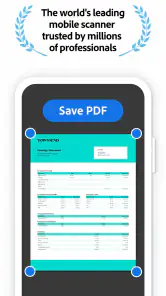
Adobe Scan uses your phone’s camera to capture paper documents and can apply OCR to recognize text in the scan. This makes the resulting digital copy easier to search and work with than a plain image. You can save scans in PDF format, which is handy for keeping paperwork together or sharing it. For the clearest result, make sure the page is well lit and fully visible in the camera frame.
Can Adobe Scan summarize rental or insurance documents?
Adobe Scan includes Generative Summary to help you understand rental or insurance documents in seconds. It can be useful when you want a quick overview before reading the full document, while the scan itself gives you a digital copy to keep and review. The summary is an aid to understanding, not a substitute for checking important terms and details in the original document.
What is Adobe Scan and how does it work?
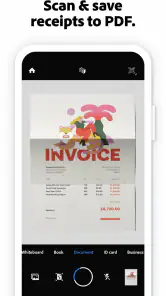
Adobe Scan is a mobile application designed to transform your smartphone into a powerful scanner. Using your phone's camera, it allows you to capture documents, receipts, notes, and even whiteboards with ease. The app automatically detects the edges and sharpens the content to enhance readability. With integrated Optical Character Recognition (OCR), Adobe Scan converts images into editable text, providing a seamless experience to digitize your physical documents. The app supports saving scans in PDF format and allows sharing through email or cloud services.
Is Adobe Scan free to use or does it require a subscription?
Adobe Scan is available for free on both Android and iOS platforms, offering essential scanning features without any cost. However, to unlock additional premium features, such as higher storage capacity, enhanced OCR capabilities, and the ability to export to different file formats, users may opt for a subscription plan. This subscription is part of Adobe's Document Cloud services, providing a more comprehensive document management experience. In-app purchases range from $3.99 to $69.99 per item, so check the purchase details before confirming anything.
What are the device requirements for running Adobe Scan?
To run Adobe Scan effectively, your device should meet certain specifications. For Android users, the app requires Android version 5.0 (Lollipop) or later, while iOS users need iOS 12.0 or later. Additionally, a functional camera with good resolution is recommended to ensure high-quality scans. Adequate storage space is also necessary to save scanned documents. A stable internet connection is beneficial for cloud storage and sharing features, though not strictly required for local scanning.
Pros
- Fast document scanning
- High-quality PDF output
- Easy text recognition
- User-friendly interface
- Free to use
Cons
- Requires Adobe account
- In-app purchases
- Limited editing tools
- Occasional OCR errors
- Ads in free version
- Category
- Business
- Version
- Varies with device













