Google Play Books & Audiobooks
- 81.47K
- 4.7
- Installs
- 1.00B
- Price
- Free

Screenshots
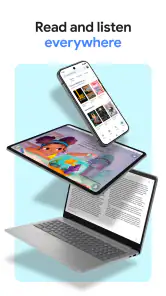
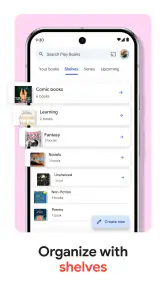
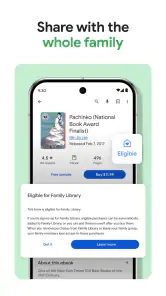
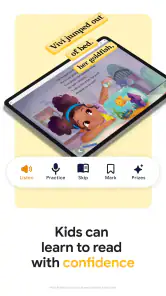
Analysis by Reviewed
I usually open a book app with one of two goals: I either know what I want to read, or I have a spare moment and want to find something that fits it. Google Play Books & Audiobooks handles both, but its real strength for me is the path from browsing to sampling to picking up a book later. It keeps reading and listening in one place, which is convenient when my plans change during the day.
Starting with a title, a topic, or a little time
When I have a title in mind, search gets me moving quickly. When I do not, browsing gives me another way in: I can explore by subject or mood, then use a preview to see whether the writing actually suits me. That is a more useful test than judging a book by its cover or description alone, especially if I am trying an unfamiliar author.
I find it helpful to set a small purpose before browsing. If I want something for a short commute, I look for a book I can enjoy in brief sessions; if I want to settle in at home, I am more willing to choose a longer read. That simple distinction keeps browsing from turning into an endless scroll and helps me judge whether text or audio makes more sense for the day ahead.
The Latest on Google Play Books & Audiobooks
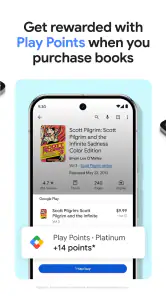
Google Play Books is a free books-and-reference app from Google LLC, though individual in-app purchases can range from a tiny amount to a substantial one. I treat the free app and the cost of books as separate decisions: installing it does not mean every title is free. It is rated for Teen readers, and its 4.7 average from around 3.1 million ratings, alongside over a billion installs, suggests that it has broad appeal without telling me whether a particular book is worth my time.
Choosing a book for the moment
I find this app most useful when I want to browse before deciding what to read, rather than arriving with a title already in mind. A quick search can narrow down a specific book, while browsing is handy when I only know the mood or subject I want. Previews help me judge the writing before I commit to buying a title, which is especially useful when I am unsure whether a new author will suit me.
One practical detail is to treat the preview as a check on the reading experience, not just a teaser. I pay attention to whether the opening holds my interest and whether the layout feels comfortable on my screen. If the book is for study, I also consider whether I will need to search or revisit exact wording; that can affect whether an ebook is a better fit than audio before I spend money.
Discovering New Reads
First off, the selection on Google Play Books & Audiobooks is seriously impressive. Whether you're into fiction, non-fiction, romance, or sci-fi, there's something for everyone. Browsing through the app is a breeze, and I love how it suggests books based on your reading history. It’s like having your own personal librarian in your pocket!
More From Our News Desk

Weather by Xiaomi Review: Clear at a Glance, Less Clear Up Close

Clash of Clans Is Won Between the Battles

MobiOffice: Transforming Mobile Productivity with Seamless Integration

EA SPORTS FC™ Mobile Soccer: Redefining Mobile Sports Gaming

How Microsoft OneDrive Became a Mobile Productivity Giant

How Google Translate Breaks Language Barriers Effortlessly
From the preview to the library
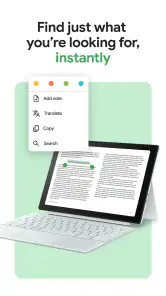
One of the things I immediately appreciated was how intuitive the app is. The clean design makes it easy to navigate through different features, and the search function is top-notch. You can quickly find what you're looking for, and the app even lets you preview a book before purchasing. This is a game-changer for those of us who are picky about our reads.
My practical routine is to search, sample a preview, then decide whether the book deserves a place in my library. That small pause is worthwhile: a cover and blurb can be persuasive, but a few pages reveal whether the voice and pacing work for me. Recommendations are a useful discovery path, not a substitute for checking the sample or comparing editions when a particular format matters.
For a real everyday example, I might browse after dinner, sample a novel, and leave the purchase decision until I know I will have time for it. On a busy morning, I would rather pick up something already in my library than start searching while I am heading out. Separating discovery from the moment I want to read helps me make calmer choices and avoids treating every recommendation as an immediate to-buy prompt.
It also pays to check the edition before choosing. A title may be available in formats that suit different habits, and the best pick depends on whether I want to read on-screen or listen. I do not assume that an audiobook and an ebook will serve the same purpose just because they tell the same story. For work that involves close reading, the text format is easier to scan; for a walk, audio is more natural.
Reading and listening in different situations
The reading experience on the app is smooth and customizable. You can adjust the font size, background color, and even switch to night mode for late-night reading sessions. And if you’re an audiobook fan, you’re in for a treat! The audio quality is excellent, and I love that you can adjust the playback speed to suit your listening style. Whether you're commuting or chilling at home, the app makes it easy to get lost in a story.
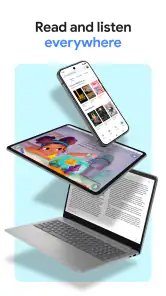
The choice between reading and listening makes the app a flexible companion, but it does not make the formats interchangeable in every situation. I reach for text when I want to skim, revisit a passage, or read quietly; audio is a better fit when my hands and eyes are busy. For example, I might read a sample at lunch, then listen during a walk later. If I need exact wording for study or close reference, text is usually the more practical option than trying to locate a sentence by ear.
Playback speed is worth treating as a personal setting rather than a race. I would try a comfortable pace on a familiar or easy listen before changing it for a dense subject, because faster audio can make it harder to follow unfamiliar names or arguments. On the reading side, changing font size and background can help make a quick session more comfortable, but a phone screen still asks for more attention than listening while walking.
A useful handoff is to decide what the next part of the day allows. If I finish a chapter in text and later have a hands-free stretch, I can switch to listening when I have the audiobook version available. I would not count on that format being included automatically with an ebook, so I check the title’s available options before planning a read-and-listen routine around it.
Compared with a dedicated e-reader, this is a convenient option if I already use a phone or tablet and want books alongside audiobooks. A dedicated reading device may be preferable for someone who wants a device focused on reading, while a subscription-based service may suit readers who prefer a catalog model over choosing individual titles. I would check how I like to pay for books before building a library here, because the app itself is free but purchases are separate.
That difference in payment style matters most if I read a lot. Buying a specific book gives me a direct choice about what enters my library, while a subscription is organized around access to a changing or defined catalog. Neither approach is automatically better: I would compare them based on how often I read, whether I want a particular title, and whether I am comfortable paying for books individually. A library app is another alternative for readers who prefer borrowing, though availability and borrowing rules depend on the service they use.
Preparing for offline reading and listening
Another feature that makes Google Play Books & Audiobooks stand out is the ability to download your books and audiobooks for offline access. This is perfect for those long flights or road trips where internet access is spotty. You can keep your entire library with you wherever you go, and it’s all neatly organized within the app.
For a reliable trip routine, I would download the next book or audiobook while connected and open it before leaving, rather than waiting until a signal disappears. That gives me a chance to confirm I have the right title ready. Offline access is useful for commutes and travel, but it is worth planning ahead: a book that has not been downloaded is not a dependable choice when connectivity drops.
My practical check before a journey is to choose the next title, download it, and start it once while I still have a connection. That catches a wrong selection before I am relying on it, and it lets me confirm that the book is ready to open or play. If I am carrying several titles, I choose only what I am likely to use rather than assuming I need my whole library on the device.
This works especially well for a regular commute that changes from day to day. I can keep an ebook ready for a crowded ride where I can hold my phone, and an audiobook for a walk when reading would be awkward. The trade-off is preparation: if I decide at the last minute that I want a different book, I may need connectivity to get it ready. A little planning makes offline access useful rather than something I discover I needed after losing signal.
Who will get the most from it
The app is a strong fit for casual readers, commuters, and anyone who likes switching between print-style reading and audio. I would be less likely to recommend it to someone who wants a physical book, depends on a particular subscription library, or prefers a dedicated e-reader over reading on a general-purpose device. Those preferences matter more than the convenience of keeping formats together.
I would also think twice if my main goal were to browse a subscription catalog without making separate purchase decisions, or if I rarely read on a phone or tablet. Someone who wants the feel of paper, a larger dedicated screen, or a borrowing-first routine may be happier elsewhere. On the other hand, it makes sense for someone who likes choosing individual books and wants both text and audio options close at hand.
For younger readers, the Teen age rating is a useful broad signal, not a substitute for checking the content of a particular book. I would still look at the title itself if I were choosing for a younger family member, since the app’s rating applies to the app and does not tell me whether every book is suitable for every reader.
The app is free to install, but books and audiobooks can involve in-app purchases, so I keep the distinction clear when recommending it. The amount a reader spends depends on the titles they choose; browsing and sampling first is a sensible way to avoid buying something that does not fit. Google Play Books first appeared on December 6, 2010, and its long presence has not changed the basic point: the value comes from whether its way of finding, buying, and using books fits your habits.
Where the routine can break down
The smoothest parts of the experience depend on a few choices outside the app’s basic convenience. If I have not sampled a title, I may discover too late that its writing style is not for me. If I have not downloaded a book, offline access cannot help when I lose a connection. And if I expect an individual purchase to work like a subscription, I may be disappointed by the payment model. Each issue is manageable, but knowing the trade-offs makes the app easier to use well.
Recommendations can also narrow my browsing if I treat them as the whole catalog. I use them as a starting point, then search for authors or subjects I already know I like. That balance matters when I want something outside my usual reading pattern: personalized suggestions save time, but a deliberate search can be better for a specific niche or a book someone has recommended to me.
Another limitation is the device itself. A phone is convenient because it is usually nearby, but notifications, a small display, or a bright environment can interrupt a longer reading session. Changing the text appearance helps with comfort, yet it does not turn a general-purpose screen into a dedicated e-reader. If I expect to read for hours every day, I would weigh that difference seriously rather than choosing based only on carrying one less device.
When deciding whether to install it, I ask myself three practical questions: do I want to select books individually, will I read or listen on a device I already carry, and am I willing to prepare downloads before going offline? If the answers are yes, the app’s combined library can simplify the handoff between finding a title and fitting it into my routine. If not, a subscription service, borrowing option, physical book, or dedicated e-reader may line up better with what I actually want.
Overall, I found Google Play Books & Audiobooks to be a fantastic companion for anyone who loves reading or listening to books. With its vast selection, user-friendly interface, and offline capabilities, it’s hard not to fall in love with this app. So go ahead, give it a try, and let me know what you think. Happy reading!
My main advice is to use previews to avoid impulse choices, download travel reading before you leave, and decide whether you want to buy titles one by one before making this your main library. Those steps make the handoff from browsing to reading or listening much smoother. For me, it works best as an easy place to discover and carry books, with the understanding that its convenience does not replace every reader’s preferred device or way of paying for content.
Google Play Books & Audiobooks Frequently Asked Questions
Can I use Google Play Books without creating a separate account?
Google Play Books is tied to a Google account, which connects your library and purchases with the app. If you already use Google services, that account provides a familiar way to access your books across devices. Before downloading, consider which account you want associated with your reading, especially if you use more than one account on your phone or tablet.
What kinds of content can I find in Google Play Books & Audiobooks?
The app brings eBooks and audiobooks together, letting you choose between reading a title on the page or listening to it. Its collection covers different genres, including classic literature and contemporary titles, and some content is available free of charge. You can browse the selection and check individual titles to find books that match your interests.
Can I upload my own eBooks to Google Play Books?
Google Play Books is centered on building a library of books and audiobooks associated with your Google account. If you are considering it for personal files as well as purchased titles, check the app’s current import options on your device before relying on that workflow. For books you access through the app, your library provides a place to return to titles you have added or bought.
Can I adjust the reading experience in Google Play Books?
Yes. The app includes adjustable text size and night mode, which can make reading more comfortable in different settings. It also has a built-in dictionary, so you can look up words while reading. These tools are useful if you prefer a larger or smaller type size, read in low light, or want quick help with unfamiliar vocabulary.
Do books sync between devices in Google Play Books?
Your library is linked to your Google account, and syncing can help you continue with a book where you left off when using more than one device. This is useful if you switch between a phone and another compatible device during the day. Make sure you are using the same account so your library and reading progress stay connected.
Pros
- Extensive library of books and audiobooks.
- Syncs across multiple devices seamlessly.
- Offers offline reading mode.
- User-friendly interface and design.
- Regular updates with new features.
Cons
- Limited customization for reading settings.
- Requires internet for initial downloads.
- Subscription needed for premium content.
- Audiobook selection could be wider.
- Some books are priced higher than competitors.
- Category
- Books & Reference
- Version
- Varies with device