Wattpad - Read & Write Stories
- 212.68K
- 3.8
- Installs
- 100.00M
- Price
- Free

Screenshots
Analysis by Reviewed
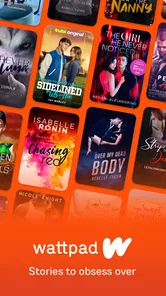
Opening Wattpad for the first time can feel like stepping into a busy bookshop where every shelf is chosen by a different reader. I’d start with one clear aim: find a story to read, or make a small start on something I want to write. That keeps the experience manageable while I learn how its reading and writing communities work. Wattpad - Read & Write Stories is a free reading and writing app from Wattpad.com, aimed at Teen users, and its mix of published and community-made fiction is its main appeal.
What to expect from the reading shelves
Wattpad is best approached as a place to discover stories through readers and writers, rather than as a conventional ebook catalogue. Its Books & Reference purpose is clear, but the social layer changes the feel: you can read fiction, respond to it, and see stories develop in a community setting. That makes it especially appealing if you enjoy finding unfamiliar voices instead of choosing only from a fixed collection of established titles.
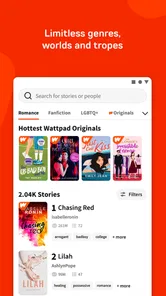
The trade-off is that an open-ended catalogue puts more work on you as a reader. Search and genre browsing can help narrow the field, but the first promising result is not automatically the right one. I’d use a premise, tone, or genre I already like as a starting point, then sample more than one opening before settling in. This is a practical way to avoid mistaking a striking blurb for a story whose style I actually want to follow.
A Universe of Stories
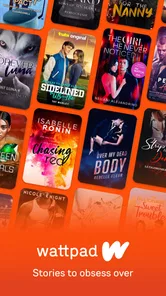
When I first dived into Wattpad, I was amazed by the sheer variety of stories available. From heart-throbbing romances to mind-bending sci-fi, the app is a treasure trove for readers of all tastes. The best part? You can start reading right away without any sign-ups, making it super convenient for those spontaneous reading sessions.
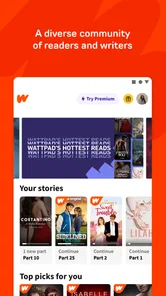
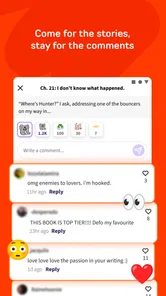
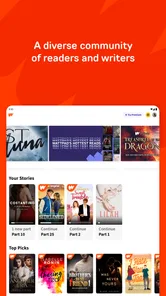
The user interface is as smooth as butter, and navigating through different genres is a breeze. The search function is particularly intuitive, allowing you to find hidden gems with just a few taps. Plus, the community aspect of the app is quite engaging. You can leave comments, discuss plot twists, and even connect with authors directly. It's like having a book club in your pocket!
Make the first reading session count
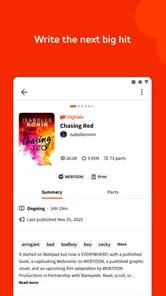
For a first visit, I wouldn’t try to browse everything. Search for a genre or premise you already enjoy, open a few candidates, and read enough to see whether the voice and pacing suit you. On Wattpad, stories can unfold chapter by chapter, so a promising opening is not always a guarantee that the whole work will fit your taste. Checking how a story is presented and whether its ongoing or completed status matters to you can help avoid committing to a long read at the wrong moment.
A useful habit is to treat comments as part of the experience, not as a substitute for the story. Reader reactions can make a reveal more fun and help you see what others noticed, but they may also spoil a surprise or pull you out of the scene. If you care about an unspoiled first read, keep your attention on the text and save community discussion for after a chapter or story. That small choice makes Wattpad work both as a reading app and as a social space without letting the social side take over.
More From Our News Desk

Weather by Xiaomi Review: Clear at a Glance, Less Clear Up Close

X Under Pressure: Can It Recover When Posting Goes Wrong?

Clash of Clans Is Won Between the Battles

Android Auto Makes the Case for Quieter Car Software

MobiOffice: Transforming Mobile Productivity with Seamless Integration

EA SPORTS FC™ Mobile Soccer: Redefining Mobile Sports Gaming
Getting comfortable before you follow a story
For a new reader, the most useful first decision is not which story is “best,” but what kind of reading session you want. A quick chapter during a break calls for a different choice from a longer evening read. I’d pay attention to whether the story is already complete or still unfolding, and whether its chapter rhythm suits the time I have. This avoids the common frustration of getting invested in a serial when I wanted a finished story to read at my own pace.
It also helps to separate discovery from commitment. I can sample a few openings without deciding that each one deserves a place in my reading routine. When a story does catch my attention, following it is more meaningful than collecting titles indiscriminately: I’m more likely to return if I remember why I chose it. For readers who prefer a planned shelf and a known reading order, a library or standard ebook app may be less demanding. Wattpad is stronger when browsing is part of the fun.
Unleash Your Inner Writer
Have you ever dreamt of writing your own story? Wattpad makes it incredibly easy to put pen to paper—or in this case, fingers to keyboard. The writing platform is user-friendly, offering a distraction-free environment to let your creativity flow. Whether you're crafting a short story or a full-length novel, Wattpad provides the tools to make your writing journey enjoyable.
What I love most is the feedback loop. You get instant reactions from readers, which can be both exhilarating and immensely helpful. It’s like having a team of beta readers at your disposal, providing insights and motivation to keep going.
Start small, then decide what to share
If writing is your reason for installing, I’d begin with a scene, a short chapter, or a rough opening rather than promising myself a complete novel on day one. A modest first goal makes it easier to discover whether writing on a phone suits me. Before sharing, I’d reread the draft for clarity and decide what kind of response I actually want: encouragement, reactions to a character, or comments on a specific moment. Public feedback can be motivating, but it is not the same as a private editor, and readers may focus on different things than the writer hopes.
There is also a practical trade-off between drafting and polishing. A phone is handy for capturing dialogue or a scene while an idea is fresh, but longer edits can be slower on a small screen. I’d use the app for short writing sessions and keep a simple outline of characters and events so I can return to the project without rereading everything. If careful formatting, private manuscript management, or professional editing is the priority, a dedicated writing tool may be a better place to prepare a draft before sharing it.
A manageable writing workflow
One useful approach is to treat a shared story as a sequence of deliberate steps: draft a small section, reread it later with fresh eyes, then decide whether it is ready for readers. Separating those steps helps me avoid posting every sentence while it is still taking shape. It also makes feedback easier to interpret because I can ask myself what I hoped readers would notice before I see their reactions.
Wattpad’s audience can be encouraging, but public responses are not a reliable measure of a story’s overall quality. A quiet response may reflect discovery and timing as much as the writing itself, while enthusiastic comments may focus on a scene rather than the larger structure. I’d use reactions as clues about what connected, not as instructions to change the whole project. Writers who need rigorous line editing, version control, or a private workspace should work in a dedicated writing app first and use Wattpad when they are ready for community engagement.
Community and Growth
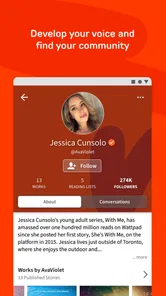
Beyond just reading and writing, Wattpad fosters a vibrant community. It's a place where you can grow as a reader and writer. The app frequently hosts writing contests and challenges, which are great opportunities to showcase your work and gain recognition. Plus, who knows? Your story might catch the eye of publishers looking for the next big thing!
Another standout feature is the Wattpad Premium option, which offers an ad-free experience along with some exclusive perks. It's a small price to pay for those who want to dive deeper into the world of storytelling without interruptions.
Taking part without letting the feed take over
Community interaction is optional in the sense that a person can focus on reading, but it is central to Wattpad’s distinctive appeal. If I’m not in a social mood, I can keep my attention on the story and leave comments for later. If I do want to join in, a specific response to a character choice or chapter moment is more useful than a vague reaction. That kind of comment gives the writer something concrete and makes the exchange feel like a conversation rather than a popularity contest.
Readers should also think about how much interaction they want around a story. Discussion can add anticipation to a serial, especially when readers are following the same developments, but it can make a quiet reading session feel busy. I’d choose when to look at reactions rather than letting every comment interrupt the pace of the chapter. This balance is one of the reasons Wattpad suits readers who like community but may be less satisfying for someone who wants a purely private, book-like experience.
Know what you’re choosing
Wattpad is a different kind of choice from a conventional ebook reader: its strength is the combination of fiction discovery, serialized reading, and direct reader-writer interaction. If I want a carefully curated collection, a specific purchased ebook, or a quiet reading experience without community distractions, a traditional ebook app or library app may suit me better. If I want to explore emerging voices, follow a story as it develops, or share my own work with readers, Wattpad’s community focus is the point.
The app is free to install, though in-app purchases range from $0.99 to $89.99 per item, so I’d check the purchase details before choosing anything paid. Its 3.9 average comes from around 5 million ratings, and it has over 100 million installs; those numbers suggest a large audience, but they don’t tell me whether any particular story will match my taste. The current version is 11.20.0, and it requires Android 7.0 or later. I’d also keep the Teen content rating in mind when deciding whether it is appropriate for a younger reader.
Choosing it for the right reader
I’d recommend Wattpad to someone who enjoys serialized fiction, wants to meet stories outside a traditional bestseller list, or has been looking for a low-pressure place to share creative work. It can also suit a reader who likes exchanging reactions as a story unfolds. A first-time user does not need to arrive with a writing plan; reading a few chapters is enough to understand whether the mix of fiction and community feels inviting.
I’d be more cautious about recommending it to someone who mainly wants a polished catalogue, a specific ebook they already know they want, or an uninterrupted reading environment. In those cases, a library app or a conventional ebook reader is usually a more direct route. Wattpad’s broad range is a strength, but choice and community participation bring their own effort: you have to judge which stories fit and decide how much of the social experience you want.
From first visit to a routine
A realistic first session might be a bus ride home: I search for a familiar genre, sample a couple of openings, choose one that holds my attention, and read a chapter before deciding whether to follow it. Later, I can return to the story and join the discussion only if I feel like it. That is a more useful test than judging the entire app from its busiest screens. If a story’s pacing or tone is not working, I can move on; the abundance of choice is helpful, but it also means discovery takes a little patience.
For anyone thinking about writing, the next step could be posting a short piece and observing the kind of response it attracts, without treating early reactions as a verdict on the work. For readers, it might simply be finding one author or series worth returning to. Wattpad has a 3.9 average rating from around 215,000 reviews, and that mixed reception makes sense to me: the open, social format can feel lively and personal, but it won’t satisfy someone seeking only a polished, distraction-free ebook shelf.
Spend a little time before spending money
Because the core app is free, I’d first see whether its story selection and reading style suit me before considering any paid option. In-app purchases run from $0.99 to $89.99 per item, so I’d inspect the specific purchase rather than assume that every paid choice offers the same value. Someone who only wants to read casually may never need to buy anything; someone who spends a lot of time in the app can decide based on the particular benefit offered at the point of purchase.
That simple pause matters because the main question is fit, not price alone. If I’m using Wattpad to sample community fiction or try writing a short piece, I can judge that experience without making a purchase first. If my goal is simply to own a particular book or build a tidy offline reading library, I would compare ebook and library options instead of paying for extras in an app whose main appeal is discovery and participation.
In conclusion, Wattpad - Read & Write Stories isn't just an app; it's a gateway to a universe of creativity and imagination. Whether you're there to read, write, or simply explore, it offers something for everyone. So, why not give it a try? You might just discover your next favorite story—or even create it yourself!
Wattpad - Read & Write Stories Frequently Asked Questions
Can I use Wattpad to discover stories that match my interests?
Wattpad is built around discovering and reading stories, novels, and books created by writers. You can explore the community’s work and choose what appeals to you, then follow authors or join conversations through comments. The experience is especially suited to readers who enjoy browsing a range of stories rather than relying only on a traditional library of published books.
Does Wattpad work as a social reading community?
Yes. Wattpad combines stories with ways for readers and writers to connect. Readers can follow authors, comment on stories, and share favorite reads with friends, making the experience more interactive than simply reading a book on your own. These features are optional, so you can focus on reading if you prefer, or take part in the community around the stories.
Can I use Wattpad if I’m interested in writing but not ready to publish?
Wattpad lets aspiring writers begin creating stories without making publication the first step. You can work on a story, save drafts, and add chapters before deciding whether to share it. That makes the app relevant even if you are still developing an idea or revising your writing. Publishing remains your choice, and you can also use Wattpad solely as a reader.
Is Wattpad designed for books and reference material?
Wattpad is a Books & Reference app, but its central focus is storytelling rather than functioning as a conventional reference library. It brings together a place to read stories, novels, and books with tools for writing your own. Readers who enjoy social storytelling can also follow authors and comment on stories, so the app may feel different from a basic digital book catalog.
Can Wattpad help me discover new authors?
Wattpad gives readers a way to explore stories created by writers and follow authors whose work they enjoy. Following an author can make it easier to stay connected with their stories, while comments and shared reads add a social element to discovery. It can suit readers who like finding writers through their work and then keeping up with them over time.
Pros
- Huge library of stories available.
- User-friendly interface.
- Offline reading mode.
- Interactive community features.
- Regular updates with new content.
Cons
- Contains in-app ads.
- Limited features without premium.
- Some stories have grammar issues.
- Requires internet for some features.
- Can be distracting with notifications.