Wikipedia
- 15.80K
- 4.3
- Installs
- 50.00M
- Price
- Free

Screenshots
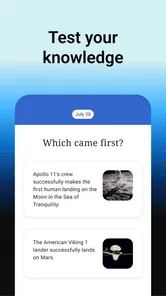
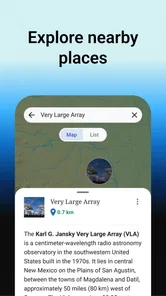
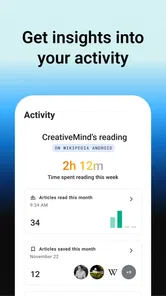
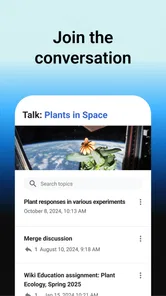
Analysis by Reviewed
I often reach for Wikipedia when a quick question turns into a genuine need to understand the topic. On a phone, it works best as a flexible reference shelf: search for a name, place, event, or unfamiliar term, then follow the links when you want more context. I find it especially useful when I need a starting point, not a final answer.
Quick searches and realistic expectations
For a familiar topic or a direct lookup, the app feels straightforward: open it, search, and start reading. How quickly a page appears will depend on the connection and the article, so I wouldn’t treat it like a guaranteed instant answer in every situation. Its strength is getting me to relevant background without having to open several different reference sites.
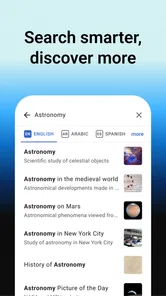
A small but useful habit is to search for the exact name or phrase first, then use the article’s internal links to clarify related terms. That is often more productive than trying several broad searches elsewhere. When I’m checking something important, I use Wikipedia to orient myself and then verify the key detail with a more authoritative source. Open editing makes it a valuable first stop, but not the only one I’d rely on for a high-stakes decision.
Reading deeply without losing your place
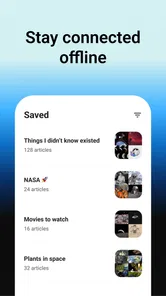
The app is not only for quick facts. If I’m following a complicated subject, I can save relevant pages for later and sort them into Reading Lists. That makes a practical workflow: collect the background articles first, then read them in a deliberate order instead of jumping between browser tabs. Saving material ahead of a commute or trip can also help when an internet connection may be unreliable, though I’d prepare the pages before leaving rather than assume every search will work offline.
One trade-off is that a long article can feel dense on a small screen, especially when I’m just trying to answer one narrow question. I skim the opening, look for the section that matches my question, and follow links only when they add useful context. If I need a polished lesson, guided course, or a concise answer without branching into related subjects, a dedicated learning app or a focused reference tool may suit me better.
First Impressions
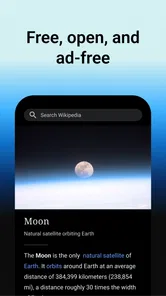
When I first downloaded the Wikipedia app, I wasn't sure what to expect. I mean, we all know Wikipedia from the web, right? But having it on your phone is a game changer. The app is clean, intuitive, and remarkably easy to navigate. It doesn’t bombard you with unnecessary features. Instead, it focuses on delivering information straight to your fingertips, which is exactly what you want when you're in a pinch to know what a "quokka" is or how the solar system works.
The Interface
The user interface is super sleek. You open the app, and bam! You're greeted with a simple search bar at the top. The minimalistic design means you get to your information faster without any distractions. One feature I really dig is the "Explore" feed. It’s like Wikipedia's way of saying, "Hey, we know you came here for one thing, but check out these other cool facts while you’re here!" It’s perfect for those who love a good rabbit hole of knowledge.
More From Our News Desk

 Weather - By Xiaomi
Weather by Xiaomi Review: Clear at a Glance, Less Clear Up Close
Xiaomi’s weather app makes everyday forecasts quick to scan, but its calm surface can leave useful details and recovery paths harder to find than they should be.

 X
XX Under Pressure: Can It Recover When Posting Goes Wrong?
A resilience-focused review of X, examining setup, mistaken posts, interruptions, weak connections, and the gaps that matter when recovery needs to be dependable.

 Clash of Clans
Clash of Clans Is Won Between the Battles
Its raids are quick; its community is a long-term project of coordination, teaching, rivalry, and shared responsibility—with all the friction that entails.

 Android Auto
Android Auto Makes the Case for Quieter Car Software
The car interface is no longer judged by how much it can do, but by how quietly it helps. Android Auto shows what drivers now expect—and what still gets in the way.

 MobiOffice: Word, Sheets, PDF
MobiOffice: Transforming Mobile Productivity with Seamless Integration
MobiOffice: Word, Sheets, PDF is redefining mobile productivity with a surprising blend of functionality and innovation.

 EA SPORTS FC Soccer Mobile 26
EA SPORTS FC™ Mobile Soccer: Redefining Mobile Sports Gaming
Dive into EA SPORTS FC™ Mobile Soccer, where immersive gameplay and strategic depth transform mobile sports gaming.
Latest News



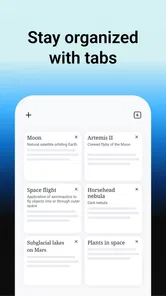
That browsing style is also where I notice a difference from the usual alternatives. A web search engine is better when I want a single current result or several perspectives at once; a general encyclopedia can feel more like a book and less like an interconnected trail. Wikipedia is particularly appealing when I want to move from one subject to another without rebuilding my search each time. The downside is that its broad coverage can make it easy to wander away from the original question, so I try to decide what I’m looking for before following every link.
Features Worth Mentioning
One of the standout features is the offline mode. You can save articles to read later when you’re out in the boonies with no internet. This is perfect for those long flights or camping trips where you still want to satisfy your curiosity. Plus, the app supports multiple languages, which is a big win if you're bilingual or learning a new language.
For language learners, comparing how a topic is explained in different language editions can be a useful exercise, but I treat the pages as separate articles rather than assuming they are identical translations. A student might save a handful of pages on a class topic, sort them into a Reading List, and use the collection as a revision trail. I’d still take my notes from the material rather than expect the app itself to replace a notebook or a structured study plan.
In everyday use, this is the sort of app I might open while planning a weekend visit: check the history of a landmark, look up an unfamiliar name from a museum label, and save a related article to read on the ride home. That sequence suits Wikipedia better than trying to remember a list of browser tabs. If I only need directions, a live local update, or a definitive answer to a personal medical question, I’d choose a more purpose-built source instead.
Wikipedia is a free Books & Reference app from the Wikimedia Foundation, rated for Everyone. It has an average rating of 4.4 from around 695,000 ratings, and it has been installed over 50 million times. The app first appeared on January 13, 2012, and its current version is 50561-r-2025-12-03, with Android 6.0 as the minimum system requirement. Those details make it a widely used option, but the more important question is whether its open-ended reading style fits how you like to learn.
Why You'll Love It
What really makes the Wikipedia app stand out is its reliability and the sheer volume of information available. It’s like having a massive encyclopedia that fits right in your pocket. You’ll love the ease with which you can access detailed, well-researched information on literally any topic under the sun. It's a must-have app for students, professionals, and all curious minds out there.
For reliability, I think of it as a dependable way to reach reference material, not as a promise that every page is complete or equally suited to every question. On a low-end or older phone, a lengthy article with images may be less comfortable to browse than a short text page, and the Android minimum of 6.0 means devices below that threshold are not a fit. I can’t infer battery use or storage demands just from the app’s purpose, so I’d judge those on the device itself. If a page stalls, checking the connection and trying again is a sensible first step; for offline reading, saving the pages in advance is the safer workflow.
Making a useful reading plan
For a school assignment or a work task, I find it helps to treat a saved list as a map of topics rather than as a finished bibliography. I’ll start with a broad article, note the names and concepts I don’t recognize, and save only the pages that answer those specific questions. This keeps a research session from turning into an endless chain of tabs. Before relying on a detail in a report, I check the article’s references and follow them to the original material when the claim matters. That extra step is especially worthwhile for dates, technical definitions, and claims that may have changed.
The same approach makes the app useful for preparing for a conversation or a visit. If I’m about to see a play, hear a lecture, or visit a historic site, I can read a short overview first and then collect a few related pages for later. I don’t need to finish every article; the value is having enough context to recognize the key people and terms. On the other hand, if I need an answer that is current minute by minute, such as a transit disruption or breaking local news, I’d go straight to a live source instead of expecting an encyclopedia article to serve that role.
What to expect during longer sessions
Speed is best understood here as a combination of app response, network access, and the amount of reading I choose to do. A short text lookup feels light, while a broad topic can lead into a much longer session simply because each link opens another avenue. I wouldn’t assume that every page will behave identically: connection quality and article content affect the experience. When I’m in a hurry, I search for a specific term and stop once I have the answer I need rather than browsing the Explore feed.
For heavier use, such as building a set of reading material before travel or comparing pages across languages, I prefer to prepare while I have a stable connection and time to check what I actually saved. That turns offline reading into a deliberate backup rather than a last-minute rescue. If something doesn’t load, I first consider whether the network is the problem, then retry the page; I don’t take one slow moment as proof that the whole app is unreliable. This is a practical expectation, not a performance guarantee.
Nothing about a reference app can tell me exactly how it will feel on every device, so I’d use a short trial on an older phone before planning a long reading session. The minimum Android requirement is 6.0, and long pages may simply be less comfortable on a small display. I also wouldn’t make assumptions about battery use or storage from the app’s purpose alone. If device space is tight, I’d be selective about which pages I save for later rather than building a large offline collection by habit.
Who benefits most—and who may prefer another tool
I think the strongest fit is someone who likes to learn by following connections: a curious reader, a student gathering background, or a traveler who wants context beyond a quick search result. It is also handy for settling small everyday questions without switching between several reference sites. The free price makes it easy to try as a companion to other research tools, while its Everyone content rating makes it broadly suitable for general audiences. I still recommend adult judgment for serious research, since an accessible article is not automatically the best source for a consequential decision.
Someone who wants a fixed sequence of lessons, a teacher-led explanation, or a short answer with no detours may find the experience less satisfying. A specialist database, a textbook, or a focused learning app can be a better choice when accuracy needs to be tightly controlled or the subject needs systematic instruction. For current facts, I’d compare the article with a source responsible for timely updates. Wikipedia earns its place as a flexible first layer of understanding, not as a replacement for every kind of reference.
A grounded performance verdict
What I value most is the balance between quick entry and the option to keep exploring. Search gives me a direct route to a topic, while links and reading lists make it possible to turn one question into a manageable set of background reading. The friction is mostly in the nature of that freedom: there is no built-in stopping point, and a long article asks for more attention than a single fact lookup. I get the best results by setting a purpose before I start and choosing whether I’m browsing, studying, or simply checking a term.
I recommend it most to curious readers, students building background knowledge, and travelers who want reference material close at hand. I’d skip it as a sole source for urgent or specialist advice, or if I wanted a tightly guided course rather than self-directed reading. With around 16,000 reviews alongside its large audience, it has clearly become a familiar reference choice, but personal fit still comes down to whether you enjoy exploring connected articles and checking important claims elsewhere.
In conclusion, if you’re someone who loves learning new things, the Wikipedia app is an absolute must-have. It’s user-friendly, packed with information, and a joy to use. So next time you're curious about something, just whip out your phone and dive into the endless world of knowledge. Trust me, you won't regret it!
Wikipedia Frequently Asked Questions
Does the Wikipedia app require an account, and can I browse without signing in?
You can use the Wikipedia app to explore articles without creating an account, which makes it easy to look up information right after installing it. Signing in may be useful if you want to use account-based features, such as keeping your preferences connected to your Wikipedia account. For straightforward reading and searching, browsing without signing in is a convenient way to get started.
What can I use the Wikipedia app for besides looking up a single fact?
The app is suited to browsing connected topics as well as searching for a quick answer. You can open articles, follow links between subjects, and use Wikipedia as a general reference when you want background on a person, place, event, or idea. It can also help you discover related reading, so it works for casual exploration as well as focused lookups.
Who publishes the Wikipedia app, and what devices can install it?
The Wikipedia app is published by the Wikimedia Foundation and is available for Android and iOS devices. On Android, it requires version 6.0 or later, so it is worth checking your device’s operating system before downloading. The app is listed in the Books & Reference category and is intended for general audiences, making it a straightforward option for readers looking to access Wikipedia on a phone or tablet.
What is the Wikipedia app and how does it differ from the website?
The Wikipedia app is a mobile application that allows users to access Wikipedia's vast repository of knowledge on their Android or iOS devices. While it provides the same content as the website, the app offers a more streamlined experience with features like offline reading, a mobile-friendly interface, and the ability to save articles for later reading. It's designed to make accessing and exploring Wikipedia's articles easier and more convenient on mobile devices.
Can I use the Wikipedia app offline?
Yes, the Wikipedia app offers an offline reading feature. Users can download articles to their devices and read them without an internet connection. This is particularly useful for users who want to access information in areas with poor connectivity or during travel. However, users need to download the articles while they have an active internet connection to access them offline later.
Pros
- Comprehensive content coverage
- Available in multiple languages
- User-friendly interface
- Frequent updates
- Free to use
Cons
- Occasional bias in articles
- Can be edited by anyone
- Sometimes lacks depth
- Ads on the mobile app
- Internet connection required