Amazon Kindle
- 175.58K
- 4.8
- Installs
- 100.00M
- Price
- Free

Screenshots
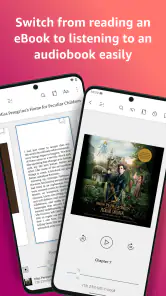
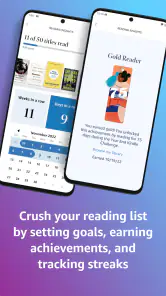
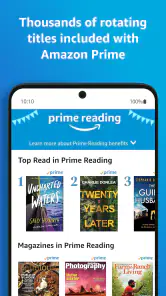
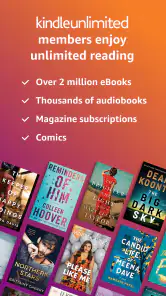
Analysis by Reviewed
I find the strongest case for Kindle is not that it replaces every way of reading, but that it makes returning to a book easy when the day keeps interrupting. A few pages in a waiting room, a chapter on the sofa, then the same passage later on another device can all belong to one reading habit. That continuity is the feature I’d build around: it helps turn small, otherwise unused stretches of time into reading time.
Why continuing where you stopped matters
In practice, synchronization is more than a convenience for people who own several screens. It can reduce the little bits of effort that derail reading: remembering which device has the book, finding the right chapter again, or trying to recall a note made earlier. If I read a few pages on a tablet at home and then have a short break away from it, being able to continue on my phone makes it easier to stay with the book rather than postpone reading until later.
The useful habit is to let each device serve a different moment. A larger screen can be more comfortable when I have time to settle in, while a phone is handy for a brief pause or a commute. I would not treat the phone as an equal replacement for every long reading session, though. Its portability is the point; the smaller display can make extended reading feel less relaxed than using a tablet, dedicated e-reader, or printed book.
The Latest on Amazon Kindle
Small reading sessions, with fewer lost threads
Kindle is a free Books & Reference app from Amazon Mobile LLC, and it is built around keeping a personal reading library available on a phone or tablet. It has a 4.8 average from around 4.5 million ratings and has passed 100 million installs. Those numbers show how widely used it is, but they do not decide whether it will suit your eyes or habits. I think it is most appealing if carrying a book everywhere matters more to you than holding a physical copy.
A realistic routine might look like this: I read a chapter at home, make a restrained highlight where an argument matters, and later revisit that section before a class or conversation. On the way, I can use a spare few minutes to continue without carrying a second device. The key is not to mark every interesting sentence. A small number of deliberate highlights are easier to use later than a page full of them, especially when the goal is to find one idea quickly.
How it compares with paper and other reading choices
Against paper, Kindle offers adjustable text and a library on a device, while giving up the feel of a book and the broad, stable page of print. Against a dedicated e-reader, the phone has the advantage of being a device many people already carry, but it is still a phone: notifications and other distractions can compete with a chapter. I’d choose paper when screen-free reading is the priority, and a dedicated reader when I want a device devoted to books. Kindle makes most sense when convenience and the ability to switch between devices are the deciding factors.
It is also worth separating the app from the books. The app is free to install, but individual in-app purchases range from $1.99 to $11.99 per item. That means a reader can try the reading experience without paying for the app itself, while still needing to consider the cost of any books they choose to buy. Kindle is rated for Teen audiences and has been available since June 28, 2010, giving it a long-established place among mobile reading options.
More From Our News Desk

X Under Pressure: Can It Recover When Posting Goes Wrong?

Clash of Clans Is Won Between the Battles

Android Auto Makes the Case for Quieter Car Software

MobiOffice: Transforming Mobile Productivity with Seamless Integration

EA SPORTS FC™ Mobile Soccer: Redefining Mobile Sports Gaming

How Microsoft OneDrive Became a Mobile Productivity Giant
Who benefits most from the handoff
I’d recommend Kindle to readers who already move between a phone and tablet, students who want to return to marked passages, and anyone whose reading tends to happen in short bursts. It is less suited to someone who dislikes screens, wants a paper-first routine, or expects a phone to feel as comfortable as a dedicated e-reader during a long evening. If your books are mainly in another format and you want a simple way to read those, a different app or a physical book may be a better fit.
Before a commute or a day with a packed schedule, I’d open the book I plan to read and make sure I know where I want to resume. That small bit of preparation avoids spending a short break deciding what to read. When studying, I’d keep notes focused on questions or ideas I may need again, rather than turning the reading session into a transcription exercise. The benefit is not that every passage becomes easier; it is that the passages I choose to keep are easier to find.
For me, the most useful thing about the Amazon Kindle app is how it makes reading fit around an ordinary day. A few pages while waiting for a bus, a chapter during lunch, then the same book again at home: I can keep the story close without carrying a separate reader or a paperback. That convenience is the app’s real strength, especially for people whose reading time comes in short, scattered stretches.
A library that follows your routine
Kindle is a free Books & Reference app from Amazon Mobile LLC, and its central idea is straightforward: keep your reading library accessible on a phone or tablet. It has an average rating of 4.8 from around 4.5 million ratings, with over 100 million installs. Those figures suggest it has become a familiar option, but the practical question is whether reading on a phone suits you. I think it works best when portability matters more than the feel of a printed page.
The app is rated for Teen audiences. You can install it without paying, while individual in-app purchases range from $1.99 to $11.99 per item, so it helps to distinguish the free app from the books you may choose to buy. Kindle has been available since June 28, 2010, and its longevity shows in how naturally it serves readers who move between devices.
Your Personal Library on the Go
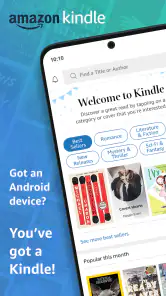
The beauty of the Amazon Kindle app lies in its simplicity and accessibility. Imagine having the freedom to carry thousands of books in your pocket. Whether you're into the latest thrillers, cozy romances, or insightful non-fiction, this app has got you covered. It's like having a bookstore wherever you go, minus the need to lug around heavy tomes.
Seamless Synchronization Across Devices
One of the standout features is its seamless synchronization. Started a book on your tablet but forgot it at home? No worries! Just pick up where you left off on your phone. The Kindle app keeps track of your progress, highlights, and notes across all your devices. It's like magic, but better because it's real!
This is particularly handy when a reading session gets interrupted. I can make a note while studying on a larger screen, then return to the same passage on my phone while out. A small habit that makes synchronization more useful is to mark a passage as I go rather than trusting myself to remember where an idea appeared. The trade-off is that this convenience depends on using Kindle across devices; someone who prefers one dedicated e-reader and keeps a book entirely offline may not gain as much from the handoff.
Customization at Your Fingertips
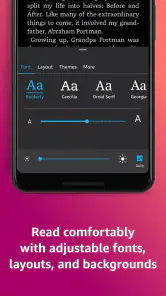
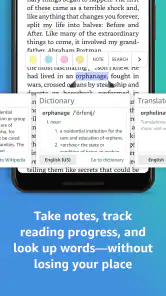
The app also offers a level of customization that makes reading more enjoyable. You can adjust the font size, background color, and even the brightness to suit your reading preference. It's perfect for late-night reading sessions or bright sunny days in the park. Plus, the built-in dictionary and Wikipedia access means you can instantly look up words or concepts without interrupting your flow.
For a practical routine, I’d set the text comfortably before settling in, then use the dictionary only when a word genuinely blocks the meaning. Looking up every unfamiliar term can turn a novel into a string of interruptions; for nonfiction, though, checking a name or concept immediately can make the reading more useful. The phone’s screen is still smaller than a tablet or paper book, so long sessions may feel cramped, and a bright display is not everyone’s preferred way to read at night.
Downloading and Exploring New Reads
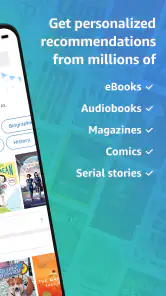
Downloading new books is a breeze. With just a few taps, you're ready to dive into your next literary adventure. The app also offers personalized recommendations, which is a neat feature if you're looking to explore new genres or authors. It's like having a personal librarian who knows your taste.
Recommendations are most helpful when you treat them as a starting point, not a reading plan. If you already know exactly what you want, browsing a bookstore or choosing from your own saved list can be quicker; if you’re between books, suggestions can surface a direction you might not have considered. For a commute, I’d download a book before leaving rather than rely on finding the next read at the moment I have time. That simple preparation turns the app into a dependable companion during gaps in the day.
Where Kindle fits—and where it doesn’t
Compared with a paper book, Kindle trades the tactile feel and easy page-wide view for portability and adjustable text. Compared with other reading apps, its appeal is strongest if you want a library that can move between devices and a reading setup you can adapt. It is less compelling if you want to avoid screens altogether, dislike reading on a phone, or mainly want an uncomplicated way to read books you already own in another format. In those cases, a physical book or a dedicated e-reader may suit you better.
One useful everyday example is a student who reads a chapter on a tablet at home, highlights a key passage, then checks the same section on a phone before class. For leisure reading, I’d use the same handoff to fill a short wait without losing my place. Highlights and notes can also make a later return to a useful passage easier than scanning pages from memory, though I’d keep them selective so they remain meaningful rather than turning every paragraph into a marked one.
Making the reading setup work for you
If you are deciding whether to read mainly on a phone, I’d try a short session in the place you expect to use it most: on a break, in bed, or while travelling. A setup that feels fine for a few pages may not be the one you want for an entire evening. Adjusting text size before starting can help, but it cannot make a small screen feel like a printed page or a dedicated reader. I see that as the clearest practical question to answer before building a habit around the app.
Another useful distinction is between reading for pleasure and reading to retrieve information. For a novel, I would keep the pace moving and avoid turning every unfamiliar detail into a lookup. For a study session, a few purposeful notes can make a later review much faster. The same tools can therefore support different habits, but they work best when I decide what I want from a passage before highlighting it.
Choosing it for the right reason
The app is a particularly sensible choice if you already use Amazon’s Kindle reading ecosystem and want to move between a phone and tablet without juggling separate copies of your progress. It is also convenient for readers who are curious about digital books but do not want to buy a dedicated device first. The app costs nothing to install, while book purchases are separate, so I would treat it as a way to test whether this style of reading suits me rather than assume that every book will be free.
On the other hand, readers whose priority is a quiet, screen-free break may be happier with paper. Someone who spends long stretches reading and finds a phone tiring may prefer a dedicated e-reader, while a person focused on files in another format may find a different reading app more straightforward. Kindle’s strongest case is not that it wins every comparison; it is that its phone-and-tablet convenience can make a specific reading routine easier to keep.
In the end, the Amazon Kindle app is a must-have for any avid reader. It combines convenience with a vast selection of books, making reading on the go a delightful experience. Whether you're a casual reader or a voracious one, this app is designed to cater to your needs. Happy reading, folks!
Amazon Kindle Frequently Asked Questions
Can I try Amazon Kindle without buying a book right away?
Yes. Amazon Kindle is free to download, so you can install it and look around before deciding whether to buy a title or use a paid reading option. The app is built around a digital library, and what you choose to read is up to you. Check the price and terms for any specific title or service before making a purchase.
Do I need an Amazon account to use Amazon Kindle?
An Amazon account is used to purchase eBooks and have them appear in your Kindle library. Once you have access to titles, the app provides a place to open and read them on your device. If you already use Amazon, the account-based library can make it easier to keep your reading organized; consider your account access before downloading.
Can I change the appearance of text while reading?
Yes. Amazon Kindle lets you adjust font size and background colors, which can make text easier to read on the screen you are using. These options are helpful if you prefer larger lettering or a different page appearance, and they give you some flexibility across devices. You can explore the available settings and choose what feels comfortable for your reading.
Can Amazon Kindle help me look up unfamiliar words?
Amazon Kindle includes a built-in dictionary, which can be useful when you encounter an unfamiliar word while reading. It is one of the app’s reading tools, alongside adjustable font sizes and background colors. These features can make reading more convenient without needing to leave the book each time you want help understanding a word.
Who develops Amazon Kindle, and what kind of app is it?
Amazon Kindle is an app from Amazon Mobile LLC in the Books & Reference category. It is designed to put a digital reading library within easy reach, whether you want to browse titles or open something you have already added. Its simple purpose is captured by the store summary: “Your library in your pocket. Anytime, anywhere.”
Pros
- Vast library of eBooks available.
- Syncs across multiple devices.
- Customizable reading settings.
- Offline reading mode.
- Built-in dictionary and translator.
Cons
- Advertisements in free version.
- Limited format support.
- Requires Amazon account.
- Paid books can be pricey.
- No audiobook support on some devices.
- Category
- Books & Reference
- Version
- Varies with device