Docx Reader - Office Viewer
- 923.00
- 4.4
- Installs
- 50.00M
- Price
- Free
Screenshots
Analysis by Reviewed
When I need to check a document away from my desk, I want to find the right file quickly and read it without turning a small task into a project. Docx Reader - Office Viewer is aimed at that everyday gap: it brings several common document types together in a mobile productivity app, with options for viewing and editing. I find it most useful as a handy way to check a file, follow a passage, or make a modest change—not as a promise that every office task will be comfortable on a phone.
When opening a file becomes the hard part
With document apps, the first snag is often not reading the file but finding the right copy. If a file seems missing, I’d first check where it was saved on the phone and whether I’m looking in the folder that contains it. A document received in a message or download may not be in the same place as one saved for work. That simple check can save a lot of repeated tapping.
I’d also keep the task in perspective: a phone viewer is useful for checking a document, finding a passage, or making a small correction, but it is not automatically a replacement for a desktop office suite. When a layout must remain exact or a document needs extensive editing, I prefer to do the final pass on a larger screen.
A few checks before relying on it
This is a free productivity app from QR & Barcode Scanner, with in-app purchases offered. It is rated for Everyone, and the current version is 1.3.5 for devices running Android 6.0 or later. Before depending on it while out, I’d open the specific file I need and make sure it displays as expected; a quick test is more useful than assuming every document will behave identically.
Its audience is broad: the app has a 4.4 average from around 165,000 ratings and over 50 million installs. Those figures suggest it has reached many users, but they don’t guarantee that every file will render perfectly on every phone. I’d treat it as a convenient mobile option and keep a backup route for important work.
All About Accessibility
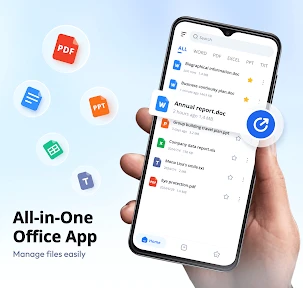
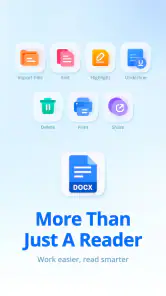
Right off the bat, the first thing I noticed about Docx Reader - Office Viewer is its sleek and user-friendly interface. As soon as you open the app, you're greeted with a no-nonsense layout that makes navigation a breeze. The app supports a variety of document formats, which is a huge plus if you're like me and have files scattered in different formats all over your devices.
What a mixed-format reader is good for
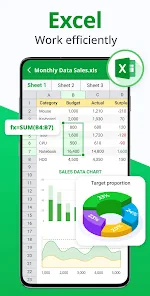
The practical benefit of bringing documents together is less about replacing every tool on my phone and more about reducing the small interruptions between tasks. If I receive a DOCX, need to check a PDF, and then want to glance at a spreadsheet, I can try the same reader instead of first deciding which specialist app to open. That convenience matters most for quick checks, such as confirming a meeting time or finding a paragraph in a draft.
More From Our News Desk

Weather by Xiaomi Review: Clear at a Glance, Less Clear Up Close

X Under Pressure: Can It Recover When Posting Goes Wrong?

Clash of Clans Is Won Between the Battles

Android Auto Makes the Case for Quieter Car Software

MobiOffice: Transforming Mobile Productivity with Seamless Integration

EA SPORTS FC™ Mobile Soccer: Redefining Mobile Sports Gaming
For example, imagine I’m on the way to an appointment and someone sends a revised agenda. I can locate the file, check the relevant section, and note whether the timing changed before I arrive. If I spot a wording issue, a brief correction may be practical; if the change affects the structure or formatting, I’d wait until I can use a larger screen. That distinction keeps a useful mobile option from becoming a risky last-minute editing routine.
Functionality at its Best
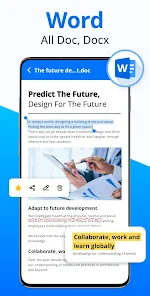
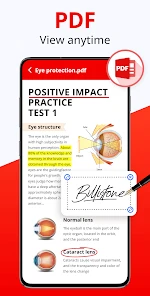
One of the standout features of this app is its ability to open and read documents seamlessly. I tried opening several large documents, expecting a lag or two, but nope! The app handled it like a champ. Whether it’s a Word document, PDF, or even a PowerPoint presentation, this app has got you covered.
Editing documents is just as straightforward. While it's not a full-blown word processor, it offers essential editing features that let you make quick changes on the go. Trust me, when you're in a rush, being able to tweak a document on your phone is a lifesaver.
Using search and bookmarks with a purpose
For a long file, I’d use search to jump to a distinctive name, phrase, or heading rather than scroll from the beginning. Once I find the relevant spot, the bookmark option can help me return to it while checking another section. A useful little habit is to search for the same term again after making an edit: that lets me review the surrounding wording and catch a change that looks fine in isolation but reads awkwardly in context.
This approach is particularly helpful for reference material, such as a set of instructions or a meeting document that I revisit in short bursts. It is less suitable when I need to compare many pages side by side, follow complex tracked revisions, or inspect exact page breaks. A phone makes searching and returning to a passage easy; it does not make dense, page-by-page review equally comfortable.
Features that Impress
Beyond the basics, the app offers some nifty features. The search functionality is quite robust. I tested it by searching for specific phrases in lengthy documents, and it pinpointed them in seconds. This feature is incredibly handy for those of us who deal with extensive documentation regularly.
Another cool aspect is the app's ability to bookmark pages. If you're reviewing a long document, bookmarking allows you to easily return to important sections without having to scroll endlessly. It's these thoughtful touches that make using the app a pleasant experience.
Making a quick review useful
One practical routine is to search for a name, clause, or heading first, then bookmark the relevant page before moving between sections. That turns a phone session into a focused review instead of a long scroll. For a work document arriving just before a meeting, I’d use this approach to locate the key passage, check the surrounding context, and make only the small edit that can be reviewed comfortably on a handset.
Compared with opening each file in a separate specialist app, having Word documents, PDFs, spreadsheets, presentations, and text files handled in one place can make casual checking less fragmented. The trade-off is that a broad viewer may not offer the depth of a dedicated editor. I’d choose this app for access and quick tasks, but use a full office suite when formatting, collaboration, or detailed revisions are central.
Choosing the right tool for the job
There are two common alternatives to consider. A basic file viewer can be enough if I only need to read one type of document, while a full office suite is a better fit if I regularly create, revise, and format files. This app sits between those choices: its appeal is having several familiar formats available in one mobile workflow, with some editing for smaller jobs. I would not pick it solely because I expect it to match a desktop editor feature for feature.
It is a good fit for someone who receives documents from different people and needs to inspect them between other daily tasks. Students checking a reading, a worker reviewing a draft before a discussion, or anyone looking up a detail in a saved file may appreciate that flexibility. Someone who mostly writes long reports, manages elaborate spreadsheets, or needs precise presentation layout should use a more capable editor for the main work and treat this reader as a companion.
Where the limits matter
Small-screen editing can make precise changes awkward, especially when a document has dense formatting or when the wording around an edit matters. I would read the finished passage again rather than assume a quick correction is automatically clear. For a spreadsheet or presentation, viewing on a phone is handy for a check, but it is less comfortable for judging the whole layout at once.
If a file looks wrong or does not open as expected, I’d avoid immediately changing the document. First, check that the intended file is selected and try opening the copy saved on the device. If the issue persists, compare it with the original in another compatible office app. That helps distinguish a file problem from a display or editing limitation, and protects the original while troubleshooting.
When a document problem may have another cause
A confusing result does not always mean the reader itself is at fault. It may be the wrong copy, an incomplete download, or a file that was changed elsewhere. I’d compare the document’s name and location with the version I meant to open, then try the original in another compatible app before making changes. If the same issue appears there, that points me toward the file or its source rather than a display difference in one reader.
For important work, I also avoid treating a phone edit as the only copy of a decision. I keep the original available and review the changed passage before sharing or relying on it. That is a sensible safeguard with any mobile editor, especially when a small wording change could affect instructions, dates, or responsibilities.
Price and everyday expectations
The app is free to download, while optional in-app purchases range from $4.99 to $42.99 per item. I’d decide whether it suits my routine using ordinary files first, then consider whether I need any paid option rather than assuming I must spend money to try basic document access. The app has 923 reviews alongside its broad rating and install history, but I still judge a document tool by whether it handles the particular files and tasks I rely on.
Its release date is December 23, 2022, and version 1.3.5 is the current version. Those details are useful context, but my more practical check is to open the kinds of documents I actually receive before making it part of a time-sensitive workflow. If I depend on a file for a meeting or deadline, I would also keep another way to access it available.
Final Thoughts
So, is Docx Reader - Office Viewer worth downloading? In my opinion, absolutely. It's a must-have tool for anyone who needs to manage documents efficiently on their mobile device. The combination of its easy interface, versatility in document handling, and handy features make it a standout choice in the sea of office apps.
If you're looking for an app that simplifies document viewing and editing, give this one a shot. You might just find it becomes your go-to app for all things documents. I’d recommend it most to people who often need to check different file types away from a computer; anyone who mainly creates or carefully formats documents should compare it with a dedicated office editor before settling on a routine.
My practical verdict is that this is most convincing as a portable document reader with useful editing for modest jobs. I’d install it if I often need to open mixed file types, search through longer documents, or return to marked sections while away from a desk. I’d skip it as my only office tool if my day depends on detailed formatting or extensive revisions. Used for the right scale of task, it can make document access less fussy without pretending that a phone is a laptop.
Docx Reader - Office Viewer Frequently Asked Questions
Can I use Docx Reader - Office Viewer to manage documents as well as read them?
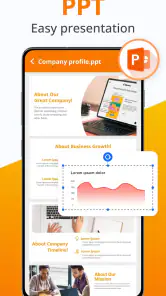
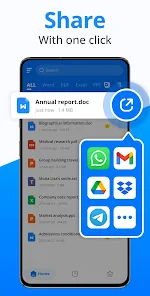
Yes. The app is presented as a tool for viewing and managing documents, including DOCX and PDF files, as well as spreadsheets, presentations, and text files. That can make it useful for keeping different document types accessible in one place. Its tools are focused on mobile document use, so consider whether they suit the way you need to organize and handle files.
Who develops Docx Reader - Office Viewer, and what is it designed for?
Docx Reader - Office Viewer is a productivity app developed by QR & Barcode Scanner. It is designed for opening, reading, and managing documents on a mobile device, with DOCX files at the center of its name and purpose. Its document tools also cover formats such as PDF, XLS, PPT, and TXT, making it relevant to users who regularly work with different kinds of files.
Can Docx Reader - Office Viewer edit documents or only display them?
The app is positioned as a document reader and viewer, with a store summary that also describes PDF editing. It is intended for opening, reading, and managing documents such as DOCX, PDF, XLS, PPT, and TXT files. If editing a particular Office document is essential to your workflow, check the available tools in the app before relying on it as a full replacement for a desktop office suite.
What is Docx Reader - Office Viewer?
Docx Reader - Office Viewer is a versatile application designed for viewing and managing Office documents, particularly DOCX files, on your Android or iOS device. It provides an intuitive interface to open, read, and navigate through documents, making it an essential tool for students, professionals, and anyone needing to access Office files on the go.
Is Docx Reader - Office Viewer free to use?
Yes, Docx Reader - Office Viewer is available for free download on both Android and iOS platforms. However, it might offer in-app purchases or advertisements to support its free version. Users can choose to upgrade for an ad-free experience or access additional features, depending on their needs and preferences. In-app purchases range from $4.99 to $42.99 per item, so review purchase details before confirming anything.
Pros
- Supports multiple file formats.
- Fast and lightweight performance.
- User-friendly interface.
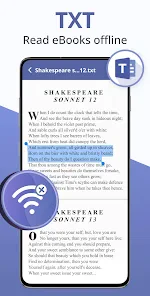
- Offline access to documents.
- Free version available.
Cons
- Ads in the free version.
- Limited editing capabilities.
- No cloud integration.
- Occasional crashes reported.
- Interface lacks customization.
- Category
- Productivity
- Version
- 1.3.5












