Beatron - AI Music Maker
- 1.15K
- 4.5
- Installs
- 1.00M
- Price
- Free

Screenshots
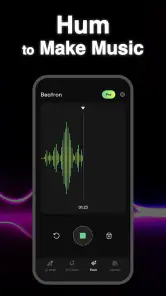
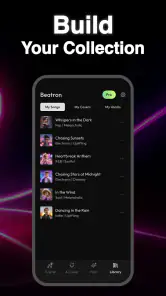
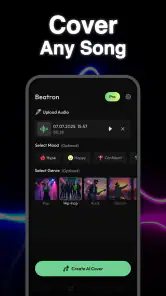
Analysis by Reviewed
I can see Beatron working best as a shared creative tool: one person has a lyric idea, another wants a beat for a short video, and someone else is curious whether a text prompt can turn into a song at all. Rather than replacing a full music studio, this music-making app gives a household an easy place to experiment with AI-generated songs, covers, beats, and lyrics. My first impression is that its appeal lies in getting from an idea to something audible quickly, without expecting everyone to know music software.
A household project with a clear starting point
For a practical test, I would set aside a short session and pick one small outcome: a funny birthday-song draft, a theme for a family video, or a beat that captures the mood of a weekend outing. That makes it easier to decide whether the result is useful without turning a casual experiment into a long production project. If the first attempt misses, the group can still enjoy comparing what it got right and what it misunderstood.
This kind of use is where Beatron - AI Music Maker has a more distinct role than a standard music app. It is not just something to play while everyone does something else; it gives people a prompt to discuss and shape together. I would choose it for a shared creative moment, rather than for a household that simply wants music on demand or needs a finished track for a deadline.
Turning a shared idea into a musical sketch
I’d begin a shared session by choosing one small, specific idea and deciding who will steer the first prompt; that keeps a playful experiment from turning into a debate over every detail. As we listen, I’d note what the result captures and what it misses, so the next attempt has a clear direction rather than simply asking for “more.”
A low-pressure way to try an idea
In an everyday situation, I might use Beatron after dinner with a friend or family member: we come up with a silly theme, describe the mood we want, then see what the app makes of it. That is a more natural starting point for casual users than opening a traditional audio workstation, choosing tracks, and learning how to arrange them. Text-to-music generation can make the blank-page stage feel less daunting, especially when the goal is a fun first draft rather than a polished release.
The same quick-start quality can be useful for a birthday message, a playful family project, or a rough soundtrack idea for a personal clip. I would treat the result as a creative prompt: listen together, notice what feels right, and refine the idea rather than assuming the first output will match every detail in your head. That distinction matters. AI generation is appealing because it removes some technical barriers, but it can still interpret a request differently from the way you intended.
Beatron is an app in the Music & Audio category from Ocean Float Mobile. It is free to install, with in-app purchases listed from $0.99 to $99.99 per item, so I would check the purchase details before letting a child or another household member explore freely. Its 4.5 average from around 52,000 ratings and more than one million installs suggest that it has found a sizable audience, though popularity alone cannot tell you whether its style or workflow suits your home.
More From Our News Desk

Weather by Xiaomi Review: Clear at a Glance, Less Clear Up Close

X Under Pressure: Can It Recover When Posting Goes Wrong?

Clash of Clans Is Won Between the Battles

Android Auto Makes the Case for Quieter Car Software

MobiOffice: Transforming Mobile Productivity with Seamless Integration

EA SPORTS FC™ Mobile Soccer: Redefining Mobile Sports Gaming
Where it fits beside other music tools
Compared with a conventional beat-making or recording app, Beatron’s strongest draw is the idea-first approach. A traditional tool usually gives you more direct control over notes, tracks, and arrangement, but it asks you to do more of the musical work yourself. Beatron is better suited to someone who wants to describe a direction and hear a generated starting point. If you already know exactly how a song should be structured, or need precise editing and production control, a full-featured audio editor is likely the better choice.
It also differs from simply browsing a music-streaming service. Streaming helps you find finished songs; this app is aimed at making new material from a prompt, including lyrics and beats. That makes it more playful and participatory, but it is not a substitute for a reliable library of familiar tracks. I would choose it for experimentation, not for putting on background music and expecting a curated listening experience.
Make the first session more useful
A practical tip is to agree on a narrow brief before generating anything. Instead of asking for a song that is “fun,” decide whether you want a bouncy beat, a calm mood, or lyrics about a particular shared memory. Clear constraints give everyone something concrete to compare against, and they make it easier to explain why one result feels closer than another. If several people are contributing, take turns suggesting one change at a time; otherwise, the prompt can become a jumble of conflicting requests.
Another useful habit is to treat lyrics and audio as separate creative decisions. A line that reads well on screen may feel awkward when sung, while a catchy musical result may not express the exact message you wanted. I would review the words before sharing a finished piece, especially if the song is intended for a child’s school project or a family occasion. This is less about distrusting the tool than about remembering that generated material still benefits from a human check.
Setting boundaries on a shared device
On a family tablet or phone, I would decide in advance who can make purchases and who is allowed to use the app independently. The free starting point is convenient, but the presence of optional purchases means that “free to try” should not be confused with “nothing can ever cost money.” A parent can keep payment approval in their own hands and explain that any purchase needs permission. That is a simple household rule, not a claim about a particular control inside Beatron.
It is also sensible to think about account boundaries before multiple people use the same device. If one person creates songs and another later opens the app, they may not want their creative activity mixed together. I would check how the app behaves during setup and decide whether a shared device is appropriate for the household’s privacy preferences. If someone is making music for a personal project, using their own device or keeping their work session separate may be less confusing than passing one app session around.
For a group activity, keep the goal modest: make a few drafts together, then agree who is responsible for saving or sharing the chosen result. That avoids the common shared-device problem where everyone assumes somebody else kept the version they liked. I would not build a family workflow around any specific collaboration or account feature unless I had confirmed it in the app itself; the useful coordination here comes from agreeing on turns and ownership, not assuming the app manages that for you.
Helping everyone take part without crowding the process
Beatron can suit people with very different levels of musical confidence because a prompt is easier to contribute than a melody or a drum pattern. One person can suggest a subject, another can choose a mood, and a more experienced musician can judge whether the result is useful as a draft. That division of labor makes it a good group activity when no one wants to be put on the spot as “the talented one.”
There is a trade-off, though: a shared creative session can become frustrating if everyone expects the app to follow every instruction at once. I would let one person lead each generation and invite the others to give feedback afterward. This keeps the process moving and makes it clearer which change improved the next attempt. It also gives younger users a chance to participate without handing them control of purchases or any account decisions.
If your household wants to use generated music for a public post, school submission, or commercial project, pause and review the app’s current terms and the rules of the destination platform before publishing. The fact that a tool can generate music does not automatically settle questions about appropriate use or rights. For private experimentation, that may not be a concern; for anything public or monetized, checking first is a more responsible workflow than assuming every output is cleared for every purpose.
Age, trust, and realistic expectations
The app is marked Everyone, which makes its stated content age context broad. I would still use ordinary parental judgment rather than treating an age label as a guarantee that every prompt or generated result will suit every child. Younger users may need help choosing topics, interpreting outputs, and understanding that generated lyrics can be odd or not quite appropriate for the situation they had in mind. A quick adult review before a song is shared is a sensible safeguard.
For a child who enjoys inventing stories, the combination of words and music could be a motivating way to explore creativity. For a child who mainly wants a dependable instrument for lessons, I would look elsewhere: Beatron’s central appeal is AI-assisted creation, not a structured path for learning rhythm, harmony, or an instrument. Likewise, a musician who needs detailed control should regard it as an idea generator rather than a replacement for established production software.
One less obvious trade-off is that the convenience of prompt-led creation can make repeated attempts feel like the obvious solution when an output misses the mark. I would set a small goal for a session—perhaps finding a usable direction or making one entertaining draft—rather than chasing a perfect song indefinitely. That keeps the app enjoyable and makes any optional spending easier to assess calmly. If the household is only curious, start with the free access and decide whether the results genuinely add value before considering purchases.
What to expect from the app itself
Beatron’s current version is 31.0, and it supports Android 7.0 or later. Those details are useful if you are deciding whether an older household device can run it, but I would still check the app’s behavior on that particular device before planning a group activity around it. A music-generation session depends on being able to hear and review the results comfortably, so a device with working audio and enough room for a relaxed listening session will make the experience more enjoyable.
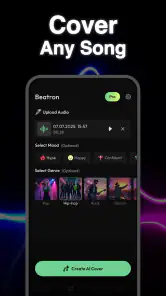
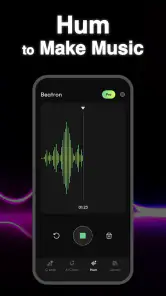
The app’s breadth—songs, covers, beats, and lyrics—makes it tempting to treat it as an all-in-one music solution. I would instead think of those as different creative entry points. Someone stuck on words can begin with lyrics; someone with a tune or scene in mind may want a beat or broader song idea. Choosing one purpose at a time is a practical way to avoid a scattered session and to judge whether the output is actually helpful.
Its scale is encouraging but should be read in context: around 1,100 written reviews sit alongside the much larger rating count. I take that as a reason to explore the app hands-on rather than assuming every use case is covered by other people’s opinions. The best test is whether its generated material gives your household a useful starting point without making the process feel more complicated than the original idea.
My household verdict
I would recommend Beatron to households that enjoy making things together and want a casual route from a written idea to a musical sketch. It can be especially appealing for a shared creative afternoon, a playful gift idea, or a quick soundtrack concept, provided everyone understands that generated results may need judgment and revision. Its free entry makes it approachable, while the optional purchase range is a reason to keep payment decisions with an adult.
I would skip it if your priority is a private, carefully organized multi-user music workspace, a dependable streaming library, formal music lessons, or precise studio-level editing. Those needs call for different tools. For a family that wants an accessible experiment rather than a complete production system, though, Beatron has a clear role: bring an idea, take turns shaping it, review the result together, and keep expectations grounded. That is where I think it offers the most satisfying experience.
Beatron - AI Music Maker Frequently Asked Questions
What is Beatron - AI Music Maker?
Beatron is an AI-powered music-making app designed to help users turn ideas into musical creations. Depending on the tools available in your version, you may be able to generate tracks from prompts, experiment with different styles, or make changes to AI-created music. It is aimed at both beginners and more experienced creators, but the results and available features can vary by app version and subscription plan.
Do I need musical experience to use Beatron?
No formal music training is generally needed to get started with an AI music maker. Beatron is intended to make music creation more approachable, so you can explore its controls and describe the sound you want without knowing how to play an instrument. More detailed musical knowledge may still help when refining ideas, choosing styles, or deciding how a generated track should develop.
Is Beatron free to download and use?
The app’s pricing may include free access, paid features, subscriptions, or limits on how much music you can generate. Check Beatron’s current store listing and in-app purchase details before downloading or starting a trial, since pricing and plan terms can change. Review renewal dates and cancellation instructions carefully if you choose a subscription, and confirm which features are included at no extra cost.
Can I use music created with Beatron in videos or for commercial projects?
Do not assume that every track made with Beatron is cleared for commercial use. The rights you receive can depend on the app’s current terms, your account plan, and the way the music was generated. Before publishing a track in a monetized video, advertisement, game, or other commercial project, read Beatron’s licensing and usage rules and check whether attribution or other restrictions apply.
Does Beatron require an internet connection, and what should I check before installing it?
AI music generation may rely on online processing, so an internet connection could be needed for some or all creation features; offline availability can differ by version. Before installing, check the app’s store page for device and operating-system compatibility, permissions, storage needs, and recent user feedback. Also review its privacy information to understand how prompts, audio, and account data may be handled.
Pros
- Quickly turns text prompts into original music ideas.
- Useful for experimenting with styles without music-production skills.
- AI-generated tracks can help spark ideas for personal projects.
- Simple workflow makes it approachable for beginners.
- A convenient way to explore music creation on a mobile device.
Cons
- Results may not match the prompt or sound fully polished.
- Generated music can feel repetitive across multiple attempts.
- Less control than a traditional audio workstation or instrument.
- Some features or generations may require payment or credits.
- Review licensing terms before using tracks commercially.
- Category
- Music & Audio
- Version
- 31.0













