ArtistAI: AI Photo Generator
- 3.51K
- 4.5
- Installs
- 1.00M
- Price
- Free

Screenshots
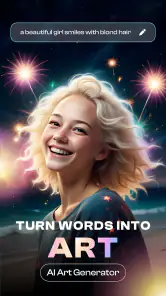
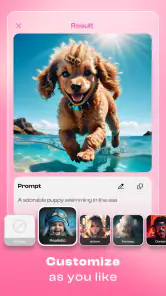
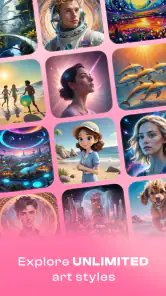
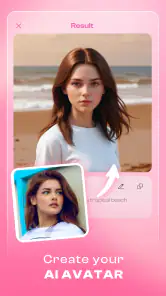
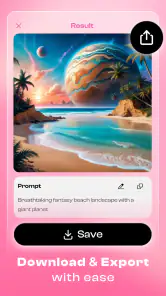
Analysis by Reviewed
I tend to reach for an AI art app when I have a photo I like but want to see it in a different light without opening a complicated editing program. ArtistAI: AI Photo Generator is aimed at that kind of quick creative detour: it takes an image as a starting point and lets me explore an artistic interpretation. I find it most rewarding when I treat the result as an idea to consider, not a guaranteed improvement or a substitute for my own judgement.
Readability and finding your way around
The app’s appeal is its relatively approachable style of editing. I don’t need to understand layers or learn a set of professional controls before I can begin experimenting, which makes it easier to try an artistic transformation casually. That simplicity can be helpful if I’m new to photo editing, though a clean-looking interface doesn’t automatically make every control comfortable for every user.
On a smaller phone screen, I’d take a moment to check whether labels and icons are easy for me to recognize before starting a longer session. If an editing control is unfamiliar, I prefer to test it on a photo I can afford to change rather than tap around on an image I care about. A quick first test also helps me learn whether I can retrace my steps and compare a generated result with the source.
Making experiments easier to judge
I find this kind of app most useful when I have a photo I like but want to explore a different visual direction without learning a full editing suite. For example, if I’ve taken a picture of my dog in the garden, I can try turning it into an image with a more painterly feel before choosing one to share. The point isn’t to expect the AI to read my mind; it’s to use the result as a starting point and decide whether the interpretation actually suits the subject.
That distinction matters if you’re making something for a specific purpose. A playful portrait for a group chat can tolerate odd details, while a family print or a small business image needs closer inspection. I’d check faces, edges and any important background objects before using a result beyond casual sharing. An image can look convincing at a glance and still alter a detail that matters to you.
Different abilities, different kinds of friction
Visual effects are the point of the experience, but they can also be a lot to process. Comparing several vivid interpretations may be fun when I’m in the mood, yet tiring if I’m sensitive to busy imagery or strong contrast. I’d look at previews at my usual screen brightness and take a pause rather than scrolling through styles until everything starts to look alike.
Motor comfort matters too. Repeatedly selecting options or working with small controls can be frustrating for someone who finds precise tapping difficult. I’d try a short session first and notice whether the basic flow feels manageable with the way I normally hold and use my phone. If it does not, the creative possibilities may not compensate for the effort.
More From Our News Desk

Weather by Xiaomi Review: Clear at a Glance, Less Clear Up Close

X Under Pressure: Can It Recover When Posting Goes Wrong?

Clash of Clans Is Won Between the Battles

Android Auto Makes the Case for Quieter Car Software

MobiOffice: Transforming Mobile Productivity with Seamless Integration

EA SPORTS FC™ Mobile Soccer: Redefining Mobile Sports Gaming
When a quick transformation fits real life
A practical use might be choosing a profile picture after an ordinary day: I have a clear portrait, want something more expressive than the original, and can spend a few minutes comparing treatments before deciding whether any feel right. Another is making a playful image for a message or a casual invitation. In both cases, I’d keep the original and avoid relying on an AI result for details that need to be accurate.
For an image meant to represent a person, I’d also ask whether the person would be comfortable with the transformation and any sharing that follows. A stylized result can change the way a face or setting comes across, so I wouldn’t assume that a more dramatic version is automatically a better one. This small check is especially worthwhile when the image is of someone else.
Unleashing Creativity with AI
When I first downloaded the Artist AI Art Photo Generator, I was skeptical. I mean, how can an app truly grasp the nuances of art? But boy, was I in for a surprise! This app leverages artificial intelligence to transform your photos into stunning works of art. By simply uploading an image, the app applies various artistic styles, turning mundane snapshots into vibrant, eye-catching creations.
Features that Stand Out
One of the coolest features of this app is its vast selection of artistic styles. Whether you're a fan of Van Gogh's swirling strokes or prefer the bold, abstract flair of Picasso, this app has got you covered. I found myself spending hours experimenting with different styles, tweaking my photos to perfection. The interface is user-friendly, making it accessible even for those who are not tech-savvy.
For a better comparison, I’d treat the app as a quick creative playground rather than a replacement for a conventional photo editor. A standard editor is usually the better choice when I need precise control over cropping, color correction or retouching. Here, the appeal is the possibility of a more dramatic artistic transformation, with less manual work. My practical tip is to begin with a clear photo where the main subject stands out; a busy background can compete with the effect and make it harder to judge the result.
Another aspect worth mentioning is the app's speed. The AI processes images quickly, ensuring that you don't have to twiddle your thumbs while waiting for your masterpiece to render. Plus, the app doesn't skimp on quality. The final output is high-resolution, ready to be printed or shared on social media.
Readable, but not equally comfortable for everyone
The simple interface described above helps keep experimentation approachable, especially for someone who doesn’t want to learn a complicated set of editing controls. Still, ease of use is not the same as accessibility for every person. If small text, visually dense screens or unfamiliar icons make phone apps difficult for you, the creative result may be less important than whether the controls feel comfortable to navigate on your device.
There is also a sensory trade-off in working with visual effects: comparing several bold interpretations can be enjoyable, but strong colors and busy compositions may feel overwhelming rather than expressive. I’d take breaks between experiments and judge each image at the size and brightness I normally use. That is more useful than choosing an effect simply because its preview looks striking for a moment.
Why You'll Love It
If you're someone who loves to make a statement with your photos, this app is a game-changer. It's perfect for creating unique profile pictures, personalized gifts, or simply exploring the world of digital art. The Artist AI Art Photo Generator empowers users to express themselves in ways they never thought possible.
It may also suit a quick everyday task: I might want a more distinctive image for a social profile, try a few artistic treatments during a break, then save the version that feels most like me. For a gift, I’d test the effect on a copy of the photo first and compare the outcome with the original before deciding whether it feels personal. This keeps the process low-pressure and helps avoid treating an automatic style as a guaranteed improvement.
Moreover, the app encourages creativity. It's not just about slapping an artistic filter on a photo; it's about exploring different interpretations and finding what resonates with you. And let's face it, who doesn't love a bit of artistic flair in their life?
Who should try it, and who may prefer another tool
Artist AI is a good fit for casual creators who enjoy experimenting, want a quick visual change, or are curious about AI-assisted art without starting with professional software. LeoStudio Global Ltd. develops the app, which sits in the art and design space. It is free to download, has a Teen age rating, and offers in-app purchases ranging from $0.99 to $79.99 per item, so I’d check the purchase options before committing to anything paid. Its 4.5 average from around 58,000 ratings and more than a million installs suggest broad interest, though popularity alone can’t tell you whether its style suits your taste.
I’d look elsewhere if you need dependable, exact edits, a predictable result for client work, or a workflow built around detailed layer and retouching controls. It may also be a poor fit if you’d rather not upload personal photos to an app until you have reviewed its current privacy information and permissions. For sensitive images, choosing a local editing tool you already trust is the more cautious option.
What to keep in mind before settling on a result
Artist AI is listed at version 1.3.6 and requires Android 8.0 or later. Those details are useful when checking whether an Android device can run it, but they don’t tell me how comfortable the app will feel on every screen or for every ability. If you rely on larger text, screen-reader support, switch access or other assistive settings, I’d test the actual controls before planning to use it regularly. A straightforward interface can still leave barriers if a key action is difficult to identify or reach.
One practical habit is to keep the original image untouched and treat each generated version as an experiment. That gives me a simple way to compare whether the treatment improves the picture or merely makes it more dramatic. If the first result misses the mood, I’d change the source image or try a different visual direction rather than repeatedly expecting the same photo to produce a precise, controlled edit.
Choosing between AI art and familiar editing tools
Compared with a standard photo editor, Artist AI puts more emphasis on reimagining the overall look than on making careful local adjustments. That difference is useful when I want inspiration quickly, but it also means I would not choose it to remove one small distraction or correct a specific color while leaving everything else untouched. A conventional editor gives me more predictable, hands-on control; an AI art app is more interesting when I’m open to being surprised.
There is a useful middle ground: I can use an AI-generated image to explore a mood, then make any precise finishing changes in a separate editor if I need them. I would not assume that the generated version is ready for every purpose just because it looks polished on the phone. For a social post, an imperfect detail may be harmless; for a printed keepsake, I’d zoom in and inspect the subject before deciding.
Small choices that improve the outcome
One non-obvious advantage of starting with a simple composition is that it makes the AI’s interpretation easier to evaluate. If the frame contains one clear subject and fewer competing details, I can tell whether the style is enhancing the photo or obscuring what I liked about it. I’d also try a photo with even lighting before using a dim or cluttered snapshot, since the source image itself strongly shapes how satisfying the transformation feels.
I’d avoid making several decisions at once. First choose a photo that works, then compare styles, and only after that decide where the result will be used. This separates a problem with the original image from a style that simply doesn’t suit it. It also helps me stop when I have a result I like instead of spending time chasing a perfect version that the app may not produce.
What to expect before installing
The app has a 4.5 average and around 3,500 written reviews, and it was released on June 23, 2023. I see those figures as a broad sign that people have tried it, not as proof that its interface or output will fit my needs. It is free to install, but the available in-app purchases make it sensible to review any purchase prompt carefully, especially if I’m only looking for occasional experiments.
If you’re wondering whether it is suitable for a child or teen, the app carries a Teen age rating, so I would use that as a prompt to check whether its content and purchase options are appropriate for the person using it. If you’re wondering whether you need artistic experience, I don’t think so: the basic appeal is trying visual directions and judging the results, rather than drawing by hand. But if you need a specific, repeatable result, skill with a regular editor may serve you better than relying on an automated interpretation.
In conclusion, the Artist AI Art Photo Generator is more than just an app; it's a gateway to a world of creativity and self-expression. Whether you're an aspiring artist or just someone who appreciates beautiful imagery, this app is sure to leave an impression. So why not give it a go? You might just discover a hidden talent you never knew you had!
My inclusive verdict
I’d recommend trying it if you want a low-effort way to explore artistic treatments and are comfortable judging the results for yourself. Its strongest appeal is spontaneous experimentation, not precise control or guaranteed suitability for every access need. The experience will depend on the photos you choose, the styles you enjoy and how easily you can use the interface. I’d start with a non-sensitive image, check the available purchase choices, and decide from a few real attempts whether its creative approach works for you.
ArtistAI: AI Photo Generator Frequently Asked Questions
What kinds of images can I make with ArtistAI?
ArtistAI is an AI image generator and editor that offers several creative tools, including AI image generation, photo enhancement, face swapping, and tattoo generation. You can use it to explore different ideas, whether you want to create an image from a prompt or make changes to a photo. The available options in the app can help you decide which tool best suits your project.
Does ArtistAI offer tools beyond AI image generation?
Yes. ArtistAI’s feature set includes face swapping, tattoo generation, photo enhancement, and AI editing in addition to image generation. These tools make the app relevant to users who want to experiment with different kinds of visual edits, not just generate new images. Explore the options in the app to see which features fit the style of project you have in mind.
Can I use ArtistAI to create images from text prompts, or does it only edit photos?
ArtistAI is presented as an AI image generator and editor, with features including photo enhancement, face swapping, and tattoo generation. Its store summary also highlights AI image generation, so the app is not limited to applying effects to uploaded photos. If you want to explore a particular creation option, check the available tools and prompts in the app before starting a project.
Is ArtistAI suitable for teenagers?
ArtistAI has a Teen content rating, so it is intended for a teen audience as well as adults. The app focuses on creative image generation and editing, but generated results can vary depending on the image and choices made. Parents or guardians may want to review the app together with younger users and discuss what images are appropriate to create and share.
What is Artist AI Art Photo Generator?
Artist AI Art Photo Generator is a cutting-edge app designed to transform your photos into stunning pieces of art using advanced artificial intelligence algorithms. Whether you want to turn your selfies into paintings or give your landscape photos a creative twist, this app offers a variety of artistic styles and filters to choose from, making it a favorite among photography enthusiasts. It is an Art & Design app developed by LeoStudio Global Ltd., with AI image generation and editing tools.
Pros
- Easy to use interface for beginners
- Quickly generates high-quality images
- Wide range of artistic styles available
- Supports multiple languages
- Frequent updates with new features
Cons
- Requires internet connection to function
- Limited free version with in-app purchases
- Occasional bugs in the app
- High battery consumption
- Limited customization options
- Category
- Art & Design
- Version
- 1.3.6













