Star Gazer - Night Sky View
- 2.68K
- 3.8
- Installs
- 5.00M
- Price
- Free

Screenshots
Analysis by Reviewed
I find a sky app most useful when it helps turn a quick look upward into a reason to pause. Star Gazer - Night Sky View is a free astronomy tool from LeoStudio Global Ltd., built around looking at stars, constellations, and planets. Its appeal is easy to understand: rather than asking you to learn a printed chart first, it gives you a way to explore the sky through your phone. I would treat it as a casual guide for curious evenings, not as a replacement for careful observing or a dedicated astronomy reference.
Where it fits in a stargazing routine
The app makes the most sense when I have a specific question while outside: what am I looking at, or where should I turn next? A sensible approach is to choose one patch of sky, use the display to orient yourself, then look away from the screen and try to pick out the pattern with your eyes. That small habit matters because staring at a bright phone for too long can make it harder to enjoy faint stars, even when a night-vision option is available.
For a family walk or a quiet evening in the garden, this kind of guided discovery can be more inviting than opening a dense star chart. It can also give beginners a starting point for learning the names of visible objects. I would not expect a phone-based guide to replace binoculars, a telescope, or a detailed observing plan; its strength is helping a casual observer connect a point of light with a name and a larger picture.
Practical ways to get more from it
One useful trick is to let your eyes adjust to the darkness before using the screen, then check the display briefly and lower the phone again. If you are sharing the view with someone, take turns pointing and identifying rather than passing the phone around while everyone watches the screen. That keeps the conversation focused on the actual sky and makes the app a prompt for observation instead of the whole activity.
It is also worth treating any sky identification as a guide rather than proof. Hold your position steady, compare a few nearby patterns, and check whether the object you are trying to find is actually visible in the conditions around you. Clouds, nearby lights, and a narrow view between buildings can all make an otherwise useful guide less satisfying. In those situations, I would use the app to plan what to look for later rather than expect it to make the sky clearer.
If your main goal is a structured astronomy course, a specialist reference or a printed sky chart may suit you better. Those options can offer a more deliberate way to study without relying on a phone while observing. This app is a better fit for someone who wants an approachable companion for spontaneous questions and is happy to learn gradually, one object at a time.
Getting Started with Star Gazer
First things first, downloading and setting up Star Gazer - Night Sky View is a breeze. Available for both Android and iOS, you can easily find it on your respective app store. Once installed, the app greets you with a user-friendly interface that even the most tech-challenged individuals can navigate with ease. No need to be a professional astronomer to get the hang of this!
More From Our News Desk

Weather by Xiaomi Review: Clear at a Glance, Less Clear Up Close

X Under Pressure: Can It Recover When Posting Goes Wrong?

Clash of Clans Is Won Between the Battles

Android Auto Makes the Case for Quieter Car Software

MobiOffice: Transforming Mobile Productivity with Seamless Integration

EA SPORTS FC™ Mobile Soccer: Redefining Mobile Sports Gaming
Features That Shine
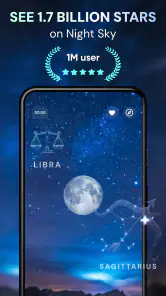
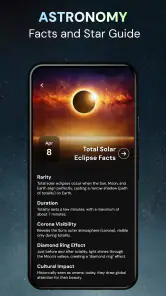
One of the standout features of Star Gazer is its augmented reality capability. Just point your phone towards the sky, and the app overlays constellations, planets, and even satellites in real-time. It's like magic! This feature is perfect for those who want to learn more about the night sky without having to decipher a star map. Plus, the app provides detailed information about each celestial body, from its name to its history, ensuring you never run out of things to discover.
Another impressive feature is the "Night Mode," which adjusts the screen's brightness and colors to protect your night vision while observing the stars. This thoughtful touch means you can spend more time stargazing and less time squinting at your screen.
Exploring the Universe
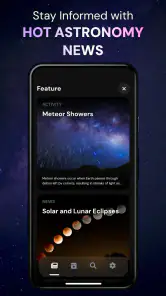
For those with a thirst for knowledge, the app offers an extensive library of educational content. From articles about the solar system to the latest discoveries in astrophysics, you'll find plenty to keep your mind engaged and your curiosity piqued. It's like having a mini astronomy course at your fingertips!
Whether you're a seasoned stargazer or someone just starting to explore the wonders of the universe, the app's community feature allows you to connect with fellow enthusiasts. Share your starry experiences, ask questions, or simply marvel at the beauty of the cosmos together.
What to expect before you settle in
The app is rated for Everyone, has an average rating of 3.8 from around 36,000 ratings, and has passed 5 million installs. It is free to download, though it offers optional in-app purchases ranging from $0.99 to $24.99 per item. I would start with the free experience and decide whether its way of exploring suits you before spending anything. Its current version is 1.9.4, and it requires Android 7.0 or later.
It was released on January 30, 2024, so the version number gives some context for its development, but it does not tell me by itself which features changed or how existing users experienced those changes. What matters in practice is whether the current app supports the way you like to observe: quick visual orientation, short explanations, and a screen mode intended for nighttime use. If you already rely on a specialist chart, I would keep that as your more precise reference and use this as a convenient companion.
My main caution is that augmented-reality overlays can encourage you to trust the phone more than the view above it. Keep movements slow, check the surrounding star pattern, and take breaks from the screen. If you want an instrument for serious planning, exact observing sessions, or a screen-free experience, another tool may be a better match. If you want a friendly nudge to step outside and become curious about what you can see, this approach is more appealing.
Choosing the right way to explore
Compared with a traditional paper chart, the phone-led approach is easier when I do not already know the names or shapes of the constellations. I can use the visual overlay as a first clue, then put the phone down and look for the same arrangement in the sky. A paper chart has the advantage of not lighting up in my hand, and it can be easier to keep open for a longer observing session, but it asks me to interpret the page and orient it correctly. I see these as different tools, not competing versions of the same experience.
Compared with a specialist astronomy reference, this app seems better suited to a quick introduction than to careful preparation. If I am planning a longer session with binoculars or a telescope, I want reliable detail and a methodical list of targets; an approachable visual guide is not automatically the best instrument for that job. For a spontaneous question during a walk, though, the low barrier to opening a phone and looking around is a real advantage. The right choice depends less on which app has more information and more on whether I am learning casually or trying to observe with a specific plan.
A small outing that makes the features useful
Imagine stepping outside after dinner with a friend who has never learned the constellations. Rather than trying to explain the whole sky, I would pick one visible area, use the overlay to identify a pattern, and then ask them to find its shape without looking at the screen. We could check a planet or another bright point next, read a short piece of information, and move on only if the real sky still holds our attention. That turns the app’s identifying and learning roles into a conversation instead of a silent screen session.
This kind of outing also shows where the app cannot do the work for you. A display can help you know what to search for, but it cannot remove haze, clouds, street lighting, or buildings from your view. If the sky is poor, I would keep the session short and use the app indoors to build familiarity with names and patterns, rather than repeatedly hunting for objects that are not visible. That is a more satisfying use of a cloudy evening than expecting a digital overlay to create a clear view.
How I would approach upgrades and familiarity
When an app is already part of someone’s routine, a version number can be useful as a marker of its present state, but it is not a changelog. The available release information establishes that the current version is 1.9.4 and that the app arrived in January 2024; it does not establish a sequence of feature changes. I would therefore judge it by what is available in the version I install, not assume that a particular tool or improvement was introduced in a specific update.
For an existing user, the practical question is whether the current way of viewing and learning still fits their habits. If the overlay is a familiar starting point, keep using it as a visual aid and build a routine around looking away from the phone often. If you have outgrown casual identification and now want to plan observations in depth, it may be time to add a dedicated reference rather than expect this app alone to cover every need. Keeping the two roles separate can make both tools more useful.
I would also be deliberate about in-app purchases. Since the app is free to download and individual purchases are offered, there is no need to pay before finding out whether its central style of sky exploration works for you. Start with the experience available without spending, notice which parts you actually return to, and only consider an optional purchase if it clearly supports the way you use the app. The listed purchase range is broad enough that I would check the exact item and its cost in the app before confirming anything.
Who will enjoy it, and who may not
I think it is a natural fit for beginners, families, and anyone who wants a reason to stop during an evening walk and notice more than the brightest object overhead. The educational material may also appeal to someone who likes to read a little before or after looking outside. A person who is already comfortable identifying the sky by eye might still enjoy the quick orientation, but may find a more specialized chart better for detailed observing.
I would skip it as a primary tool if I needed a dependable, carefully structured observing plan, a screen-free session, or a reference designed around technical astronomy. It is also a poor match for anyone who expects an app to make faint objects visible in an urban or cloudy setting. The app can give a beginner a prompt and context; it cannot substitute for dark skies, patience, or optical equipment. That distinction is important because the most impressive digital view is not necessarily the most useful one for a serious observation.
What remains worth checking
Before settling into a routine, I would check how the night display feels on my own phone and in the conditions where I usually observe. A setting described as night-oriented is helpful, but my eyes and surroundings still matter; I would keep the screen use brief and avoid assuming that any mode makes a phone invisible in the dark. The same practical test applies to the augmented-reality view: try it in a clear, open area, move slowly, and see whether its labels help you connect the pattern to the sky rather than distract from it.
I would also decide what I expect from the learning side. The educational library and community can make the app feel more like a place to keep exploring than a one-time identifier, but people looking for a formal course or a specialist discussion space should compare those needs with dedicated resources. For casual curiosity, a few useful explanations and the chance to share an observation may be enough. For a deeper study goal, I would pair it with material that follows a clear curriculum or offers the level of technical detail I need.
Its overall rating is 3.8 from around 36,000 ratings, alongside about 2,700 written reviews. I take that as a reason to approach it with sensible expectations rather than as a verdict on whether I will enjoy it. The central idea is clear, but the quality of a night-sky session depends on the phone, viewing conditions, and how much screen interaction I am comfortable with. A short trial on an ordinary evening will tell me more about personal fit than a rating alone.
Final Thoughts
In a world where technology often distracts us from the natural world, Star Gazer - Night Sky View offers a refreshing way to reconnect with the universe. It's more than just an app; it's a gateway to the stars, fostering a deeper appreciation for the night sky. Whether you're using it for educational purposes or simply to unwind and gaze at the stars, it's an app that's well worth adding to your collection. So grab your phone, step outside, and let Star Gazer guide you through the cosmos. Happy stargazing!
Star Gazer - Night Sky View Frequently Asked Questions
What is Star Gazer - Night Sky View, and what can I use it for?
Star Gazer - Night Sky View is a mobile app for exploring the night sky. Its description focuses on viewing stars, constellations, and planets, with a night-vision space theme. It may appeal to people who want a handy astronomy reference while looking up at the sky, or who are simply curious about the objects visible overhead.
Is Star Gazer - Night Sky View free to download, and are there optional purchases?
The app is free to download, and it also offers optional in-app purchases. Those purchases range from $0.99 to $24.99 per item, so it is worth checking the purchase options in the app before buying anything. You can start with the free download and decide whether any paid options suit your needs.
What devices and operating systems can run Star Gazer - Night Sky View?
Star Gazer - Night Sky View is an astronomy app for mobile devices, with a minimum operating-system requirement of version 7.0. Before downloading, check that your device meets this requirement and has enough available space for an app. The app is developed by LeoStudio Global Ltd. and is listed for users of all ages.
Who develops Star Gazer - Night Sky View, and how popular is it?
Star Gazer - Night Sky View is developed by LeoStudio Global Ltd. It has been installed more than five million times and has received around 36,000 ratings, with an average rating of 3.8. Those figures suggest that it has reached a broad audience, though individual experiences can differ depending on expectations and how the app is used.
What features does Star Gazer - Night Sky View offer?
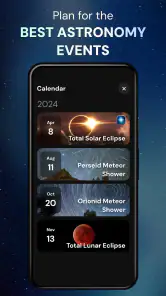
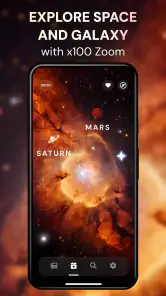
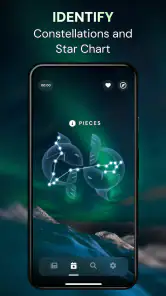
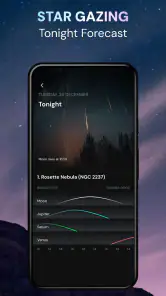
Star Gazer - Night Sky View is an app designed for astronomy enthusiasts, offering features such as real-time stargazing, constellation identification, and augmented reality views of the night sky. Users can explore stars, planets, and celestial events with detailed information, making it a comprehensive tool for both amateur and seasoned stargazers.
Pros
- Intuitive and user-friendly interface
- Accurate star and planet identification
- Offline mode available for remote areas
- Regular updates with new celestial events
- Customizable notifications for stargazing
Cons
- Limited features in free version
- Advertisements can be intrusive
- Requires GPS for best results
- Battery drain during prolonged use
- Occasional inaccuracies in rare events
- Category
- Tools
- Version
- 1.9.4









