Coloring Games: Color & Paint
- 897.00
- 4.5
- Installs
- 100.00M
- Price
- Free
Screenshots
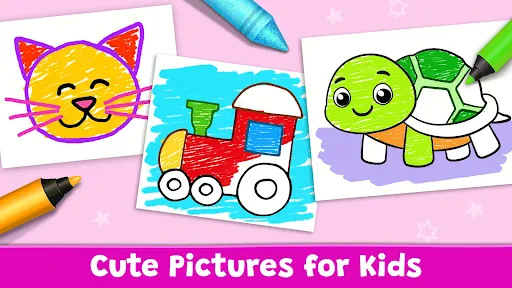

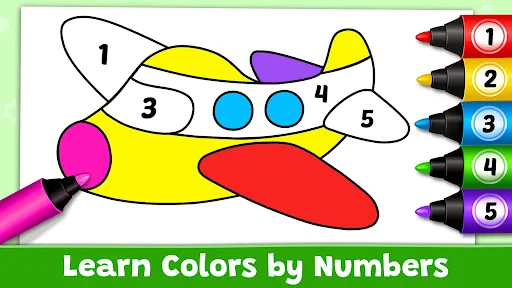
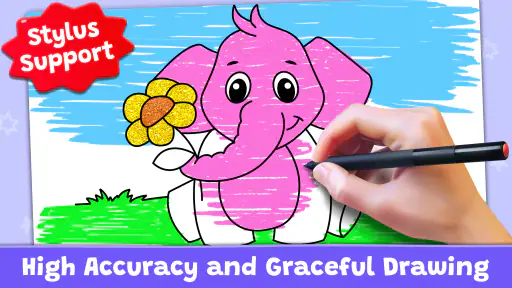
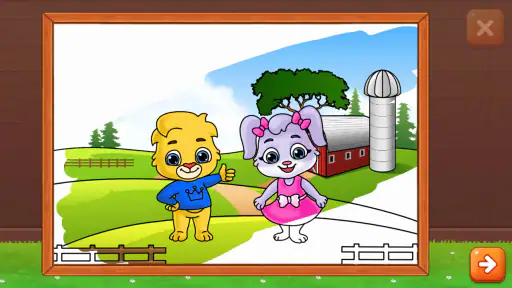
Analysis by Reviewed
I’d treat Coloring Games: Color & Paint as a handy creative activity rather than a replacement for paper, pencils, or a full-featured art program. Its appeal is the low-effort start: open a picture, choose a color, and begin. That makes it useful when a child wants something to do right away, or when I want a quiet break without setting up supplies or planning a drawing from scratch.
What the free price means in practice
The game is free to download, so there is no upfront purchase to weigh against its contents. That makes trying it a fairly simple decision for a family looking for a coloring activity. I would still judge its value by whether the available activities suit the person using it, rather than assuming that free automatically means a complete substitute for every art tool. A child who enjoys filling prepared pictures may get plenty from the format; someone looking for open-ended illustration may prefer a drawing app built around a blank canvas.
Coloring Games: Color & Paint is an educational game from RV AppStudios, and its focus on coloring, painting, neon drawing, and learning colors gives it a broader purpose than a static digital coloring book. It has an average rating of 4.5 from around 97,000 ratings and over 100 million installs, which suggests it has reached a large audience. The game is rated for Everyone, though I’d still choose activities based on a particular child’s interests and patience.
Reads About Coloring Games: Color & Paint
A useful fit for short, everyday breaks
One realistic use is a child settling down at home while dinner is being prepared: instead of handing over a complicated creative task, a grown-up can offer a coloring activity that starts quickly and is easy to understand. I’d keep the first session short and let the child choose a picture or color themselves. That small choice can make the activity feel personal without turning it into a lesson that needs constant adult direction.
Compared with a paper coloring book, the app avoids the need to find crayons and keeps the activity on one device, but paper offers a tactile experience and leaves a physical picture behind. Compared with a general drawing app, prepared coloring pages can feel more approachable for younger children, while a blank canvas gives older or more confident artists greater freedom. I see this game as a good middle ground for guided creative play, not the strongest choice for detailed digital illustration.
Unleashing Creativity at Your Fingertips
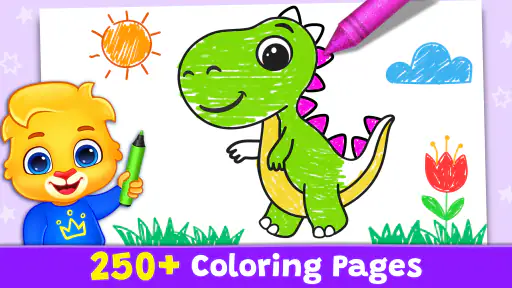
With Coloring Games: Color & Paint, you're not just tapping into a coloring app; you're diving into a world of creativity and vibrant colors. The app offers a plethora of designs ranging from intricate mandalas to playful animal sketches. Whether you're an adult looking to relax or a kid eager to explore colors, there's something here for everyone. The interface is super intuitive, making it easy for users of all ages to navigate and start coloring in no time.
A Palette of Features
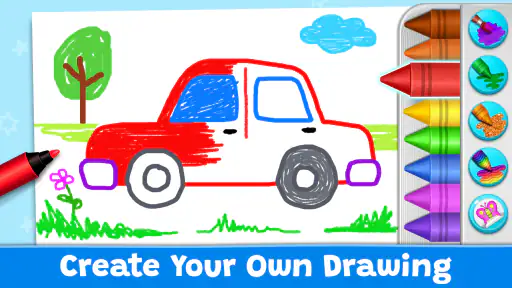
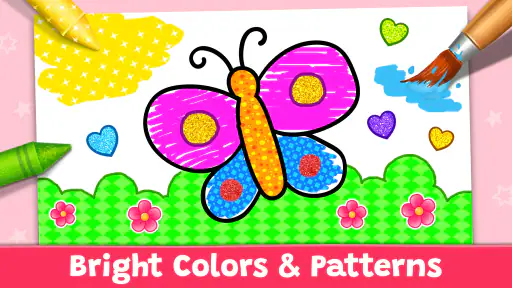
What sets this app apart is its array of features that cater to both novice and seasoned colorists. You can choose from a wide selection of colors and shades, or even use the gradient tool for a more nuanced effect. Plus, if you're feeling adventurous, there's an option to create your own color palette. It's like having a coloring book and a box of crayons, but on steroids!
More From Our News Desk

Android Auto Makes the Case for Quieter Car Software

MobiOffice: Transforming Mobile Productivity with Seamless Integration

EA SPORTS FC™ Mobile Soccer: Redefining Mobile Sports Gaming

How Microsoft OneDrive Became a Mobile Productivity Giant

How Google Translate Breaks Language Barriers Effortlessly

Why Google Sheets Is the Ultimate Mobile Productivity Tool
Another noteworthy feature is the ability to zoom in on intricate details, ensuring that even the tiniest corners of your masterpiece are perfectly colored. And if you make a mistake? No worries, the undo button is there to save the day. The app also allows you to save your creations, which is great if you want to share your artwork with friends or on social media.
Making the tools work for you
There is a useful way to approach the extra coloring controls: start with a small palette instead of trying every shade at once. For a child, choosing just a few colors can turn a page into a simple exercise in noticing differences, while an adult can use a limited palette to make a picture feel more deliberate. The custom palette is most helpful when you want to keep a consistent set of colors across one session, rather than repeatedly searching through options.
Zoom is another tool I’d use selectively. It can help with narrow sections that are frustrating at normal scale, but staying zoomed in for the whole picture can make it harder to judge how the colors work together. I’d fill broad areas first, then zoom in for small spaces, and finally pull back to check the overall look. That workflow makes the detail control useful without letting the task become a slow hunt for tiny gaps.
Undo is reassuring, especially for a child who may be hesitant to experiment, but it also changes the feel of coloring compared with paper. On a page, a choice is more permanent; here, a mistake is easier to correct. I see that as a good reason to encourage trying unexpected colors rather than aiming for a perfect result. If the aim is careful hand control with physical tools, though, a screen cannot provide the same practice as holding a crayon or pencil.
Why You'll Love It
For me, the best part of using this app is the therapeutic effect it has. There's something incredibly calming about focusing on coloring within the lines and watching as your creation comes to life with each stroke of color. It's like meditation, but with colors. The developers have really nailed the balance between functionality and fun, making it a joy to use every single time.
Moreover, the app is frequently updated with new designs and features, so there's always something fresh to look forward to. Whether you're waiting for your coffee to brew or winding down before bed, this app fits perfectly into those little pockets of time throughout your day.
What a child can get from a session
The educational angle works best when an adult adds a little conversation rather than treating the game as a teacher on its own. I might ask a child to pick a warm color, find two colors that look different, or explain why they chose a particular shade. Those prompts make the coloring session interactive without demanding a formal lesson or a finished picture. For a child who is still learning color names, the act of choosing and describing can be more valuable than filling every section.
It can also suit children who enjoy making choices but get stuck when asked to invent a picture from nothing. A prepared design gives them a clear starting point, while selecting colors still leaves room for individual decisions. That balance is a practical strength for a short activity after school or during a quiet part of the day. If a child dislikes staying within outlines or wants to draw freely, however, the structure may feel restrictive rather than reassuring.
For adults, I’d think of it as a lightweight way to occupy the hands and attention, not as a substitute for a dedicated relaxation routine or serious art practice. A few minutes of coloring may feel pleasant during a wait, but the simple format will not suit everyone who wants a calming activity. Some people prefer a physical book because it gives them a break from screens; others want a more expressive digital canvas. The appeal depends on which kind of break you are after.
Where the format has limits
Prepared pictures make it easier to begin, but they also set boundaries: the central activity is coloring existing designs, not developing a drawing from a blank page. If a child is eager to invent characters or a hobby artist wants precise control over layers and a larger illustration workflow, I’d choose a dedicated drawing tool instead. The extra palette options and zoom help with careful coloring, but they don’t turn a coloring game into professional art software.
For younger users, I’d also make the first visit a shared one. Let them explore the choices, then agree on a picture and a stopping point; that keeps the session focused and makes it easier to tell whether the activity holds their attention. If the goal is practicing color recognition, an adult can ask the child to describe the colors they picked rather than simply completing the picture for them. That turns screen time into a small, conversational activity without expecting the game to replace teaching.
Choosing it over familiar alternatives
Against a physical coloring book, the main convenience is that the activity is already on a device and does not require gathering or putting away art supplies. The trade-off is equally straightforward: a digital picture is not a page a child can display on a wall or hand to someone. If the child cares about keeping a tangible result, paper may be the more satisfying choice. If the priority is having an easy activity available during a wait, the digital format has the edge.
Compared with freeform drawing apps, this game asks less of the user at the beginning because the picture provides a plan. That can be a better fit for a young child who wants to make something but has not yet developed the confidence to draw from a blank canvas. The reverse is true for someone who wants to sketch original ideas, control a complex composition, or build a personal illustration from scratch: a drawing app is the more appropriate tool. I would not choose between them based on which has more features, but on whether the user wants guidance or freedom.
It is also worth being realistic about attention. A child who likes choosing colors may stay engaged, while one who wants movement, a story, or a changing challenge may lose interest in a coloring-centered activity. I’d use the game as one option in a mix of quiet activities, rather than expecting it to occupy every child for a long stretch. A short, positive session is a better measure of fit than trying to make it serve as an all-purpose entertainment app.
Questions about how to use it are often practical: can someone start without artistic experience? The prepared images and straightforward coloring approach make that a natural use. Is it suitable for a brief wait or quiet moment? Yes, that is where I find the format most convenient. Does it suit someone who wants to create a wholly original composition? Not as well as a freeform drawing app. Those distinctions matter more than treating every coloring or painting app as interchangeable.
The game is free, which removes a purchase decision at the outset, but I would not infer anything beyond that about optional purchases or other costs. For a family deciding whether to try it, the sensible test is whether its coloring activities become a welcome routine. If the child quickly loses interest in filling existing pictures, a physical craft or a more open-ended art app may offer better value in time and engagement, even if this one costs nothing to download.
Who is most likely to get value
I’d recommend trying it first with a child who enjoys choosing colors, likes familiar outlines, and benefits from being able to start without much setup. It can also work for an adult who wants a modest, screen-based coloring activity and is comfortable with a guided picture rather than a blank canvas. Since it is free to download and rated for Everyone, the initial decision is easy, but a parent should still see whether its style suits the child in practice.
I would skip it as the main creative tool for a child who is eager to draw original scenes, or for anyone who needs detailed illustration controls. I’d also lean toward a paper book if the goal is a hands-on activity away from a screen, or toward a conventional art app if the user wants full control over composition. Those are not shortcomings that a coloring game can solve; they are different needs.
In conclusion, Coloring Games: Color & Paint is more than just an app; it's a portal to creativity and relaxation. So, if you're looking to add a splash of color to your daily routine, give this app a try. Who knows? It might just become your favorite pastime too!
Coloring Games: Color & Paint Frequently Asked Questions
What kind of activities can children try in Coloring Games: Color & Paint?
The game brings together coloring, painting, neon drawing, and educational games in a child-focused creative experience. That mix gives children more than a single way to explore colors and make pictures, while keeping the activities centered on art and learning through play. It may suit families looking for a digital coloring book, though children can explore it alongside a parent or guardian.
What age group is Coloring Games: Color & Paint intended for?
Coloring Games: Color & Paint has an Everyone age rating, so it is intended for a broad audience and can be considered for children as well as other users who enjoy creative activities. Its description presents it as a coloring book for kids with educational games. Parents can still decide whether the game’s activities and available options are right for a particular child.
Is Coloring Games: Color & Paint free to download?
Yes. Coloring Games: Color & Paint is free, so you can try its coloring activities without paying to download the game. It is an educational game from RV AppStudios, with a focus on coloring, painting, neon drawing, and learning through play. As with any children’s game, it is worth checking the available options with a parent or guardian before letting a child use it.
What is Coloring Games: Color & Paint?
Coloring Games: Color & Paint is a creative and engaging app designed for users of all ages who enjoy coloring and painting. It offers a wide variety of designs and pictures to color, ranging from simple shapes to intricate patterns. The app is easy to use and provides tools for creating unique artworks without any mess or need for physical coloring materials.
Is Coloring Games: Color & Paint suitable for children?
Yes, Coloring Games: Color & Paint is highly suitable for children. It offers a safe and educational environment where kids can express their creativity. The app includes a range of child-friendly designs and features that encourage learning through art. Parental controls can also be set to ensure a safe and controlled experience for younger users. It is rated Everyone, making it appropriate for a broad audience, though parents may still want to supervise play and review any in-app options.
Pros
- Wide range of coloring pages
- User-friendly interface
- Regular content updates
- Offline mode available
- Suitable for all ages
Cons
- Ads can be intrusive
- Limited free content
- Some colors locked behind paywall
- Occasional app crashes
- Consumes a lot of battery
- Category
- Educational
- Version
- Varies with device













