Baby Panda World-Learning Game
- 2.09K
- 4.1
- Installs
- 100.00M
- Price
- Free

Screenshots




Analysis by Reviewed
I’m drawn to children’s games that give a little one something to do without asking them to follow a complicated story or master a long set of rules. Baby Panda World-Learning Game has that pick-up-and-play appeal: it brings together many kinds of activities, so a child can move from a puzzle to pretend play depending on what catches their attention. I’d think of it as a playful collection to explore together, rather than a complete learning plan that does all the choosing for you.
Small goals make it easy to begin
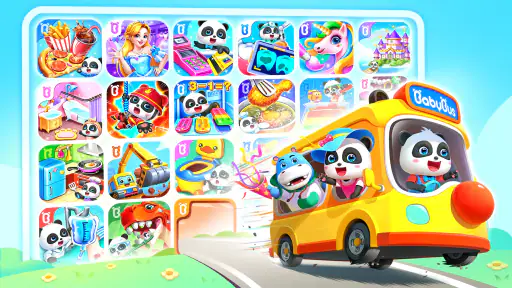
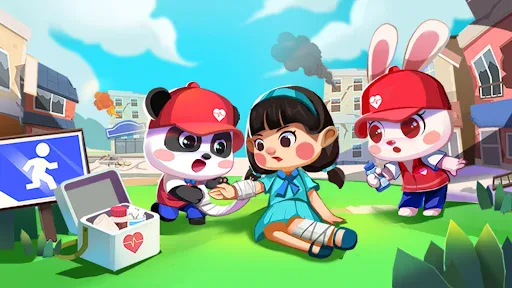
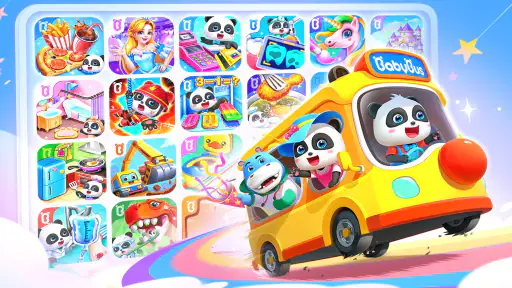
For a child meeting this game for the first time, the appeal is less about mastering one long campaign and more about finding a playful activity that makes sense straight away. The store summary points to a mix that includes Sheriff Labrador, ice cream, puzzles, and dress-up, alongside more than 200 kids’ games. That breadth can help a parent offer a choice based on a child’s mood: a puzzle for a quiet moment, or pretend play when they want something more imaginative.
I’d treat those choices as short invitations rather than a promise of a structured course. A child who wants clear instructions and a single learning path may need an adult to help choose where to start. The useful routine is to let them pick one activity, explore it together briefly, and then ask them to show what they figured out. That keeps the first session purposeful without turning play into a lesson.
Reads About Baby Panda World-Learning Game
Welcome to the World of Baby Panda
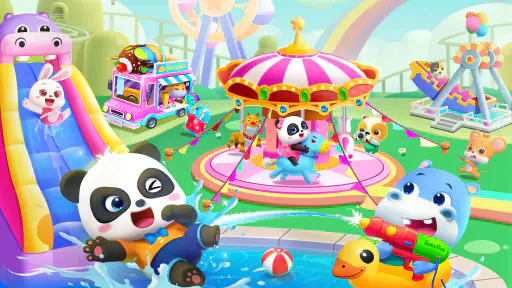
Imagine a world where learning is as fun as playing. That’s exactly what Baby Panda World offers. It’s an app designed for kids, filled with vibrant colors, fun characters, and tons of activities that keep them hooked while teaching important concepts. From math and science to art and social skills, this app covers it all while making sure your child is having a blast!
Engaging Gameplay
Let me tell you, the gameplay in Baby Panda World is as smooth as butter. The app features a variety of mini-games that are easy to navigate, thanks to its child-friendly interface. Each game is cleverly designed to focus on a specific area of learning. For instance, there’s a game where kids can learn about numbers by helping the baby panda shop for groceries. It’s all about making learning intuitive and enjoyable.
Educational Value
What’s great about this app is that it doesn’t just keep kids busy; it actually helps them learn. The developers have put a lot of thought into creating content that’s educational yet fun. Kids can learn about different animals, explore musical instruments, and even discover various cultures around the world. It's like having a mini classroom in your pocket!
How progress feels in everyday play
With such a large collection, progress is best judged by what a child can do in a particular activity, not by expecting one visible path through the whole app. If your child returns to a puzzle and begins making choices more confidently, that is a practical sign of learning; it doesn’t require a score or a streak to make the play worthwhile. I also wouldn’t rush to sample everything at once. A smaller selection makes it easier to notice which themes genuinely hold a child’s interest.
More From Our News Desk

Android Auto Makes the Case for Quieter Car Software

MobiOffice: Transforming Mobile Productivity with Seamless Integration

EA SPORTS FC™ Mobile Soccer: Redefining Mobile Sports Gaming

How Microsoft OneDrive Became a Mobile Productivity Giant

How Google Translate Breaks Language Barriers Effortlessly

Why Google Sheets Is the Ultimate Mobile Productivity Tool
For example, during a short wait at home while dinner is being prepared, a parent could offer one activity and sit nearby. If the child gets stuck, a gentle question—“What do you think this piece does?”—can keep them thinking instead of having an adult take over. This works especially well when the goal is a calm, shared activity. If the child is tired or frustrated, switching to a simpler choice or stopping is more useful than pushing through.
Interactive Features
The interactive features are what really makes this app shine. Kids can touch, swipe, and drag their way through different scenarios, which helps improve their motor skills. Plus, the app encourages curiosity and exploration, allowing kids to click on almost anything to see what happens. It’s this kind of engagement that keeps them coming back for more.
Difficulty, choice, and the limits of a big collection
A broad set of mini-games can be a strength, but it also means the experience may not feel like one carefully paced game that grows steadily harder. Children who enjoy choosing a fresh theme can move between activities; children who prefer a clear sequence, escalating challenges, or a strong sense of finishing one level after another may find that format less satisfying. I’d use the variety as a way to match play to a child’s energy rather than assume every activity will suit every age or ability equally.
Compared with a single-purpose learning game, BabyBus’s collection approach is more flexible: there are different kinds of play under one roof instead of one narrow skill being the whole point. The trade-off is that a parent may need to help a child focus and make a choice. It’s also a free game with in-app purchases ranging from $1.99 to $41.99 per item, so I’d check purchase settings before handing over a device and make clear that choosing activities does not mean buying extras.
Parental Controls
Now, I know what you’re thinking – what about screen time? Well, the app comes with parental controls that allow you to set limits on how long your child can play. This feature lets you rest easy knowing that your child is getting the right balance of fun and learning without overdoing it.
Who it suits, and what to check first
This is a good fit for families looking for varied, casual educational play, especially when a child likes character-led activities and exploring different themes. It is rated Everyone, and the game is free to download. BabyBus is the developer; the game was released on November 10, 2019, and its current version is 8.39.38.40, with Android 5.0 or later required. It has a 4.1 average from around 434,000 ratings and more than 100 million installs, which signals wide use but does not tell me whether a particular child will enjoy its format.
I’d be more cautious if you want a tightly sequenced curriculum, a quiet offline activity for a device-free setting, or an experience with no purchase prompts to manage. The game’s broad collection is a reason to try it, not a guarantee that every child will find every activity engaging. Before a longer session, I’d explore the available choices with the child, review purchase controls, and decide together on a stopping point. That small bit of setup helps keep the app in the role of a playful tool rather than an automatic babysitter.
A calmer way to try the collection
One practical way to see whether the format suits your family is to make the first session a shared browse, not an open-ended handoff. I’d let the child pick between two visible themes rather than asking them to choose from everything. That small boundary can make a large collection feel manageable, while still leaving the child in charge of the activity. It also gives me a chance to see whether they can understand the basic interaction or would rather have me demonstrate it once.
For a busy afternoon, I can imagine using one short activity as a transition between playtime and another routine, such as waiting for a meal or letting a parent finish a nearby task. The useful part is not simply filling the minutes: a child can explain a choice, describe what they are trying, or show a result afterward. If the app turns into a string of rapid switches, I’d pause and help them settle on one activity, or close it if they have lost interest. The collection works best when it supports a moment rather than swallowing the whole afternoon.
What the variety does—and does not—replace
Against the usual alternatives, this feels closer to a box of themed digital play than to a workbook translated onto a screen. A single-skill counting app may be a better pick when a parent wants repetition focused on one concept; a physical puzzle may be preferable when the aim is hands-on play away from a device. BabyBus’s advantage is the range of starting points, particularly for a child whose interests change quickly. Its trade-off is that variety can make it harder to build a deliberate sequence without adult guidance.
I also wouldn’t treat a child’s ability to tap through an activity as proof that they have mastered the idea behind it. The best follow-up is often an ordinary conversation: ask what they noticed, invite them to explain a choice, or connect a pretend scenario to something familiar. That turns the game into a prompt for interaction rather than a substitute for it. It is a small but useful distinction for parents who want educational value without expecting an app to teach independently.
Managing choices, purchases, and expectations
Because the game is free to download but includes paid items, I’d set up the device’s purchase protections before a child plays alone. I’d also explain simply that some things may cost money and that an adult handles those decisions. This avoids making an in-game choice feel like permission to spend. The possible cost range—from $1.99 to $41.99 for an item—makes that boundary worth setting in advance rather than in the middle of a child’s request.
Parents may also wonder whether a child can use it without help. A confident child who is comfortable exploring touch-screen games may be able to handle familiar activities, but I’d stay close at first to see how they respond to navigation and choices. Younger children, or anyone easily frustrated by switching between themes, may benefit from an adult selecting the activity and sitting with them. I’d also check the app’s current controls directly rather than assume every family setting works the same way across devices.
Another fair question is whether it can replace a structured educational program. I wouldn’t use it that way. Its broad mix is useful for casual exploration and play, while a child who needs a planned progression in a particular subject is better served by a focused learning tool chosen for that goal. It can still complement other activities: a puzzle or pretend-play session may spark a conversation, but it shouldn’t carry the whole responsibility for teaching a skill.
My progression verdict
The strongest reason to try this game is the freedom to follow a child’s curiosity across very different themes. Its goals are approachable, and progress can show up in a child’s growing confidence within an activity rather than in a single campaign milestone. The less convincing side is that a large menu does not automatically create a thoughtful difficulty curve. Some children will love hopping around; others will need a parent to narrow the choices or may prefer a game with clearer stages.
I’d recommend it to families who want a flexible, child-friendly collection for occasional shared play and who are comfortable supervising choices and purchases. I’d skip it as the main option for a child who needs a tightly ordered lesson plan, or for a household trying to avoid screen-based activities altogether. If you do give it a try, start with one theme, keep the first session short enough to observe how your child responds, and let their interest—not the size of the library—decide whether to return.
In conclusion, Baby Panda World-Learning Game is more than just an app; it’s an immersive learning experience for kids. It combines fun and education in a way that’s both engaging and effective. Whether your child is a budding artist, a little mathematician, or a curious explorer, this app has something for everyone. So why not give it a try and watch your child learn and grow in the most entertaining way possible?
Baby Panda World-Learning Game Frequently Asked Questions
What kinds of activities can children try in Baby Panda World-Learning Game?
Baby Panda World-Learning Game brings together a variety of children’s activities rather than focusing on just one type of play. Its store summary highlights Sheriff Labrador, ice cream, puzzles, and dress-up, alongside more than 200 kids’ games. That mix may appeal to children who like switching between imaginative play and simple challenges, while parents can explore the activities and see which ones suit their child.
Who develops Baby Panda World-Learning Game?
Baby Panda World-Learning Game is developed by BabyBus, a name associated with children’s games and learning experiences. The game is presented as an educational option, with activities ranging from puzzles and dress-up to themed play such as Sheriff Labrador and ice cream. If you are comparing children’s apps, the developer and the variety of activities can help you decide whether its style is a good fit for your family.
How much storage space should I have available before downloading Baby Panda World-Learning Game?
It is sensible to check the free space on your device before installing Baby Panda World-Learning Game, especially if you plan to keep other children’s apps and games installed. The game is available for devices running Android 5.0 or later. Leaving some extra room can also help your device manage downloads and updates without needing to remove items immediately.
Is Baby Panda World-Learning Game available for my device?
Baby Panda World-Learning Game is a mobile game for Android and iOS users. On Android, it requires version 5.0 or later, so check your device’s operating system before downloading. The game is free to download, and its content is rated Everyone. If you are choosing it for a child, consider checking the available features and purchase settings on your device before handing it over.
What is Baby Panda World-Learning Game?
Baby Panda World-Learning Game is an educational app designed for young children, featuring a variety of interactive activities and games that aim to foster learning and development. With colorful graphics and fun animations, the app covers different topics such as math, science, art, and music, making learning fun for children aged 2-5 years. BabyBus describes the experience as a world of children’s games, with activities that include Sheriff Labrador, ice cream, puzzles, and dress-up.
Pros
- Engaging educational content for kids.
- Colorful and interactive graphics.
- User-friendly interface for children.
- Regular content updates.
- Safe for children to use.
Cons
- Requires internet for full features.
- Contains in-app purchases.
- Ads may interrupt gameplay.
- Limited offline content.
- Some features behind paywall.
- Category
- Educational
- Version
- 8.39.38.40