Baby Panda Care
- 2.94K
- 3.8
- Installs
- 100.00M
- Price
- Free

Screenshots

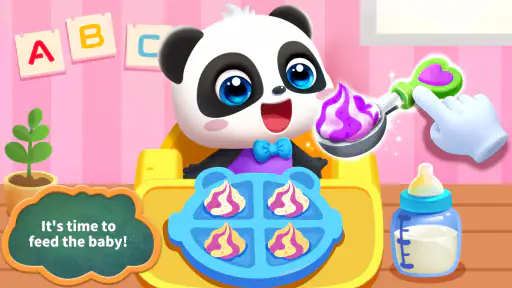
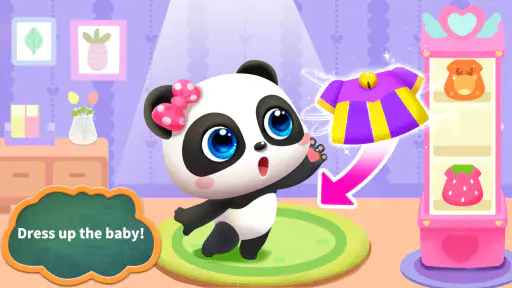
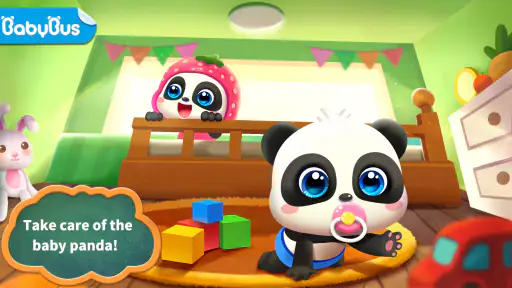
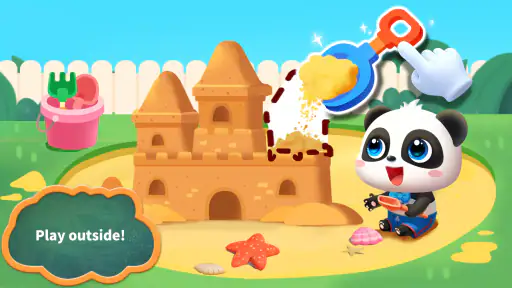
Analysis by Reviewed
I judge a care game less by how many things it lets a child tap and more by whether its central routine is easy to understand. Baby Panda Care has a clear focus: looking after a baby panda through everyday moments such as meals, play, and bedtime. That gives young players a simple pretend-care loop to return to, rather than asking them to learn complicated rules before they can enjoy it.
A small routine that children can follow
The appeal is in moving from one kind of care to another. A child can spend a little time with the panda, respond to what it needs, and then shift to another activity. I find that structure especially useful for short play sessions: a parent can suggest one task, let the child try it, and stop when attention starts to wander. The game’s educational angle comes through the actions themselves, not through a lesson that interrupts the play.
That makes it a reasonable option for a quiet moment at home or while waiting somewhere, provided an adult is comfortable handing over a device. It can also give a younger child a gentle way to act out familiar routines. I would treat it as imaginative play, though, not as a substitute for real caregiving or a formal learning activity.
Reads About Baby Panda Care
What the care theme does well—and where it stops
Compared with many children’s games built around fast challenges, this one puts the panda and its needs at the center. That slower focus can suit a child who enjoys pretending to feed or settle a character more than chasing scores. It is also easy for a caregiver to join in by asking what the panda might need next, turning a solo screen session into a small conversation.
The trade-off is that the same care routine may not hold every child’s attention for long. Older children who want deeper puzzles, a strong sense of progression, or competitive play may find the concept too simple. I would also keep an eye on whether a child starts tapping through activities without engaging with them; the game works best when the adult helps keep the pretend-care idea alive rather than treating it as an automatic distraction.
Who will get the most from it
This is best suited to families looking for a straightforward, child-friendly game with a nurturing theme. BabyBus makes it, and the game is listed as an educational title with an Everyone age rating. It is free to start, while optional in-app purchases range from $1.99 to $5.49 per item, so I would check purchase settings before giving a young child unrestricted access. The average rating is 3.8 from around 198,000 ratings, and it has over 100 million installs—useful signs of reach, though neither tells you whether its pace fits your particular child.
On Android, it requires version 5.0 or later; the current version is 8.71.00.00. It is also available on iOS. If you want a game that offers a calm, easy-to-grasp pretend-care activity, it is worth trying. If your child needs more variety, longer-term goals, or a more demanding educational challenge, I would choose a different kind of game instead.
More From Our News Desk

Android Auto Makes the Case for Quieter Car Software

MobiOffice: Transforming Mobile Productivity with Seamless Integration

EA SPORTS FC™ Mobile Soccer: Redefining Mobile Sports Gaming

How Microsoft OneDrive Became a Mobile Productivity Giant

How Google Translate Breaks Language Barriers Effortlessly

Why Google Sheets Is the Ultimate Mobile Productivity Tool
The Cuteness Overload Begins
From the moment you launch Baby Panda Care, you’re greeted with an explosion of cuteness. The graphics are vibrant, and the animations are smooth, making every interaction with the baby panda feel incredibly lifelike. The app is designed to engage young minds, but honestly, it’s so charming that even adults can’t resist its allure.
Gameplay and Features
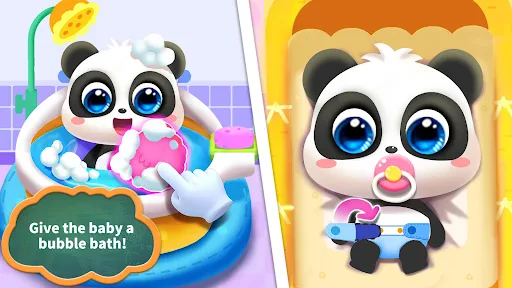
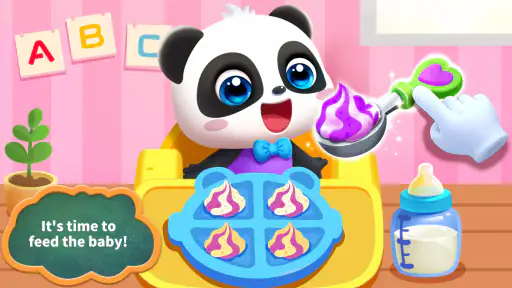
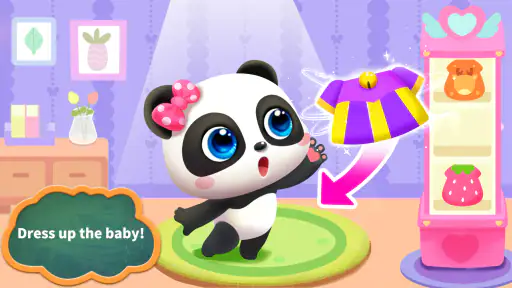
So, what’s the deal with the gameplay? Well, it’s pretty straightforward yet thoroughly engaging. You get to feed, bathe, and dress up your virtual panda buddy. The app offers a plethora of outfits and accessories, allowing you to give your panda a unique style. Feeding time is a riot, with plenty of food options to choose from, each eliciting different reactions from your furry friend.
One of the standout features is the mini-games. These are not only fun but also educational, subtly teaching kids about responsibility and nurturing. Whether you’re helping the panda brush its teeth or putting it to bed, each activity is designed to be both entertaining and educational. And let’s not forget the soothing music that accompanies each task, making the experience even more enjoyable.
User Interface and Accessibility
The user interface is as friendly as it gets. Everything is intuitively laid out, making it easy for kids to navigate. The bright colors and friendly characters guide users seamlessly through the app. Plus, the app runs smoothly without any noticeable glitches, which is always a huge plus in my book.
Another highlight is how accessible Baby Panda Care is. It’s available on both Android and iOS, and it doesn’t require a high-end device to run. Whether you’re using a tablet or a phone, the experience is consistently top-notch, ensuring that everyone can join in on the fun.
Final Thoughts
In the end, Baby Panda Care is more than just a game; it’s an engaging experience that fosters creativity and responsibility in young minds. The combination of fun gameplay, delightful graphics, and educational elements make it a must-have app for families and panda enthusiasts alike.
So, if you’re looking for an app that offers a delightful escape into a world of cuteness and care, look no further. Grab your device, download Baby Panda Care, and get ready to embark on an adorable adventure that’s sure to bring smiles to faces young and old.
Making the routine work in a real day
The best way I’d introduce this game is as a brief shared activity, not a device handed over with the expectation that it will occupy a child indefinitely. For example, during a quiet spell before dinner, an adult can invite a child to decide whether the panda should eat, play, or get ready to rest. That small choice gives the session a beginning and an end, and it encourages the child to explain what they are doing rather than simply tapping from screen to screen.
This approach also helps when the game is being used away from home. In a waiting room or during a calm stretch of travel, I’d pick one care activity and make that the session’s goal. Once it is finished, the child can put the device away or move on to something else. The game’s familiar routine is helpful in these short windows, but it is not a replacement for an offline activity if a child needs movement, conversation, or a break from screens.
A useful variation is to let the child narrate the panda’s routine. Ask what the panda might need before choosing an action, then talk about what comes next. This is not a special mode or a guaranteed learning outcome; it is simply a way for an adult to make the pretend play more interactive. It works particularly well with younger children who like repeating familiar sequences and naming everyday actions.
Small choices that make play more intentional
Because the care theme can feel repetitive if every visit follows the same pattern, I’d avoid treating the game as a checklist to complete as quickly as possible. Letting a child choose the next activity, or inventing a little story around why the panda needs care, can make the same basic actions feel more personal. The point is not to keep extending screen time; it is to make a short session feel like play rather than a string of demands on the screen.
Another practical tip is to agree on a stopping point before handing over the device. “Let’s help the panda get ready for bed, then we’ll stop” is clearer for a young child than an open-ended promise to play for a while. The bedtime action gives the session a natural endpoint without implying that the game itself manages a real child’s routine. If transitions are difficult, the adult should still give a gentle warning before putting the device away.
I would also try the game alongside a child before relying on it as an independent activity. That first shared session lets a caregiver see how the child responds to the choices, whether they can move between activities comfortably, and whether any purchase prompts or device controls need attention. Since the game is free to start and offers paid items, securing purchase settings beforehand is a sensible household step, especially on a shared phone or tablet.
How it differs from other children’s games
Many educational games for young children focus on matching, counting, letters, or solving a small challenge. Those are better choices when the goal is direct practice with a particular skill. This game’s stronger idea is role-play: a child imagines caring for a character and moves through familiar kinds of daily activity. I see that as a different kind of value, not proof that it teaches more than a focused learning game.
It also differs from fast arcade-style children’s games, where the main reward is reacting quickly or reaching a score. Here, the panda’s care needs provide the organizing idea, which can feel gentler for a child who likes pretend play and character interaction. On the other hand, children who thrive on clear challenges, visible mastery, or increasingly difficult levels may be more engaged by a puzzle game or a structured learning app.
Compared with toys or books, a touch-screen game offers immediate visual responses and lets the child make choices directly. A real toy can support more open-ended storytelling, while a picture book can offer an adult a richer opportunity to talk through a story. I would use this game as one option in a mix, rather than expecting it to replace those activities. Its particular strength is that it gives a child a ready-made character and a simple care theme when an adult wants an easy starting point for play.
What parents should check before handing over the device
The Everyone age rating is reassuring as a broad content signal, but it is not a recommendation for every child or a guarantee that every household setup is suitable. I’d still stay nearby with a young player, both to help with navigation and to notice whether the pace and activities are holding their interest. A child’s comfort with touch controls and screen transitions can matter as much as the age label.
Since optional purchases are part of the experience, I would check the device’s purchase protections before a child plays alone. That is not a reason to avoid the game; it is a practical precaution for any free-to-start app used by children. Families who prefer not to encounter paid options at all may want a different activity, or may choose to keep the device under adult control during play.
Parents may also wonder whether this is suitable for a longer trip or a full stretch of independent play. I would not count on it to provide a long, varied session for every child. Its straightforward care concept is an advantage for brief play, but that simplicity can become a limitation once the child has explored the activities that interest them. For a longer outing, I’d bring other options rather than assuming one game will hold attention throughout.
A good fit depends on the child
The children most likely to enjoy this are those who already like dolls, stuffed animals, pretend meals, or bedtime stories. The panda gives that kind of play a digital form, while the familiar care actions make it easier to understand than a game with complex rules. A caregiver who is willing to talk and play along can get more from it than someone looking for a completely hands-off distraction.
It is less compelling for a child who wants to build, explore a large world, solve demanding puzzles, or compete against others. Those interests call for different designs, and there is no need to stretch a nurturing game into something it is not. Similarly, if the family’s priority is a specific academic topic, a dedicated alphabet, number, or logic activity will be a more direct match than a care-themed game.
My recommendation is to think of it as a low-pressure entry into digital pretend play. It can provide a child with a recognizable character and a simple sequence to act out, while an adult can decide how much guidance and conversation to add. That makes it useful as a small part of a child’s play options, especially when the child enjoys caring for characters and does not need a deep progression system.
My take after weighing the trade-offs
What I like most is the clarity of the premise: the panda needs attention, and the child can respond through everyday care activities. That focus gives the game a more settled feel than titles built around speed or scores, and it creates natural openings for a caregiver to ask questions or invent a story. The appeal is strongest when the child participates in the pretend-care idea instead of tapping without much thought.
The limits are just as clear. A simple routine may not stay fresh for a child who expects new goals and challenges, and the game should not be mistaken for a structured course in responsibility or a substitute for real interaction. Free access also comes with optional purchases, so adults should make a quick settings check rather than assuming a young player cannot reach them.
If a child is drawn to nurturing play and you want a short, approachable activity to share, I think it is worth trying. If you need a demanding educational tool, a long-lasting progression game, or a completely hands-off way to occupy a child, I’d look elsewhere. For the right player, though, the simple act of helping the panda through its day is the point—and that focused idea is what gives this little care game its best chance to charm.
Baby Panda Care Frequently Asked Questions
Who developed Baby Panda Care, and what kind of game is it?
Baby Panda Care is an educational game developed by BabyBus. Its focus is hands-on play around looking after a baby panda, making it a straightforward choice for children interested in pretend caregiving. The simple premise is easy for families to understand before downloading, while the everyday care theme gives the play a gentle, child-friendly direction.
What devices can run Baby Panda Care?
Baby Panda Care is available for Android and iOS devices. On Android, the game requires Android 5.0 or later, so it is sensible to check the operating system on the device before downloading. The game is free to download, though optional purchases are available, so parents may also want to review their device’s purchase settings before a child begins playing.
Is Baby Panda Care free to download, and are there optional purchases?
Baby Panda Care is free to download, so families can try the game without paying upfront. It also offers optional in-app purchases, with items priced from $1.99 to $5.49. These may unlock additional content, so it is worth checking purchase settings on a child’s device and using parental controls if you want to manage spending.
What does a child do while playing Baby Panda Care?
The central idea is to look after a baby panda through everyday care activities. Children can feed the baby, play with it, and help put it to sleep. This makes the game easy to understand for young players, with familiar routines at its heart rather than complicated rules or objectives.
What is Baby Panda Care and what age group is it suitable for?
Baby Panda Care is an interactive and educational mobile game designed for young children, typically ages 3 to 8. It engages kids with fun activities involving a cute baby panda, helping them learn about responsibility, care, and empathy. The game is equipped with colorful graphics and simple controls to ensure young children can play and learn comfortably.
Pros
- Engaging and colorful graphics.
- Educational content for toddlers.
- Simple and intuitive navigation.
- Regular updates with new content.
- Inspires creativity and imagination.
Cons
- In-app purchases can be pricey.
- Requires internet for some features.
- Ads may interrupt gameplay.
- Limited parental controls.
- Might not engage older children.
- Category
- Educational
- Version
- 8.71.00.00