Kids Games: For Toddlers 3-5
- 247.00
- 4.5
- Installs
- 50.00M
- Price
- Free
Screenshots
Analysis by Reviewed
When a preschooler asks for something to do during a quiet moment, I want a game that offers a little more than tapping at random—but I also don’t expect a phone to replace conversation, toys, or time outside. Kids Games: For Toddlers 3-5 is an educational game from RV AppStudios that brings several kinds of early-learning activities together. I see its strongest use as a short, shared play option: a child can explore, while an adult stays close enough to help make sense of what is happening.
Readable choices work best with a little guidance
The app is aimed at young children, and its bright presentation can make it inviting at first glance. In my experience, though, a welcoming look is only part of what makes an app usable. A toddler may still need help understanding what an activity asks them to do, deciding where to tap, or moving on when they lose interest. I’d sit beside a child for the first session and let them explore at their own pace rather than expecting them to navigate everything independently.
That shared start also lets me see whether the child can make sense of the choices on the screen. If they hesitate, I can describe what I see or offer two choices in plain language. This is more useful than repeatedly telling them where to tap: it gives them a chance to make a decision while keeping the activity from becoming frustrating.
A good fit for short, shared play
I’d treat this as a flexible activity box rather than a replacement for preschool learning or hands-on play. It can suit a child who enjoys trying different kinds of simple activities, and it may be especially useful when an adult needs a short, contained way to occupy a toddler at home. I’d still stay nearby: sitting together gives you a chance to name what appears on screen, ask a child what they notice, and turn a tap into a little conversation instead of leaving the game to do all the teaching.
For a practical routine, I’d offer it after a familiar activity rather than handing over a device whenever a child is restless. For example, while waiting for dinner, I might let a toddler choose an activity, play alongside them for a few minutes, then put the device away before moving to the table. That gives the game a clear place in the day without making screen time the default answer to boredom.
What the activity mix offers
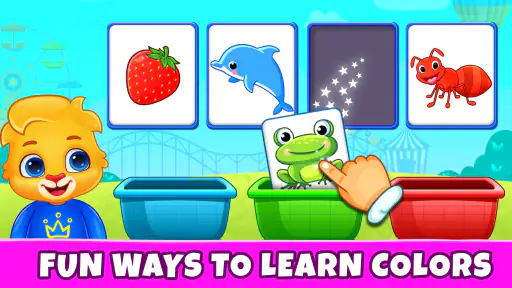
One of the first things you'll notice about Kids Games: For Toddlers 3-5 is its vibrant interface. The moment you open the app, you're greeted with a burst of colors and cheerful sounds that instantly capture the attention of any toddler. It's like stepping into a world designed just for them, where learning meets play in the most delightful way.
What Makes It Stand Out?
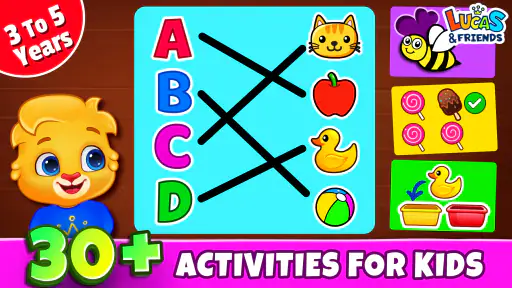
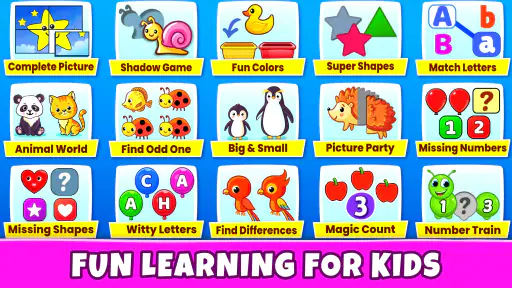
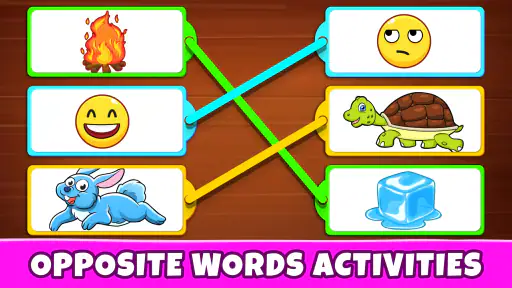
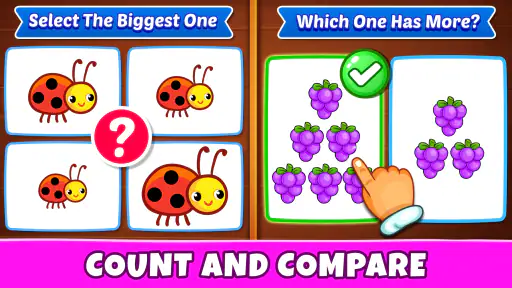
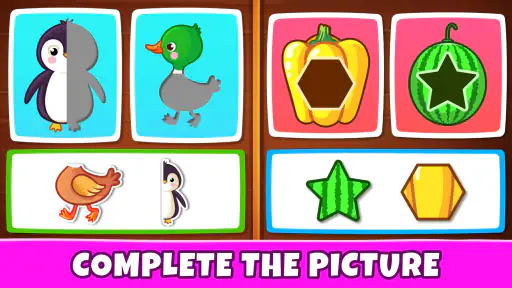
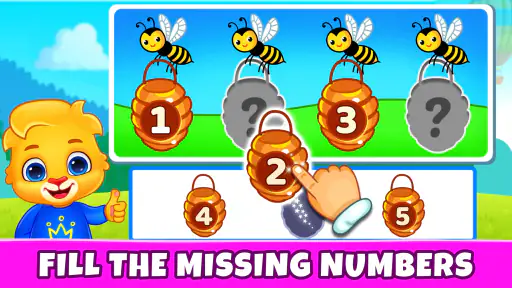
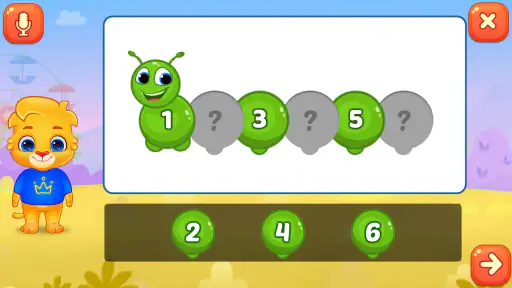
This app isn't just about flashy graphics. What sets it apart is the thoughtful integration of educational activities that promote cognitive development. The games are structured to enhance skills such as counting, shape recognition, and basic problem-solving. I mean, who knew learning could be so much fun?
More From Our News Desk

Weather by Xiaomi Review: Clear at a Glance, Less Clear Up Close

X Under Pressure: Can It Recover When Posting Goes Wrong?

Clash of Clans Is Won Between the Battles

Android Auto Makes the Case for Quieter Car Software

MobiOffice: Transforming Mobile Productivity with Seamless Integration

EA SPORTS FC™ Mobile Soccer: Redefining Mobile Sports Gaming
- Interactive Puzzles: These are perfect for developing critical thinking and motor skills. The puzzles are just challenging enough to keep kids engaged without causing frustration.
- Colorful Art Activities: Encourage creativity with virtual coloring books that allow kids to explore their artistic side.
- Music and Sound Games: These are fantastic for developing auditory skills and keeping the energy levels high.
Choose an activity to match the moment
The mix of puzzles, coloring, and sound-based play makes the game more useful than a single-purpose app when a child’s mood changes. I’d start with a puzzle when they’re ready to focus, switch to coloring when they want a calmer choice, and save sound activities for a moment when a little liveliness is welcome. That small bit of adult guidance can make the variety feel manageable rather than like a stream of unrelated options.
There is a trade-off, though: variety does not automatically mean a child will enjoy every activity equally. A toddler who wants to draw freely may prefer a dedicated art app, while one who is working on a particular skill may benefit more from a focused learning game. I’d use this as a sampler of playful learning, then follow the child’s interest instead of expecting every activity to hold their attention.
Easy Navigation for Little Fingers
Let’s face it, toddlers aren't exactly known for their patience, and complicated apps just won't cut it. Thankfully, the developers have nailed the user interface here. Everything is intuitive, and even the tiniest fingers can navigate through the app with minimal guidance. It's all about tapping, swiping, and having a blast!
Moreover, the app is designed to grow with your child. As they master one level, they can move on to the next, which keeps their interest alive and ensures continuous learning. It's like having a personal tutor right there in your pocket.
Readability, movement, and sensory comfort
Bright visuals and cheerful sounds can draw a young child in, but they can also be too stimulating for some. I’d introduce the game in a calm setting and watch how the child responds before using it in a busy place. If sounds distract or bother them, lowering the device volume is a simple first step; if touch controls are frustrating, sitting together lets an adult help without taking over every choice.
Small screens can make visual details harder to follow, so a tablet may feel more comfortable for a child who struggles to target small areas, while a phone is easier to carry for a brief wait. Neither choice is automatically better: the child’s grip, vision, and preference matter. I’d also keep sessions short enough that tapping and swiping remain enjoyable rather than turning into a test of patience.
When a family routine matters more than the game
A realistic use for this kind of activity is a brief pause while a caregiver finishes a simple task nearby, not an extended stretch of independent screen time. I’d set the device somewhere stable, stay within reach, and agree on a natural stopping point before starting—for instance, one short play period before getting ready to leave. That makes it easier to transition away from the screen without relying on the child to decide when play is over.
For families who share a device, it can also help to make the adult responsible for opening the game and choosing the starting activity. A preschooler may be more comfortable with a clear beginning than with being handed a device and asked to find something. Afterward, asking what they liked can guide the next session: if they keep returning to puzzles, there may be little reason to cycle through every option.
How it compares with focused learning apps
Compared with a single-subject early-learning game, the broad mix here is useful when I’m not sure what will hold a child’s attention that day. It offers a change of activity without requiring a family to switch among several apps. The compromise is that a collection of different play types is not the same as a structured course. If a parent wants a deliberate sequence of lessons or sustained practice in one area, a focused app or an offline activity chosen for that goal may be more suitable.
It also differs from open-ended toys and drawing materials: the screen supplies the activity and its boundaries, while physical play gives a child more room to handle objects, move around, and invent their own rules. I’d see the app as a small addition to those experiences, rather than a substitute. If a child already has a preferred puzzle or enjoys drawing on paper, those familiar options may be the better choice for that particular moment.
Keeping It Safe and Sound
As a parent, one of my biggest concerns with kids' apps is safety. I'm happy to report that this app takes children's safety very seriously. There are no ads or in-app purchases that kids can accidentally click on. Plus, the content is 100% kid-friendly, so you can hand over your phone or tablet with confidence.
Kids Games: For Toddlers 3-5 is a free educational game from RV AppStudios, rated for Everyone. Its average rating is 4.5 from around 42,000 ratings, and it has been installed over 50 million times. Those figures suggest that many families have tried it, but I’d still judge it by how your own child responds: popularity cannot tell you whether the activities suit a particular child’s abilities or interests.
Who may want a different kind of play
If you want one game to offer several kinds of early-learning play, this is a reasonable place to start. If your priority is a structured lesson plan, a specific subject, or a quiet activity with little sensory input, a more focused alternative may be a better match. I’d also skip handing it to a child who becomes upset by bright screens or sound until you have tested the experience together. A parent’s presence matters most when a child needs help interpreting a task or deciding when they’ve had enough.
One useful approach is to let the child choose between two activities rather than browsing through everything. That reduces decision-making friction and gives them a small sense of control. You can also use the first play session to see whether they can move between activities comfortably, whether they need help with touch gestures, and which sounds or visuals keep them engaged without overwhelming them. Those observations are more valuable than assuming every child will use the game in the same way.
What to check during a first try
I would make the first session a low-pressure test, not a lesson. Watch whether the child can see and reach the controls comfortably, whether they understand the activity after a brief explanation, and whether a particular type of sound or visual keeps pulling their attention away. These small observations answer the practical question of fit better than age alone: children of the same age can have very different patience, coordination, and sensory preferences.
If a child cannot comfortably use the touchscreen, an adult can guide a turn or choose a different activity, but that support may change the experience from independent play into a shared one. That is not necessarily a drawback; it is simply worth knowing before relying on the game as a hands-free distraction. For a child who finds screens tiring, loses interest quickly, or needs more physical movement, a toy, a book, or a short activity away from the device is likely to serve them better.
In conclusion, Kids Games: For Toddlers 3-5 is a fantastic tool for any parent looking to combine fun and learning in one neat package. It's not just another digital distraction; it's an educational companion that your child will love. So, if you're ready to watch your toddler learn and grow while having the time of their life, give this app a try. It's a game-changer in every sense!
My recommendation comes with a practical caveat: treat it as one option in a child’s play routine, not as a tutor or a guaranteed fit for every sensory and motor preference. I like the broad activity mix for casual, shared use, especially when a caregiver can help a toddler move from screen play back to an everyday activity. If you try it, begin together, notice which parts your child actually enjoys, and let that guide whether it earns a regular place in your day.
Kids Games: For Toddlers 3-5 Frequently Asked Questions
Can my child play Kids Games: For Toddlers 3-5 independently, or will they need help?
The title is aimed at preschool-age children, and its activities are described as playful learning games. A three- to five-year-old may still benefit from an adult nearby, especially when first exploring the app or moving between activities. Playing together also gives you a chance to talk about what your child is learning and decide whether the games suit their needs.
Is Kids Games: For Toddlers 3-5 designed for learning or mainly for entertainment?
It is an educational game that combines learning with play. The activities are intended to make early learning engaging, and the app’s summary describes learning and educational games for children. That makes it a possible option for families looking for screen time with a learning focus, although it can still be approached as casual play rather than a replacement for teaching or hands-on activities.
Is Kids Games: For Toddlers 3-5 free to download?
Yes. Kids Games: For Toddlers 3-5 is free to download, so families can try its educational games without paying upfront. The app is aimed at young children and offers playful activities intended to make early learning engaging. Parents should still check the purchase settings on their device before handing it over, particularly if they want to manage any optional spending.
Who develops Kids Games: For Toddlers 3-5, and how popular is it?
The game is developed by RV AppStudios and is listed in the educational category. It has an average rating of 4.5 from around 42,000 ratings, with more than 50 million installs. That level of reach suggests it has attracted many families, though a child’s enjoyment will depend on their age, interests, and the kinds of activities they like.
What age group is 'Kids Games: For Toddlers 3-5' suitable for?
'Kids Games: For Toddlers 3-5' is specifically designed for children aged 3 to 5 years. The app focuses on providing an engaging and educational experience for toddlers, helping them develop essential skills such as problem-solving, hand-eye coordination, and basic understanding of numbers and letters in a fun and interactive way. Its content rating is Everyone, making it suitable for a broad audience, while the title highlights its particular focus on preschool-age children.
Pros
- Engaging and colorful graphics.
- Variety of educational mini-games.
- Simple interface for toddlers.
- Encourages cognitive development.
- No in-app purchases or ads.
Cons
- Limited content for older kids.
- Requires internet for updates.
- Repetitive gameplay for adults.
- Audio can be too loud sometimes.
- Not customizable for preferences.
- Category
- Educational
- Version
- Varies with device













