Puzzle Kids: Jigsaw Puzzles
- 378.00
- 4.5
- Installs
- 50.00M
- Price
- Free

Screenshots
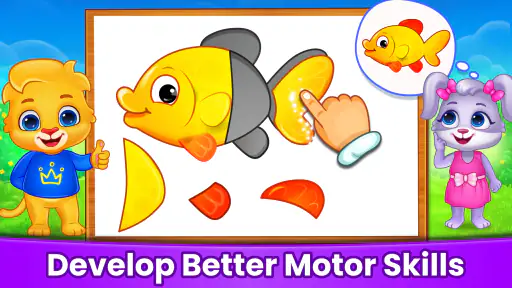
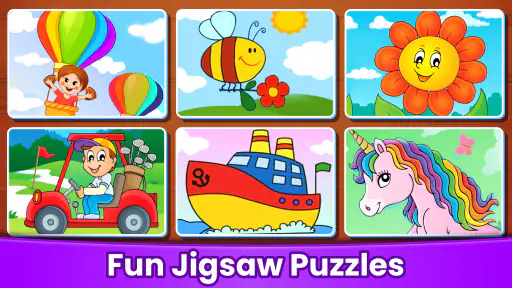
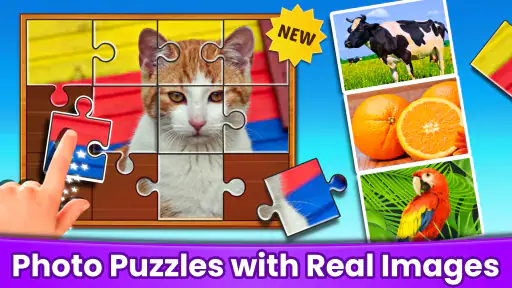
Analysis by Reviewed
When a young child stalls in a puzzle app, the problem is not always the puzzle itself. A piece may be hard to distinguish on a small screen, a tap may land slightly off target, or a child may simply lose interest before finishing. I’d treat Puzzle Kids: Jigsaw Puzzles as a shared activity at first: sit nearby, let the child try a few moves, and notice whether they understand the task and enjoy the pictures. That quick check is more useful than assuming every moment of hesitation means the game is too difficult.
Start with a calm first session
This is a free educational game from RV AppStudios, aimed at preschoolers and other young children. It is rated for Everyone and has been available since June 28, 2017. The average rating is 4.5 from around 34,000 ratings, and it has over 50 million installs. Those figures suggest it has reached a broad audience, but they do not tell you whether its puzzle style suits your child; a brief trial together will.
Before handing over the device, check that the screen is clean, the device is stable on a table, and the child can comfortably reach the puzzle area. If a piece seems unresponsive, try a slower, deliberate touch rather than repeated quick taps. For a preschooler, a clear demonstration—drag one piece, then let them take over—can make the basic interaction less frustrating without turning play into a lesson.
Where a child may get stuck
The first snag is often not understanding the idea of a jigsaw but deciding what to try next. A child may repeatedly move the same piece, tap instead of drag, or focus on a colorful detail without noticing the outline of the open space. Rather than correcting every move, I’d offer one small prompt: look for a matching color, a straight edge, or a part of the picture they recognize. Then pause and let the child test that clue. The aim is to help them notice a strategy, not to solve the board for them.
It is also worth watching how the child handles the device, not just what they do in the puzzle. A tablet resting flat can be easier for little hands than a phone being held in one hand, while a case lip or a screen protector may make edge touches feel less precise. If a movement seems to fail, reposition the device and try a deliberate gesture before deciding that the game is confusing. Repeating instructions louder rarely helps when the real issue is reach or control.
Recover the play session without taking over
If a child gets stuck, encourage them to compare the piece’s colors and edges with the open spaces instead of placing it for them. You can also suggest taking a short break and returning to the same puzzle later. This keeps the child involved and gives you a chance to see whether the difficulty came from visual matching, touch control, or fading attention. I would avoid treating completion time as a measure of progress; the useful part is the child’s attempt to make choices.
Sometimes the app is not the source of the trouble. A small phone screen, glare, a busy room, or a child who is tired can make a simple puzzle feel harder. Try a quieter moment or a larger screen if one is already available, and keep the session short if attention is drifting. If the controls still feel awkward, an ordinary cardboard puzzle may be a better fit that day: it offers larger pieces to handle and no screen interaction to manage.
More From Our News Desk

Weather by Xiaomi Review: Clear at a Glance, Less Clear Up Close

X Under Pressure: Can It Recover When Posting Goes Wrong?

Clash of Clans Is Won Between the Battles

Android Auto Makes the Case for Quieter Car Software

MobiOffice: Transforming Mobile Productivity with Seamless Integration

EA SPORTS FC™ Mobile Soccer: Redefining Mobile Sports Gaming
Simple setup checks that prevent avoidable frustration
Before starting, make the screen easy to see: face away from a bright window, wipe away smudges, and place the device where the child does not have to stretch. These are small adjustments, but they matter more for a preschooler than they do for an adult. If the child is already impatient, a brief reset—putting the device down, sitting comfortably, and trying again—can be more useful than repeatedly tapping the same spot.
I’d also begin with a moment when the child is neither rushing off to another activity nor already worn out. A puzzle asks for a little sustained attention, and a child who is hungry or tired may not want to practice that skill right then. There is no need to turn setup into a routine with lots of rules: a steady surface, clear view, and adult nearby are usually enough to see whether this style of play works for them.
Why Puzzle Kids: Jigsaw Puzzles is a Gem for Young Minds
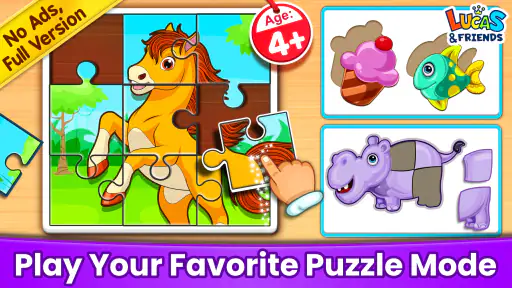
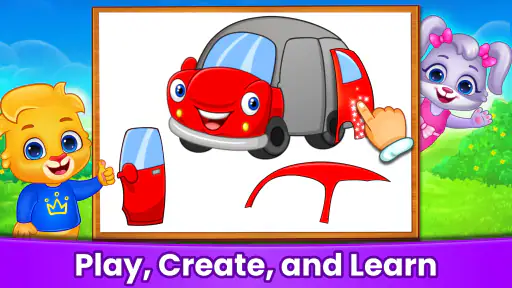
When it comes to keeping children entertained while also nurturing their cognitive skills, this app hits the sweet spot. Puzzle Kids: Jigsaw Puzzles offers a colorful world where kids can explore various themes through beautifully crafted jigsaw puzzles. The interface is intuitive, making it easy for even the youngest of users to navigate.
A World of Themes to Explore
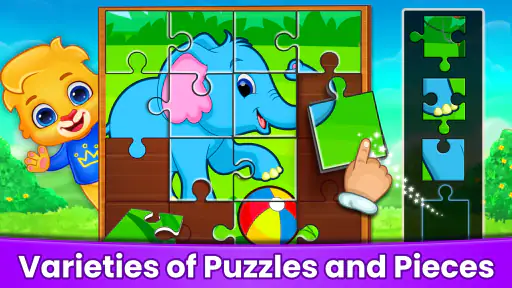
The app boasts a vast range of themes, from animals and nature to space and fantasy. This variety ensures that your child never gets bored and keeps coming back for more. Each puzzle is designed to be visually stimulating, helping to develop the child's visual-spatial awareness and problem-solving skills.
Choosing the right moment and the right amount of help
A useful way to introduce the game is to let the child choose a picture that catches their eye, then stay close for the first few moves. If they are confident, step back and let them work. If they hesitate, offer one clue at a time rather than moving pieces on their behalf. That approach helps distinguish whether the child needs a little encouragement or simply wants to explore the image at their own pace.
For a child who gets frustrated by uncertainty, I would keep the first try brief and finish while they are still comfortable, even if the puzzle is not complete. That leaves the activity feeling approachable instead of like a test. A child who happily keeps experimenting can stay with it longer, but I would still make the stopping point clear before handing over the device. This is especially useful when the game is being used to fill a short gap rather than to occupy a whole afternoon.
Tailored Difficulty Levels
One of the standout features is the adjustable difficulty levels. Whether your child is a novice or a budding puzzle master, the app scales its complexity to suit their skill level. This adaptability means that the app grows with your child, offering new challenges as they improve.
Interactive and Educational
Beyond just puzzles, the app incorporates interactive elements that educate as well as entertain. For instance, when a puzzle is completed, kids might see a fun fact or hear a sound related to the image they’ve just assembled. It's a clever way of reinforcing learning while playing.
Moreover, the app encourages critical thinking and concentration, as kids need to figure out where each piece fits. This process not only boosts their memory but also enhances their hand-eye coordination.
Useful in small pockets of family time
A practical moment for this kind of play is the quiet stretch before dinner, when a child wants something to do but you still need to finish a few tasks nearby. I would choose one puzzle, stay within earshot, and let the child work at their own pace rather than presenting the game as an open-ended screen session. That makes it easier to stop naturally and talk about the picture afterward. It can also suit a waiting-room pause, provided the device is already charged and the child can use it without needing constant help.
Compared with open-ended drawing apps or fast arcade games, a jigsaw gives a young player a clear goal: observe, test a fit, and complete an image. That structure is useful for children who enjoy matching and visual tasks, but it may not hold the attention of a child who prefers stories, pretend play, or active movement. A physical puzzle is still the better choice when practicing finger dexterity with real objects matters more than screen convenience.
Getting back on track when play goes sideways
If the child loses track of what they were doing, I would first ask whether they want to keep going, rather than assuming they need another instruction. When they do want to continue, bring their attention back to one visible feature in the picture, such as a recognizable color or shape. This reduces the number of choices they are juggling. If they are no longer interested, stopping is a valid recovery; insisting on finishing can turn a light activity into a conflict.
When the device itself seems to be behaving oddly, keep troubleshooting basic. Check that the screen is awake and responsive, close any unrelated activity that may be covering it, and reopen the game if it has stopped responding. If the same touch issue occurs elsewhere on the device, it is sensible to investigate the screen or device rather than blame the puzzle. I would avoid changing several settings at once, since that makes it harder to tell what actually helped.
What parents should keep in mind
The game’s educational value comes from the child doing the matching, not simply having the app open. I’d let them name colors, animals, or shapes as they work, but I would not turn every puzzle into a quiz; that can make relaxed play feel like homework. If the child starts tapping randomly, offer a hint such as looking for a corner or a distinctive color, then give them room to continue independently.
One limitation is that a digital puzzle cannot replace the tactile feedback and varied piece shapes of a tabletop set. A screen can also invite more play than a family intended, so it helps to agree on a stopping point before beginning. For a child who becomes upset when a piece does not fit immediately, choose a different activity or play together until they are ready to experiment without pressure.
Who will enjoy it, and who may prefer something else
I see this as a good fit for a young child who likes pictures, matching, and a task with a clear endpoint. It can also work for a parent who wants to sit alongside rather than constantly inventing an activity: the child makes the choices, while an adult can offer a prompt or chat about the image. The age rating is Everyone, but that does not mean every child will find the controls or puzzle challenge equally comfortable; a brief supervised try is the best way to judge.
It is less suitable when the child is looking for open-ended creativity, a story to follow, or active play away from a screen. In those cases, drawing, pretend play, a book, or a physical jigsaw may be a better match. The main trade-off is convenience: a digital puzzle is easy to bring out for a short pause, while a tabletop set gives the child tangible pieces and a different kind of hands-on practice.
Final Thoughts
In a world where digital screens often mean mindless swiping, Puzzle Kids: Jigsaw Puzzles stands out as a beacon of purposeful play. It's a tool that parents can feel good about, knowing their children are engaged in an activity that fosters growth and creativity.
So, if you're looking for an app that combines fun with learning, look no further. Download Puzzle Kids: Jigsaw Puzzles today and watch as your child embarks on a journey of discovery, one piece at a time!
My practical verdict is that this is best for a young child who likes picture matching and benefits from a visible, manageable goal, especially when an adult can help set up a calm first session. The 4.5 average and broad reach are reassuring context, not a guarantee that every child will enjoy it. Try it during a short, low-pressure moment; if screen puzzles cause frustration or your child would rather handle real pieces, a physical jigsaw is the more sensible choice.
Puzzle Kids: Jigsaw Puzzles Frequently Asked Questions
What is Puzzle Kids: Jigsaw Puzzles, and who makes it?
Puzzle Kids: Jigsaw Puzzles is an educational game from RV AppStudios, built around fun jigsaw puzzles for kids and preschoolers. Its simple, child-focused format makes it easy to understand at a glance: children can explore puzzle activities while practicing how pieces and shapes fit together. The game has an average rating of around 4.5, based on about 34,000 ratings.
Is Puzzle Kids: Jigsaw Puzzles suitable for preschoolers who are new to games?
The game’s focus on puzzles for kids and preschoolers makes it a natural option for families seeking a simple first puzzle game. Its activities are centered on matching and completing puzzles, so children can explore at their own pace. The Everyone content rating indicates that it is considered appropriate for a general audience, though parents can still decide whether its activities suit their child’s individual age and experience.
Can children play Puzzle Kids: Jigsaw Puzzles without reading instructions?
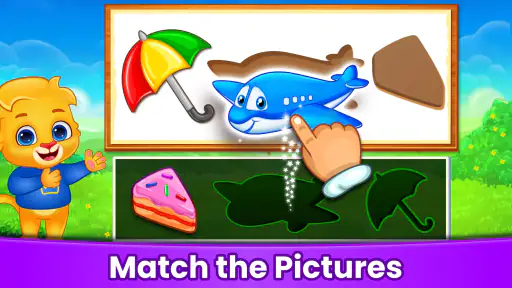
Puzzle Kids: Jigsaw Puzzles is centered on visual puzzle activities, which can make it approachable for young children who are still learning to read. Children can focus on recognizing shapes, objects, and how pieces fit together rather than following a text-heavy lesson. As with any game for a young child, a parent can help at first and see whether the activities are easy for them to follow independently.
Is Puzzle Kids: Jigsaw Puzzles free to download, and what should parents know about the cost?
Puzzle Kids: Jigsaw Puzzles is a free educational game from RV AppStudios, so families can try it without paying to download. The app also offers in-app purchases: although a variety of puzzles are free to play, additional puzzle packs and features can be unlocked through purchases. Parents may want to review purchase settings on the device before handing it to a child.
What age group is Puzzle Kids: Jigsaw Puzzles suitable for?
Puzzle Kids: Jigsaw Puzzles is designed specifically for children, generally suitable for ages 3 to 8. The app features colorful and engaging puzzles that are easy enough for young children to complete, yet challenging enough to stimulate their problem-solving skills and keep them entertained. Its Everyone content rating also makes it a child-oriented option for families looking for a simple puzzle game.
Pros
- Engaging
- colorful graphics appeal to young children.
- Wide variety of puzzles keeps play fresh.
- Improves cognitive skills and problem-solving.
- Easy to navigate interface for kids.
- Encourages independent play and learning.
Cons
- Limited free content before requiring purchase.
- Repetitive background music may annoy parents.
- Some puzzles might be too easy for older kids.
- Lack of multiplayer or social features.
- In-app purchases can be confusing for kids.
- Category
- Educational
- Version
- Varies with device













