Toca Boca World
- 200.61K
- 4.3
- Installs
- 100.00M
- Price
- Free

Screenshots
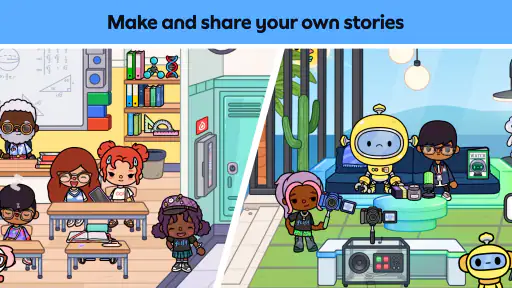
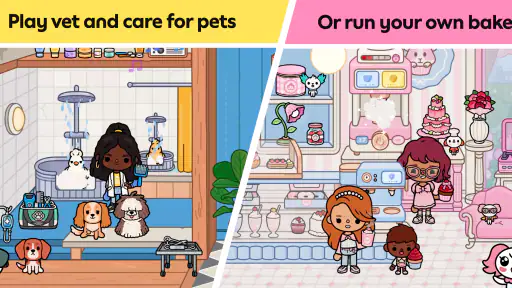
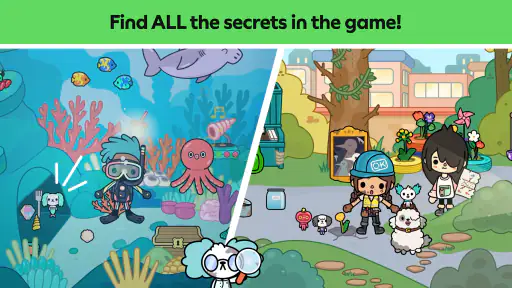
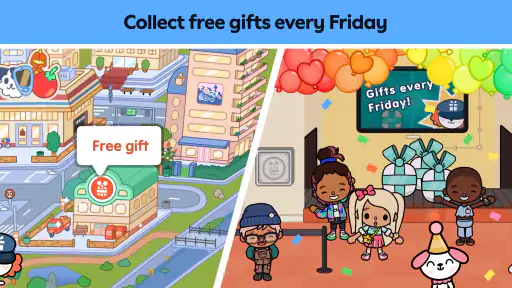
Analysis by Reviewed
I find the appeal of Toca Boca World easiest to understand when I watch what happens after a child makes one small choice: pick up a character, move them somewhere, and see what kind of story follows. This is an educational game from Toca Boca, but it feels less like a lesson with a finish line and more like a toy box that invites players to invent their own reasons to keep playing. That freedom is its biggest strength, though it also means the game works best for children who enjoy making up their own goals.
Start with one simple idea
When a child opens the game, I’d suggest starting with a tiny prompt rather than trying to explore everything at once: choose a character, give them a destination, and decide what they’re there to do. That could be preparing for a visit, meeting someone, or setting up a little scene. Moving characters and objects by dragging them around is easy to grasp, so younger players can get into the action without needing to learn a complicated control scheme first.
This is also a useful way for a parent to join in without taking over. Ask a child what the character wants, then let them decide what happens next. The game doesn’t demand one correct answer, which makes it a relaxed option for a short stretch of shared play. If a child would rather follow clear instructions or complete a defined challenge, though, this open-ended format may feel aimless; a puzzle or level-based educational game is likely a better fit.
A World of Endless Possibilities
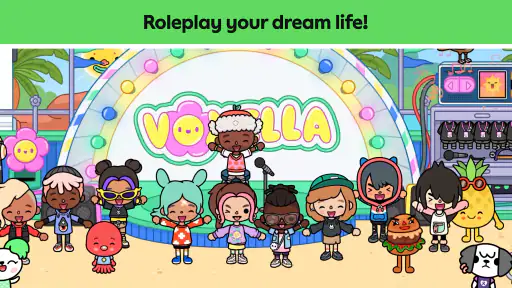
When you first dive into Toca Boca World, it’s like stepping into a vibrant, animated playground. The app allows users to explore a variety of locations such as bustling cities, serene beaches, and even fantasy lands, all crafted with a whimsical touch that is sure to captivate anyone who enters. The beauty of this app is that it encourages open-ended play. There are no scores to beat or levels to conquer, just pure, unadulterated fun.
Create Your Own Stories
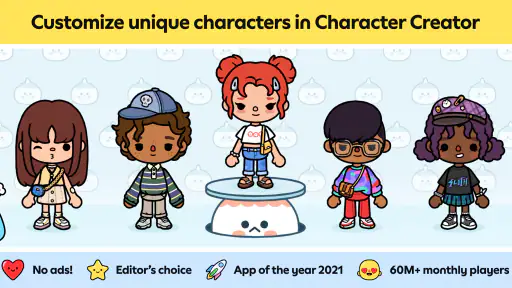
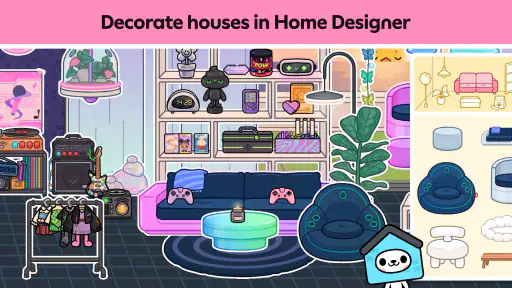
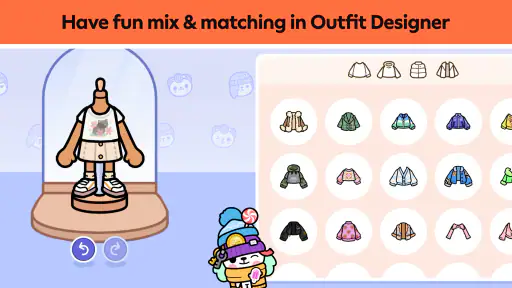
What sets Toca Boca World apart is its emphasis on creativity and storytelling. Users can mix and match characters, outfits, and props to create their own unique stories. Want to have a tea party with a dragon in a castle? Go for it! The app provides a plethora of items and scenarios to choose from, ensuring that each play session is different from the last.
Moreover, the user-friendly interface makes it easy for kids to navigate through the app. The intuitive drag-and-drop system allows players to seamlessly move characters and items around, making the storytelling process smooth and enjoyable. One practical trick is to make a small “scene plan” before moving things: decide who is present and what the characters are doing, then arrange only the items needed for that moment. It gives a child’s idea a clearer shape without turning play into a checklist, and makes it easier to pick up the story after a pause.
How the play loop holds up
The rhythm here is simple: make a choice, move a character or prop, notice how the scene changes, and use that result as a prompt for the next bit of pretend play. The reward is not a score or a prize; it is seeing an idea take shape and discovering a new way to stage it. That makes the game a good fit for a waiting-room lull or a calm period at home, when a child can spend a few minutes building a scene rather than racing through a task.
More From Our News Desk

Weather by Xiaomi Review: Clear at a Glance, Less Clear Up Close

X Under Pressure: Can It Recover When Posting Goes Wrong?

Clash of Clans Is Won Between the Battles

Android Auto Makes the Case for Quieter Car Software

MobiOffice: Transforming Mobile Productivity with Seamless Integration

EA SPORTS FC™ Mobile Soccer: Redefining Mobile Sports Gaming
There is no set objective to reset after completing, so a session can end when the child is ready to stop. For an easy restart, I’d encourage them to choose one new detail next time—a different character, a new location, or a changed role—rather than trying to reinvent everything. This keeps familiar play welcoming while still giving the imagination a fresh starting point. Compared with educational games built around quizzes or timed challenges, this offers more freedom but less built-in direction; it is not the best choice when a parent wants measurable practice in a specific subject.
Fun for All Ages
Though primarily designed for kids, Toca Boca World has a charm that transcends age. It’s a perfect way for families to bond, with parents and children collaborating to build stories together. The app’s design is colorful and engaging, ensuring that it holds the attention of young players while also appealing to older users who appreciate its creative freedom.
The developers have also made sure to include educational elements subtly woven into the gameplay. While playing, kids can learn about different social scenarios, responsibility, and even basic problem-solving skills. This makes the app not just entertaining, but also a valuable tool for learning. I see those benefits as possibilities that emerge through play and conversation, rather than formal instruction: a child might practise taking turns in a made-up scene, but the app is not a substitute for a structured lesson.
Practical details for families
The game is free to download, rated Everyone, and has an average rating of 4.3 from around 6.2 million ratings, with more than 100 million installs. It was released on November 21, 2018, and version 1.108 requires Android 5.1 or later. Those figures suggest a well-established audience, but popularity alone won’t tell you whether the open-ended style suits your child. I’d try a brief shared session and see whether they start inventing scenes on their own or keep asking what the “right” task is.
Families should also keep the purchase setup in mind: in-app items range from $0.49 to $172.99 each. The free download makes it possible to try the core experience, but optional purchases can change the cost if a child wants more content. I’d agree on a household rule before handing over the device, and use the device’s purchase controls if needed. If your priority is a no-cost activity with a fixed lesson path, another educational game may be easier to manage; if you want pretend play that a child can reshape repeatedly, this is more compelling.
What a short session can look like
For a practical test, I’d use a quiet moment after school rather than presenting the game as a reward that has to be earned. A child could choose one character and make a small scene about getting ready to visit a friend. I’d ask what needs to happen first, then let them move the character and props while I follow their lead. That gives the child an easy starting point and lets me see whether they enjoy inventing dialogue and events, or would rather be given a clear task.
It can also help to set a stopping point before play begins. Because there is no level to finish, “one more turn” can easily become “one more scene.” Agreeing to pause after the character reaches a destination, for example, gives the child a natural place to stop without treating their story as something they failed to complete. If they want to return later, leaving the scene as a reminder of the next idea can make the restart feel simple.
Choosing it over other educational games
Among children’s educational games, this sits closer to a digital dollhouse than to a workbook or quiz. That distinction matters. A child who likes arranging characters and inventing social situations may get more out of it than from another activity built around right answers. On the other hand, if you are looking for letter practice, arithmetic drills, or a clear progression of challenges, a focused learning app is the more useful choice. The creative play here can prompt conversation and decision-making, but it does not replace targeted instruction.
It is also a different kind of screen activity from a game that rewards quick reactions. There is little pressure to act fast, which suits relaxed play and makes it easier for an adult to join a child’s story. The trade-off is that the child has to supply much of the momentum. I would not hand it to a child who routinely needs frequent goals to stay engaged and expect the game to provide them; I would choose it for someone who already enjoys pretend play, or use a prompt to help them get started.
Small habits that make play smoother
One way to avoid aimless browsing is to give each session a simple theme: a visitor arrives, someone prepares for a trip, or two characters have to solve a small everyday problem. The theme does not need to dictate the ending. It simply gives children a reason to choose a location and a few props, then leaves room for the story to wander. This is more useful than asking them to explore everything at once, especially when they are still learning how they want to play.
For siblings or a parent and child sharing the device, taking turns choosing the next action can keep one person from directing the entire story. One player can decide what a character wants, while the other chooses how the scene changes. I like this approach because it turns the open-ended format into a gentle collaboration without adding a score or competition. It may not suit children who find shared control frustrating, but it gives families a straightforward way to take part without writing the story for the child.
Limits worth considering
The open structure is also the main reason I would not recommend it to every family. Some children will happily make up a plot; others will tap around, lose interest, and ask an adult what to do. A small prompt can help, but if a child consistently wants guided tasks, the game may feel more like an empty stage than a satisfying activity. Parents should also be ready to supervise purchase decisions, since the free download sits alongside optional paid items with a wide price range.
There is a practical difference between trying the game and deciding that it will be a regular activity. A brief shared session is a sensible first step: it shows whether the child takes ownership of the characters and scenes, and gives you a chance to explain the purchase boundary. The game is aimed at everyone, but that does not mean every play style or household preference is the same. Families who want a tightly controlled, lesson-by-lesson experience may be more comfortable with a different educational title.
Final Thoughts
In a world where apps are often fleeting and forgettable, Toca Boca World stands out as a beacon of creativity and fun. It’s an app that doesn’t just entertain but inspires. Whether you’re looking to provide your child with a safe and imaginative play environment, or seeking a creative outlet for yourself, Toca Boca World is a must-have. So, why not embark on your own whimsical adventure today and see where your imagination takes you?
My verdict is warmer but more measured: the game earns its place when a child enjoys directing the play, changing the scene, and returning to an idea later. I wouldn’t choose it as a substitute for a focused learning app, and I’d stay involved around purchases, but as a flexible storytelling space it gives families an easy prompt for making things up together. The loop—act, see the scene shift, invent what follows, then pause and return with a fresh idea—is exactly why another session can feel inviting without needing a new score to chase.
Toca Boca World Frequently Asked Questions
Is Toca Boca World available for Android and iOS?
Toca Boca World is available for Android and iOS, so players can look for it in the app store for their device. Before downloading, check that your device meets the platform’s requirements and has enough available storage. The game is built around creating characters, exploring, and making up stories, so it may suit players looking for a creative experience rather than a game centered on fixed objectives.
How much does Toca Boca World cost to download?
Toca Boca World is free to download, so you can start playing without paying upfront. Optional in-app purchases are available for additional content, but they are not required to begin exploring and creating. If a child will use the device, it is a good idea to review its purchase settings first and discuss whether paid extras are allowed, helping avoid unexpected spending.
What is the content rating for Toca Boca World?
Toca Boca World has an Everyone content rating, making it broadly suitable for players of different ages. Its emphasis is on imaginative play, character creation, and storytelling, which can appeal to children who enjoy making up their own activities. A rating can help inform a download decision, but parents should still decide whether the game’s optional purchases and the device’s settings fit their household.
Is Toca Boca World an educational game?
Toca Boca World is categorized as an educational game, with play that encourages creativity through exploring, customizing, and making up stories. Rather than presenting one fixed objective, it gives players room to invent scenes and activities. Families considering it may want to think about whether this open-ended style matches what the player enjoys, as it is less about following a prescribed sequence of tasks.
Who makes Toca Boca World?
Toca Boca World is developed by Toca Boca. The game invites players to create characters, customize their experience, explore, and invent stories, making its creative approach central to the experience. If you are deciding whether to download it, the developer and its open-ended style provide useful context, while the game’s Everyone rating and optional in-app purchases are also worth considering.
Pros
- Highly interactive gameplay.
- Encourages creativity.
- Regular updates.
- No third-party ads.
- Wide age appeal.
Cons
- In-app purchases required.
- Can be resource-intensive.
- Limited free content.
- Requires internet connection.
- May confuse younger kids.
- Category
- Educational
- Version
- 1.108