Baby Panda's Supermarket
- 2.50K
- 4.2
- Installs
- 100.00M
- Price
- Free

Screenshots
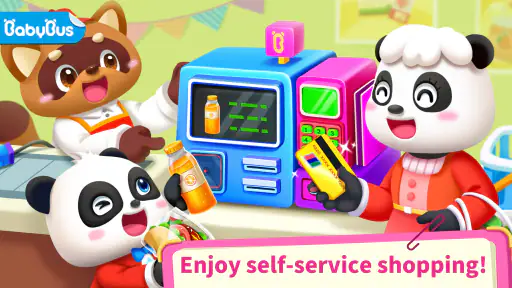

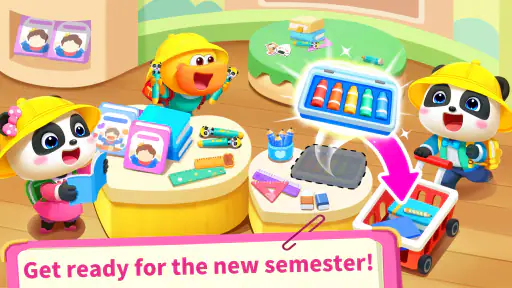

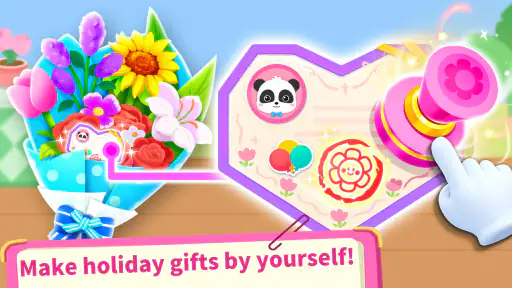

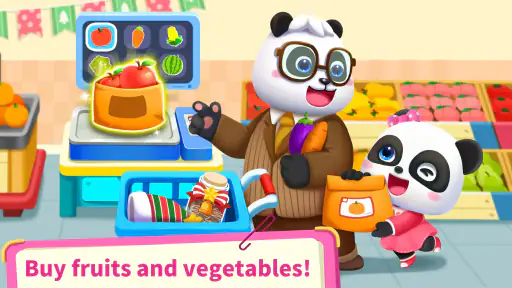
Analysis by Reviewed
For a preschooler who wants to copy the grown-ups, a pretend supermarket can be more engaging than another round of basic flash cards. I’d consider Baby Panda's Supermarket when the goal is playful practice with familiar shopping ideas, rather than a structured lesson. It is a free educational game from BabyBus, rated for Everyone, and its colorful, child-friendly setup is aimed at little players. The key question for families is whether a guided shopping game suits the child better than open-ended pretend play or a more formal learning app.
What to look for in a supermarket game
For younger children, I’d prioritize clear visual cues, actions that are easy to understand, and tasks that invite them to make choices without needing an adult to explain every screen. This game’s supermarket setting gives children a recognizable context for exploring products and shopping. It can also give a parent an easy way to talk about what belongs on a list, how foods differ, or why a shopper chooses one item over another. Those conversations are where the game can become more than a screen-based distraction.
It has an average rating of 4.2 from around 403,000 ratings, and has passed 100 million installs, so it is a widely used option in the children’s game category. That reach is useful as a sign that many families have tried it, but it doesn’t tell me whether a particular child will enjoy the pace or style. I’d let a child try a short session while an adult stays nearby, then judge whether they can follow the activities and remain interested without constant help.
Reads About Baby Panda's Supermarket
Shopping Fun with Baby Panda
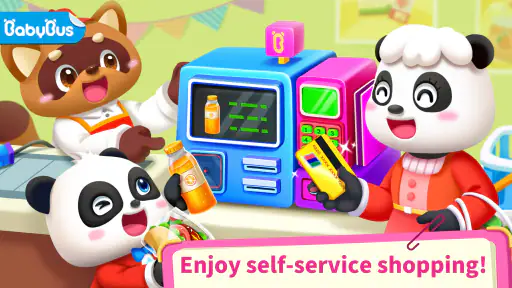
Once you dive into the world of Baby Panda's Supermarket, you’re greeted with an array of vibrant colors and friendly animal characters that are sure to capture any child’s attention. The app is set up like a real supermarket, brimming with aisles full of items waiting to be explored. From fruits and veggies to toys and clothing, there's a wide range of products that kids can interact with, making it both educational and entertaining.
Interactive Learning
What sets this app apart is its focus on interactive learning. It's not just about putting items in a cart; kids learn to identify products, count, and make decisions about what to buy. The app encourages children to think critically and make choices, which are excellent skills for young minds to develop. Plus, the adorable baby panda guide makes the whole experience feel like a game rather than a chore.
User-Friendly Design
As someone who's seen a fair share of kids’ apps, I can tell you that Baby Panda's Supermarket nails it with its user-friendly design. The interface is intuitive, allowing even the youngest users to navigate through the supermarket with ease. The drag-and-drop feature is simple enough for tiny hands, yet engaging enough to keep them interested.
Making play useful in everyday life
A practical way to use the game is to play together briefly before a real grocery trip. Ask the child to spot a fruit, count a few items, or choose something from a simple list, then look for a similar item in the shop. That turns the game’s familiar supermarket theme into a conversation starter. I wouldn’t treat its activities as proof that a child has mastered counting or budgeting; they’re better used as prompts for trying those ideas with real objects and gentle guidance.
More From Our News Desk

Android Auto Makes the Case for Quieter Car Software

MobiOffice: Transforming Mobile Productivity with Seamless Integration

EA SPORTS FC™ Mobile Soccer: Redefining Mobile Sports Gaming

How Microsoft OneDrive Became a Mobile Productivity Giant

How Google Translate Breaks Language Barriers Effortlessly

Why Google Sheets Is the Ultimate Mobile Productivity Tool
It may suit a child who enjoys colorful characters and guided tasks, especially when an adult wants an easy activity to share during a quiet moment at home. It is less likely to satisfy a child who prefers building their own stories without prompts, or an older child looking for deeper strategy. In those cases, open-ended pretend-play toys or a more structured learning game may be a better match. The choice comes down to whether the child likes following a shopping adventure or prefers to invent the rules themselves.
Rewards and Motivation
No shopping trip is complete without a bit of reward, right? The app cleverly incorporates a reward system that motivates kids to complete tasks and challenges. For every successful shopping trip, they earn coins which can be used to unlock more items and features. This not only adds an extra layer of excitement but also teaches kids the value of earning and spending wisely.
Keeping expectations realistic
Rewards can help a young child stay engaged, but I’d use them as a reason to talk about choices rather than as a lesson in real money. Virtual coins are not the same as a household budget, and a child may focus more on unlocking things than on the shopping activity itself. A useful approach is to ask why they chose an item before moving on, so the decision-making remains part of the play rather than turning every session into a race for rewards.
The game is free to download, with optional in-app purchases ranging from $1.99 to $5.49 per item. I’d check the purchase settings on the device before handing it to a child, and make the difference between playing and buying clear. If a child taps toward a paid item, an adult can use that moment to explain that not every extra is part of the basic game. That small bit of supervision matters more than assuming a young player will understand purchase prompts on their own.
Parental Controls
Being a parent, I find it reassuring that Baby Panda's Supermarket offers robust parental controls. You can set playtime limits and monitor your child’s progress, ensuring they get the most out of their screen time. It’s always a plus when an app considers the concerns of parents while focusing on the fun for kids.
Who should choose it—and who might not
If your child likes pretend shopping and benefits from simple, visual activities, this could be a handy choice for a short break or a shared play session. If you want a quiet, independent activity, try it first with the child: ease of use can vary, and a parent may still need to help keep the play focused. Families who want a game centered on a different subject, or who prefer learning through physical toys and real-world errands, may get more from those alternatives. The supermarket theme is its strength, but also its boundary.
The game was released on February 19, 2016, and its current version is 8.72.36.01; it requires Android 5.0 or later. Those details make it easier to check whether an Android device is compatible before installing. If you change devices or move between platforms, expect to check the relevant store and device requirements rather than assuming your setup will carry over. The main transition cost is small: a child may need an adult to show how the shopping activities work, then can usually decide whether this style of play clicks for them.
A good fit for short, shared play
I see the strongest use case as a small, contained activity rather than something to rely on for a long stretch of independent entertainment. For example, while dinner is being prepared, a parent could sit nearby and invite a child to choose a few items, name what they recognize, and explain what might go on a shopping list. That gives the screen time a beginning and an end, while an adult can notice whether the child is enjoying the tasks or simply tapping through them.
For a child who is still learning to use a touchscreen, the simple drag-and-drop interaction can make the game a gentler starting point than an app with menus, written instructions, or several competing activities. A practical tip is to demonstrate one action and then hand over the device, instead of narrating every move. If the child can continue after that, the interface is doing useful work; if they repeatedly need help finding what to do next, it may be better as a shared game than as a solo one.
How it compares with other learning choices
Compared with a broad early-learning app, this game has a narrower subject and a more concrete setting. That focus can be an advantage for a child who already enjoys grocery shopping or sorting familiar items: the context gives simple choices a purpose. A broader app is likely a better pick when a family wants to move among several subjects in one session, while physical pretend groceries can be better for children who learn by handling objects and inventing their own roles.
It also occupies a middle ground between a toy cash register and a formal counting exercise. There is a playful shopping frame and decision-making, but I wouldn’t choose it as a substitute for direct teaching or hands-on practice with quantities. Parents can make the activity more meaningful by asking the child to compare two options or remember one item for a real list. Those small prompts extend the play without pretending that a game alone teaches practical money skills.
Managing sessions and expectations
One useful way to avoid the reward loop taking over is to agree on a simple stopping point before play begins, such as finishing one activity or playing until a nearby routine starts. Young children may not naturally stop when they have become focused on collecting coins or unlocking extras, so a calm warning before putting the device away can make the transition easier. This is a family routine tip, not a feature I’d assume the game handles for you.
Another trade-off is that a familiar supermarket theme may hold a child’s attention only while it feels fresh. If interest fades, I’d resist turning the session into a test or pushing the child to complete everything. Bring the same theme into pretend play with household objects, or switch to a different kind of activity if the child is ready for more imaginative control. The app works best as one option in a mix, not as the whole plan for learning through play.
What to check before handing over the device
Because this is intended for young players, I’d set up the device before the first session: confirm that the child can access the game without reaching unrelated apps, and review purchase settings together with any adult who may supervise play. The paid extras make that preparation worthwhile even if the child only intends to play. A brief first session also lets you see whether the game’s pace, prompts, and shopping theme fit your child, rather than relying on its general popularity.
It is an Android game with a minimum requirement of Android 5.0, so that is the practical compatibility check for an Android device. Families using another platform should check the relevant app store before planning around it. In either case, I’d avoid assuming that progress or purchases transfer when switching devices; make that decision based on the platform’s current setup rather than promising a seamless move.
Where the supermarket theme reaches its limit
The setting naturally emphasizes choosing and recognizing products, which is useful but not the same as practicing the full routine of a real shop. A child may enjoy the colorful aisles without yet understanding why a grown-up compares prices, sticks to a list, or leaves some items behind. That is not a flaw so much as a limit of pretend play on a screen. If those practical habits are the goal, use a real shopping trip—with an adult guiding the experience—as the next step.
I’d also be cautious about treating an Everyone age rating as a personal suitability guarantee. A young child’s ability to follow activities, manage rewards, and stop playing varies, so an adult’s first look is still sensible. If the child becomes frustrated by instructions or fixates on paid extras, pause and decide whether to play together, adjust device settings, or choose a less purchase-oriented activity. The right choice depends on the child, not just the age label.
To wrap it up, if you're looking for an app that combines fun, education, and a dash of life skills, Baby Panda's Supermarket is definitely worth checking out. It's a delightful way for kids to learn about shopping and decision-making, all while having a blast. So, grab your virtual shopping cart and join the baby panda for a supermarket adventure that's sure to entertain and educate!
Baby Panda's Supermarket Frequently Asked Questions
Is Baby Panda's Supermarket free to download?
Yes. Baby Panda's Supermarket is free to download, so families can try the game without an upfront purchase. Optional in-app purchases are available, however, and may unlock additional content or features. If a child will use the device, it is sensible to review purchase settings and any available parental controls before play.
Who makes Baby Panda's Supermarket, and what kind of game is it?
BabyBus develops Baby Panda's Supermarket, an educational game built around a pretend supermarket. Its central idea is easy for children to understand: they can shop and play as a cashier. That familiar role-play gives young players a simple setting for exploring everyday shopping activities while keeping the experience focused on interactive play.
What age is Baby Panda's Supermarket suitable for?
Baby Panda's Supermarket is rated for Everyone and is an educational game aimed at young children. Its pretend supermarket activities make it approachable for little players, while parents can decide whether the play style suits their child. The game is free to download, though optional in-app purchases are available, so it is worth checking purchase settings before handing over a device.
What is Baby Panda's Supermarket?
Baby Panda's Supermarket is an engaging educational app designed for young children, particularly those aged 3 to 8. The app offers a virtual shopping experience where kids can explore a supermarket, learn about different food items, and understand the basics of shopping. It supports learning through interactive play, enhancing kids' cognitive skills and creativity.
Is Baby Panda's Supermarket safe for children?
Yes, Baby Panda's Supermarket is designed with child safety in mind. It features a kid-friendly interface with no inappropriate content, ensuring a safe and engaging learning environment. The app does not include any third-party advertisements, and the in-app purchases are protected by parental controls to prevent unauthorized purchases.
Pros
- Interactive and educational gameplay.
- Colorful graphics engage children well.
- Variety of mini-games keep it interesting.
- Encourages learning through fun activities.
- User-friendly interface for young kids.
Cons
- In-app purchases can be frequent.
- Ads might disrupt the gaming experience.
- Limited content in free version.
- May require supervision for purchases.
- Can be repetitive over time.
- Category
- Educational
- Version
- 8.72.36.01