Baby Panda's School Bus
- 1.36K
- 4.4
- Installs
- 100.00M
- Price
- Free

Screenshots

Analysis by Reviewed
When a child taps a control and nothing seems to happen, a cheerful game can quickly turn into a frustrating one. I’d start by checking whether the screen is responding to a deliberate tap rather than a swipe, then give a young player a moment to see the result before tapping again. That small pause helps avoid missed actions and keeps the bus ride from becoming a race to press everything.
Simple checks before handing over the phone
Baby Panda's School Bus is a free educational game from BabyBus, with a 3D school-bus theme aimed at children. It is rated Everyone, has a 4.4 average from around 279,000 ratings, and has passed 100 million installs. It runs on Android 5.1 or later; the current version is 8.72.12.32. I’d check that the device meets the minimum system requirement and that the game has finished loading before inviting a child to play. The game is free to start, while optional in-app purchases range from $1.49 to $4.99 per item, so I’d review purchase settings on a shared device before handing it over.
A useful first session is a short, guided one: sit with the child, let them try the bus controls, and ask what they notice at crossings or traffic lights. This gives you a chance to see whether the controls suit their age and patience, rather than assuming that every toddler will find them immediately obvious. If a tap seems ignored, pause and try one clear action at a time instead of restarting the game straight away.
When the ride does not go smoothly
If the app freezes, closes, or becomes unresponsive, I’d first close it and reopen it, then check whether the device itself is running smoothly. Restarting the device is a reasonable next step if other apps are also misbehaving. If the trouble happens only in this game, checking for an available update through the usual app store can help; the version number can also be useful when asking for support. I wouldn’t assume every delay is a gameplay problem: a low battery, an overloaded device, or an unstable connection can affect a child’s experience too.
For a child who is easily distracted, keep the play session brief and make the bus ride part of a simple conversation: “Which light means stop?” or “When is it safe to cross?” That turns the screen time into a chance to practice noticing road-safety ideas, rather than leaving the child to tap without context. The game can introduce those concepts, but it should not replace an adult explaining real street safety or supervising a child near traffic.
What the bus game offers families
Hop on, folks! Today we’re taking a joyful ride with Baby Panda's School Bus, an app that’s making waves in the edutainment sector. If you’ve got little ones at home who are as curious as cats and love a good interactive game, this app might just be your new best friend.
First things first, let me tell you what this app is all about. Baby Panda's School Bus is crafted for toddlers and preschoolers, aiming to make learning an exciting journey rather than a mundane task. The app is like a vibrant digital playground where kids can learn about different vehicles, traffic rules, and the importance of safety—all while having a blast! Released on January 3, 2018, it has built a large audience, and its 1.4K written reviews offer another place for families to see how others describe their experience.
More From Our News Desk

Weather by Xiaomi Review: Clear at a Glance, Less Clear Up Close

X Under Pressure: Can It Recover When Posting Goes Wrong?

Clash of Clans Is Won Between the Battles

Android Auto Makes the Case for Quieter Car Software

MobiOffice: Transforming Mobile Productivity with Seamless Integration

EA SPORTS FC™ Mobile Soccer: Redefining Mobile Sports Gaming
Interactive Learning at Its Best
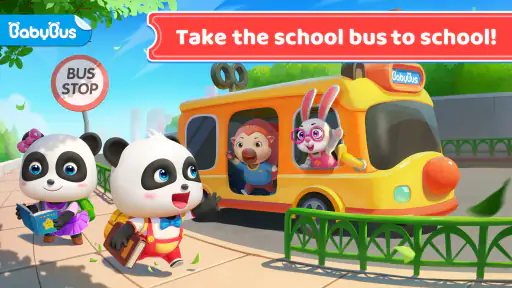
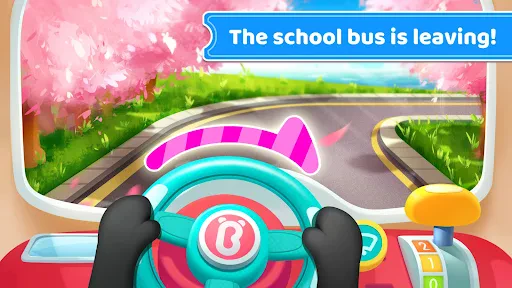
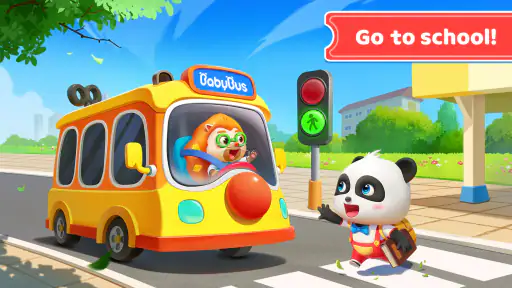
One of the standout features of this app is its delightful interactive gameplay. Kids get to drive the school bus, honk the horn, and even help Baby Panda pick up friends along the way. The controls are super intuitive, so little fingers can easily navigate without any fuss. It's like their very first driving lesson, minus the stress!
Compared with a coloring app or a basic matching game, this gives a child a more active pretend-play task: they are making the bus move and responding to things on the road. That can be a better fit for a child who likes vehicles and role-play, while a quieter puzzle may suit someone who prefers solving a single task without the movement and sound of a driving game. I’d use the child’s reaction, not the age label alone, to decide which style holds their attention.
Educational Value Meets Entertainment
While the kids are busy enjoying their virtual ride, they’re also picking up crucial educational tidbits. The app sneakily incorporates learning into gameplay, teaching kids about road signs, safe crossing, and the significance of traffic lights. The animations are colorful and engaging, capturing the attention of even the most restless tots.
One practical way to get more from it is to let the child explain a choice after a moment of play. Asking what a sign or light might mean encourages them to connect the on-screen scene with an everyday walk, without turning the game into a quiz. I would keep expectations modest: this is an introductory activity for young children, not a complete lesson in road rules or a substitute for hands-on guidance.
Why Parents Love It
As a parent, finding an app that balances fun with learning is like striking gold. Baby Panda's School Bus does just that. It’s safe, ad-free, and designed specifically for young minds. Plus, it doesn’t require constant supervision, allowing you some much-needed peace while the kids are entertained and educated. It’s a win-win!
I would still stay nearby, especially on a first visit, to help with controls and keep play age-appropriate. The Everyone rating makes it broadly suitable, but children differ in how they handle screen stimulation and in-app purchase prompts. This is also not my pick when I need a calm, screen-free activity, or when a child wants open-ended building or a deeper challenge; a toy bus, storybook, or more involved learning game may be a better match then.
A routine that makes play easier to manage
I find this kind of driving game works best as a defined activity rather than an app left open as background entertainment. For example, after breakfast while a parent packs a bag, a child can have a short turn with the bus and then tell an adult one thing they noticed on the road. That small ending gives the play a natural stopping point. It also helps prevent the familiar struggle where a child keeps tapping simply because no one has said what happens next.
On a first play, I’d show the child how to make one clear input, then let them repeat it without taking over the phone. If they seem to be pressing randomly, narrowing the activity to one question—such as noticing a crossing or a light—can make the ride feel purposeful without requiring a grown-up to narrate every moment. This is especially useful for children who enjoy doing things independently but still need help turning a busy screen into a manageable task.
The game is also an easy option for a waiting-room pause or a quiet stretch at home, provided the child has already tried it with an adult. I wouldn’t make it the default solution for every restless moment: a physical toy or a conversation is better when a child needs to move, and a book is better when the goal is to wind down. Its strongest place in a family routine is as a brief, hands-on digital diversion with a simple topic to talk about afterward.
What to check if a child cannot settle into it
Not every difficulty means something is broken. A child may be too young to understand the interaction, may prefer a slower activity, or may simply lose interest in driving pretend play. Before changing device settings or reinstalling anything, I’d watch what happens for a minute: are they missing the controls, getting impatient with the pace, or avoiding the road scenes altogether? The answer helps distinguish a setup snag from a mismatch in play style.
If the game opens but does not feel responsive, make sure the child is touching the intended area and not holding a finger on the screen while expecting a different action. Then test a simple tap yourself. If other apps respond normally and this one continues to stall, close and reopen it, check for an update, and try again when the device is not busy with other tasks. I’d avoid repeatedly changing several settings at once, since that makes it harder to tell what actually helped.
For a shared phone or tablet, a quick adult check before play is worthwhile. Confirm that the game is open, the volume is at a comfortable level, and purchase controls are protected in the device’s usual settings. These are sensible household checks rather than special requirements of the game. They reduce the chance that a child’s first experience is interrupted by an avoidable sound surprise, an accidental exit, or an unexpected purchase screen.
When another activity is the better fit
The bus theme gives the game a more specific appeal than a general preschool learning app. A child who loves vehicles, pretend journeys, or spotting traffic lights may find a reason to return to it. A child who is drawn to drawing, music, puzzles, or stories may not. I wouldn’t treat that difference as a flaw; it is a matter of matching the activity to the child rather than expecting one game to hold every young player’s attention.
It is also worth being clear about what a digital road-safety game can and cannot do. It gives a parent a convenient prompt for talking about signs and crossings, but a screen does not teach a child how to judge a real street or behave safely beside moving traffic. I’d use the game as a conversation starter, then reinforce the idea during an adult-supervised walk. If a family’s main aim is structured lessons, a dedicated learning resource with a clearer progression may be more suitable; if the aim is make-believe bus driving, this one has the more relevant theme.
Parents who want a longer, demanding game may find the preschool focus too simple, while those who need an activity with no device involvement should skip it altogether. The purchase range is another practical consideration on a shared device: the game costs nothing to begin, but individual optional purchases are not free. I’d make the purchase decision with an adult rather than letting a child explore payment prompts, and I would not count on the game as a no-cost option beyond its free starting point.
A grounded choice for young vehicle fans
BabyBus has made an accessible entry point for children who want to steer a pretend school bus and notice familiar road-safety ideas along the way. Its broad audience and 4.4 average suggest that many families have tried it, though popularity alone cannot tell me whether a particular child will enjoy it. I’d treat the rating as one point of context, then rely on a supervised first session to see whether the child understands the interaction and enjoys the theme.
My practical recommendation is to try it when a young child is already interested in buses and can manage simple screen interactions, with an adult nearby for the first session and purchases controlled on the device. Keep it short, connect one on-screen moment to a real-world idea, and stop if the child becomes frustrated or overstimulated. That approach makes its educational angle more meaningful and keeps expectations realistic.
My take after weighing the trade-offs
In conclusion, if you’re searching for an app that combines fun, education, and a touch of adventure, look no further. With its engaging gameplay, educational benefits, and toddler-friendly interface, this game is more than just an app—it’s an experience. So, what are you waiting for? Get your little ones behind the wheel and watch them become the happiest drivers on the block!
Baby Panda's School Bus Frequently Asked Questions
Can a child play Baby Panda's School Bus without help from an adult?
The game is aimed at young children and presents its school-bus theme through playful, child-focused activities. A child may be able to explore parts of it independently, but younger players can still benefit from an adult nearby, especially when navigating menus or using a device with purchasing enabled. Trying it together also gives parents a chance to talk about the activities and safety themes.
Does Baby Panda's School Bus need an internet connection to play?
Baby Panda's School Bus is a 3D school bus driving game for kids, and families may want to consider connectivity when planning where a child will play. Check the app's behavior on your device before relying on it away from home, since access to features can depend on how the game is set up. An adult can test it in advance and prepare the device accordingly.
Is Baby Panda's School Bus suitable for a child who has not played games before?
Its child-focused school-bus setting and educational approach make it a reasonable game for families introducing a young child to mobile play. The experience is built around playful activities rather than realistic driving simulation, which can make the theme approachable. As with any game, an adult can help a first-time player get started and decide whether the activities are a good fit.
How much space does Baby Panda's School Bus need on a device?
Before downloading, it is sensible to check the available storage on the phone or tablet, as game installations require room on the device. The amount needed can vary with the device and app version, so leave some space available rather than waiting until storage is nearly full. Keeping the device's operating system compatible is also useful for a smoother installation.
Can parents control spending in Baby Panda's School Bus?
The game is free to install, and it offers optional purchases inside the app. Parents can review purchase settings on the device and use available restrictions to reduce the chance of a child buying something accidentally. It is also helpful to explain that some paid options are not required to try the game, then supervise play if the device is shared.
Pros
- Engaging graphics for kids.
- Interactive learning games included.
- User-friendly interface.
- No in-app purchases.
- Frequent updates with new content.
Cons
- Requires internet connection.
- Some ads may be intrusive.
- Limited free content.
- Battery consumption can be high.
- Lacks parental control features.
- Category
- Educational
- Version
- 8.72.12.32