Baby Games: Piano & Baby Phone
- 1.50K
- 4.4
- Installs
- 50.00M
- Price
- Free
Screenshots
Analysis by Reviewed
When I need a simple way to occupy a young child for a few minutes, I look for something they can explore without constant instructions. Baby Games: Piano & Baby Phone is an educational game from RV AppStudios built around familiar play: tapping piano keys, trying a pretend phone, and hearing cheerful sounds. I’d think of it as a small activity for shared or supervised play, rather than a full learning program.
Small goals make it easy to begin
When you first open the app, you’re greeted with bright colors and cheerful sounds that instantly grab your child’s attention. The interface is designed to be easily navigable by toddlers. With big buttons and simple controls, it’s something even my toddler could figure out without much help from me.
Musical exploration gives each tap a purpose
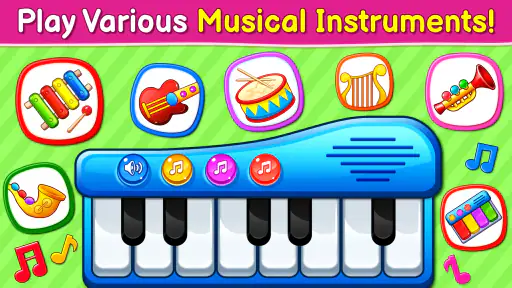
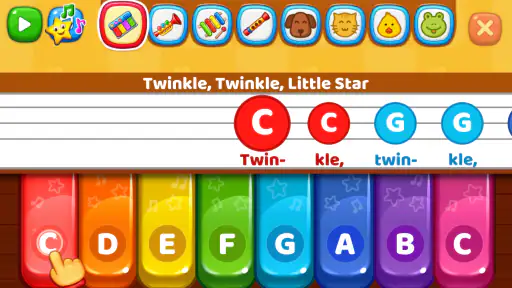
The piano feature is where my kid spends most of their time. It’s not just a regular piano app; it’s an explosion of colors and sounds. Each key plays a different note, and the sound quality is surprisingly good for a mobile app. As your child taps away, they can learn to associate different sounds with different keys — a great way to introduce them to music basics.
A useful way to keep this play from becoming random tapping is to sit beside your child and suggest a tiny goal: try a few keys, listen for how they differ, then let them choose what to play next. That turns the piano into a short listening activity without expecting a toddler to follow a lesson or remember a tune. I wouldn’t present it as formal music instruction, though; it’s better for early curiosity than learning songs or practicing an instrument.
Pretend calls offer another kind of discovery
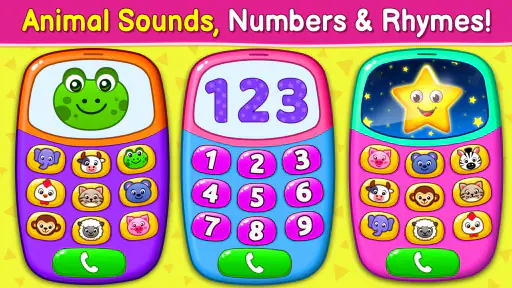
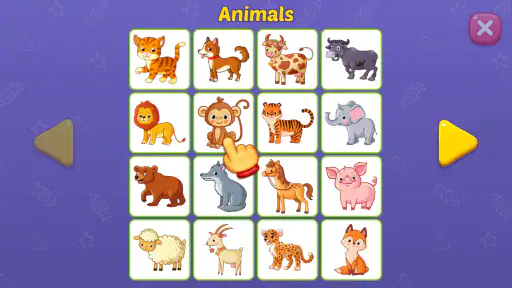
The baby phone feature is another winner. It simulates a phone with different buttons that play various sounds like animal noises, numbers, or even little tunes. It’s designed to mimic a real phone, which my little one loves — mainly because they always want to play with mine! The app not only entertains but also offers a way to learn numbers and sounds in a fun and engaging manner.
For an everyday use case, I’d bring it out while waiting for food or during a quiet stretch at home, then stay nearby and ask the child to find a number or identify a sound. The phone play may be more inviting than a worksheet for a child who likes copying adults, while the piano suits a child who prefers making sounds freely. Switching between those two kinds of play can refresh attention, but I’d keep sessions brief and follow the child’s interest rather than treating the app as a way to hold attention indefinitely.
Progress is about noticing, not unlocking
The progress here is subtle: a child gets quicker at choosing a control, starts anticipating a sound, or returns to a favorite activity with more intention. Those are satisfying little signals for a parent, but they aren’t the same as a structured sequence of lessons or a clear challenge ladder. I like that the play can stay low-pressure; a child can explore without needing to pass a level. The trade-off is that older children, or toddlers who want a goal and a reward each time, may lose interest quickly.
More From Our News Desk

Weather by Xiaomi Review: Clear at a Glance, Less Clear Up Close

X Under Pressure: Can It Recover When Posting Goes Wrong?

Clash of Clans Is Won Between the Battles

Android Auto Makes the Case for Quieter Car Software

MobiOffice: Transforming Mobile Productivity with Seamless Integration

EA SPORTS FC™ Mobile Soccer: Redefining Mobile Sports Gaming
Compared with a dedicated piano-learning app, this is more approachable for very young children but far less suited to reading notes, rehearsing melodies, or tracking musical progress. Compared with a video or a general collection of toddler games, its musical and pretend-phone focus gives a parent a more specific way to invite listening and imitation. If you want a guided curriculum, varied puzzles, or a more demanding challenge, another educational game will likely be a better fit.
Play works best with a little adult guidance
One thing to note is the safety of the app. As a parent, I appreciate that there are no ads in the middle of gameplay, which means my child won't accidentally click on something they shouldn't. Additionally, the app doesn’t require any in-app purchases to enjoy the full experience. It’s all-inclusive, which is quite a relief.
The game is free and rated for Everyone, so it’s easy to consider for family use. Still, I’d preview any app on the device your child will use and supervise play, especially if the device itself has other apps or notifications nearby. The game is not a substitute for shared conversation or hands-on toys; a parent’s prompts are what turn a sound effect into a moment of naming, listening, or taking turns.
Who is likely to enjoy it?
What makes Baby Games: Piano & Baby Phone stand out is its combination of fun and learning. My toddler isn’t just glued to a screen; they’re learning basic musical skills and improving their hand-eye coordination. It’s like having a little music class in your pocket!
That said, I’d describe the learning as informal exposure, not proof that a child is mastering music or number skills. The game’s strongest audience is a toddler who enjoys sound, bright visual feedback, and copying everyday actions. A child who is sensitive to lively audio, easily overwhelmed by screen stimulation, or already seeking more complex play may be happier with quiet blocks, a book, or an activity designed for a different age and attention span.
A gentle pace, with limits worth knowing
If you’re worried about screen time, this app offers a guilt-free option because it’s both educational and entertaining. Plus, it’s available on both Android and iOS, so you can download it no matter what device you have.
I wouldn’t call any screen activity automatically guilt-free, but I do find the simple, open-ended format easier to use intentionally than autoplaying videos. The game has a 4.4 average from around 50,000 ratings and has been installed over 50 million times. That popularity can help reassure parents that it’s widely used, but it doesn’t tell you whether its pace or sounds will suit your own child. A practical tip is to decide on a stopping point before handing over the device, then close the game together instead of waiting for a young child to disengage on their own.
A useful little activity, not a complete learning plan
In conclusion, if you’re searching for an app that can entertain and educate your child, this might just be the one for you. With its vibrant graphics, engaging sound effects, and educational value, Baby Games: Piano & Baby Phone is a delightful addition to any parent’s app collection.
My verdict is that this is most worthwhile as a short, shared activity for a young child who likes making sounds and pretending to use a phone. It offers easy entry and room to explore, but not the escalating goals or deeper instruction that keep older kids challenged. If that balance matches what you need, I’d give it a try; if you’re looking for a structured course or a demanding game, I’d choose something more focused on those goals.
Baby Games: Piano & Baby Phone Frequently Asked Questions
Does Baby Games: Piano & Baby Phone work well for short play sessions?
The game’s music-focused activities make it a simple option to explore together for a short stretch of play. A parent can help a child try the piano, listen to instruments, or enjoy nursery rhymes, then pause when the child is ready to move on. As with any screen activity for young children, families can decide how long a session should last and stay involved while the game is open.
What kind of music can children explore in the game?
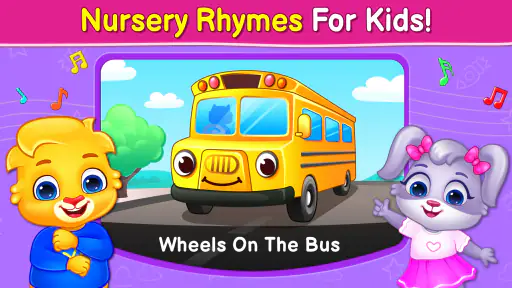
Baby Games: Piano & Baby Phone focuses on a baby piano, musical instruments, and nursery rhymes. These activities give children a playful way to hear and interact with music, whether they are tapping notes or listening to familiar-sounding songs. It is best approached as a light, interactive introduction to musical play, with an adult nearby to join in and help make the experience engaging.
What does Baby Games: Piano & Baby Phone include?
Baby Games: Piano & Baby Phone is an educational game for children, with activities centered on a baby piano, musical instruments, and nursery rhymes. Its playful format is intended to make exploring sounds and music engaging for little ones. Parents looking for a simple music-themed game can review the activities together with their child before deciding whether it suits their family.
Who developed Baby Games: Piano & Baby Phone, and how popular is it?
The game is developed by RV AppStudios and has an average rating of 4.4 from around 50,000 ratings, with about 1,500 written reviews. It has also reached over 50 million installs, suggesting that many families have tried it. These figures can offer a broad sense of its reach, but parents should still decide whether its activities are a good fit for their child.
What age group is Baby Games: Piano & Baby Phone suitable for?
Baby Games: Piano & Baby Phone is primarily designed for toddlers and young children, typically ranging from 1 to 5 years old. The app provides engaging and educational activities that help stimulate young minds. However, parents should always supervise their child's play to ensure a safe and enriching experience. Its Everyone age rating also makes it suitable for a broad audience, though younger children may benefit from an adult nearby.
Pros
- Engaging for toddlers
- Educational content
- Colorful graphics
- Easy to navigate
- Parental controls
Cons
- Limited free content
- In-app purchases
- Ads can be intrusive
- Requires internet
- Limited language options
- Category
- Educational
- Version
- Varies with device













