Weather: Live Forecast & Radar
- 64.00
- 4.4
- Installs
- 500.00K
- Price
- Free
Screenshots
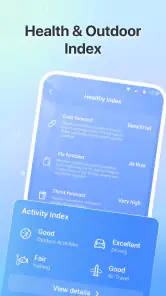
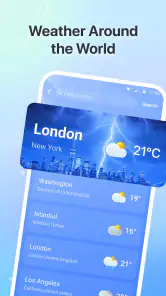
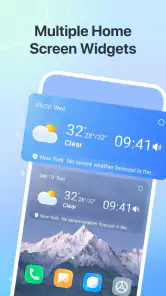
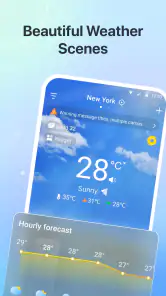
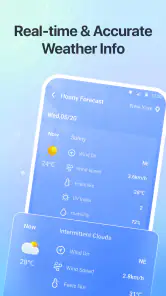
Analysis by Reviewed
I usually check the weather because I need to make a decision, not because I want another screen to browse: take a jacket, move a walk to later, or leave extra time for a wet commute. The annoying part is that a forecast can be hard to turn into a plan, especially when I am checking in a hurry. Weather: Live Forecast & Radar is aimed at that everyday gap, with a straightforward role as a weather app for daily routines, trips, and outdoor plans.
My test for an app like this is practical: can I get a useful sense of the day quickly, and does checking it feel easier than opening a general search or switching between several weather sources? This one makes sense for someone who wants a dedicated place to check conditions. It is free, rated for Everyone, and developed by JuXin Ltd. Its average rating is 4.4 from around 3,200 ratings, with more than 500,000 installs, suggesting that it has found an audience among people looking for a simple forecast tool.
Making a forecast useful before the day gets busy
Start with the decisions you actually need to make
When I first use a weather app, I try not to treat setup as a project. I want to reach the forecast for the place I care about and then check whether it helps answer a real question: is a morning errand likely to be more comfortable than an evening one, or should an outdoor plan have a backup? Weather: Live Forecast & Radar is presented for ordinary day-to-day use as well as travel and outdoor planning, so those are the situations I would judge it against rather than expecting it to replace a specialist forecasting service.
A useful habit is to decide in advance what would change your plan. If rain would only mean carrying a light layer, you do not need to keep reopening the app for reassurance. If the plan involves a long walk or time-sensitive travel, a forecast deserves a more deliberate check. The real time-saver is checking with a decision in mind, not simply looking at weather figures more often.
I would also make a distinction between checking where I am and checking where I am going. Before leaving for a different part of town or travelling farther away, I would look up the destination rather than assume the conditions match home. That simple workflow matters because a reassuring forecast at one location may not be useful for a plan elsewhere. It is a general weather-app discipline, but it is especially valuable when using one compact app as the first stop for several kinds of plans.
A small routine that avoids repeated checking
For a normal weekday, I would check once while deciding what to wear and again only if the day includes something weather-sensitive. That gives the app a clear job: help me choose a layer, decide whether to walk, or leave room for a change of conditions. If nothing in the forecast would change what I do, another check is probably not worth the interruption.
This approach also helps keep expectations sensible. A forecast is guidance for planning, not a promise that the weather will behave exactly as expected. For a casual commute, a quick look may be enough. For a long outdoor commitment, I would build in flexibility instead of relying on a single early glance. Weather: Live Forecast & Radar is best understood as a convenient planning aid, not a guarantee.
Where it fits into a normal day
Consider a realistic Saturday: I have a grocery run in the morning, a walk planned later, and no desire to spend the day checking my phone. I would use the morning forecast to choose whether to take a jacket, then check the walk’s location before setting out. If the conditions make the timing uncomfortable, I can shift the walk or shorten it. This is the kind of modest but useful decision-making that a dedicated weather app should support.
For a commute, the value is less about studying every detail and more about avoiding a preventable surprise. I can check before I leave, decide whether to carry rain protection, and stop thinking about it. If the weather looks changeable, a second check closer to departure is more useful than repeatedly refreshing throughout the morning. The app’s purpose is not to eliminate uncertainty; it is to reduce the amount of guesswork I have to do.
Travel planning calls for a different rhythm. Before a day trip, I would check the destination and use the forecast to choose between outdoor and indoor options, while keeping an alternative in mind. A useful trick is to plan around the least flexible part of the day: if a ticketed activity or long drive cannot easily move, check conditions for that window first. Then fit flexible errands or sightseeing around it. That is more actionable than looking at a daily forecast without connecting it to the itinerary.
For outdoor plans, I would treat the app as an early warning to review the plan, not the sole authority for a safety decision. A relaxed park visit and a remote hike do not have the same consequences if conditions change. When the outing is exposed, difficult to shorten, or dependent on safe conditions, I would compare more than one reliable source and keep a way to change course. That is a sensible limit for any everyday forecast app.
Less friction, with realistic expectations
A dedicated weather app can remove a few small steps from the routine: I do not have to begin with a broad web search, sort through unrelated results, and then repeat the process when I want to think about a trip. The main benefit here is having a weather-focused tool to consult for everyday plans. I would value it most if it helps me make a decision in one quick session and then get on with the day.
That convenience should not be confused with a guarantee of accuracy. Weather changes, and forecasts are less useful when the question is very local, the conditions are shifting quickly, or the decision has serious consequences. If I were planning around a narrow weather window, I would check again nearer the time. If I were making a high-stakes outdoor decision, I would use a more specialised source as well. A general-purpose app is a sensible first check, not a substitute for judgment.
There is also a personal trade-off in how much information someone wants. If you prefer a clean, quick check, a focused weather app can feel easier than a service that presents many layers and technical details. If you enjoy comparing detailed maps, alerts, or atmospheric information, you may prefer an alternative built for that deeper analysis. I would choose based on the decision I need to make, not on the assumption that a longer screen full of data is automatically more useful.
Choosing it over the usual alternatives
The usual alternative is to check weather through a search engine, a phone’s built-in weather view, or a more specialised forecasting service. A search is handy when I only need a one-off answer, and a built-in option may be enough if I rarely plan around the weather. A dedicated app is more attractive when I expect to check regularly and want that task to have its own place rather than being mixed into general browsing.
Compared with a specialised service, the decision is about depth versus convenience. Someone who plans outdoor work, follows rapidly changing conditions, or needs detailed local analysis may benefit from a tool designed around those needs. Someone deciding what to wear or whether a casual walk is sensible is less likely to need that complexity. Weather: Live Forecast & Radar is aimed at the everyday end of that spectrum, and I would keep expectations aligned with that role.
To avoid turning a simple check into a habit of second-guessing, I would use a two-step rule: look once when making the plan, then check again only if the plan is important or the conditions are likely to matter. If the second look would not change anything, I would stop there. This is a small workflow improvement, but it helps a weather app save attention as well as time.
Who should consider it—and who may prefer something else
I would recommend trying it if you want a free, dedicated weather app for everyday decisions, occasional travel, and ordinary outdoor plans. It is a reasonable fit for someone who values a quick forecast check more than an elaborate weather dashboard. The current version is 1.7.0.0, and it supports devices running Android 9 or later, so it is worth checking compatibility before installing on an older device.
I would skip it, or keep another source alongside it, if your plans depend on highly specialised forecasting, if you routinely need fine-grained weather analysis, or if you already find your phone’s built-in forecast completely adequate. I would also avoid making any important safety decision from one quick glance in one app. The most dependable approach for a consequential outing is to check close to departure and use an appropriate specialist source when the risk calls for it.
In the end, Weather: Live Forecast & Radar earns its place by addressing a small recurring nuisance: having to work too hard to turn weather information into a practical choice. I would use it as a first stop for clothes, errands, and flexible plans, while keeping my expectations grounded and checking more carefully when the stakes rise. If that is the kind of help you want, it is an easy app to consider; if you need detailed forecasting tools, a specialist alternative is the better match.
Weather: Live Forecast & Radar Frequently Asked Questions
What can you do with Weather: Live Forecast & Radar?
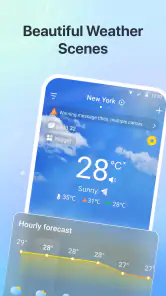
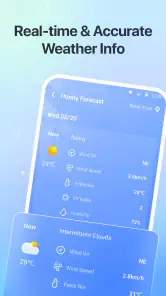
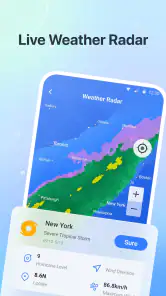
Weather: Live Forecast & Radar is designed to give you an at-a-glance view of current conditions and upcoming weather. Depending on the features available in your version and location, it may include hourly and multi-day forecasts, temperature, precipitation details, wind information, severe-weather alerts, and a radar map. Forecast coverage and update frequency can vary by region, so check the app’s listing and settings to confirm which features are available to you.
Does Weather: Live Forecast & Radar provide accurate forecasts and live radar?
The app presents forecast and radar information, but no weather service can guarantee perfect accuracy. Results depend on the data sources, the quality of local reporting, and how quickly conditions change. Radar images may also be delayed or have limited coverage in some areas. For important decisions—especially during severe weather—compare the app’s information with official alerts from your local weather agency.
Does the app need my location, and can I enter a city manually?
Location access can help the app show weather for where you are, particularly when you travel, but you may be able to search for or save cities manually instead. If you prefer not to share precise location, review the permission options during setup or in your device settings. Available location features may differ between Android and iOS, and restricting access can affect automatic local updates.
Is Weather: Live Forecast & Radar free, and does it include ads or paid features?
The price and available features can depend on the app version, country, and platform. Some weather apps offer a free download supported by advertising, with optional subscriptions or in-app purchases for extra features or an ad-free experience. Check the Google Play Store or Apple App Store listing before installing, and review the subscription terms carefully so you understand any trial period, renewal schedule, and cancellation process.
What permissions and privacy details should I check before downloading?
Weather apps may request location access to provide local forecasts, and some may request notification permission for severe-weather alerts. Only grant permissions that make sense for the features you want, and check the app’s privacy policy and store-page disclosures for details about data collection, sharing, and retention. These details can change with updates, so review the current listing for your device and region before downloading.
Articles Related to Weather: Live Forecast & Radar
Clash of Clans Is Won Between the Battles
Its raids are quick; its community is a long-term project of coordination, teaching, rivalry, and shared responsibility—with all the friction that entails.
Android Auto Makes the Case for Quieter Car Software
The car interface is no longer judged by how much it can do, but by how quietly it helps. Android Auto shows what drivers now expect—and what still gets in the way.
MobiOffice: Transforming Mobile Productivity with Seamless Integration
MobiOffice: Word, Sheets, PDF is redefining mobile productivity with a surprising blend of functionality and innovation.
EA SPORTS FC™ Mobile Soccer: Redefining Mobile Sports Gaming
Dive into EA SPORTS FC™ Mobile Soccer, where immersive gameplay and strategic depth transform mobile sports gaming.
Pros
- Clear hourly and daily forecasts make it easy to plan ahead.
- Radar maps help visualize precipitation moving through the area.
- Weather alerts can provide timely notice of severe conditions.
- Useful details such as wind and humidity add context to forecasts.
- Multiple forecast views make quick checks straightforward.
Cons
- Forecast accuracy can vary by location and changing conditions.
- Radar and forecast data may take time to load on slower connections.
- Frequent notifications may feel distracting unless customized.
- Some features or content may require a paid subscription.
- Location access is needed for convenient local forecasts.

- Category
- Weather
- Version
- 1.7.0.0