VLC for Android
- 24.96K
- 4.1
- Installs
- 100.00M
- Price
- Free

Screenshots
Analysis by Reviewed
I reach for a phone player when I want to open a file directly, without first moving it into a particular music or video service. That’s where VLC for Android makes sense: it’s a free media player from Videolabs, built for people who keep a mix of videos and music on their device. In my experience, its main appeal is flexibility, though that flexibility can mean a few more settings to learn than a basic player needs.
What to expect when playback starts
VLC is in the video players and editors category, and it has a broad audience: it has over 100 million installs and an average rating of 4.1 from around two million ratings. Those figures suggest a well-established option, but I wouldn’t treat them as a guarantee that every file will play perfectly on every phone. Playback still depends on the file and the device. For everyday listening or watching, the useful difference is that VLC is designed to handle a range of media formats, so I don’t have to begin by checking whether a file belongs to one particular service.
If you mainly watch videos from a streaming subscription, the service’s own app will usually be the simpler choice: it organizes its catalog and account in one place. VLC is more useful for personal files, mixed music collections, and material I already have access to on a device or network. I also like having playback speed and audio options available when I want more control than a bare-bones player offers. The trade-off is that people who only press play may find some of those choices unnecessary.
Slick Interface and Seamless Playback
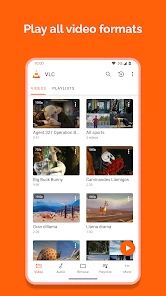
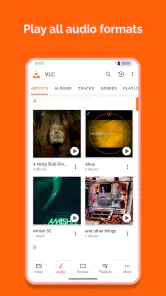
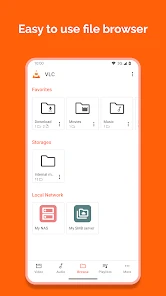
First off, let’s talk about its interface. The app welcomes you with a clean and intuitive design. Personally, I love how everything is neatly organized. Whether you’re looking to play videos or music, it’s all laid out in a way that makes navigation a breeze. Plus, the app supports a wide array of formats, so you can throw almost anything at it and VLC for Android will handle it like a champ.
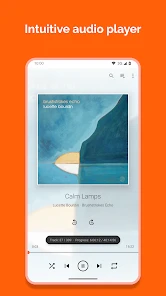
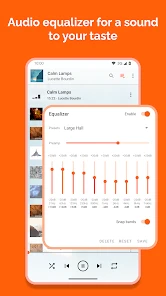
What’s truly impressive is the seamless playback. I’ve used other media players that often hang or buffer, especially with high-resolution files. But with VLC, high-quality playback is smooth and uninterrupted. It’s like having a mini cinema in your pocket. And let’s not forget about the audio. From adjusting the equalizer to playing with audio effects, it’s all there, giving you a rich listening experience.
Customization Galore
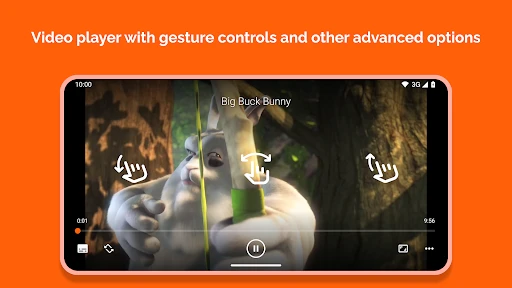
If you’re someone who loves to tweak settings to perfection, you’ll appreciate the level of customization VLC offers. The app allows you to adjust playback speed, set custom gestures, and even change themes. You can tailor it to fit your style, which I find pretty neat. There’s something satisfying about making an app truly your own, don’t you think?
For a practical workflow, I’d start with one change at a time rather than adjusting every control at once. A gesture or speed setting that feels natural during a video may be less convenient when I’m listening to music, so it’s worth testing how the controls behave in each kind of use. The equalizer is similarly best approached as a personal listening tool: a small adjustment can help with a particular set of headphones, but heavy effects can make audio less natural. That room to tune things is a strength, not a requirement for getting started.
More From Our News Desk

Clash of Clans Is Won Between the Battles

Android Auto Makes the Case for Quieter Car Software

MobiOffice: Transforming Mobile Productivity with Seamless Integration

EA SPORTS FC™ Mobile Soccer: Redefining Mobile Sports Gaming

How Microsoft OneDrive Became a Mobile Productivity Giant

How Google Translate Breaks Language Barriers Effortlessly
Plus, the network streaming feature is a real game-changer. You can stream content from your home network or even from streaming services. It’s perfect for those moments when you’re too lazy to transfer files to your device. Just stream and enjoy, hassle-free!
When a network stream is the better route
Streaming from a home network can be handy when I want to watch a file on my phone without keeping another copy there. The catch is that the experience depends on the network and on having a stream that VLC can access; it isn’t a replacement for a subscription service’s catalog or its account features. If a video stutters, I’d first check whether the connection is steady and whether the source is available, rather than assuming the phone player itself is the problem.
A realistic example is getting ready for a trip: I can use a network connection at home to choose what I want to watch, then make sure the files I need are actually available offline before leaving. That simple check matters more than relying on a connection that may disappear during a commute or flight. VLC works best here as a flexible player for content I can access, not as a source that supplies the content for me.
Offline and On-the-Go
Another feature worth mentioning is its offline capabilities. In a world where data is gold, having the ability to download and watch content offline is a huge plus. Whether you’re on a flight or in a no-network zone, VLC ensures your entertainment doesn’t hit a pause button. Just download your favorite content when you have Wi-Fi, and you’re all set for your journey.
For a long journey, I’d also test a file before setting off instead of assuming that every high-resolution video will be equally comfortable on every phone. A short trial gives me a chance to check both playback and sound, while leaving time to choose another file if needed. If storage is tight, I’d be selective about what I keep locally; a versatile player doesn’t remove the device’s storage limits.
Moreover, it’s equipped with a handy widget that lets you control playback without opening the app. It’s the small things like these that make VLC for Android stand out from the crowd. You’ve got to hand it to the developers for thinking of convenience at every step.
Who will get the most from it?
I’d recommend VLC to someone who regularly plays their own video and audio files, switches between formats, or wants playback controls in one app. It is also a sensible option for people who value an open-source player and prefer not to make a paid purchase for this role: VLC is free, and its content rating is Everyone. With about 25,000 written reviews, it has plenty of public feedback to browse, though individual experiences can vary with device and file.
I’d point a less technical user toward a simpler built-in player if all they need is to tap a video once in a while. Likewise, someone whose viewing is almost entirely inside a streaming service may be better served by that service’s own app. Those alternatives can make discovery and account-based viewing easier; VLC’s edge is control over local and accessible network media, rather than a unified library of online entertainment.
Reliability and device demands
In ordinary use, I value the fact that VLC brings video and music playback together, but I wouldn’t call any player immune to hiccups. A damaged file, an unstable network stream, or a demanding video can affect the experience. If playback goes wrong, I’d try the same file again from a reliable local source and check whether other media plays normally. That helps separate a source problem from a broader app or device issue without turning routine troubleshooting into guesswork.
On a phone with limited storage or older hardware, I’d keep expectations practical: the app can play media, but it cannot make a large file smaller or remove the work required to decode it. If saving space and battery is the priority, a lower-resolution copy or a simpler player may be a better fit. For most people who want one flexible place for their personal media, that trade-off is manageable; for someone who wants the lightest possible setup, it may not be.
Making the most of playback controls
One useful habit is to learn the controls while watching something low-stakes, rather than trying to adjust them for the first time during a film or a busy commute. Playback speed is valuable for spoken material when I want to move through it efficiently, but speeding up a music track or a carefully paced scene can make it less enjoyable. I treat it as a situational control, not a setting that should be left changed for everything.
Gestures can make one-handed use easier, especially when the phone is propped up and I want to make a quick adjustment without reaching for small buttons. At the same time, gestures are easy to trigger accidentally if I’m still learning them. I’d keep the defaults until I know which actions I use most, then customize only the ones that solve an actual annoyance. That approach keeps the interface familiar and avoids turning setup into a project.
How it fits into an everyday routine
Imagine I receive a video file from a friend and want to watch it during lunch, then listen to a few saved tracks on the walk home. With VLC, I can use one player for both rather than opening a dedicated music app for one task and a separate viewer for the other. If I want to resume later, a playback widget can make basic control more convenient without reopening the full interface. The appeal is less about dramatic extras and more about reducing small bits of friction across different kinds of personal media.
That convenience has boundaries. VLC does not replace the place where I obtain a file, and it won’t make an inaccessible network source available. I still need to know where my media is stored and, for a stream, whether the connection is dependable. Once I think of it as a capable player rather than a content library or download service, its role becomes clear and expectations stay realistic.
Choosing between VLC and simpler alternatives
Compared with a phone’s built-in player, VLC makes more sense when I encounter different file types, want audio and video together, or value adjustable playback. A built-in option can be less demanding to learn and may fit neatly into the phone’s existing media organization. If I rarely open files outside a streaming app, installing another player may not improve my routine enough to justify the extra choice.
Compared with subscription video services, the difference is more fundamental: those apps are built around browsing a catalog and managing viewing through an account, while VLC is useful for media I already have or can reach. Neither approach is automatically better. I’d choose a streaming service for discovery and a consistent online library, and VLC when I want control over personal files without tying playback to one entertainment catalog.
Stability, recovery, and practical limits
When playback pauses or a stream fails, I find it helpful to change one variable at a time. I’d first try another file or source, then see whether the same media behaves differently over a steadier connection or from local storage. If only one file causes trouble, that points me toward the file or its source; if several do, checking the phone and app becomes more sensible. This isn’t a guarantee of a fix, but it is a calm way to narrow down what is going wrong.
For heavy use, the phone matters as much as the player. A long, high-resolution video session can place more demands on a device than a short music track, and network playback adds dependence on the connection. I wouldn’t judge overall reliability from a single difficult stream. For dependable travel viewing, I prefer testing the exact file locally before leaving and keeping only the media I genuinely expect to watch, which also helps manage limited storage.
Who may want a different player?
VLC is not my first recommendation for someone who wants the simplest possible experience and never adjusts playback. A basic built-in player can be a better match if it already opens the files they use and its controls feel familiar. It is also not the right tool for someone expecting a service to recommend shows, organize a paid catalog, or provide the media itself. Those needs belong to other kinds of apps.
For people who do want a flexible local player, the learning curve is modest but real: there are options to explore, and not everyone will care about them. My advice is to start with ordinary playback, then try the extra controls only when a specific situation calls for them. That keeps VLC approachable without overlooking the features that make it more useful than a bare-bones alternative.
My performance verdict
Videolabs released VLC for Android on February 4, 2015, and its long presence on phones is reflected in its large audience. I see it as a practical choice when I want one free app for personal video and music, with enough flexibility to handle varied playback habits. It can feel quick and straightforward for an ordinary local file, while demanding media, older hardware, or a shaky stream can change the experience. I would not promise identical performance on every device, but the player gives me useful ways to work with media instead of forcing everything into a single service.
My recommendation is simple: choose VLC if you already keep media files or want more playback control than your default app offers. Try a file you use often, test the sound and controls, and decide whether the added flexibility is worth having. If your phone use is almost entirely streaming, stick with the services you already enjoy or the built-in player. For everyone else, VLC is a capable everyday option, provided you match your expectations to your files, connection, and device.
To wrap it up, VLC for Android is like that reliable friend you can count on for all your media needs. It’s versatile, efficient, and packed with features that cater to both casual users and tech enthusiasts. If you haven’t tried it yet, give it a whirl. Trust me, your media experience on Android won’t be the same again.
VLC for Android Frequently Asked Questions
Can VLC for Android play audio in the background while I use other apps?
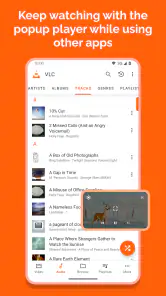
Yes. VLC for Android can work as a music player, so you can listen while switching to other apps rather than keeping the playback screen open. This is useful for music, podcasts, or other audio you want to hear while doing something else on your phone. You can also return to VLC when you want to manage playback.
Can I organize and browse my videos and music in VLC for Android?
VLC for Android brings video and music playback together with access to your media library, making it easier to browse content from within one app. It is a handy choice if you would rather use a single player than switch between separate video and audio apps. How your library appears depends on the media available on your device.
Can I use VLC for Android to play video files stored on my device?
Yes. VLC for Android is made to play video as well as music, and it can serve as a player for media stored on your Android device. Once you have selected a video in the app, playback controls let you manage watching from the same place. It is a straightforward option if you want one app for local video and audio.
Does VLC for Android work on both phones and tablets?
VLC for Android is designed for mobile devices, including smartphones and tablets, so you can use it to play media on either screen size. Its interface gives you access to your media library and playback controls in one app. If you want a single player for watching videos and listening to music on an Android device, VLC is a practical option.
Who develops VLC for Android, and is it suitable for general audiences?
VLC for Android is developed by Videolabs and is listed for everyone. Its role is straightforward: it is a media player for video and music, rather than a social or messaging app. That makes it relevant to a broad range of users who want to play media on an Android device, whether they mainly watch videos or listen to audio.
Pros
- Wide format support for audio and video.
- Free with no ads or in-app purchases.
- Customizable interface and controls.
- Offline media playback capabilities.
- Supports network streaming.
Cons
- Advanced features may confuse new users.
- No built-in media library organization.
- Subtitle support can be inconsistent.
- Interface feels outdated on Android.
- Occasional performance issues on older devices.
- Category
- Video Players & Editors
- Version
- Varies with device











