VivaVideo - Video Cut & Editor
- 145.13K
- 4.3
- Installs
- 500.00M
- Price
- Free

Screenshots
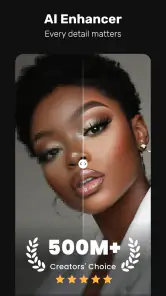
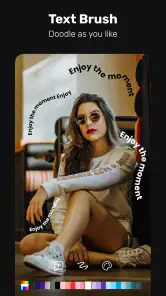
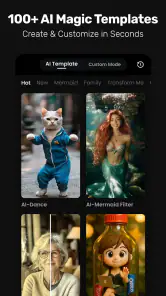
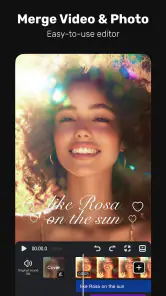
Analysis by Reviewed
For a quick video edit, I want to know whether I can find the controls, make a change without starting over, and finish without turning a small task into a project. I’m also interested in whether an editor remains usable when I’m in a hurry or working on a compact screen. VivaVideo - Video Cut & Editor, made by QuVideo Inc. Video Editor & Video Maker App, combines straightforward cutting with more creative options, so it is worth considering if you like shaping clips directly on your phone.
It is free to install, with in-app purchases ranging from $0.99 to $99.99 per item. The app is rated for Everyone and has an average rating of 4.3 from around 12 million ratings, with roughly 145,000 written reviews and over 500 million installs. That makes it a familiar choice in mobile video editing, but popularity alone cannot tell you whether its workflow will suit you. The better question is whether you want a simple cutter or room to add more visual character.
Who will get the most from a phone-first editor?
I’d point casual creators, families, students, and hobbyists toward an editor like this when their projects begin with clips already on a phone. It can be useful for a short birthday recap, a class presentation, or a hobby update where trimming, arranging, text, and a bit of visual polish are enough. Someone who edits occasionally may appreciate having those tasks in one place rather than moving between several tools.
The Latest on VivaVideo - Video Cut & Editor
There is a trade-off: a wide choice of effects can encourage tinkering long after the edit is already clear. If you mainly remove a few seconds and send a clip, a simpler cutter may be quicker to learn and less distracting. If your work depends on exact timing, detailed sound mixing, or a spacious timeline, I’d lean toward a larger-screen editor instead.
Finding your way around the editor
First off, VivaVideo offers an incredibly user-friendly interface. I mean, even if you’re someone who gets lost in a sea of icons, this app is like a breath of fresh air. The layout is intuitive, making it super easy to navigate. Whether you’re a beginner or a seasoned video editor, you’ll find yourself right at home.
That ease matters when you’re learning on a small screen, but I’d still take a moment to explore before starting a project. Editors often group tools by task, and getting familiar with where trimming, text, and effects sit can save repeated taps later. I also recommend making a short test edit first: it’s a low-pressure way to see whether the controls feel comfortable and whether the result matches what you pictured.
One useful habit is to decide on the shape of the finished clip before opening the effects. First identify the moments that carry the story, then trim and arrange them; only after that should you choose text or decoration. This order helps keep a short video focused, and it makes it easier to undo an effect that distracts from the footage rather than improving it.
More From Our News Desk

Android Auto Makes the Case for Quieter Car Software

MobiOffice: Transforming Mobile Productivity with Seamless Integration

EA SPORTS FC™ Mobile Soccer: Redefining Mobile Sports Gaming

How Microsoft OneDrive Became a Mobile Productivity Giant

How Google Translate Breaks Language Barriers Effortlessly

Why Google Sheets Is the Ultimate Mobile Productivity Tool
Making edits that feel clear and comfortable
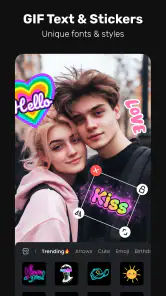
What really sets VivaVideo apart is its impressive range of features. We’re talking about everything from basic trimming and merging to more advanced features like multi-layer editing, animated text, and a bunch of filters and effects that will make your videos pop. And let’s not forget the music library! You can easily add your favorite tracks to your videos, setting just the right mood.
I was particularly impressed by the video collage feature. It's not every day you come across an app that lets you combine videos and photos in such a seamless way. Plus, the app supports HD export, ensuring that your creations look as good on the big screen as they do on your phone.
Small workflow choices that save time
A practical detail is to preview transitions and text against the actual footage, not just judge them from a tool menu. A bright title may disappear over a pale wall, while a busy filter can make faces or important details harder to see. I’d keep a readable title brief, place it where it does not cover the subject, and watch the edit once without sound to check whether the visual sequence makes sense on its own.
For a collage, I’d use the layout to compare moments that belong together—for example, a finished craft beside a close-up of how it was made—rather than squeezing unrelated clips into the same frame. The trade-off is that a collage can become visually crowded faster than a simple sequence. A quick preview on the phone’s screen is a useful reality check before exporting, especially if the video will be watched on another small screen.
Useful edits for everyday moments
A practical use is turning a handful of clips from a family day, a class presentation, or a hobby project into one watchable sequence. I’d trim the starts and ends first, arrange the strongest moments, then add text only where it helps someone follow along. For a birthday recap, for example, a brief title and a few carefully chosen shots can feel more personal than covering every clip with effects.
The collage option is handy when the point is to show two moments together rather than force them into a single timeline. A small trade-off is that multi-layer editing and animated text give you more choices to manage; if you only need to remove a dead second and send a clip, those extras may feel like unnecessary detours. I’d keep a clean original and export a test before spending time polishing a longer edit.
For a realistic everyday workflow, imagine recording a few short clips during a school event or weekend outing. I’d first pick the clearest shots, trim away the moments before and after the action, then put the clips in an order that makes sense to someone who was not there. A simple title can establish the occasion; music or an effect is optional, not a requirement. The point is to make a small, watchable keepsake without trying to turn every moment into a production.
Performance and motor or sensory comfort
Now, let’s talk about performance. I’ve used other video editing apps before, and nothing grinds my gears more than constant crashes and lag. With VivaVideo, I experienced smooth sailing. The app runs efficiently, even when handling large files or multiple edits at once. It’s clear that the developers put a lot of thought into optimizing the app for mobile devices.
For motor and sensory comfort, I find the key is to work in short passes: make a cut, preview it, then move on, rather than trying to adjust everything in one go. Dense effects and music choices can make a project feel busy, so I’d use them selectively and check that text remains easy to read against the footage. If precise touch editing is frustrating on your device, a larger-screen editor with more room for controls may be a better fit.
Short work sessions also make it easier to notice when a project is becoming tiring. I’d pause after arranging clips and check whether the edit still feels clear, rather than adding another layer simply because the option is there. For anyone who finds repeated tapping uncomfortable, keeping the edit to a few deliberate changes is more practical than fine-tuning every transition or effect.
How it compares, and when another tool makes sense
VivaVideo is especially appealing if you want a single mobile app that can handle quick trims as well as collages, text, and layered edits. Compared with a basic cutter, it offers more creative room; compared with a desktop editor, it favors quick, direct work over the space and fine control of a larger setup. The app was released on March 21, 2013, and its current version is 9.32.0, with Android 7.0 or later required. That makes it a long-running option, though I’d still check that your device can run it before planning a project.
In practice, the choice is less about which editor has the longest tool list and more about where you want to work. A basic trimming app is a sensible alternative for someone who values speed above decoration. Desktop software is a better match when a project needs precise adjustments across a large timeline. This app sits between those approaches: it gives phone users more ways to shape a video than a bare-bones cutter, while asking them to accept the limits of touch editing and a smaller workspace.
It is also sensible to ask whether a free starting point will remain comfortable once you settle on a style. Because in-app purchases are offered, I’d explore the available choices before relying on a particular paid item for a regular workflow. You can still approach a project with a clear plan and use only the tools that serve it; the presence of extra options does not mean every edit needs them.
Sharing, costs, and remaining barriers
Sharing your creations is also a breeze. Whether you want to flaunt your work on social media or send it directly to friends, VivaVideo makes it easy. You can upload directly to platforms like YouTube, Instagram, and TikTok without breaking a sweat.
Because purchases are available inside a free app, I’d check the options carefully before building a workflow around a paid effect or other item. If your goal is a simple, repeatable cut with no interest in decorative tools, a more minimal editor may be easier to live with. If you want layered edits and a playful finish on your phone, this one offers more room to experiment.
Situational access matters, too. Editing on a phone is convenient when you are away from a desk, but it is not always the easiest way to work: a small display can make details harder to judge, and a noisy or distracting setting can make audio choices less reliable. I’d do the structural work first, then review the finished sequence somewhere you can concentrate. If the clip must be especially precise or comfortable to edit over a long session, moving to a larger screen is a reasonable choice, not a failure of the mobile app.
My inclusive verdict
In a world filled with video editing apps, VivaVideo - Video Cut & Editor is a gem. It combines powerful features with an easy-to-use interface, making video editing accessible to everyone. Whether you’re creating content for social media, working on a school project, or just having fun, this app has got you covered.
If you’re looking for a reliable, feature-rich video editor for your mobile device, give VivaVideo a whirl. I promise, you won’t be disappointed!
My inclusive verdict is that the approachable layout and range of editing choices can work well for people who prefer visual, hands-on creation and want to finish a project on a phone. It is not automatically comfortable for every ability or situation: small touch controls, a busy effect selection, or a need for more exact edits can be real barriers. I’d try a short, low-stakes project first and judge it by how easily you can complete your own routine, not by how many tools are available.
For me, the strongest reason to try it is the balance between quick assembly and playful options: you can make a straightforward sequence, then add collage, text, or layers if the project benefits from them. The strongest reason to skip it is equally practical: if you need a calm, minimal interface or exact control over a complex edit, the extra creative choices may not repay the effort. Starting with a short test clip is the clearest way to find out which side of that trade-off matters more to you.
VivaVideo - Video Cut & Editor Frequently Asked Questions
Does VivaVideo need access to my photos and videos?
A video editor needs access to the clips and images you choose to work with, so expect to select media from your device when starting a project. Review any permission prompts and grant access that matches what you want to edit. Keeping your source footage organized can also make it easier to find the right material as you build a video.
Can I edit more than one clip in the same project?
VivaVideo’s described tools include trimming and merging, which can help you shape footage and bring clips together in an edit. This can be useful for turning several moments into one continuous video rather than treating every clip separately. Before starting, think about the order and pacing you want, then review the full result to check that the transitions between sections feel right.
Can I remove unwanted sections from a video?
Trimming is among VivaVideo’s editing tools, so it can help you shorten footage and focus on the moments you want to keep. This is useful for removing pauses or shaping a clip before adding other creative touches. Take a moment to preview the edited result, especially around the cut points, so you can confirm that the video still flows naturally.
Does VivaVideo offer automatic editing tools?
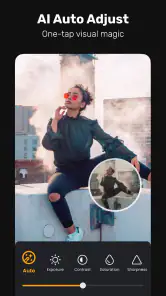
VivaVideo’s store summary highlights AI auto-edits, positioning them as a way to get a video edit started quickly. Automatic editing may be helpful when you want a starting point without arranging every detail yourself. You can still review the result and make changes to suit your taste, since the best edit depends on your footage and the style you want.
Can I use VivaVideo to make short social videos?
VivaVideo is a mobile video editor with tools such as trimming, speed control, filters, music, and effects. These can be useful when putting together a short clip for sharing or personal use. If you have a particular format or style in mind, check the finished video before posting and make sure it looks suitable on the platform where you plan to share it.
Pros
- User-friendly interface for easy navigation.
- Wide variety of editing tools available.
- Supports multi-track editing for creativity.
- Offers high-quality export options.
- Includes numerous templates and effects.
Cons
- Contains frequent ads in free version.
- In-app purchases can be expensive.
- Limited features in the free version.
- Requires internet for template downloads.
- Occasional crashes during editing.
- Category
- Video Players & Editors
- Version
- 9.32.0