Google TV
- 76.37K
- 3.9
- Installs
- 10.00B
- Price
- Free

Screenshots

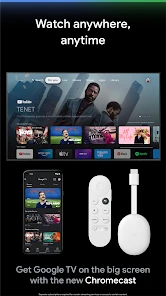
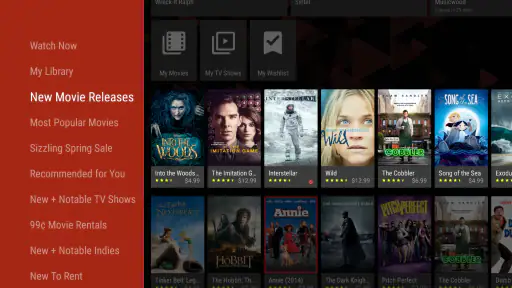
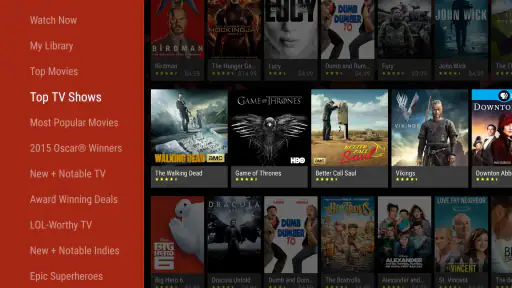
Analysis by Reviewed
I find Google TV most useful when I want to decide what to watch before opening a streaming app. It is a free video-player and entertainment app from Google LLC, and its role is less about replacing every service than giving me a shared place to browse what is available. That distinction matters: it can reduce the hunt across services, but it does not turn separate subscriptions into one.
A familiar hub, with a specific job
With an average rating of 3.9 from around 2.8 million ratings and over 10 billion installs, Google TV is clearly a widely used option. I would think of it as a discovery layer for movies and shows, not as a single library that guarantees access to everything it displays. Availability can depend on which services you use, so I still check where a title is offered before settling in.
That makes it a good fit for households that already watch through several supported services and want one place to browse. If you mainly play videos stored on your phone, or prefer choosing directly inside one streaming service, a dedicated local video player or that service’s own app may be simpler.
The Latest on Google TV
Small habits that make browsing easier
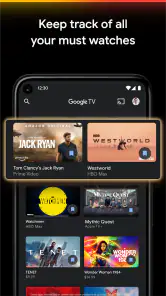
My most practical tip is to use the Watchlist as a decision queue rather than a permanent archive. When someone recommends a film or I spot a show during a quick browse, saving it means I can compare options later instead of trying to remember a title at the moment everyone is ready to watch. It works best if I occasionally remove items I have already watched or no longer want.
Recommendations are useful as a starting point, but I would not treat them as a complete picture of my taste. A shared television, changing interests, or a one-off viewing choice can make suggestions feel slightly off. When that happens, searching by a specific actor or genre is often quicker than scrolling through the home screen.
Where it sits among alternatives
Compared with opening Netflix, Hulu, Amazon Prime, or another service one by one, the main advantage is being able to begin discovery in one interface. The trade-off is that a hub cannot remove differences between services: their catalogs, sign-in requirements, and playback experience remain tied to the individual apps. For a person who watches mostly in one place, going straight to that provider can take fewer steps.
On a typical evening, I might add a film to the Watchlist while commuting, then use it at home to narrow down choices with family. If we still cannot agree, a focused search gives us a more useful shortlist than browsing without a plan. Voice search can help when typing on a television is awkward, though I would use it as a shortcut rather than expect every spoken request to match exactly what I had in mind.
More From Our News Desk

X Under Pressure: Can It Recover When Posting Goes Wrong?

Clash of Clans Is Won Between the Battles

Android Auto Makes the Case for Quieter Car Software

MobiOffice: Transforming Mobile Productivity with Seamless Integration

EA SPORTS FC™ Mobile Soccer: Redefining Mobile Sports Gaming

How Microsoft OneDrive Became a Mobile Productivity Giant
What to expect in everyday use
The app is free, carries a Teen content rating, and includes in-app purchases priced from about one cent to nearly one thousand dollars per item. Those purchase options are worth keeping in mind if you share a device or account: browsing is not the same thing as having every title included at no additional cost. I would check the details shown for a particular title before renting or buying.
Google TV was released on June 3, 2011, and its scale suggests a long-running product rather than a newly launched experiment. That history does not mean every screen or recommendation will suit every viewer, but it does explain why people may encounter it across Google’s entertainment ecosystem. The key question for an existing user is whether the hub saves enough browsing time to justify making it part of the routine.
What existing users should keep in mind
If you already use the app, you do not need to change how you watch just to make use of its discovery tools. Try saving a handful of titles you genuinely plan to watch, then use search to find a specific kind of film when the recommendations miss. This gives the home screen a practical purpose without requiring you to browse it endlessly.
For new users, the simplest test is to search for a few titles you know you want and see whether the app helps you locate a useful viewing option. If you are setting it up alongside Google devices, that ecosystem connection may be convenient, but I would not choose it solely on the assumption that every device interaction will feel seamless. The app’s value is clearest when its browsing and organization tools solve a real annoyance for you.
What I would watch for
Google LLC is the developer, and the app sits in the crowded world of video players and editors, though its practical focus here is finding and watching entertainment. Its average rating is 3.9, which I read as a reminder to weigh convenience against the occasional mismatch in discovery or setup rather than expect a perfect experience. With a Teen age rating, it is also sensible for families to make viewing choices together instead of assuming recommendations alone will fit every household.
Overall, Google TV is worth trying if you bounce between services and want a more organized way to choose what comes next. I would skip it if you want a straightforward player for personal video files or if you are happy with one provider’s built-in browsing. For everyone else, the best measure is simple: if it gets you from “what should we watch?” to a good option with fewer detours, it is doing its job.
Getting Started: Easy Peasy Lemon Squeezy
The setup is a breeze! Just download the app, sign in with your Google account, and you’re ready to roll. The interface is clean and intuitive, making it super user-friendly. Plus, it syncs effortlessly with other Google devices. So, if you’ve got a Chromecast or Google Nest, you’re in for a seamless experience.
Features That’ll Make You Go Wow!
One of the coolest features is the personalized recommendations. Based on your viewing habits, Google TV suggests shows and movies that you’re likely to love. It’s like having a friend who knows exactly what you’re in the mood for. Another perk is the Watchlist feature, where you can save all the shows and movies you plan to watch later. Trust me, it’s a lifesaver when you’re overwhelmed with choices.
Search Made Simple
With Google’s powerful search capabilities, finding content is a cinch. You can search by genre, actor, or even mood! Want to watch something thrilling? Just type it in, and voila, a list of spine-tingling options appears. This search feature definitely sets Google TV apart from the crowd.
And let’s not forget about the integration with Google Assistant. You can use voice commands to find your favorite content without lifting a finger. Just say, “Hey Google, play Stranger Things,” and watch the magic unfold!
Wrapping It Up
In a nutshell, Google TV brings simplicity and convenience to your TV viewing experience. It’s all about making your life easier and your viewing experience richer. Whether you’re a movie buff, a series binger, or just a casual viewer, this app caters to all.
So, if you’re tired of juggling multiple streaming services and want a one-stop solution for all your entertainment needs, give Google TV a whirl. You might just find yourself wondering how you ever lived without it!
Making the hub work for a household
The biggest day-to-day benefit is not finding an obscure title; it is reducing the small negotiations around choosing something everyone can tolerate. I would treat the Watchlist as a shared shortlist, not a record of every passing interest. Before a planned movie night, each person can add one or two realistic candidates. At viewing time, the group is choosing among options rather than restarting the search from scratch.
That workflow also exposes a useful limitation: a title being easy to find does not mean every person in the household can play it. The service attached to the title may require its own account or subscription, or the title may involve a separate purchase. I check the viewing route before putting something on the shortlist, especially when children or guests are waiting. That simple step avoids confusing discovery with access.
Use search to narrow, not just to look up
Search is most helpful when I give it a constraint that matters to the decision. A known actor or genre can make the results more focused; a vague request like “something good” leaves more room for recommendations that miss the mood. For a quick choice, I start with a concrete clue, then compare a small number of candidates instead of treating the results as a complete ranking of what is worth watching.
There is a trade-off with voice input. It can save effort when using a television remote or when I am already across the room, but names and titles are easy to say in ways a search system may not interpret as intended. If the first result is wrong, I switch to typing a distinctive word rather than repeating a long phrase. Voice is a useful shortcut, not a reason to expect exact conversational understanding every time.
What the app does not replace
For someone who wants to manage a collection of downloaded videos, Google TV is not the same kind of tool as a local media player. A local player is usually the more direct choice for opening personal files, organizing folders, or controlling playback without browsing streaming catalogs. Likewise, if I already know I want to watch a particular service, its own app may get me to playback faster and may present that service’s catalog and account details more clearly.
The hub is most compelling between those two moments: when I have not chosen a title yet and when I am willing to follow the available option into its relevant service. That makes it a companion to streaming apps rather than a replacement for them. I would not install it expecting one sign-in to unlock a universal library or one interface to erase every difference in billing and playback.
Who is likely to get the most from it?
I would recommend trying it if your household uses more than one way to watch and often spends longer choosing than actually starting a show. It is also useful for people who hear about films during the day and want a convenient place to collect those ideas before they forget them. The payoff depends on building a modest habit: save a few real contenders, then return when you are ready to choose.
I would skip it, or keep it secondary, if your viewing is almost entirely inside one service, if you chiefly play your own video files, or if you dislike recommendation-led home screens. It may also be less helpful in a household where different viewers have very different tastes and nobody wants to maintain a shared list. In those cases, direct search inside the chosen service can be more predictable than another browsing layer.
How I judge the experience over time
The app’s long history and huge reach tell me it has become a familiar part of many people’s TV routines, but they do not guarantee that its suggestions will stay relevant to an individual. I would judge it by a practical measure: after using it for a while, do I spend less time remembering titles, checking where they are available, and switching between apps just to decide? If not, there is little reason to make it the center of the setup.
For an existing user, there is no need to rebuild a viewing routine around every recommendation or screen. Keep the parts that help—perhaps search and a carefully edited Watchlist—and ignore the rest. A hub earns its place by making the next decision easier, not by demanding attention of its own.
Small checks before you settle in
When I find a title I might watch, I look at the available viewing option and whether it is included, rented, or purchased before pressing through. That matters most when several people are using the same account, because an accidental purchase is a different problem from simply opening a streaming app. The app is free to use, but individual entertainment choices can still carry a cost.
I also treat recommendations as prompts rather than instructions. If the home screen is shaped by a family’s mixed viewing, a search for one specific genre or performer can be a better route than waiting for the feed to reflect a new preference. A short, deliberate search often gives me more control without requiring me to tune the whole experience around one evening’s mood.
A sensible place in the viewing routine
Google TV works best as the first stop when I am undecided and the last stop only when the viewing option takes me where I want to go. It is not a universal player, a subscription bundle, or a guarantee that every suggested title is ready to stream at no extra cost. Remembering those boundaries makes its strengths easier to appreciate and its weaker moments less frustrating.
If you are curious, I would test it with a real viewing problem rather than browse without a purpose: save a few recommendations from friends, search for one title you already know, and see whether the app makes the route to watching clearer. If it does, keep it in your routine. If it adds another layer without saving time, your preferred streaming app or local player is probably the better fit.
Google TV Frequently Asked Questions
Do I need a Google TV device to use the Google TV app?
No, you can use the Google TV app on a compatible Android or iOS mobile device to explore entertainment and manage your watchlist. A Google TV-enabled device is useful when you want to use the app alongside a television, but it is not required for browsing on your phone. The experience depends on the device and the features you want to use.
Who develops Google TV, and what kind of app is it?
Google TV is a video and entertainment app developed by Google LLC. It is designed to help you discover, watch, and stream movies and shows in one place. Its role is broader than simply playing a video: the app also helps you explore content, organize titles you want to see, and connect with compatible Google TV-enabled devices.
Is Google TV suitable for teenagers?
Google TV has a Teen content rating, so it is positioned for a teenage audience. The movies and shows available through the app come from different services and may have their own content ratings or viewing restrictions. If a teen will use the app, it is sensible to consider the content available through connected services and review any relevant account or viewing settings.
Is Google TV free to download, and can using it involve extra costs?
Google TV is free to download, so you can install the app without paying for the download itself. Some purchases made through the app may cost extra, and subscriptions or rentals depend on the content and services you choose. It is worth checking the price shown for a movie, show, or subscription before confirming a purchase. In-app purchases can range from very small amounts to substantial charges, so review each transaction carefully.
What devices can I use the Google TV app on?
Google TV is available as an app for Android and iOS mobile devices, and the service is also associated with compatible Android TV devices. On mobile, you can browse entertainment, manage a watchlist, and use the app with Google TV-enabled devices. The experience and available controls can depend on the device you use.
Pros
- User-friendly interface and navigation.
- Seamless integration with Google services.
- Extensive library of movies and shows.
- Supports multiple user profiles.
- High-quality streaming performance.
Cons
- Limited content in some regions.
- Occasional app crashes reported.
- Requires stable internet connection.
- Ads in free version can be intrusive.
- Some features need a subscription.
- Category
- Video Players & Editors
- Version
- Varies with device