Video Downloader - HD & Easy
- 2.68K
- 4.6
- Installs
- 10.00M
- Price
- Free

Screenshots
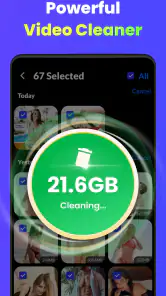
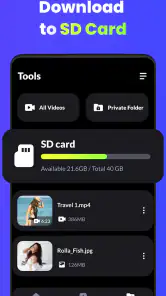
Analysis by Reviewed
When I want to keep a useful clip for a commute or save a tutorial to revisit without searching for it again, I look for a downloader that feels simple rather than technical. Video Downloader - HD & Easy is aimed at that everyday need: it is a free Android video app from 360 Tool, and its current version is 1.4.4. It has an Everyone age rating, so its basic audience is broad, though I’d still use it thoughtfully and respect the creator’s rights and each platform’s rules.
What the current version is for
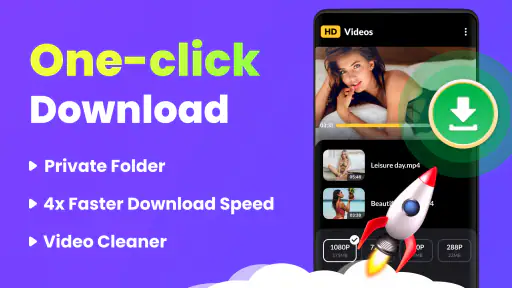
The appeal is straightforward: find a video you are allowed to save, download it, and keep it handy for later. The app is in the video players and editors category, but I would think of it primarily as a practical companion to online viewing, not as a full editing suite. Its stated support for 4K playback and downloads may suit people who care about image detail, although the quality you can actually save can depend on the source video and the connection.
For a realistic example, I might spot a cooking demonstration while planning dinner, save an authorized copy when the source permits it, then watch it in the kitchen where the Wi-Fi is unreliable. That is where an offline copy can be more useful than bookmarking a page: I can get back to the exact clip without relying on the site loading well. I would check the file after downloading, especially before travelling, rather than assume every source will behave the same way.
Why Video Downloader - HD & Easy Stands Out
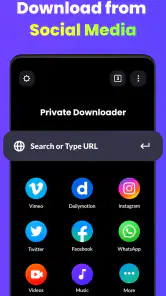
First off, let's talk about usability. The app is incredibly straightforward. I mean, even if you're not the most tech-savvy person out there, you’ll find navigating through its features a piece of cake. You simply pop in the URL of the video you want to download, and voilà, the app does its magic.
Features Worth Highlighting
One of the things I absolutely love about Video Downloader - HD & Easy is its versatility. You can download videos from a myriad of platforms. Be it Facebook, Instagram, or even some obscure video hosting sites, this app has got you covered.
Now, let’s not forget the quality. You can download videos in HD, ensuring that you don’t miss out on any detail. Whether it's a high-octane action clip or a serene nature video, the app retains the quality so well that you feel like you're watching it live.
A useful habit with any downloader is to treat the URL as a starting point, not a guarantee. If a clip is embedded in a page, I would try the direct video address when available and confirm that the source allows saving. Before choosing a high-resolution copy, I’d also consider whether I need the extra detail on a small phone screen: a lower-quality file can be the sensible trade-off when storage or mobile data matters.
More From Our News Desk

Weather by Xiaomi Review: Clear at a Glance, Less Clear Up Close

X Under Pressure: Can It Recover When Posting Goes Wrong?

Clash of Clans Is Won Between the Battles

Android Auto Makes the Case for Quieter Car Software

MobiOffice: Transforming Mobile Productivity with Seamless Integration

EA SPORTS FC™ Mobile Soccer: Redefining Mobile Sports Gaming
Performance and User Experience
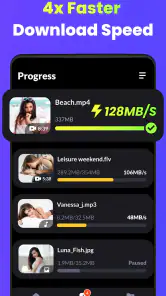
Ok, folks, let’s talk speed. Nobody wants to sit around waiting for ages for a download to complete, right? With this app, downloads are swift and efficient. I’ve had multiple videos downloading simultaneously without a hitch, which is a big plus in my book.
And here's a neat touch – the app doesn't bombard you with ads every two seconds. It’s refreshing to use an app that respects your time and patience.
Even with a fast-feeling workflow, I would not start several large downloads on a weak connection if I needed one specific clip urgently. A practical approach is to save the most important item first, then queue less urgent files. Once a download finishes, opening it before deleting the original bookmark can reveal a broken or incomplete file early, while there is still time to try again.
Who will get the most from it
I can see this being useful for students who revisit permitted lecture material, travellers who want a few clips ready for an offline stretch, or anyone collecting reference videos for a hobby. It is less compelling if you mainly stream on stable Wi-Fi, already have an official offline-viewing option, or need to edit footage after saving it. In those cases, a platform’s own download feature or a dedicated editor is likely the better fit.
Compared with the usual alternatives, this app puts the download step at the center, while browser bookmarks only point back to a page and media players focus on files already on the device. That distinction matters: a saved file can be convenient, but it also takes storage and may not stay current if the online version changes. I’d keep only the clips I expect to use and clear out large files when they are no longer useful.
Making a saved clip genuinely useful
I get the most value from a downloader when I decide what I need the file for before saving it. For a recipe, I may only need the section showing a tricky technique, while for a lecture I may want the full explanation. That distinction affects both the quality choice and how much space I set aside. If the source provides a shorter permitted clip, saving that instead of a long video can make the file easier to find and quicker to check later.
I also avoid treating a download as a permanent archive by default. A local copy is handy for a trip or a temporary project, but it can become stale if the creator corrects or replaces the online video. When accuracy matters, I keep the original page in my bookmarks as well, then compare the saved copy with the source before relying on it for study or instructions. That small habit gives me offline convenience without losing track of where the material came from.
For a shared household device, naming and organizing files promptly can prevent a different kind of friction: a folder full of similarly named clips is not much better than having to search online again. I would sort useful downloads into a small number of recognizable groups, such as cooking or study, and remove temporary items after the need passes. The app’s central role is retrieval and saving; a little organization afterward is what makes a collection stay manageable.
Development, fit, and limits
The app was released on February 27, 2023, and version 1.4.4 is the current version I’m considering here. Those facts place it in an established, evolving product rather than a brand-new launch, but they do not by themselves tell me what changed between releases. Existing users can judge updates by checking whether their usual links still work and whether saved files remain accessible after installing a new version. I would keep important clips backed up elsewhere if they matter beyond casual viewing.
Its wider adoption is notable: it has more than 10 million installs, with an average rating of 4.6 from around 138,000 ratings and roughly 2,700 written reviews. I take that as a sign that many people find the basic idea useful, not as a promise that every site will be compatible. The main friction with downloaders is often the source itself: a page can change, restrict access, or offer a video in a format the app cannot retrieve as expected. If one link fails, I would test another permitted source rather than repeatedly retrying the same address.
For someone already using the app, the practical question after an update is not simply whether the version number has changed; it is whether the routine they rely on still works. I would test one ordinary, permitted download and play it back before depending on the app for a long journey or a class. That check is especially useful if a clip matters, because playback support and successful retrieval are separate steps: a file may be saved yet still deserve a quick test on the device where I plan to watch it.
There is also a trade-off between a downloader and an official offline mode. A platform’s own option may be preferable when it is available, because it keeps viewing inside that service and may be a better match for content governed by its account or access rules. A separate file can be more convenient when I need a clip available outside a web page, but it asks me to manage storage and stay responsible for what I save. I would choose the least complicated route that meets the actual need, rather than downloading by habit.
What to check before relying on it
Readers often wonder whether a video will download just because its page opens. I would not assume so. A playable page and a retrievable video are not always the same thing, particularly when content is embedded or access is restricted. When a link does not work, I would first check that I have the correct address and that saving is permitted, then try a source-provided direct link if one exists. Repeatedly pasting the same page address is unlikely to solve a restriction imposed by the source.
Another practical question is whether 4K is always the sensible choice. I would reserve the largest available quality for material where detail matters, such as a demonstration with small on-screen text, and choose a more modest copy for casual viewing on a phone. Higher resolution can use more storage and take longer to transfer, so the best choice depends on where I will watch and how long I need to keep the file. “Best quality” is not automatically best for every trip or device.
People may also ask whether the app is a replacement for an editor or a media library. I would not treat it as either: its useful role is getting permitted video onto a device for later viewing. If I need to cut, caption, combine, or otherwise revise footage, I would use a dedicated editing tool. If I already have a collection of local files and only need playback, a regular media player is the more direct option. This distinction helps avoid installing a downloader for a job it is not designed to do.
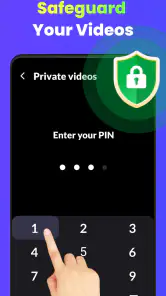
For privacy-conscious users, my general advice is to review the app’s current Android permission prompts and grant only what makes sense for the action being taken. I would not infer a privacy policy from the app’s download function alone. Likewise, the Everyone age rating describes its broad audience suitability, not whether every video a person can find is appropriate. Parents should still guide what younger users access and save, and everyone should respect copyright and platform terms.
Who should choose another route
I would skip this app if my normal viewing already works well through a service’s own offline feature, if I rarely need videos away from a connection, or if I expect professional editing tools. The extra step of saving and maintaining local copies would add clutter without solving a real problem. It is also a poor fit for anyone who expects every website to behave identically: compatibility can depend on the source, and an app cannot make restricted material freely downloadable.
For occasional, lawful offline viewing, though, the idea is easy to understand and the workflow is approachable. I can picture saving a permitted tutorial before leaving home, testing it while still connected, and then watching it during a commute without relying on a mobile signal. That is a modest but useful job, and it is where a focused downloader makes more sense than a complex editor or a browser full of saved tabs.
My Personal Take
In my honest opinion, Video Downloader - HD & Easy is a gem for anyone who loves collecting videos. It’s reliable, fast, and doesn’t require a PhD to operate. Whether you're downloading for offline entertainment or saving tutorials for later, this app is a solid choice.
However, like anything, it’s not perfect. While it supports many platforms, there are still some video sites it doesn’t cater to. But hey, no app is perfect, right? Overall, it does what it says on the tin, and it does it well.
If you’re in the market for a hassle-free video downloading experience, give this app a whirl. It might just become one of your go-to tools!
Video Downloader - HD & Easy Frequently Asked Questions
Does Video Downloader - HD & Easy support high-resolution video?
Yes. Video Downloader - HD & Easy highlights support for HD videos and 4K playback and downloads, so it may suit people looking for higher-resolution options. The resolution available for a particular video can depend on the source and the choices the app presents. Keep in mind that higher-resolution files may require more storage and a suitable display to enjoy their quality.
How much does Video Downloader - HD & Easy cost, and is it suitable for everyone?
Video Downloader - HD & Easy is free to download, and its content rating is Everyone. That makes it an accessible option for a general audience, though users should still consider their own preferences and how they plan to use a video-downloading app. Before installing, check that your device meets the app’s operating-system requirement and review the download choices available for the videos you want to save.
What devices and operating systems can I use Video Downloader - HD & Easy on?
Video Downloader - HD & Easy is a mobile app in the video players and editors category, and its Android version requires Android 6.0 or later. It is rated Everyone, making it suitable for a general audience. Before downloading, check that your device meets the operating-system requirement so the app can be installed and used properly.
What is Video Downloader - HD & Easy?
Video Downloader - HD & Easy is a mobile application designed to help users download high-definition videos from various online platforms directly to their Android or iOS devices. The app supports multiple formats and resolutions, ensuring that users can enjoy their favorite videos offline and on-the-go. Its description also highlights support for 4K playback and downloads, which may appeal to people who want higher-resolution video options.
Is Video Downloader - HD & Easy free to use?
Yes, Video Downloader - HD & Easy is free to download and use. However, users may encounter in-app advertisements, which can affect the experience. The app is developed by 360 Tool and has an average rating of 4.6 from around 138,000 ratings, giving prospective users a broad sense of how it is received.
Pros
- Fast and efficient downloads.
- Supports multiple video formats.
- User-friendly interface.
- No registration required.
- High-quality video downloads.
Cons
- Contains ads in free version.
- Limited features without premium.
- Occasional download failures.
- No built-in video editor.
- Requires steady internet connection.
- Category
- Video Players & Editors
- Version
- 1.4.4