Sweet Camera Selfie
- 31.00
- 4.7
- Installs
- 1.00M
- Price
- Free

Screenshots
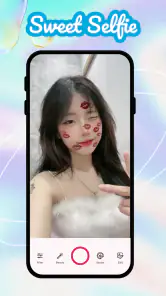
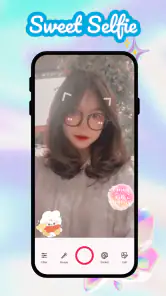
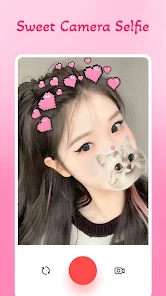
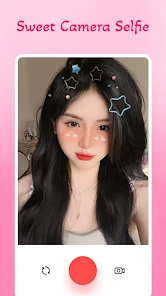
Analysis by Reviewed
I think Sweet Camera Selfie works best when you treat it as a quick, playful way to change the mood of a selfie, rather than as an all-purpose photography tool. Its appeal is immediate: try a beauty look, compare the result, and decide whether that version feels like you. That makes it a handy option when a standard camera feels a little plain, but it also means people who want restrained, highly controlled edits may find it less suited to their habits.
What matters most is whether you enjoy a visible style. I’d use it for a casual profile image, a fun picture to send to a friend, or a small set of portraits where experimenting is part of the point. I wouldn’t make it my first choice for a faithful record of an event or a carefully polished professional headshot. For those, a phone’s regular camera or an editor with more precise controls is usually a better match.
A quick check before you install
Sweet Camera Selfie is a free beauty app from Galaxy studio apps, with optional in-app purchases. Its 4.7 average comes from around 9,900 ratings, and it has over a million installs. The Everyone age rating makes it broadly approachable, but the presence of paid items means I’d look carefully at any purchase prompt before confirming it. Free to install does not mean every option is necessarily free to use.
If you’re deciding between this and your phone’s built-in camera, the choice is mostly about intention. The standard camera is the simpler route when you want a straightforward photo and prefer to handle any edits later. This app is more appealing when you want beauty effects to be part of taking the selfie itself. Neither approach is automatically better: one prioritizes a familiar capture workflow, while the other puts playful transformations up front.
That distinction is useful in everyday life. Imagine you have a few minutes before meeting a friend and want a picture that feels a bit more cheerful than the one you just took. A live preview lets you judge a look before committing to it, which can save time compared with taking several ordinary shots and trying to recreate the same style afterward. I’d still take a few frames in similar light, because a filter can look different as your angle or expression changes.
Getting Started with Sweet Camera Selfie
First things first, downloading the Sweet Camera Selfie app is a breeze. It's available on both Android and iOS, so whether you're team Android or an iPhone aficionado, they've got you covered. Once you've got it installed, the interface is super user-friendly. I mean, I've seen simpler apps that are way more confusing, but this one is just straightforward and easy to navigate.
Galaxy studio apps is the developer, and the app is free to install, with optional in-app purchases ranging from $0.99 to $99.99 per item. It has a 4.7 average from around 9,900 ratings and over a million installs. Its Everyone age rating makes it broadly approachable, while the purchase range is worth keeping in mind if you’re trying to avoid spending: I’d check any paid option carefully rather than assuming every extra is included for free.
More From Our News Desk

Weather by Xiaomi Review: Clear at a Glance, Less Clear Up Close

X Under Pressure: Can It Recover When Posting Goes Wrong?

Clash of Clans Is Won Between the Battles

Android Auto Makes the Case for Quieter Car Software

MobiOffice: Transforming Mobile Productivity with Seamless Integration

EA SPORTS FC™ Mobile Soccer: Redefining Mobile Sports Gaming
Features That Make It Stand Out
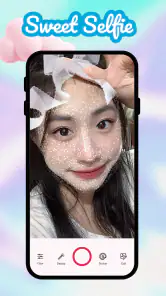
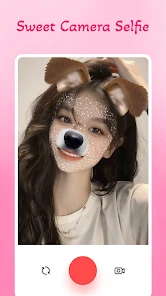
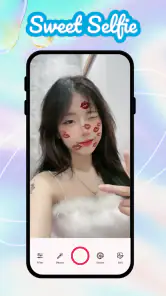
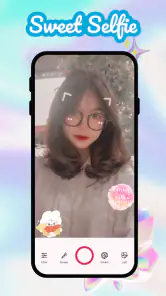
Now, let's dive into what makes this app a must-have. The features are where the magic happens. You can choose from a plethora of filters that range from subtle enhancements to full-on transformations. Whether you're going for a natural look or something more dramatic, there's a filter for every occasion. And the best part? You can see the effects in real-time, which makes choosing the right look super simple.
For a more convincing result, I’d compare several filters on the same lighting and angle before settling on one. A filter that looks charming in a bright room can feel too strong under warm indoor light, and changing both the pose and effect at once makes it harder to tell what actually improved the photo. That small pause helps keep the image looking like you, rather than like the filter.
If you’re unsure whether a look is too strong, take a moment away from the preview and look at it again before sharing. Beauty effects are easy to judge while you’re focused on each individual feature, but the overall impression can shift when you see the whole image. I also find it useful to compare the styled result with a plain shot taken in the same light. That quick side-by-side check helps you decide whether the filter adds character or simply hides the details that make the photo feel personal.
Another practical choice is to decide what the picture is for before editing. A playful look can make sense for a private message or a lighthearted social post, while a work profile or a formal introduction may call for a more natural image. The same effect can feel charming in one setting and out of place in another. Thinking about the audience first keeps the app’s transformations from making the decision for you.
Aside from filters, the app also boasts a variety of editing tools. You can adjust brightness, contrast, and saturation with just a few taps. Plus, there are options to smooth out your skin, remove blemishes, and even whiten your teeth. It's like having Photoshop skills without actually having any skills!
The trade-off with quick beauty tools is that subtlety takes a little restraint. I’d make small adjustments, then check the whole image at normal viewing size instead of judging only a close-up face. Strong smoothing or whitening can look less natural beside hair, clothing, and the background. For a casual profile picture, a light touch is usually more useful than applying every correction at once.
There’s also a useful order to the edits. I’d settle on the general filter first, then make any small brightness or contrast changes, and only after that consider face-focused corrections. If you do everything at once, it becomes difficult to tell whether a result looks better because of the filter or because one adjustment has gone too far. Working in stages makes the process more deliberate, even in an app designed for quick decisions.
Lighting remains the part no filter can fully solve. If a face is in deep shadow or the room light is strongly uneven, increasing brightness may lift the whole image without restoring the details you wanted. When possible, I’d move toward a window or turn to face the light before editing. That simple change often gives the app a more useful starting image and reduces the temptation to compensate with heavy smoothing or dramatic effects.
Why You'll Love It
What I absolutely love about Sweet Camera Selfie is how it makes enhancing photos a fun and effortless process. It's perfect for anyone who loves taking selfies but doesn't want to spend ages editing them. The app provides an intuitive experience that encourages creativity without overwhelming you with too many options.
A realistic use is getting ready to meet friends, taking a quick photo in decent window light, and trying a couple of looks before choosing one to share. It suits someone who values speed and playful filters more than precise control. If you need layered edits, detailed masking, or a consistent professional finish across a batch of portraits, a more advanced photo editor is likely the better fit.
It may also work well for someone who is new to editing and wants to learn what different beauty treatments do without beginning with a dense set of sliders. The simple, immediate feedback makes experimentation approachable. I’d treat that as a starting point rather than a substitute for learning careful editing: when you need a repeatable look across several photos, the limited emphasis on detailed control can become a real constraint.
For people who take selfies in changing conditions, the live effect is convenient but not a guarantee that every result will translate equally well. A look chosen in one room may not feel right outside, and a different background can make the same colors seem more or less intense. I’d use the preview to narrow down the options, then review the captured image itself before deciding it is ready to share.
Another cool feature is the ability to create collages right within the app. If you're like me and have a hard time choosing just one selfie to post, this feature is a game-changer. You can easily combine your favorite shots into a single, share-worthy image.
Collages are especially handy when the photos show different expressions or outfits, rather than several near-identical frames. I’d choose images with similar brightness so the finished layout feels intentional, then use the collage when one photo alone doesn’t tell the whole story. If you only want one polished portrait, though, a single edited image will usually look cleaner.
A collage can also be a practical way to show a small change in mood without over-editing one frame. For example, a relaxed expression beside a more playful one gives viewers a choice and makes the layout feel like a set, not a duplicate. I’d avoid filling every space with photos simply because it is available; leaving the selection focused makes the final image easier to read, especially on a small phone screen.
When choosing between a beauty camera and a general photo editor, I’d ask whether I want to make the image while taking it or refine it afterward. Sweet Camera Selfie leans toward the first kind of decision: the fun is in trying a look immediately. A general editor is more appropriate when I want selective corrections, careful cropping, or a consistent finish on different types of images. If my main goal is an unaltered snapshot, the phone camera remains the more direct tool.
Who should reach for it
I’d recommend it to people who enjoy expressive selfies, like seeing a filter before taking the shot, and prefer a quick workflow over a long editing session. It is also a reasonable choice for casual users who want to make a picture feel a little more polished without learning a complicated editing program. The strongest fit is someone who sees beauty effects as playful options, not as a requirement for every photo.
I’d skip it if you want your portraits to look untouched, need detailed retouching, or regularly prepare images for a professional setting where consistency matters. It may also frustrate anyone who wants to control each adjustment with precision. In those situations, a standard camera for natural capture or a more comprehensive editor for deliberate finishing gives you clearer control over the result.
The app is currently version 3.1.0, and Android users need 5.0 or later. It was released on September 17, 2020. I’d check that Android requirement if I were setting it up on an older device, and I’d keep the optional purchase range in mind before exploring paid extras. The free starting point is appealing, but it is sensible to know where optional spending may enter the experience.
Final Thoughts
In a world where first impressions often happen online, having a reliable selfie app is practically essential. Sweet Camera Selfie not only helps you put your best face forward but also makes the process enjoyable. Whether you're a selfie newbie or a seasoned pro, this app is a fantastic tool to have in your arsenal.
It is also worth matching the app to the way you take pictures. Compared with relying on a phone’s standard camera, a beauty-focused app makes playful effects and face adjustments the center of the experience; compared with a full editing suite, it favors convenience over fine-grained control. The right choice depends on whether you want a quick, styled selfie or a more faithful image that needs careful finishing.
The app was released on September 17, 2020, and version 3.1.0 requires Android 5.0 or later. I’d check that requirement before installing on an older Android device. For someone who wants to experiment with a cute, transformed look, it offers an easy starting point; for someone who dislikes visible filters or wants comprehensive editing, its beauty-first approach may feel limiting.
So, next time you're prepping for a selfie session, give Sweet Camera Selfie a whirl. Trust me, your Instagram feed will thank you!
My overall recommendation is to try it when the goal is enjoyment and a quick visual change, then keep the result only if it still feels natural to you after a second look. Its filters and selfie-focused tools give it a clear purpose, and the collage option adds another way to use a handful of favorite shots. The trade-off is just as clear: this is not where I’d go for meticulous retouching or a neutral, untouched portrait.
If that balance sounds right, Sweet Camera Selfie is an easy app to consider for casual beauty edits. If you expect precise control or want every picture to look like it came straight from the camera, I’d choose a different workflow. For everyone in between, I’d keep the adjustments modest, use good light, and let the app add a little personality rather than take over the photo.
Sweet Camera Selfie Frequently Asked Questions
What features does Sweet Camera Selfie offer?
Sweet Camera Selfie offers a wide range of features designed to enhance your selfie experience. Users can enjoy real-time beauty effects, a variety of filters, and fun stickers to personalize their photos. The app also includes editing tools like blemish removal, teeth whitening, and facial reshaping to ensure you capture the perfect shot every time.
Is Sweet Camera Selfie free to use or does it require a subscription?
Sweet Camera Selfie is free to download and offers a variety of features at no cost. However, it also provides in-app purchases and a premium subscription option for users who wish to access additional filters, stickers, and advanced editing tools. The premium version removes ads and unlocks exclusive content.
Can I share my selfies directly from Sweet Camera Selfie to social media?
Yes, Sweet Camera Selfie allows you to share your edited selfies directly to popular social media platforms such as Instagram, Facebook, and Twitter. The app features seamless integration, enabling users to quickly upload their photos without leaving the app, making it convenient for those eager to share their creations instantly.
Does Sweet Camera Selfie protect my privacy and data?
Sweet Camera Selfie is committed to protecting user privacy and data. The app requires access to your camera and photo gallery to function, but it does not store or share your personal information without consent. Users can review the app's privacy policy within the settings to understand how their data is handled and protected.
Is Sweet Camera Selfie compatible with all devices?
Sweet Camera Selfie is designed to be compatible with a wide range of Android and iOS devices. However, to ensure optimal performance, it is recommended to use the app on devices with updated operating systems and sufficient hardware capabilities. Users can check the app store for specific compatibility requirements before downloading.
Pros
- User-friendly interface
- High-quality filters
- Variety of stickers
- Fast editing tools
- Supports video selfies
Cons
- Contains ads
- In-app purchases
- Requires internet connection
- Privacy concerns
- Limited free features
- Category
- Beauty
- Version
- 3.1.0













