Beauty Makeup Editor & Camera
- 2.50K
- 4.7
- Installs
- 50.00M
- Price
- Free

Screenshots

Analysis by Reviewed
I tend to judge beauty apps by what happens after the first few playful edits. A new lipstick shade or a more polished selfie can be fun, but the real question is whether the results fit into an ordinary routine without turning photo editing into a chore. Beauty Makeup Editor & Camera is aimed at quick virtual makeup and camera-based beauty edits, so its appeal is easiest to understand if you want to experiment with your look rather than replace a full photo-editing workflow.
The first-week appeal: quick experiments without a makeup bag
In the first few sessions, the obvious draw is trying a look before committing to it in real life. I’d use it when choosing between a subtle lip and something bolder for a profile photo, or when I want to see whether a different hair shade suits a particular picture. That kind of low-stakes testing is useful because the photo gives you a reference point; it doesn’t tell you exactly how makeup will look in person, but it can help narrow down what you want to try.
A practical tip is to begin with a clear, front-facing image and make one change at a time. If you adjust several parts of a look together, it becomes harder to tell what actually improved the photo. Comparing a restrained edit with a more dramatic one also helps keep the result from drifting into a style you would never choose outside the app. For a quick camera selfie, I’d check the preview before taking several versions, so I don’t end up sorting through a batch of pictures that all use a look I don’t like.
For an everyday scenario, imagine you have a few minutes before updating a social profile picture. You can test a makeup direction on a saved portrait, decide whether it feels like you, and then take or select a final image. The benefit is not that an edit makes every photo perfect; it’s that trying a variation is easier than redoing your makeup just to test a small change.
Dive Into the World of Virtual Glam
First off, let's talk about the app’s interface. It’s like walking into a virtual beauty salon. The Beauty Makeup Editor & Camera welcomes you with a sleek and user-friendly interface, making you feel right at home. Whether you’re a tech-savvy individual or someone who struggles with apps, this one’s intuitive design ensures you won’t get lost in a maze of features.
A Toolbox Full of Glamorous Tricks
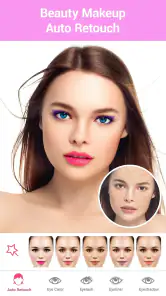
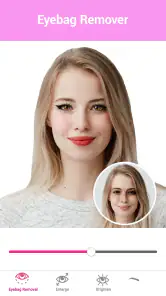
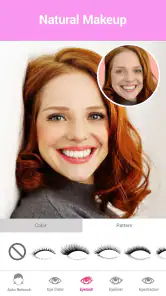
What caught my attention immediately was the range of features this app offers. From foundation to lipstick, and even hair color changes, it’s like having a makeup artist on speed dial. The app uses advanced facial recognition technology, which means it identifies your facial features precisely and applies makeup realistically. I tried switching up my hair color from brunette to a bold red, and the result was astonishingly natural.
Another feature worth mentioning is the camera tool. It’s not just any ordinary camera; it comes equipped with real-time filters that allow you to apply makeup before you even snap that selfie. Imagine having the perfect smoky eye or a flawless contour without lifting a brush. It’s all about enhancing your natural beauty, and this app does it with flair.
More From Our News Desk

Weather by Xiaomi Review: Clear at a Glance, Less Clear Up Close

X Under Pressure: Can It Recover When Posting Goes Wrong?

Clash of Clans Is Won Between the Battles

Android Auto Makes the Case for Quieter Car Software

MobiOffice: Transforming Mobile Productivity with Seamless Integration

EA SPORTS FC™ Mobile Soccer: Redefining Mobile Sports Gaming
Choosing between a saved portrait and the live camera
The choice between editing an existing photo and using the camera preview changes the kind of job this app does for you. A saved image is better when you want to compare a couple of makeup directions without worrying about holding your phone still or getting the lighting right in the moment. The live camera is more convenient when you are already ready to take a selfie and want to see the overall effect before capturing it. I’d treat these as separate workflows rather than assuming one is always better: a preview helps with spontaneity, while a saved portrait is easier for careful comparison.
For a useful comparison, keep the source image unchanged and look at the edited version beside it. This is more revealing than judging the edit alone, especially when the adjustment is subtle. It also gives you a quick check on whether the makeup effect is enhancing the photo or simply drawing attention to the editing. If you are choosing a look for an event, test it on a picture taken in lighting similar to where you expect to be photographed; a result that looks balanced indoors may feel quite different in bright daylight.
Month-to-month value: a small tool, not a whole routine
The app makes the most sense as an occasional companion: a place to test a look, polish a portrait, or have a little fun with a camera filter. If you regularly share selfies or like comparing makeup ideas, those small uses can give it a reason to stay installed. If you rarely edit photos, the novelty may fade once you’ve tried the looks that first caught your eye.
That’s where it differs from a general photo editor. A broad editing app is usually the better choice when you need detailed control over lighting, cropping, objects, or a consistent visual style across many kinds of pictures. This beauty-focused option is more appealing when makeup and appearance are the point, and you want a direct route to experimenting with them. I wouldn’t choose it as my only editor for every photo task.
What it is useful for—and what it cannot replace
I see the strongest use case as a quick visual sketch, not a promise of how a product will look on your face in person. A virtual lip color can help you decide whether you prefer a warm or cool direction in a particular photo, and a hair-color experiment can make an idea feel less abstract. But lighting, camera angle, skin tone, and the original image all affect the result. If you are choosing makeup for a real occasion, use the edit to narrow your options, then try the actual product if you need a dependable match.
Compared with makeup tutorials or product try-on tools built around specific brands, this app is more about personal photo play than shopping research. Compared with a standard selfie filter, its makeup focus makes it a more direct place to test beauty changes. The trade-off is that a broad photo editor will usually make more sense when you need exact control over the entire picture, while a real mirror and actual cosmetics remain more useful for judging texture and wear. I’d choose the tool based on the decision in front of me, rather than expecting one app to answer every beauty question.
Maintenance, fatigue, and the trade-offs
Keeping the workflow manageable is mostly about being selective. Save the edits that genuinely help you decide on a look or improve a picture, rather than making a new version of every image. For portraits you may want to reuse, keeping an unedited original alongside the finished version is a sensible habit: it makes it easier to revisit your choices and avoids treating one filtered result as the only copy worth keeping.
The main source of fatigue is also the app’s central appeal: repeated beauty adjustments can make photos feel less like you. A convincing result on one image may not translate to another with different lighting or angle, so I’d treat each edit as a suggestion rather than assume the same settings will suit every selfie. Anyone looking for precise professional retouching, broad image tools, or a natural, untouched appearance may be happier with a different kind of editor—or no beauty filter at all.
Small habits that keep edits believable
One useful discipline is to decide on a stopping point before you begin. For example, if your goal is only to preview a lip color, leave the rest of the portrait alone until you have made that comparison. This keeps the question clear and makes it less likely that you will gradually alter the whole image just because more adjustments are available. When you do try several changes, compare each one against the same original rather than against the previous edited version; otherwise, small changes can accumulate until the final image no longer resembles the starting photo.
There is also a practical difference between making a picture more flattering and making it useful as a reference for your real look. For a social post, you may simply want an image that feels polished. For deciding whether you like a makeup style, restraint is more informative. I would avoid relying on a heavily adjusted portrait to judge a shade or facial detail, because the combined effects can make it hard to identify which change is responsible for the result.
Sharing, practical limits, and who should skip it
Once you’ve edited your photos to your heart’s content, sharing them is a breeze. The app allows direct sharing to social media platforms like Instagram and Facebook. So, whether you’re looking to impress your followers or just want to share a fun snap with friends, it’s all possible with just a few taps.
Oh, and did I mention the app supports high-resolution editing? Your photos will look crisp, clear, and ready for any platform. Plus, it doesn’t compromise on quality, which is a huge plus in my book.
For regular use, it helps to decide what you want from an edit before opening the camera: a color experiment, a more polished portrait, or simply a playful filter. That small choice makes it easier to stop once the image meets your goal. If you’re not comfortable with a beauty-focused look, or mainly need detailed control over the whole image, I’d skip it in favor of a general editor. The app is free to start, though in-app purchases range from $0.99 to $99.99 per item, so I’d pay attention to any purchase prompt and keep spending aligned with how often I actually use it.
Who is likely to keep using it?
This is an easier recommendation for someone who enjoys taking portraits and wants a low-effort way to explore makeup ideas, especially if the camera preview is part of the fun. It can also suit someone who rarely wears makeup but wants to test a look digitally before trying it in person. A casual user does not need to make every photo into a project to get value from that kind of experiment; an occasional comparison can be enough.
I would steer away from it if your priority is precise retouching for client work, consistent editing across a large collection, or a faithful record of how your face looks without digital changes. Those goals call for different tools and a different standard of control. If you mainly want to adjust exposure, remove distractions, or create a uniform style for varied images, a general editor is the more practical everyday choice. The app’s appeal depends on wanting makeup-centered edits, not simply wanting an editor on your phone.
Final Thoughts: Is It Worth the Hype?
So, is the Beauty Makeup Editor & Camera worth downloading? If you’re into photography, love experimenting with makeup, or simply want to give your photos a professional touch, then absolutely yes! It’s like having a glam squad in your pocket, ready to assist you any time, anywhere.
However, remember that while this app offers a plethora of features, it’s all about enhancing what’s already there. It’s a fun tool for playing with different looks and boosting your confidence with a little digital glam. So, go ahead, give it a whirl, and let your photos do the talking!
Where it fits for the long haul
Beauty Makeup Editor & Camera comes from Photo & Video Editors - Instant Solution. It is a free beauty app for Everyone, with a 4.7 average from around 433,000 ratings and over 50 million installs; its current version is 2.1.2, and it first appeared on January 20, 2016. The minimum operating system is 7.0. Those figures suggest it has reached a broad audience, but they don’t decide whether it belongs in your own routine: the best reason to keep it is having a recurring use for trying makeup ideas or preparing portraits.
My long-term verdict is that it earns a place for someone who enjoys occasional beauty experiments and wants a straightforward way to preview a look. It is less compelling for someone who wants a deep editing workspace or expects a filter to behave identically across every photo. I’d keep it if those quick, specific experiments make editing more enjoyable; otherwise, it is easy to move on once the first-week curiosity wears off.
Beauty Makeup Editor & Camera Frequently Asked Questions
What kind of app is Beauty Makeup Editor & Camera?
Beauty Makeup Editor & Camera is a beauty app for creating and editing makeup looks in photos. Its focus is on face makeup, lipstick and beauty lip-filler effects, alongside camera-based makeup previews. It may suit people who want to experiment with a polished appearance or enhance selfies, while those seeking a general-purpose photo editor may prefer an app with broader editing tools.
When was Beauty Makeup Editor & Camera released, and what is its current version?
Beauty Makeup Editor & Camera was released on January 20, 2016, and its current version is 2.1.2. These details can help you judge whether the app’s development history and version are a good fit for you. Before installing, check that your device meets the operating-system requirement and consider whether the app’s makeup-focused editing features match what you want to do.
Is Beauty Makeup Editor & Camera free to download, and what does it cost to use?
Beauty Makeup Editor & Camera is free to download, so you can try its beauty-editing tools without paying upfront. The app also offers in-app purchases, with items priced from $0.99 to $99.99. Consider these optional costs before downloading if you plan to explore paid features, and check the purchase details shown in the app before confirming a transaction.
What features does the Beauty Makeup Editor & Camera app offer?
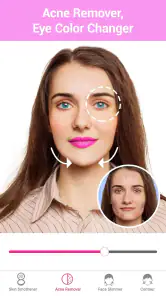
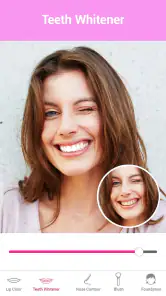
The Beauty Makeup Editor & Camera app provides a wide range of features, including virtual makeup application, skin smoothing, blemish removal, and face reshaping tools. Users can try different makeup styles, apply filters, and enhance facial features like eyes and lips, making it easier to achieve a flawless look in photos. The app also offers seasonal makeup styles and trendy looks to keep users updated with the latest beauty trends.
Is the Beauty Makeup Editor & Camera app user-friendly for beginners?
Yes, the Beauty Makeup Editor & Camera app is designed to be user-friendly, even for beginners. It features an intuitive interface with easy-to-navigate tools and tutorials to guide users through the editing process. Whether you're new to photo editing or an experienced user, the app provides accessible tools to help enhance your photos effortlessly.
Pros
- User-friendly interface with intuitive controls.
- Offers a wide range of makeup styles and tools.
- Real-time makeup application with the camera.
- High-quality filters enhance photo realism.
- Regular updates with new features and styles.
Cons
- Contains ads that can disrupt user experience.
- Some features require in-app purchases.
- Limited free options compared to premium.
- Occasional app crashes or slow performance.
- Requires a stable internet connection for full functionality.
- Category
- Beauty
- Version
- 2.1.2