Wedding Invitation Card Maker
- 22.00
- 4.6
- Installs
- 1.00M
- Price
- Free

Screenshots
Analysis by Reviewed
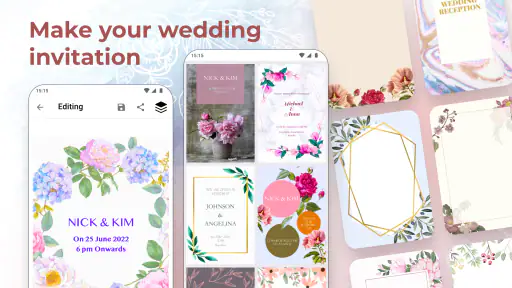
I tend to judge invitation makers by what happens when plans change, not just by how attractive a sample card looks. A wedding date, venue, or spelling can shift at the last minute, and a design that is hard to revise quickly becomes a chore. Wedding Invitation Card Maker is aimed at making wedding and anniversary cards on a phone, which makes it worth considering if you want to create something personal without starting from a blank canvas.
Where the first snags can appear
A template can make the first draft feel easy, but the details still need careful attention. I’d decide on the wording, names, date, and venue before spending time adjusting decoration. That order helps avoid polishing a layout only to discover that the essential text no longer fits. On a small screen, I’d also review the card at a comfortable zoom before calling it finished; text that looks readable while editing may be less clear when viewed as a complete design.
The app is free to download, with in-app purchases ranging from $0.99 to $99.99 per item. That makes it sensible to explore the available choices before committing to a purchase, especially if you’re making a single invitation and don’t need extras. It is rated for Everyone, and Galaxy studio apps is the developer. I’d treat it as a practical design tool rather than assume every option is included at no cost.
Getting Started with Wedding Invitation Card Maker
First things first, let's talk about the user experience. When you open the app, you're greeted with a user-friendly interface that's as inviting as a warm cup of tea on a rainy day. The layout is straightforward, making it super easy even for the least tech-savvy amongst us. You don’t need to be a graphic designer to navigate through the plethora of options this app offers.
Unlimited Design Options
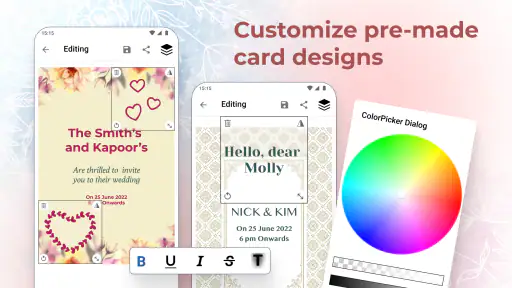
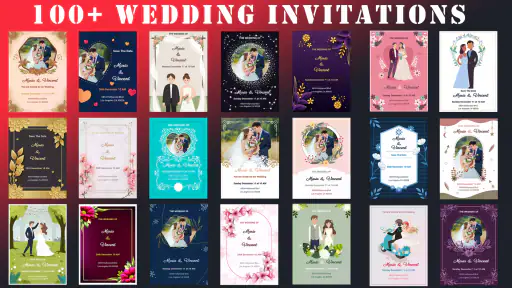
Here's where the Wedding Invitation Card Maker really shines. The app offers a wide variety of templates that cater to every style imaginable. Whether you're going for a classic, elegant look or something more modern and quirky, this app has got you covered. And the customization options? Oh, they are as vast as the ocean. You can tweak everything from the font and colors to the smallest design elements. It’s like having a professional designer in your pocket!
Ease of Use
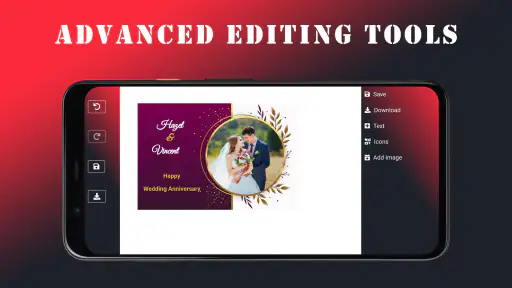
Now, I know what you're thinking. "Sure, it sounds great, but is it easy to use?" The answer is a resounding yes! The app is designed to be intuitive, with drag-and-drop features that make the design process a breeze. You can easily add your own images and text, making each invitation truly unique. Plus, there’s a handy tutorial at the start to help you get the hang of things.
Making a draft that survives real-life changes
For a realistic workflow, I’d make one draft with all the event details, then ask someone else to check names, dates, and the address before sharing it. Keep the wording concise: a long message can compete with decorative elements and make the important details harder to spot. If a family member needs a different version, duplicate the wording and change only the relevant details rather than rebuilding the whole card. That simple habit can reduce accidental differences between invitations.
More From Our News Desk

Weather by Xiaomi Review: Clear at a Glance, Less Clear Up Close

X Under Pressure: Can It Recover When Posting Goes Wrong?

Clash of Clans Is Won Between the Battles

Android Auto Makes the Case for Quieter Car Software

MobiOffice: Transforming Mobile Productivity with Seamless Integration

EA SPORTS FC™ Mobile Soccer: Redefining Mobile Sports Gaming
This kind of app is most useful for couples who want a personal-looking digital invitation and are happy to make the design decisions themselves. It can also suit someone preparing an anniversary card, a small gathering, or a quick draft to discuss with family. If you need formal stationery with exact print specifications, a coordinated suite of matching pieces, or a designer to handle revisions, a dedicated design service or professional printer may be a better fit.
Sharing and Printing
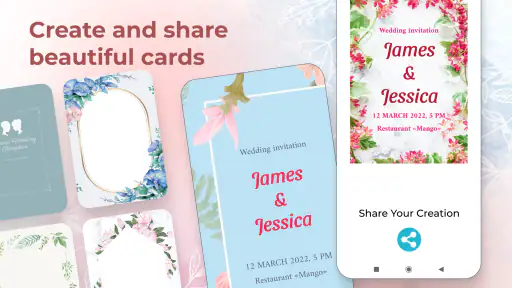
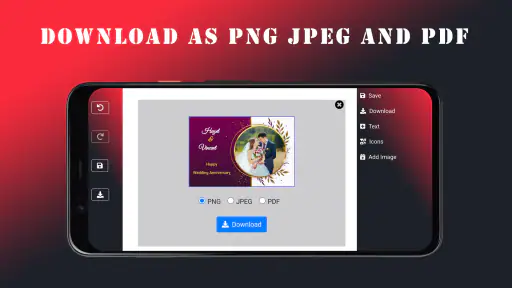
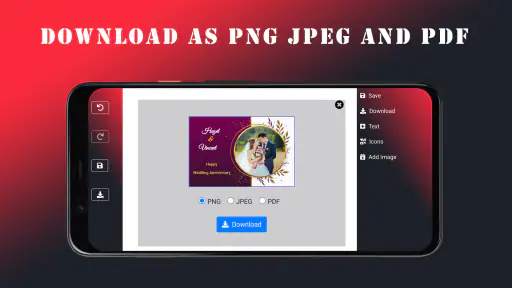
Once you’re satisfied with your masterpiece, sharing and printing are as easy as pie. The app provides options to share your invites digitally via email or social media. If you’re more of a traditionalist and want to send out physical copies, the app partners with several printing services to ensure high-quality prints delivered right to your doorstep.
Before you send or print
I’d send a test copy to myself first and open it on the kind of screen your guests are likely to use. Check that the names and event details remain legible, and make sure the date and location are not hidden among decorative text. For physical copies, confirm the final design and any printing choices before placing an order; digital sharing is easier to correct than a batch already printed. If something looks wrong, return to the draft and check the text and layout before assuming the app itself is at fault.
Some friction can come from the task rather than the tool: unclear event details, a low-quality source image, or a recipient’s device displaying a shared image differently can all affect the result. I’d keep a clean copy of the final wording outside the design while planning, so it is easy to compare and restore if edits become confusing. If the app feels slow or a screen does not respond, closing and reopening it, then checking that the device has room to operate and is running a compatible system, are reasonable first steps. The current version is 3.1.0 and requires Android 6.0 or later.
How it fits among the alternatives
Compared with making a card from scratch in a general-purpose graphics editor, a wedding-focused maker can give you a more direct starting point and keep the task centered on invitation layouts. The trade-off is flexibility: a broad design tool may suit people who want precise control over every part of a coordinated visual identity, while a print shop can be more reassuring for paper choices and production. I’d choose this app when speed and a personal touch matter more than having a specialist oversee every detail.
It has a 4.6 average from around 15,000 ratings, with over 1 million installs. That gives a useful sense of its reach, but I’d still judge it by whether its available designs suit your taste and whether the finished card meets your needs. It was released on April 29, 2023, and the app’s event-making focus is clear; it is not a general-purpose invitation solution for every kind of occasion.
In Conclusion
In the grand scheme of wedding planning, the app is like that trusty friend who always has your back. It’s comprehensive, user-friendly, and offers a level of customization that rivals professional services. So, if you’re looking to save some bucks without compromising on style, give this app a whirl. Who knows, it might just be one of the best decisions you make on this beautiful journey to "I do." Cheers to love and happy planning!
My more measured take is that it is most appealing when you want to make a card yourself and can give the wording a careful proofread. For example, if you’re organizing an anniversary dinner after work, you could prepare a draft, check the details with your partner, and share the finished design once everyone agrees. If your priority is highly controlled print production or a designer-led process, I’d look elsewhere; if you want a straightforward way to shape a wedding or anniversary invitation, this is a reasonable place to start.
Choosing a design that stays readable
One useful way to narrow the choices is to begin with the information guests must act on, then select a layout that gives those details enough visual space. A card can look attractive in a thumbnail yet become difficult to scan if the names, date, venue, and extra notes all compete for attention. I’d treat decorative flourishes as secondary and avoid adding wording simply because an empty area seems to invite it. Clear hierarchy matters more than filling every corner.
For a wedding with several practical details, I’d keep the invitation itself focused and put optional information in a separate message when sharing digitally. That makes the card easier to read and reduces the chance that guests overlook the time or address. If the event has a dress code or a special arrival instruction, read the complete design as though you were receiving it for the first time: can you find the essentials quickly, without being told where to look?
A sensible routine for edits and versions
Last-minute changes are where a simple naming habit becomes useful. Before making a major revision, I’d note which version contains the approved wording and avoid treating an unfinished draft as ready to send. If you are preparing cards for different groups, keep a short checklist of the detail that changes between them, such as a separate start time or venue. Compare each finished card against that checklist rather than relying on memory after several rounds of edits.
This also helps when another person is contributing feedback. Ask them to review a single point at a time—first the factual details, then the overall readability—rather than inviting broad opinions on every design choice at once. Too many simultaneous suggestions can turn a quick card into a prolonged redesign. The app is better suited to hands-on editing than to coordinating a large approval process, so I’d keep the decision group small and agree on who has the final say.
Who will get the most from it
I’d recommend trying it if you want a wedding or anniversary design without learning a full graphics program, and you’re comfortable making a few aesthetic decisions on your own. It is especially practical for a couple who wants to share a polished digital draft with relatives before settling on wording. Someone making a one-off celebration card can also benefit from the focused starting point, provided the available styles feel appropriate and the final result is checked carefully.
On the other hand, I would skip it if the invitation is only one part of a tightly coordinated stationery set, or if every printed detail needs to follow exact production requirements. A professional printer or designer is a better choice when paper stock, color consistency, finishing, or formal proofing is central to the job. Likewise, if you dislike editing layouts on a phone, a larger-screen design tool may be more comfortable even if it takes longer to learn.
What to check before deciding to pay
Because the app includes optional purchases, I’d first establish what you can accomplish with the choices available without paying. Try a rough version using your real wording, rather than judging the app only from an attractive sample. That quickly reveals whether the layout accommodates your names and event details and whether the style feels right for the occasion. If a paid option appears during that process, pause and consider whether it solves a specific need or is merely tempting because you are already invested in the draft.
For a single invitation, a purchase is worth considering only if the added choice makes a noticeable difference to the finished card. If your priority is simply to share clear information, a clean design you can already use may be enough. I’d also make the decision before spending time refining small decorative details, so the cost question does not arrive after you have built your whole plan around an option you may not want to buy.
When a problem may be outside the app
If a shared card appears different to one guest, compare the same file on another screen before rebuilding the design. Display size, image quality, and the way a recipient’s device opens a file can change how a card looks without changing the original draft. If the text itself is correct but appears cramped, simplify the wording or choose a less crowded composition; repeated exporting or editing will not fix a layout that has too much content.
For printing, separate design approval from production expectations. A screen preview is useful for checking composition and spelling, but it is not a substitute for confirming a printer’s requirements. If you need a particular finished size or a coordinated set, ask the printer what files and specifications are needed before committing to a design. That is a sensible boundary: the app can help you create the artwork, while print preparation may call for a service with clearer production guidance.
A practical verdict for invitation planning
Wedding Invitation Card Maker is a focused option when you want to shape a wedding or anniversary card yourself, work from a template, and share a draft without turning the task into a full design project. Its appeal is the approachable, event-specific direction; its limitation is that personal control still requires careful text checks and sensible expectations about printing. I’d use it for a straightforward digital invitation or an early design to discuss, then move to a specialist if the job demands precise production or extensive revisions.
The most reliable approach is simple: settle the essential details, choose a layout that gives them room, inspect the finished card at its intended viewing size, and have another person proofread it before sending. If that workflow sounds manageable, this app is worth exploring. If you want someone else to make the design and manage every technical decision, it is probably not the right tool for you.
Wedding Invitation Card Maker Frequently Asked Questions
Can I create an anniversary card as well as a wedding invitation?
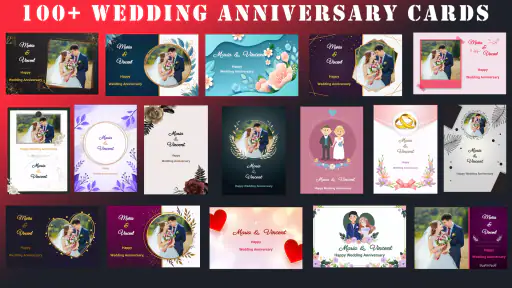
Yes. Wedding Invitation Card Maker is designed for both wedding invitations and wedding anniversary cards. That makes it useful if you want one app for more than the invitation itself, whether you are preparing a design for a couple’s wedding or marking an anniversary. You can explore the available design options and decide which style suits your occasion.
Is Wedding Invitation Card Maker free to download, and are there in-app purchases?
The app is free to download and use, but it also offers in-app purchases. These can range from $0.99 to $99.99 per item, so check the price shown for an option before buying. If you only want to try the basic card-making experience, you can start without paying to download the app and review any purchase choices as you use it.
Who develops Wedding Invitation Card Maker, and what is it designed for?
Wedding Invitation Card Maker is an event-focused app from Galaxy studio apps. It is designed for creating wedding invitations and wedding anniversary cards, making it a practical option for people who want to prepare a personal design on their phone. Its age rating is Everyone, so it is presented as suitable for a broad audience.
What features does the Wedding Invitation Card Maker app offer?
The Wedding Invitation Card Maker app offers a variety of features to help users design personalized wedding invitations. It includes customizable templates, a wide range of fonts and colors, and options to add personal photos and texts. Users can easily share their creations via social media or email directly from the app.
Is the Wedding Invitation Card Maker app easy to use for beginners?
Yes, the Wedding Invitation Card Maker app is designed with a user-friendly interface, making it easy for beginners to navigate. It offers step-by-step guidance on creating invitations, and its drag-and-drop functionality simplifies the design process, ensuring even those with no design experience can create beautiful invitations.
Pros
- Easy-to-use interface for beginners
- Variety of templates for customization
- High-quality design elements
- Supports multiple languages
- Fast and responsive performance
Cons
- Limited free design options
- In-app purchases can be costly
- Ads can be intrusive
- Requires internet for some features
- Limited font customization
- Category
- Events
- Version
- 3.1.0