Room Temperature Thermometer
- 1.73K
- 4.2
- Installs
- 1.00M
- Price
- Free

Screenshots

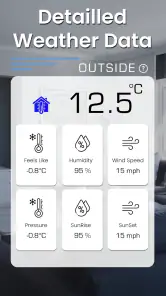
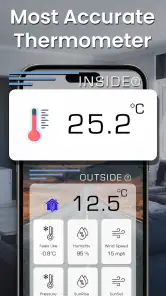
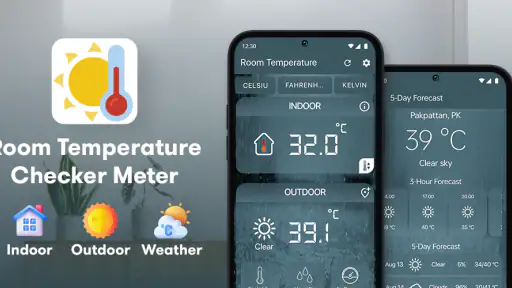
Analysis by Reviewed
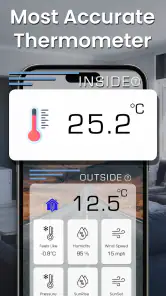
I’d treat Room Temperature Thermometer as a quick reference for the conditions around me, not as a replacement for a dedicated thermometer or a full weather service. Its appeal is the combination of indoor and outdoor temperature with humidity in a focused weather app. That can answer practical questions—whether a room feels stuffy, whether a window might help, or whether I should take a jacket—without asking me to dig through a forecast full of information I may not need.
Useful readings depend on the situation
The name sets a clear expectation, but it is worth separating two kinds of temperature checks. Indoor conditions are about the space around the device; outdoor conditions are about the local environment. Those readings are useful for different decisions, and neither should be treated as a precise instrument reading unless the app’s result is checked against a suitable thermometer.
For a casual check at home, the combination of temperature and humidity is more helpful than temperature alone. A room can feel uncomfortable even when its temperature seems ordinary, and humidity gives useful context for that feeling. I would use the app to notice patterns and decide whether to ventilate or adjust the room, rather than to make health, equipment, or safety decisions that require calibrated measurement.
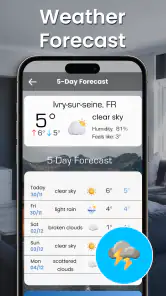
The outdoor figure is most useful when I want a quick sense of conditions before stepping out. It can help with everyday choices, but a thermometer-style reading is not the same thing as a forecast. If I need to know whether rain is coming, how conditions will change later, or what the weather will be across a route, a conventional forecast app is the better tool.
When a network connection affects the check
Because this app brings together indoor and outdoor information, connectivity matters most when I’m looking for the outdoor context. I would check that the phone can reach the network before relying on a current outdoor reading, especially after entering a basement, travelling through a dead zone, or switching between Wi-Fi and mobile data. A result that has not refreshed may be less useful than it first appears.
A practical habit is to open the app while connected and allow the displayed information to settle before making a decision. If the outdoor reading looks implausible or seems out of step with what I can feel outside, I would refresh or compare it with another source rather than assume the number is exact. That small pause is valuable when moving between locations, where a reading associated with an earlier place may no longer answer the question I’m asking.
Indoor checks call for a different kind of patience. A phone moved from a warm pocket into a cool room is not instantly a reliable measure of that room. I’d set it down away from direct sunlight, heaters, vents, and an open window, then give conditions a little time to stabilize before treating the result as representative. This is not a special app feature; it is a sensible way to avoid confusing the phone’s immediate surroundings with the room as a whole.
At home, outdoors, and on the move
At home, I can imagine using the app while deciding whether to open a window in the morning. I’d look at the indoor temperature and humidity first, then consider the outdoor conditions before letting air in. The readings do not make the decision for me—the room’s comfort and the wider weather still matter—but they can turn a vague impression into a more informed choice.
It also suits a quick check in a room that tends to feel different from the rest of the home, such as a small study or a guest room. For that purpose, placement matters more than repeated tapping: leave the phone in the space instead of holding it, and avoid comparing results taken in very different spots as if they came from one fixed sensor. The app is most helpful as a convenient prompt to investigate, not as a room-by-room monitoring system.
On the move, I’d use it as a glanceable reference before walking to a nearby shop or waiting for a bus. If I’m planning a longer trip, hiking, or a day with changing weather, I’d turn to a forecast service that explains what is expected over time. That distinction keeps this app in its strongest lane: a simple present-condition check rather than a planner for the whole day.
The app is free to install and is published by Morsol Technology. It has an average rating of 4.2 from around 27,000 ratings, with roughly 1.7 thousand written reviews and over a million installs. Those figures suggest that many people have tried it, though popularity alone does not establish how closely a reading matches a physical instrument in a particular room.
What to do when a reading seems wrong
If a number looks surprising, I would first check the surroundings rather than immediately blame the app. A phone beside a sunlit window, on top of a warm appliance, or in a pocket can experience conditions that differ from the middle of the room. Moving it to a more neutral spot and waiting before checking again is a useful first step.
For an outdoor result that seems stale or out of place, I would check the network connection and give the app another opportunity to update. Then I’d compare the result with what I observe or with a trusted weather source. This is especially sensible after travelling: a quick check made before leaving one neighborhood may not describe the conditions at the destination.
If I need a dependable reference for a sensitive task, I would use a purpose-built thermometer or hygrometer and follow its instructions. A phone app is convenient, but convenience is not the same as calibration. That is an important limitation for anyone tracking storage conditions, caring for temperature-sensitive items, or trying to maintain a strict comfort range.
Keeping the experience simple and sensible
The app’s focused purpose makes it easy to understand, but I would still be thoughtful about when I open it. Indoor checks do not necessarily require a constant connection in the same way an up-to-date outdoor lookup may, so there is little reason to keep checking repeatedly when one considered reading will do. For someone managing mobile data or trying to reduce unnecessary phone use, occasional checks are a more practical routine than leaving a weather screen open.
I would also avoid interpreting a single humidity or temperature result as a trend. A more useful approach is to check under similar conditions—for example, in the same room and at roughly the same time—then decide whether the change is meaningful. This makes the app more useful for noticing everyday differences without pretending that a handful of casual readings forms a formal environmental record.
The current version is 1.26.093, and the app is listed for Android devices running version 6.0 or later. It is rated for Everyone. Although it is free, in-app purchases are offered, with listed items ranging from $2.69 to $24.99. I would keep that in mind before making a purchase: the basic reason to try the app is its straightforward temperature-and-humidity purpose, so I’d first decide whether its everyday readings fit my needs.
Who will appreciate it—and who should choose something else
I’d recommend Room Temperature Thermometer to someone who wants a lightweight way to check indoor comfort and see an outdoor temperature without opening a more elaborate weather dashboard. It makes sense for casual home use, quick decisions before leaving, and people curious about how humidity changes the feel of a room.
I would skip it as my main weather companion if I needed detailed forecasts, severe-weather planning, or a dependable history of room conditions. I’d also choose a dedicated measuring device when accuracy is important. Compared with a standard weather app, this one keeps attention closer to immediate temperature and humidity; compared with a physical thermometer, it is easier to reach for but should be treated more cautiously.
My overall view is that the app is most valuable when I use it for the right question: “What do conditions seem like here right now?” Network access can shape how useful the outdoor check is, while careful placement shapes how meaningful the indoor check becomes. If I keep those limits in mind, it offers a convenient, approachable reference. If I need a forecast or a measurement I can rely on precisely, I’d reach for a more specialized option instead.
Room Temperature Thermometer Frequently Asked Questions
Can Room Temperature Thermometer measure the temperature inside my room accurately?
It can provide a useful estimate, but accuracy depends on your phone and the app’s measurement method. Most smartphones do not include a dedicated sensor for measuring ambient room temperature, so an app may instead use nearby weather data or readings from the device’s internal sensors. Those readings can be affected by the phone warming up during use. For precise indoor measurements, compare the app’s result with a standalone room thermometer.
Does Room Temperature Thermometer need an internet connection?
That depends on the app and how it estimates temperature. If it uses local weather information, it may need an internet connection and location access to retrieve conditions for your area; the result may describe outdoor weather rather than the temperature in your room. If it reads a supported device sensor, some functions could work offline. Check the app’s description and permissions, and remember that weather-based figures are estimates rather than direct indoor readings.
Why does the app show a temperature that differs from my regular thermometer?
The app and a physical thermometer may be measuring different things. A weather-based reading reflects reported outdoor conditions, while a phone-based estimate can be influenced by battery heat, processor use, sunlight, or where the device is placed. Give the phone time to cool down, keep it away from direct sunlight and heat sources, and compare readings in the same location. If accuracy matters, use a dedicated ambient thermometer.
Does Room Temperature Thermometer work on every Android phone and iPhone?
The app may be available for particular Android and iOS versions, but its features can vary by device. Many phones lack a sensor designed specifically to measure the surrounding air, so the same app may offer different readings or rely on weather data depending on the model. Before downloading, review the store listing for operating-system requirements, supported features, and recent compatibility notes. Also check whether the app requests location or other permissions.
Is Room Temperature Thermometer free, and is it safe to download?
Pricing and privacy details depend on the specific app listing, so check whether it is free, includes advertising, or offers in-app purchases before installing. Download it from the official Google Play Store or Apple App Store, and review the developer name, recent reviews, and requested permissions. Location access may be used for local weather estimates, but it should be relevant to the app’s features. Avoid unofficial download files and do not treat an estimate as a safety measurement.
Pros
- Simple interface makes temperature readings easy to check.
- Displays readings in familiar temperature units.
- Useful for a quick estimate of room conditions.
- Can help track temperature changes over time.
- Convenient to use without a separate dedicated thermometer.
Cons
- Phone sensors may not measure ambient temperature directly.
- Readings can be inaccurate or vary between devices.
- Nearby heat sources and sunlight may skew results.
- Some features may require an internet connection or permissions.
- Not a substitute for a calibrated thermometer for precise readings.

- Category
- Weather
- Version
- 1.26.093