Turbo VPN - Secure VPN Proxy
- 202.79K
- 4.7
- Installs
- 100.00M
- Price
- Free

Screenshots




Analysis by Reviewed
Turbo VPN - Secure VPN Proxy is gaining traction as one of the go-to solutions for users seeking to protect their online privacy and access content without regional restrictions. Let me take you through my experience with this handy app, which promises to make browsing the web a safer and more enjoyable experience.
Getting Started with Turbo VPN
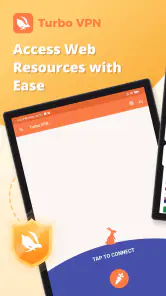
Upon downloading and installing Turbo VPN, I was greeted with a straightforward interface that even the least tech-savvy among us would find easy to navigate. The app doesn’t bombard you with unnecessary options. Instead, it cuts straight to the chase, which is something I truly appreciate. A simple tap and you are connected to a secure server in seconds! It’s almost like flipping a switch - no hassle, no fuss.
Security and Privacy: The Heart of Turbo VPN
The primary reason to use a VPN is, of course, security and privacy. Turbo VPN uses military-grade encryption to ensure that your data is safe from prying eyes. This is particularly important if you often connect to public Wi-Fi networks, which are notorious for being breeding grounds for hackers. With Turbo VPN, your data traffic is encrypted, meaning you can browse, shop, and bank online with peace of mind.
Moreover, the app doesn’t log your online activities, which is a huge plus for privacy enthusiasts. Knowing that your browsing history isn’t being stored somewhere provides a great sense of relief.
Blazing Fast Speeds
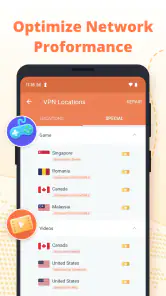
One of the standout features of Turbo VPN is its speed. Despite connecting through a VPN, I experienced minimal lag, whether I was streaming videos, downloading files, or just browsing through social media. It’s like having your cake and eating it too - enjoying online security without compromising on speed.
Access to Global Content
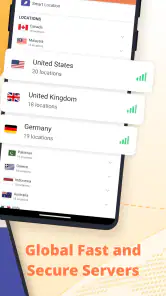
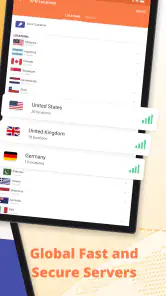
If you’re a fan of streaming services, you’ll love Turbo VPN’s ability to bypass geo-restrictions. I was able to unlock content libraries from various countries, which is perfect for those nights when you just want to binge-watch your favorite shows that aren’t available in your region. The app offers a decent number of servers worldwide, ensuring you have plenty of options to choose from.
User-Friendly and Free
The app’s design is incredibly user-friendly, with everything you need just a tap away. Not to mention, it’s free! Of course, there is a premium version available that offers additional features and faster speeds, but the free version is more than adequate for casual users. It’s a great way to dip your toes into the VPN world without spending a dime.
Turbo VPN is a fantastic option for anyone looking to enhance their online security while enjoying the freedom to explore the web without boundaries. With its ease of use, robust security measures, and impressive speeds, it’s no wonder this app is becoming a favorite among users worldwide. So, if you haven't already, give it a try – your online privacy is worth it!
Pros
- Fast connection speeds
- Easy to use interface
- Multiple server locations
- Unlimited bandwidth
- No registration required
Cons
- Ads in free version
- Limited features on free plan
- Occasional connection drops
- No split tunneling
- Privacy policy concerns

- Category
- Tools
- Version
- 4.2.9.2











