Google Lens
- 61.02K
- 4.7
- Installs
- 1.00B
- Price
- Free

Screenshots
Analysis by Reviewed
Ever found yourself staring at a foreign menu, completely lost? Or maybe you’ve been in a situation where you see something fascinating and want to know more about it instantly? Here’s where Google Lens steps in to save the day, turning your smartphone into a powerful tool for discovery and understanding.
Why the first week feels useful
In my first few days with Lens, the appeal was immediate: I could aim my phone at a label, a sign, or a plant instead of guessing what to type into a search box. That visual starting point is what makes this camera-based search tool different from ordinary web search. It is especially handy when I know what something looks like but do not know its name.
A practical moment outside the house
Picture arriving at a café in a place where you cannot read the menu. I would use Lens to translate a line, then look at dish images if I was still unsure what an order might be. It can narrow the uncertainty, but I would treat the result as a guide rather than a guarantee: translation and visual matching can miss context, so asking staff is still wiser when ingredients or dietary needs matter.
The Latest on Google Lens
What is Google Lens?
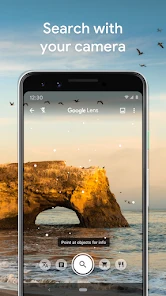
Google Lens is like having a search engine in your pocket, but one that uses the real world as its input. You simply point your camera at something, and Lens will provide information, translations, or even shopping links related to what you see. It’s like magic, but real!
Features That Make Life Easier
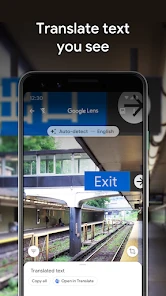
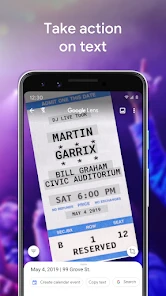
One of the coolest features is text recognition. Imagine being able to copy text from a book, sign, or any surface and pasting it directly into your documents or notes. No more frantic typing needed! Plus, Lens can translate text on the fly, which is a lifesaver when traveling abroad.
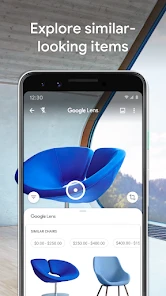
Shopping with Lens is another game-changer. Simply point your camera at an item you fancy, and Lens will identify it and suggest similar products online. It’s like having a personal shopper who knows exactly where to find the best deals.
Where visual matching helps—and where it does not
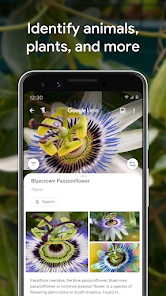
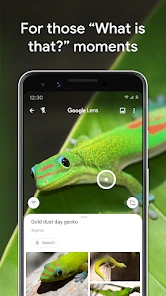
Sometimes, words just aren’t enough to describe what you’re looking at. With the visual search feature, you can point your camera at a plant, animal, landmark, or even an outfit, and Lens will tell you what it is. It’s perfect for those "what’s this?" moments.
More From Our News Desk

Clash of Clans Is Won Between the Battles

Android Auto Makes the Case for Quieter Car Software

MobiOffice: Transforming Mobile Productivity with Seamless Integration

EA SPORTS FC™ Mobile Soccer: Redefining Mobile Sports Gaming

How Microsoft OneDrive Became a Mobile Productivity Giant

How Google Translate Breaks Language Barriers Effortlessly
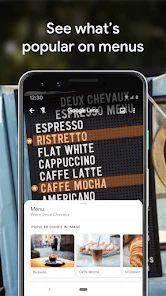
For the foodies out there, Lens can even recognize dishes on a menu and show you photos of what they look like. Now you can make informed decisions about what to order without any surprises.
A useful trick is to frame only the detail you want identified. A whole crowded shelf can produce broad matches; isolating a logo, leaf, or product label gives the visual search a clearer clue. For text, steady the phone and check the selected words before copying them, especially when the print is small or the surface is reflective. These small adjustments often matter more than taking several nearly identical pictures.
Bringing the World to Your Fingertips
The practicality of Lens is enhanced by its integration with other Google apps, making it a seamless part of your daily tech ecosystem. It syncs beautifully with Google Photos, allowing you to search your library for specific images based on what’s in them, not just when they were taken or where.
Furthermore, the integration with Google Assistant means you can use Lens hands-free. Just say the word, and your digital assistant will help you navigate through the visual data effortlessly.
Does it earn a regular place on your phone?
Lens makes the most sense for someone who often encounters unfamiliar text, objects, or products and wants a quick visual route to more information. Students can use text recognition as a starting point for notes, while travelers may value translation and shoppers can use image matches to find comparable items. For a person who rarely needs those tasks, a dedicated translator or a normal web search may be simpler; Lens is not a reason to change every search habit.
It is a free tools app from Google LLC, rated for Everyone, and it has a 4.7 average from around 2.7 million ratings. More than 1 billion installs suggest it has become a familiar utility, but popularity does not make every match dependable. I would compare product suggestions across results rather than assume they are the cheapest or exact same item, and I would verify plant or animal identifications before acting on them.
Month-to-month value and upkeep
What keeps Lens useful after the novelty wears off is that it can help in small, occasional moments without demanding a new routine. I might use it to read a notice, make sense of packaging, or identify an object during a walk, then close it and get on with the day. Its maintenance burden is low in the practical sense that there is no special collection to organize; the main requirement is simply remembering that a camera search is an option when typing a description feels awkward.
There is still some friction. Results depend on a clear view and a sensible match, and busy backgrounds, unusual objects, glare, or ambiguous wording can lead to guesses that need checking. Lens also cannot replace a careful human explanation when context matters. If I need a precise translation of a long passage, a dedicated translation workflow is often better; if I already know the right search terms, typing them is usually more direct.
When a visual search is worth the extra step
The choice between Lens and a regular search depends on what I can describe. If I know the model name, a typed search is usually faster and gives me more control over the words and sources I look for. If I have only an object in front of me—a replacement part with no readable label, for example—the camera can provide a useful starting point. I still compare the shape, markings, and context in the results before deciding that a match is right.
That distinction is useful when shopping. Lens can help me find similar-looking items, but similarity is not proof that two products have the same materials, dimensions, or specifications. I treat its suggestions as leads, then check the seller’s description and product details before buying. For price comparisons, a conventional search with the exact brand or model is usually more dependable than choosing the first visual match.
Small workflows that make results more dependable
For a page of text, I find it more practical to select a short passage at a time than to expect one camera view to handle every line perfectly. I check names, numbers, and punctuation after copying, since those details can matter even when most of the text looks correct. This is particularly worthwhile for addresses, instructions, and notes that I plan to reuse elsewhere.
For an unfamiliar plant, I use the first identification as a clue for further checking rather than as a decision on its own. A close view of the leaf or flower may be more informative than a distant shot, but a similar-looking species can still produce a plausible result. I would not rely on a visual match to decide whether a plant is safe to eat or touch. In those situations, a qualified local source is the better choice.
Lens is also more useful when I decide what question I want answered before opening it. Am I trying to read the words, recognize the object, or find a comparable product? Framing the camera around that goal reduces distracting matches and makes it easier to judge whether the result actually helps. It is a simple habit, but it turns a vague “search this scene” attempt into a more focused lookup.
What can become tiring over time
The novelty can fade because many everyday searches still work better with words. A camera view may return several visually related possibilities without making the distinction I care about, and then I have to inspect results or try another angle. If I already know how to phrase the question, that extra step feels unnecessary. Lens earns its place through occasional moments when describing the thing would be harder than showing it, not by replacing every search.
There is also a practical boundary around using a camera in public or around other people. I pay attention to what is in the frame and avoid treating a quick scan as a substitute for asking permission or checking a sensitive document carefully. The tool can help me read visible text, but I still need to use judgment about what I point the phone at and where I share copied material.
Who will keep reaching for it?
I would recommend Lens to curious people who regularly encounter unfamiliar signs, packaging, plants, objects, or printed material. It is especially helpful when moving between languages or when a visual detail is difficult to name. Someone who studies from printed pages may appreciate copying selected text, while a person furnishing a room could use image matching to investigate an object’s style and find alternatives. In each case, I see it as a first step, not a final authority.
I would not urge someone to install it just because the idea sounds impressive. If their searches are mostly questions they can already type, or they need careful translations of long documents, a conventional search or dedicated translation app may fit better. People who need authoritative identification of plants, animals, or safety-related products should also consult a specialist source. Lens is strongest when speed and visual clues matter more than certainty.
A light routine, not another task to maintain
There is little ongoing work involved in using Lens as an occasional utility: I do not need to build a library of searches or organize projects to get value from it. The lasting benefit is more about remembering it exists. When I come across a label I cannot read, I can try a camera-based lookup; when I have a clear question, I can skip Lens and type instead. That flexibility is why it can remain useful without becoming a daily habit.
Google LLC released the app on June 4, 2018, and it supports Android 6.0 or later. Its large audience—around 61,000 written reviews as well as the ratings—shows how widely it is used, though the most relevant test is whether its particular visual tasks come up in your life. It is free, so trying it does not require a purchase, but usefulness still depends on having a suitable camera view and checking results when accuracy matters.
My long-term verdict
After the first-week curiosity, the best reason to keep Lens is not that it can identify everything; it is that it removes the awkward step of inventing search terms when I do not know what I am looking at. For a traveler, a curious walker, or someone who often handles unfamiliar printed material, those small saved efforts can add up. For everyone else, it can stay an occasional tool rather than a permanent part of their routine.
I like that it offers a visual route into translation, text recognition, and product or object searches, while still fitting alongside ordinary web search. I do not trust every match blindly, and I would switch to a specialist tool whenever precision, context, or safety is important. Used with that expectation, Lens earns a modest but genuine place on my phone: ready for the moments when seeing the question is easier than typing it.
Whether you're a student, traveler, shopper, or just a curious soul, Lens has something for everyone. It’s intuitive, fast, and opens up a world of possibilities right from your smartphone. So next time you’re curious about something, just remember to give Lens a look – it might just change the way you see the world!
Google Lens Frequently Asked Questions
Can Google Lens work with photos I have already taken?
Yes. Google Lens can be useful with an existing image as well as when you point your camera at something in front of you. This is handy if you photographed a sign, plant, object, or product earlier and want to explore it later. Open the image through an app that offers Lens, then use its visual search tools to examine what appears in the picture.
Do I need to create an account before using Google Lens?
Google Lens is a Google app, and some features may connect with Google services as you search or explore results. If you already use Google apps on your phone, the experience may feel familiar. Before downloading, consider which account and privacy settings you want to use on your device, especially if you plan to use Lens for searches involving personal images or information.
Can Google Lens recognize text from a printed page or sign?
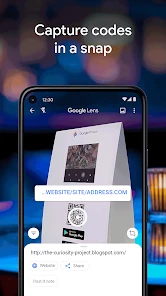
Yes. Lens can work with text captured by your camera, which makes it useful for exploring printed words, signs, and other text in images. Depending on what you are trying to do, you can use it to understand or look up text rather than typing everything by hand. Clear, well-lit images generally make camera-based text tools easier to use.
Can I use Google Lens to find a product I have seen in person?
Yes. You can point your camera at an item and use Lens to search visually for products and related information. This can be helpful when you do not know the product’s name or how to describe its appearance. Results depend on what Lens can recognize in the image, so framing the item clearly can make the search more useful.
Does Google Lens need an internet connection to work?
Google Lens uses visual recognition to help interpret what your camera sees, and many of its search and information features work best when your phone can connect to the internet. If you are planning to use Lens while travelling or away from Wi-Fi, a mobile data connection may be useful. The app can still be opened to explore its camera-based tools, but results may depend on connectivity.
Pros
- Multi-language translation support
- Accurate text recognition
- Integration with Google ecosystem
- Free to use
- Object identification feature
Cons
- Requires internet connection
- Privacy concerns with data usage
- Battery consumption can be high
- Limited offline functionality
- Complex interface for new users
- Category
- Tools
- Version
- Varies with device









