QR & Barcode Scanner
- 60.41K
- 4.8
- Installs
- 500.00M
- Price
- Free

Screenshots
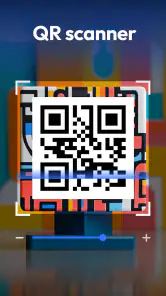
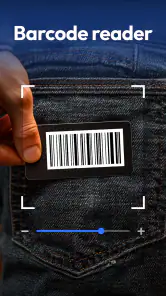
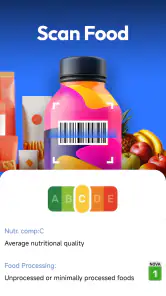
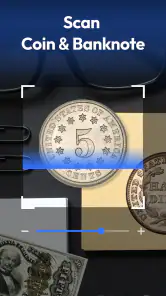
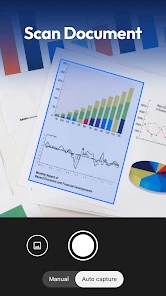
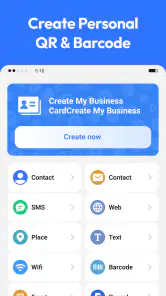
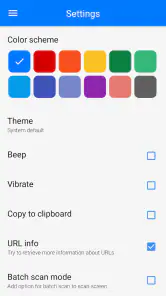
Analysis by Reviewed
I reach for a scanner when a small task would otherwise turn into typing, searching, or squinting at a label. QR & Barcode Scanner is built around that simple job: point a phone at a code and get a result without learning a complicated workflow. In my experience, it is most useful as an occasional, ready-to-hand tool—not as a replacement for careful product research or a dedicated system for managing stock.
Where a quick scan helps in daily life
I find a scanner most useful when it removes a small but annoying step: reading a code on a parcel, opening a menu, or checking the label on something I might buy. In a shop, a barcode scan can help me identify a product before I decide whether it is worth researching further. It is not a substitute for comparing prices carefully, though; results depend on what the code leads to and what information is available there.
A realistic example is unpacking a delivery and wanting to keep track of an item without typing a long product name. Scanning its barcode is a fast starting point, but I still check that any result actually matches the product in my hand. Codes identify things; they do not guarantee that a page is current, accurate, or the best place to buy.
The Latest on QR & Barcode Scanner
It is also handy when someone shares a QR code on a printed notice or a screen. Rather than retyping a long address, I can scan and inspect the destination. For a menu or event page, that saves time; for a payment or login prompt, I slow down and make sure the destination is expected before entering anything sensitive. The useful habit is not simply scanning quickly, but knowing when a result deserves a second look.
Quick scanning, with a little judgement
First things first, the QR & Barcode Scanner is all about simplicity. You just point your camera at a code and, boom, you've got your info. No unnecessary buttons, no complex settings. It's like having a superpower in your pocket, ready to unleash at a moment's notice. And let me tell you, it’s fast. Like, blink-and-you-miss-it fast. This is especially handy when you're in a rush or just want to impress your friends with how tech-savvy you are.
That quick camera-based workflow is a good fit when I only need to scan now and then. If scanning is a daily work task, or I need to process a large batch of labels, a dedicated inventory tool may suit me better than a general-purpose phone app. For occasional use, keeping a scanner ready can be easier than searching for a specialized app each time.
There is a practical middle ground between installing a separate scanner and relying on whatever is already on the phone. I would first try the camera app’s built-in scanning, if available, for a one-off task. A dedicated scanner makes more sense when I want a tool focused on codes or prefer to keep that task separate from taking photos. If both options work equally well for me, the built-in one is simpler; if it misses codes or makes results awkward to inspect, this app is worth trying.
More From Our News Desk

Android Auto Makes the Case for Quieter Car Software

MobiOffice: Transforming Mobile Productivity with Seamless Integration

EA SPORTS FC™ Mobile Soccer: Redefining Mobile Sports Gaming

How Microsoft OneDrive Became a Mobile Productivity Giant

How Google Translate Breaks Language Barriers Effortlessly

Why Google Sheets Is the Ultimate Mobile Productivity Tool
What the scan tells you—and what it doesn’t
Now, let’s talk features because this app doesn’t skimp. Not only does it read QR codes, but it also handles all main barcode formats. You can scan product barcodes to compare prices, read reviews, or even save them for later. It’s like having a personal shopping assistant that fits in your pocket. And if you’re worried about security, fear not! The app doesn’t just blindly open links; it gives you a heads-up on where you’re headed, which is a lifesaver in this age of cyber trickery.
My practical tip is to treat the scan result as a prompt, not a verdict. Before following a QR link, look at the destination and consider whether it makes sense for the place where you found the code. A sticker placed over a legitimate code can send you somewhere unexpected, so I would not enter payment details or personal information just because a page opened after scanning. The warning is useful, but cautious judgment still matters.
There is also a useful distinction between QR codes and product barcodes. A QR code may take me to a web page or other information, while a product barcode is mainly a way to identify an item. If I am comparing products, I check that the returned description matches the exact size or version I have; similar packaging can make a quick result misleading. Saving a code for later is convenient, but I would not rely on a saved scan as a complete record of a purchase or warranty.
For shopping, I get the best results by using the scan to narrow down what I am looking at, then checking the details that matter to me: package size, model, or variant. A barcode can point toward a product identity, but it does not settle whether two items are equivalent or whether a price is good. If I am checking a household item I already know, a quick match may be enough; for an expensive or safety-critical purchase, I would verify the label and source separately.
That makes the app a useful companion rather than a research engine. It can remove the tedious step of entering a code manually, but the quality of the next step depends on the information behind the code and how carefully I read it. I would not assume that every barcode leads to a complete product page, or that a QR destination is trustworthy simply because the scanner can read it.
Light, aiming, and the physical task of scanning
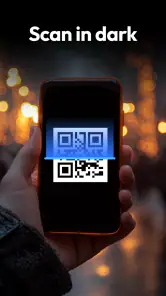
Oh, and did I mention the flashlight feature? Yep, you can even scan in the dark. Whether you’re in a dimly lit restaurant or sneaking around your fridge at midnight, this app has your back. The flashlight turns on right from the app, so you’re never left in the dark (literally and figuratively).
That can help when a code is printed in a shadowy corner, but it is not a fix for every difficult scan. Glare on glossy packaging, a damaged label, or a code that is too small can still make recognition harder. I try changing the angle or moving the item into steadier light before repeatedly tapping at the screen. Those small adjustments are often more useful than assuming the scanner has failed.
A little preparation helps with awkward objects. If the code is on a curved bottle or a crinkled parcel, I try to flatten the label or rotate the item so the code sits more squarely in view. For a code displayed on another phone, reducing reflections and holding both devices steady can matter more than moving the scanner closer. These are simple workarounds, but they also show the trade-off: this is still a camera-based task, not hands-free recognition.
In a busy shop, I would also avoid treating speed as a reason to rush. I move aside if I need to handle an item carefully, and I check the product result before putting it back. That is less about the app than about using it sensibly: scanning is quick, but reading the result and confirming the match still takes attention.
Readability, navigation, and sensory comfort
Let’s be honest, nobody likes apps that require a degree in rocket science to navigate. The user interface here is sleek and intuitive. Everything is right where you expect it to be, making the scanning experience smooth and hassle-free. The design is crisp, with just the right amount of color to keep things interesting without being overwhelming. Plus, it doesn’t hurt that the app is easy on the battery, so you can scan to your heart’s content without worrying about draining your phone.
From an accessibility perspective, a straightforward scan-and-result flow can reduce the amount of navigation involved, which I appreciate when I want to finish a task quickly. The flashlight can also be useful in low light, but scanning still depends on aiming a phone camera and seeing or otherwise interpreting what appears on screen. Anyone who finds precise hand positioning difficult, or who needs spoken guidance and larger controls, should check whether the app works comfortably with their device’s accessibility settings before relying on it.
For sensory comfort, a quick scan avoids long menus and repeated choices, but a camera view may be distracting or uncomfortable for some people. If that is a concern, I would use the phone’s built-in accessibility options where available and test the app with a harmless code first. For low-vision users, the physical size and contrast of a printed code matter too: this app cannot make a tiny, blurry, or poorly lit code easier to capture simply by opening the camera.
When choosing a scanner, I would think about the whole sequence, not just whether it detects a code: can I hold the phone steady, read the destination, and decide what to do next? Someone who can comfortably use the camera but struggles to read small text may find that the scan is only half the task. Testing with a familiar, low-stakes code is a sensible way to find out whether the result screen and the phone’s own accessibility tools work well together.
The app is a free tools option from Gamma Play, and its broad uptake suggests it meets a common need: it has an average rating of 4.8 from around 3.8 million ratings and over 500 million installs. It is rated for Everyone and has been available since March 13, 2015. Those figures tell me it is widely used, not that every result will be right for every person or situation. I would still choose a built-in camera scanner if it already handles my needs, or a specialist app if I require a particular workflow.
Who will benefit, and when I would choose something else
I think this is a good fit for someone who scans occasionally: a shopper checking a label, a person opening QR links on paper, or anyone who wants a straightforward way to read a code without typing it out. It is also approachable for a household where different people may need to scan something now and then, because the basic task is easy to explain: frame the code, inspect the result, and decide whether to continue.
I would look elsewhere if scanning is part of a work process that requires recording many items, organizing stock, or handing results between colleagues. A general scanner can help identify a code, but a purpose-built inventory or field-work tool is a better fit when the job depends on structured records and repeatable procedures. Likewise, someone who needs reliable hands-free use or a particular accessibility workflow should test a tool designed around that need rather than assume a simple scanner will cover it.
If you are wondering whether it costs anything, it is free to use. If you are deciding whether to install it despite having a camera app, the answer depends on what that built-in option already does for you: there is little reason to add another app if the camera scans reliably and presents results clearly. The dedicated option is more appealing when you want a scanner ready as its own tool or your usual method is inconsistent.
For everyday use, I would keep the distinction clear: this app helps read codes, while the phone’s browser or other apps handle what comes after. If a scan opens a page, I still judge the page on its own merits. If a barcode returns a product match, I still compare the exact item. That small pause is the difference between a convenient shortcut and an assumption.
A practical, inclusive recommendation
So, is the QR & Barcode Scanner app worth a spot on your home screen? Absolutely! It’s reliable, fast, and packed with features that make everyday tasks a breeze. Whether you’re a savvy shopper, a tech enthusiast, or just someone who loves convenience, this app has something for you. Give it a try and watch as you transform into a barcode and QR code scanning pro. Trust me, once you start using it, you’ll wonder how you ever managed without it.
My recommendation is strongest for people who want a simple, occasional scanner for shopping, labels, and QR links, and who are comfortable checking a result before acting on it. If your phone’s camera already scans codes reliably, installing another tool may add little; if you need hands-free operation, extensive batch handling, or accessibility support tailored to a specific need, look for an option built around that requirement. For everyone else, this is a convenient tool to keep available, with the sensible caveat that a fast scan is only the first step in deciding what to do next.
What I like most is the narrowness of its promise in practice: it helps me get from a printed code to something I can inspect, without turning that small task into a project. What I would not ask it to do is make a questionable link safe, prove that a product listing is correct, or remove the need to aim and read. For the right person, that is a fair trade-off—a handy utility, used with a little care, rather than an all-purpose answer to every code-related task.
QR & Barcode Scanner Frequently Asked Questions
Can QR & Barcode Scanner scan codes from a photo or screenshot?
QR & Barcode Scanner is centered on reading codes, which makes it useful when you encounter a QR code or barcode in everyday situations. Before downloading, consider whether you mainly want to scan codes you can point your camera at or need to work with images already saved on your device. The app’s main purpose is straightforward code scanning and decoding.
What should I check before opening a link from a scanned QR code?
A QR code can contain a web address, so scanning one does not make the destination trustworthy by itself. Check that the URL looks familiar and matches the place or product where you found the code before opening it. Be especially careful with codes from unknown sources, since they can lead to malicious websites. This simple check helps you use a scanner more safely.
Who develops QR & Barcode Scanner, and what kind of app is it?
QR & Barcode Scanner is a Tools app developed by Gamma Play. It is built around the straightforward task of reading QR codes and barcodes, so it may suit people who want a dedicated scanner rather than a more general-purpose app. Its store summary describes it as the fastest QR code reader and barcode scanner, while the short description is simply QR & Barcode.
What is QR & Barcode Scanner used for?
QR & Barcode Scanner is a versatile tool designed to read and decode various types of QR codes and barcodes. It allows users to access information embedded in these codes, such as URLs, product details, or contact information, with a simple scan. This app is essential for quickly retrieving data or comparing product prices.
Is QR & Barcode Scanner free to use?
Yes, QR & Barcode Scanner is free to download and use. While the app provides basic scanning functionalities at no cost, it may offer in-app purchases for advanced features or an ad-free experience. This allows users to enhance their scanning capabilities according to their needs.
Pros
- Fast scanning speed
- Easy to use interface
- Supports various code formats
- Lightweight application
- No internet required
Cons
- Contains ads
- Limited features in free version
- Occasional scanning errors
- No batch scanning
- Lacks customization options
- Category
- Tools
- Version
- Varies with device









