QR & Barcode Reader
- 10.40K
- 4.6
- Installs
- 100.00M
- Price
- Free

Screenshots
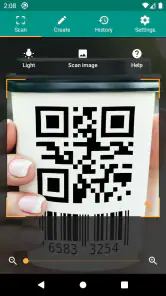
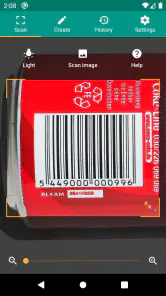
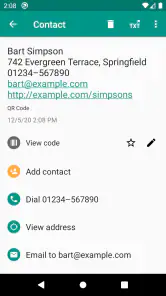
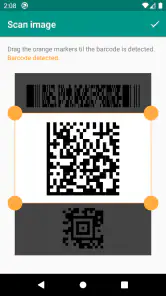
Analysis by Reviewed
At a café, a QR code on the table may lead to a menu, while a barcode on a package can help me look up an item later. I like having one small tool for those quick checks, especially when I would rather scan than type a long string of numbers. TeaCapps’ QR & Barcode Reader is a free productivity app built around that simple job. Its appeal is practical: get the camera onto a code, then decide whether the result is useful enough to open, save, or act on.
When a scan depends on the network
A scan and the information behind it are not the same thing. A code can be read by the phone, but following a website address or looking up product information may depend on an internet connection and on the destination being available. I find that distinction useful when deciding what to expect: scanning helps me get to the next step, but it cannot guarantee that a store page, menu, or product database will load.
For example, if I am comparing two products in a shop, I can scan a barcode and use the result as a starting point for a search. I would still check that the result matches the exact size or version in my hand; a barcode lookup is not a substitute for reading the packaging. If the shop’s signal is poor, I may have the code ready but need to wait until the connection improves before online details appear. That is a limitation of the connected information, not necessarily a failed scan.
Useful in ordinary mobile situations
The app makes most sense when I am already holding a phone and need to deal with a code in front of me: checking a label, opening a QR menu, or capturing a code printed on a leaflet. A useful habit is to hold the phone steady and keep the whole code in view rather than moving it rapidly toward the camera. With a code displayed on another screen, reducing glare and avoiding reflections can make the target easier to read.
It can also help with less obvious errands. I might scan a code on a parcel before putting the packaging away, or capture a product barcode while browsing and return to the item later. Those workflows turn a quick scan into a reminder, but they rely on keeping the result or history organized enough to find again. I would not treat a scan history as a full shopping list; for a planned grocery shop, a dedicated list app is usually clearer.
What to try when a code will not read
If a scan does not work immediately, I first check the basics: is the entire code visible, is the camera pointed squarely at it, and is there enough light to distinguish the printed marks? A damaged label, a glossy surface, or a screen reflection can interfere. Moving the phone slightly farther away or changing its angle is often more sensible than repeatedly tapping the screen.
There is another useful recovery step: make sure the code itself is the right kind for the task. A barcode on a product and a QR code on a sign lead to different kinds of results, and a scan cannot fix a code that is smudged, incomplete, or no longer active. If the code opens a page that fails to load, I would retry when the connection is better or use the printed business name to search directly. That gives me a fallback instead of assuming the reader has all the information locally.
More From Our News Desk

Weather by Xiaomi Review: Clear at a Glance, Less Clear Up Close

X Under Pressure: Can It Recover When Posting Goes Wrong?

Clash of Clans Is Won Between the Battles

Android Auto Makes the Case for Quieter Car Software

MobiOffice: Transforming Mobile Productivity with Seamless Integration

EA SPORTS FC™ Mobile Soccer: Redefining Mobile Sports Gaming
Mindful use and practical limits
Because QR codes can take me to webpages or prompt an action, I treat the destination with the same care I would use with a link in a message. I check that an address looks relevant before continuing and avoid entering personal details just because a code led me to a form. This is especially worth remembering for codes placed over posters or labels: scanning identifies what is encoded, but it does not certify that the destination is trustworthy.
For a person who scans occasionally, a dedicated reader can be more convenient than opening a browser and searching for a scanning option each time. Many phones also include code recognition through their camera, so someone who only scans a QR code now and then may not need another app. I would choose this reader when I want a tool focused on both QR codes and barcodes; I would choose a specialist product database when detailed catalog matching matters more than simply reading a code.
TeaCapps’ app has an average rating of 4.6 from around 3.5 million ratings, and it has passed 100 million installs. It is rated for everyone, costs nothing to install, and offers in-app purchases priced at $6.99 per item. The current version is 3.3.4-L, and it runs on Android 6.0 or later. Those details make it an easy option to try on a compatible Android phone, though I would still consider whether the built-in camera already covers my occasional scanning needs.
Scanning Made Simple
Let's dive right into it. The QR & Barcode Reader is all about making scanning as easy as pie. Once you've got the app installed, the interface greets you with a clean and straightforward design—no clutter, no confusion. You simply point your camera at any QR code or barcode, and voilà, instant results! It's like having a personal assistant who never sleeps, ready to give you product details, compare prices, or even show you reviews. Talk about convenience!
A World of Information at Your Fingertips
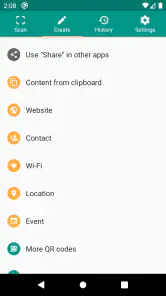
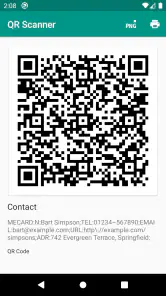
The real beauty of this app? It's not just about scanning. It’s about the treasure trove of information it unlocks. Imagine scanning a barcode and immediately getting detailed product specs, customer reviews, and even links to purchase online. It's like having the keys to a digital library of product knowledge. And guess what? It doesn't stop there. You can also scan QR codes to access websites, connect to Wi-Fi networks, or save contact information. It's a multi-tool in the world of apps!
That variety is handy, but I would separate reading a code from trusting what it contains. A QR code can encode a web address, contact details, or network information, yet the code itself does not tell me whether the destination is current or appropriate. When I am scanning in a public place, I take a moment to inspect what the app has recognized before choosing to continue. That small pause matters more than scanning speed: it keeps a quick convenience from turning into an automatic tap on something I have not checked.
User-Friendly Features
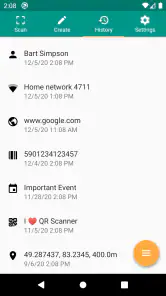
Now, let's talk about some of the cool features that make this app stand out. First off, it's lightning fast. No more awkwardly standing in aisles waiting for a scan to process. And it's not just speed—accuracy is top-notch too. The app recognizes codes even in low-light conditions, which is a huge plus. Plus, you can save your scan history, so you won't lose track of that must-buy item you saw last week. It's like having a memory bank for all your scans.
For a useful routine, I would treat a saved scan as a breadcrumb rather than a complete record. If I scan a product to compare later, I can note the item’s size or variant separately, because a code alone may not remind me why I saved it. For a parcel, scanning before recycling the label can make sense if I need to revisit its encoded destination or details. I would avoid collecting scans indefinitely, though: a short, intentional history is easier to use than a crowded one full of codes whose purpose I have forgotten.
And here’s a neat trick: the app supports multiple types of QR codes and barcodes. So whether you’re scanning a product in a store, a code in a magazine, or even a digital code on a screen, this app has got you covered. It's versatile, and it knows how to handle just about any scanning challenge you throw its way.
In practice, the surface carrying the code can matter as much as the code type. A glossy package under bright shop lighting can reflect the camera back at you; angling the phone or shifting your position may help more than holding it closer. A code on a laptop or another phone can be awkward if the screen is dim or showing reflections. I would also avoid cropping a printed QR code too tightly if I am trying to scan an image, since keeping its full border visible gives the reader a clearer target.
Oh, and did I mention the cherry on top? It's free! Yep, you heard right. All these features without spending a dime. Of course, there’s a premium version for those who want to unlock even more goodies, but the free version is robust enough for most users.
The app is made by TeaCapps, and its small footprint is a practical point for anyone trying to keep a phone uncluttered. At the same time, the free starting point should not be confused with every possible feature being included at no cost: in-app purchases are available. I would begin with the basic scanning tasks I actually need, then decide whether anything beyond them is worth paying for, rather than assuming an upgrade is essential just because it is offered.
When a dedicated reader earns its place
I think this app suits people who regularly move between QR codes and product barcodes and want one recognizable place to handle both. It is especially useful if a phone’s built-in camera is inconsistent for barcodes, or if I prefer a dedicated workflow instead of switching between camera, browser, and search. Someone who only opens restaurant menus by QR code may find the phone camera quicker, because installing a separate reader adds another app to maintain for a task they rarely do.
It is also not the right answer when the real job is catalog research. A barcode reader can help me start a product search, but a specialist shopping or inventory service is a better fit when I need dependable matching across variants, stock records, or an organized collection. For everyday scanning, the reader is a useful front door; it should not be mistaken for a complete database or a substitute for checking the label in front of me.
How connectivity changes the routine
Picture me standing in a store with a weak signal and two similar packages in hand. I can try to scan a barcode, but an online search may take longer or fail to return useful detail until service improves. In that moment, the most reliable comparison is still the information printed on the packaging. Later, with a better connection, I can use the scan result as a prompt to investigate further. This is a sensible split of work: the reader helps capture a code, while the network and the destination determine what information follows.
For QR menus, event notices, and printed instructions, I would use the same expectation. If the encoded content is a web destination, a working connection and a live page matter; if either is unavailable, scanning cannot make the page appear. When I know I will be somewhere with unreliable reception, I try to open essential information before I need it, or look for a printed alternative. That is less frustrating than repeatedly rescanning a code whose reading is not the actual problem.
Final Thoughts
So, who is the QR & Barcode Reader app for? Honestly, anyone with a smartphone and a need for quick, reliable information. It's a must-have for bargain hunters, tech enthusiasts, or anyone who just loves the idea of having instant access to details at the click of a button. It's a small app with a big impact, and it's ready to make your shopping and browsing experiences smoother than ever.
I would soften “must-have” for people whose phone already scans everything they encounter. The strongest case for installing it is repeated use: product labels, paper notices, screen-displayed codes, and other moments where a dedicated reader saves a few steps. If scanning is rare, the built-in camera may be enough; if it is part of my errands every week, having a focused tool can feel more dependable and familiar. The choice comes down to how often I reach for it, not how impressive a long feature list sounds.
In a world where time is of the essence, having an app like this in your pocket is a game-changer. So why not give it a whirl? You might just find that it's the tool you never knew you needed. Happy scanning!
My practical verdict is that this is a straightforward option for Android users who want one place to read QR codes and barcodes, with the usual caveat that useful online results still depend on connectivity and the destination. It is free to try, rated for everyone, and compatible with Android 6.0 or later; its average rating is 4.6, supported by roughly 10,000 written reviews. I would install it for frequent mixed-code scanning, keep expectations modest when signal is poor, and choose a dedicated database or shopping app when accuracy of product matching matters more than simply reading the code.
QR & Barcode Reader Frequently Asked Questions
Does QR & Barcode Reader work with both QR codes and product barcodes?
Yes. QR & Barcode Reader is intended for scanning QR codes as well as barcodes, so it can be useful for tasks such as reading a code on packaging or opening information encoded in a QR code. The app is described as a functional QR scanner and barcode reader, with a focus on keeping the scanning experience straightforward and taking little storage space.
What permissions should I expect to grant when setting up QR & Barcode Reader?
Scanning with a phone camera requires camera access, so expect the app to request permission to use it for reading codes. If you want to select a saved image for scanning, access to photos or files may also be needed. Review permission prompts on your device and allow only what is needed for the task you want to perform; you can manage app permissions later in your phone settings.
Does QR & Barcode Reader need an internet connection to scan codes?
For everyday scanning, QR & Barcode Reader is designed to make the process straightforward: open the camera scanner and point it at a code. A QR code may lead to a website or other online content, which would require an internet connection to open, but reading the code itself is a separate step. This distinction is useful when deciding whether the app suits how you plan to scan.
Is QR & Barcode Reader compatible with my phone?
QR & Barcode Reader is an app for Android, and its minimum operating system requirement is Android 6.0. Check your device’s software version before downloading so you can avoid compatibility surprises. The app is categorized for productivity and has an Everyone content rating, making it suitable for a broad audience. It is also described as a functional scanner and reader that requires little storage space.
What features does the QR & Barcode Reader app offer?
The QR & Barcode Reader app provides a range of features designed for easy and efficient scanning. It supports all standard 1D and 2D code types, including QR, Data Matrix, and UPC. The app allows users to scan codes directly from the camera or from saved images, offering flexibility in its use. Additionally, it provides options to save and share the scanned data with ease.
Pros
- Fast scanning
- Supports various formats
- User-friendly interface
- Free to use
- Lightweight app
Cons
- Contains ads
- Limited features
- No batch scanning
- Requires camera access
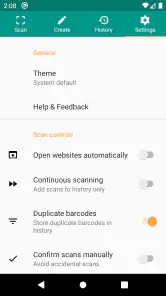
- No history export
- Category
- Productivity
- Version
- 3.3.4-L











