PixShift: BackGround Changer
- 24.00
- 4.2
- Installs
- 1.00M
- Price
- Free

Screenshots
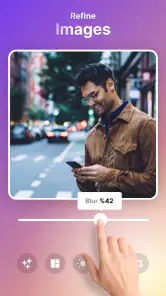
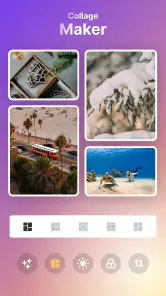
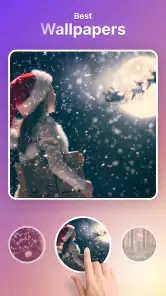
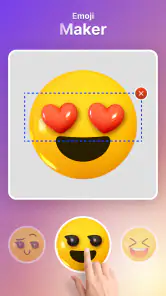
Analysis by Reviewed
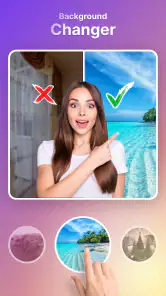
When I want to rescue a good photo from a distracting setting, changing the background can make a bigger difference than applying another filter. That’s the main appeal of PixShift: BackGround Changer: it focuses on separating a person or other subject from the scene behind them, then lets me place that subject somewhere more fitting. I see it as a quick creative editor for everyday images, rather than a replacement for careful desktop retouching.
What a background change can—and cannot—fix
The appeal of this kind of edit is simple: it changes the story a picture tells without requiring a new photo. A portrait taken in an untidy corner can become a playful travel-style image, and a plain snapshot can look more deliberate when the background supports the subject. I find that useful when the person in the photo is worth keeping but the surroundings are not.
It’s worth separating that creative effect from a true repair. Replacing the scene won’t fix a blurred face, closed eyes, or poor framing, and a new backdrop can make those flaws more noticeable. I’d choose the strongest original photo first, then use the background edit to improve its setting—not expect the edit to rescue every weak shot.
Changing the background is the main event
First things first, the user interface of PixShift: BackGround Changer is pretty slick. You don’t need to be a tech wizard to navigate through its features. The app guides you smoothly from step to step, making the experience quite seamless. Whether you’re looking to replace a dull sky with a vibrant sunset or swap out your cluttered room for a beach paradise, the options are endless. The app uses some pretty smart tech to identify the subject of your photo and separate it from the background. In most cases, it does a stellar job, though I did have a couple of instances where it needed a bit of manual tweaking.
That cutout is where the edit succeeds or falls short. A clean outline around a person makes a new setting feel playful or polished; a missed strand of hair or a fuzzy edge can make the result look pasted on. I’d choose a photo with a clear subject and a reasonably distinct background when I want the quickest result. Busy scenes and similar colors behind the subject are more likely to call for patience, so I wouldn’t count on every picture becoming convincing with one tap.
Choosing a background with the final image in mind
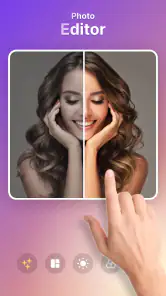
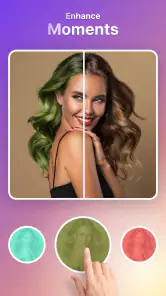
One feature that I found particularly impressive is the diverse array of backgrounds available within the app. From urban landscapes to serene nature scenes, you’re spoilt for choice. Plus, if you’re feeling creative, you can even upload your own backgrounds. The integration of a comprehensive editing suite also means you can adjust brightness, contrast, and saturation to ensure your new background blends perfectly with the original subject.
A useful way to make those controls work harder is to pick the replacement scene before fine-tuning the subject. A bright background can make an originally dim face look out of place, while a dramatic scene may call for a more restrained adjustment. I’d also avoid choosing a background just because it looks attractive on its own: check whether its light and general mood suit the person in the foreground. That small choice often matters more to the finished picture than adding extra visual effects.
Another cool feature is the real-time preview. Before you commit to any changes, the app lets you see what your photo will look like, which is a real lifesaver. No surprises here, just pure editing bliss!
For a practical workflow, I’d keep the original photo untouched, make the background change, and use the preview to compare a few options before settling on one. If the subject’s edges look rough, try a different source image rather than spending too long trying to rescue a difficult cutout. The preview is also helpful for judging whether the new scene competes with the subject; a quieter background can make a casual portrait feel more natural than a striking but distracting one.
Small choices that make the composite feel more natural
When I’m judging a replacement, I look at the picture at its intended viewing size before getting caught up in tiny details. A cutout that seems acceptable while zoomed in may look awkward when viewed as a social post, while a subtle mismatch can disappear at normal size. I’d still check the edges closely, especially around hair and shoulders, but I wouldn’t let microscopic imperfections outweigh the overall impression if the image is only for casual sharing.
Another useful check is whether the subject’s pose makes sense in the new setting. A person photographed indoors with a close, flat light may not sit naturally against a dramatic outdoor scene. Rather than trying to compensate with stronger color changes, I’d test a simpler background that doesn’t make the lighting mismatch the first thing people notice. This is a practical trade-off: a less exciting backdrop can produce a more believable result.
If I’m using a photo I might want later, I’d save a clean copy before experimenting. That makes it easier to revisit the original or try a different composition without treating one edited version as the only one. It’s a small habit, but it helps when a background that looked fun at first turns out to be too busy once I see it beside other pictures.
A quick edit for ordinary sharing
Sharing your creations is a breeze. Once you’re satisfied with your masterpiece, you can easily share it on social media directly from the app. This is particularly handy for those moments when you’ve just crafted the perfect image and can’t wait to show it off to your friends and followers.
One everyday use I can picture is taking a family or profile photo in a cramped room, then swapping the messy surroundings for a simple outdoor scene before sharing it. For that kind of lighthearted edit, speed and convenience matter more than pixel-perfect compositing, and the in-app options make it easy to try a few directions. If I were preparing a formal headshot, product image, or print where fine edges and consistent lighting matter, I’d inspect the result closely and consider a more precise editor instead.
How it compares with the usual alternatives
Compared with a general photo editor, a focused background-changing app has a narrower job: it helps me get to a changed setting without first building a full composition from scratch. That focus is useful when I want a quick portrait variation, but it is not the same as having detailed control over every layer and edge. If I need to blend several objects, make precise selections, or retouch a complex scene, I’d lean toward a more capable editor and accept the extra effort.
There’s also a middle ground between replacing a background and leaving a photo untouched. Cropping can remove a distracting object at the edge, while a modest color adjustment may be enough to make a picture feel more cohesive. I wouldn’t use a background swap automatically just because the option is available. If a crop preserves the subject and solves the problem, it’s likely to look more natural and take less work.
For someone who wants a striking, imaginative result, though, a crop or filter cannot do the same job as changing the scene. That’s where PixShift makes sense: the central task is easy to understand, and I can try a more adventurous setting without turning the edit into a lengthy desktop project. The right choice depends on whether I value speed and creative variety or detailed compositing control.
Where it fits among photo editors
PixShift is an Art & Design app from Aykonu, and its focus gives it a different feel from a general-purpose photo editor. A broad editor is usually the better choice when I want extensive control over layers, detailed retouching, or a carefully composed image. PixShift makes more sense when the background swap itself is the point and I want a straightforward route from a regular photo to a more imaginative one. It is also less suited to someone who only wants basic cropping or color correction and has no interest in changing a scene.
PixShift is free to install, with optional in-app purchases ranging from $4.99 to $29.99 per item. I’d start with the free experience and decide whether its background workflow suits the way I edit before spending anything. It’s rated for Everyone, has a 4.2 average from around 2,500 ratings, and has passed one million installs. The app was released on March 14, 2024; version 2.3.8 requires Android 7.0 or later. Those details make it accessible to many Android users, though they don’t guarantee that every device will handle large images equally smoothly.
For a first try, I’d use an ordinary portrait I’m comfortable experimenting with rather than the only copy of an important image. I’d compare a couple of backgrounds, make only the adjustments that help the subject sit in the scene, and check the result at the size I plan to share. That gives me a fair sense of whether the cutout quality and editing flow suit my needs before I decide whether the optional purchases are relevant to me.
When convenience meets its limits
But let’s get real for a second. While PixShift is great, it’s not without its quirks. Occasionally, the app can lag a bit, especially when dealing with high-resolution images. It’s nothing too dramatic, but it’s something to be aware of if you’re planning to edit a bunch of photos in one go.
That slowdown changes how I’d use it: I’d work through a few chosen pictures rather than treating it as a batch-processing tool. If an edit feels sluggish, starting with a more manageable image and checking the composition before making further adjustments is a sensible approach. The app’s convenience is strongest for occasional, share-ready creations; anyone with a large set of high-resolution photos or strict turnaround needs may prefer a workflow built for heavier editing.
The same caution applies when the image has a complicated outline. Loose hair, overlapping objects, or a subject whose colors blend into the background can make separation less convincing. I’d treat those as tough source photos rather than assuming the app can produce a perfect edge every time. For a casual post, a slightly imperfect boundary may be acceptable; for a professional portrait or an image that will be enlarged, I’d want more control and would choose another tool.
People often wonder whether this sort of app is suitable for serious work. My answer is that it depends on what “serious” means. It can be a convenient starting point for a personal profile image or a quick concept, but I wouldn’t rely on a fast background edit alone when accuracy, consistent lighting, and careful edge refinement are essential. The final image should be checked at the scale and in the context where it will actually appear.
Who will get the most out of it
Overall, PixShift: BackGround Changer is a nifty tool for anyone looking to spruce up their photos without the hassle of complex software. It’s user-friendly, packed with features, and a lot of fun to use. Sure, it has its minor hiccups, but that’s a small price to pay for the convenience and creativity it offers. So, if you’re in the market for a background changer app that won’t break the bank, PixShift is definitely worth a try. Happy editing!
I’d recommend it most to casual creators who like experimenting with portraits, social posts, or personal pictures and are happy to judge the cutout by eye. It’s less compelling if your priority is exact edge control, extensive layer work, or editing many large files without pauses. My best advice is to begin with a well-lit photo where the subject stands apart from the background, preview a few replacement scenes, and choose the one that looks believable rather than merely dramatic. With those expectations, it’s an approachable way to give a familiar photo a different setting.
It’s also a sensible fit for someone who wants a quick creative detour rather than a new editing routine. I can imagine using it to make a casual birthday post feel more festive, create a lighthearted variation of a holiday portrait, or give a profile picture a cleaner setting when the original location is distracting. In each case, the goal is a single image that feels more intentional—not a set of perfectly matched assets for a campaign.
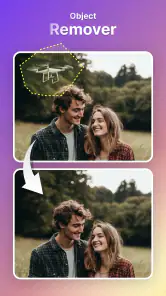
I’d skip it if most of my editing involves landscapes, detailed object removal, or carefully arranged layers, since changing the background is the specific reason to open this app. I’d also look elsewhere if I need reliable fine control over every edge or a fast way to process a large collection. For those jobs, a more comprehensive editor is worth the learning curve; for an occasional subject-and-scene swap, PixShift keeps the task approachable.
My recommendation is to judge it by one representative photo rather than by the most dramatic example you can find. Pick a clear subject, try a replacement that suits the original lighting, and decide whether the result looks good at the size you’ll use. If that simple workflow gives you the kind of playful, shareable image you wanted, the app has a useful place in your toolkit. If you find yourself fighting the edges or needing more control, that is a sign to move to a fuller editor rather than keep pushing this one beyond its strengths.
PixShift: BackGround Changer Frequently Asked Questions
What devices and operating systems can I use PixShift: Background Changer on?
PixShift: Background Changer is an app for mobile devices, and it requires Android 7.0 or later. Before downloading, check your device’s operating-system version to make sure it meets that minimum. The app is listed in the Art & Design category and is developed by Aykonu, so it may suit users looking for creative image-editing tools on a compatible device.
Is PixShift: Background Changer free to download, and are there in-app purchases?
The app is free to download, with optional in-app purchases priced from $4.99 to $29.99 per item. That gives you the option to try PixShift before deciding whether a paid item is worthwhile for your editing needs. Check the purchase details in the app before confirming a transaction, and consider whether its available tools and content fit the way you plan to edit photos.
What is PixShift: Background Changer and what does it do?
PixShift: Background Changer is an innovative mobile application designed to effortlessly alter the background of any image. Whether you want to place yourself in a different city or simply remove unwanted background elements, this app offers a seamless experience with its user-friendly interface and powerful editing tools. Perfect for both professional photographers and casual users alike, PixShift allows you to enhance your images with just a few taps.
Is PixShift: Background Changer easy to use for beginners?
Yes, PixShift: Background Changer is designed with user-friendliness in mind, making it ideal for beginners. The app offers step-by-step guidance and intuitive controls, enabling users to change backgrounds without any prior photo editing experience. Its simple drag-and-drop functionality and real-time previews ensure that even first-time users can achieve professional-looking results quickly and easily.
What are the key features of PixShift: Background Changer?
PixShift: Background Changer boasts a variety of features that make it a standout application. Key features include an extensive library of pre-set backgrounds, AI-powered background removal, customizable editing tools, and high-resolution output capabilities. Users can also save and share their edited images directly from the app. These features make PixShift a versatile tool for all your photo editing needs.
Pros
- Easy background removal.
- User-friendly interface.
- Wide selection of backgrounds.
- Fast processing speed.
- High-quality output.
Cons
- Limited free version features.
- Occasional app crashes.
- Ads in free version.
- Some backgrounds require payment.
- Limited editing tools.

- Category
- Art & Design
- Version
- 2.3.8













