PDF Reader Point
- 98.00
- 3.8
- Installs
- 10.00M
- Price
- Free
Screenshots
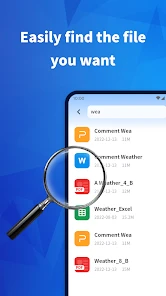
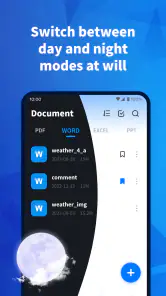
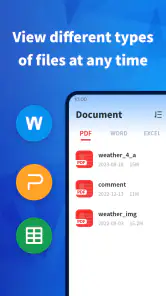
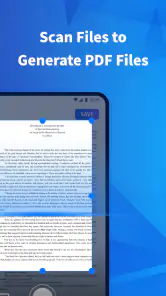
Analysis by Reviewed
When a PDF arrives while I’m away from my desk, I want to open it quickly, check the details, and move on without hunting through menus. PDF Reader Point is a free productivity app from Mass Edwin that aims to make those everyday document jobs manageable on a phone. Its current release is version 1.2.0, and it has reached over 10 million installs. I’d consider it most useful for people who regularly read or mark up PDFs on Android, rather than anyone looking for a full desktop publishing or document-management setup.
What the current version is suited to
At its best, this app brings several common PDF tasks into one place: reading, highlighting, adding comments, signing, and filling out forms. That combination is handy when I need to review a document away from a computer. Instead of opening one app to read and another to make a quick mark, I can keep the basic workflow together.
The practical benefit depends on the kind of PDF in front of you. A short handout, a document that needs a few comments, or a form with straightforward fields is a natural fit. A long report that requires extensive editing is a different matter: a phone screen is cramped for detailed work, and I’d still choose a larger display when accuracy and layout matter.
Why PDF Reader Point Stands Out
First off, let’s talk about the user interface. I’m not a fan of apps that make you feel like you’re deciphering the Enigma code just to open a document. Luckily, PDF Reader Point keeps it simple. The layout is clean, intuitive, and, dare I say, almost fun to navigate. I was impressed by how quickly I could find my way around, even on my first use.
Features That Make Life Easier
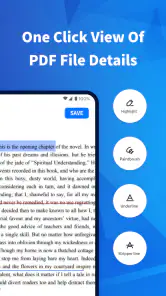
Now, onto the features. With PDF Reader Point, you can do more than just read PDFs. The app allows you to annotate, highlight, and even sign documents. Need to fill out a form? No problem! You can do it directly in the app. It’s like having a mini office in your pocket, and I’ve got to say, it’s a game changer for those of us who are constantly on the move.
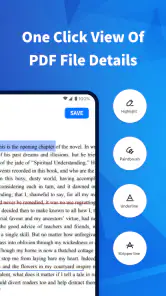
The annotation feature deserves a special mention. I’m a sucker for a good annotation tool, and this one hits the mark. Whether you’re a student adding notes to a textbook or a professional reviewing documents, it’s got you covered. The highlighting tool is precise, and the text box feature lets you add comments wherever you need them.
A useful routine for reading and reviewing
For a realistic day-to-day example, imagine receiving a class reading or work brief during a commute. I’d open the PDF, scan the relevant pages, highlight a passage to revisit, and add a brief comment while the context is fresh. Later, I could return to those marks instead of rereading the whole document. That works best when annotations are selective: a few clear highlights are easier to use than coloring every other paragraph.
You May Like

Clash of Clans Is Won Between the Battles

Android Auto Makes the Case for Quieter Car Software

MobiOffice: Transforming Mobile Productivity with Seamless Integration

EA SPORTS FC™ Mobile Soccer: Redefining Mobile Sports Gaming

How Microsoft OneDrive Became a Mobile Productivity Giant

How Google Translate Breaks Language Barriers Effortlessly
On a form, I’d check the finished document before sending it anywhere. Signing or typing into a field on a small screen can make alignment harder to judge, especially if the form uses tight boxes or has several pages. For anything official or sensitive, I’d zoom in and review every filled field and the signature placement rather than assuming the first pass is perfect.
Making annotations useful later
A note is only valuable if I can understand it when I return to the file. I try to write comments that capture the reason for a highlight, not just repeat the sentence beside it. For example, a short prompt such as “check this figure against the brief” gives me a next step; a vague “important” may not. This is a small habit, but it makes phone-based review more useful when I reopen the document later or need to explain my thinking to someone else.
I’d also separate reading marks from decisions. Highlighting a passage can help me find it, while a comment can record a question or action. Keeping those jobs distinct prevents a document from becoming a wall of colored text. If I’m reviewing material for a meeting, I can mark only the passages that need discussion and leave general background alone, making it easier to skim my own work on a smaller screen.
How it compares with other PDF options
Compared with a basic phone viewer, the advantage here is having annotation and form-related tools alongside reading, which can save a switch between apps. A browser or a built-in file viewer may be enough if you only open an occasional PDF and never need to mark it up. On the other hand, someone who regularly handles complex forms, needs advanced document organization, or edits PDFs in depth may be better served by a more specialized tool or a desktop workflow.
A useful habit is to treat the app as a convenient reading and review space, not as a replacement for every document tool. I’d use it to make quick notes, then confirm that the saved document still looks right before sharing it. That small check is especially worthwhile when annotations or form entries must be understood by someone else.
Where it fits in a mixed-device routine
If I start reading on a phone and later need to do careful work, I’d treat the mobile session as preparation rather than assume it must be the whole process. I can identify the pages that matter, add concise notes, and then move to a larger screen for detailed checking if the task calls for it. That division is useful for a student who reads between classes or a colleague who receives a brief while travelling: the phone helps capture context, while a computer remains the better place to scrutinize layout-heavy material.
One practical trade-off is that keeping a document and its annotations together is convenient, but it also makes the final review important. Before sharing, I’d reopen the version I intend to send and check that the marks are legible and that the form still reads naturally. If the recipient needs a clean copy, I’d make sure I’m not sending a marked-up version by mistake. This is less about a special feature than a sensible safeguard when using any mobile PDF tool.
Performance and Reliability
Let’s be real; no one wants to deal with an app that’s slower than a snail on a lazy afternoon. Thankfully, PDF Reader Point is snappy and reliable. I experienced zero lag time while flipping through pages or switching between documents. It’s also easy on the battery, which is a big plus in my book. There’s nothing worse than your app draining your phone faster than you can say "PDF."
And if you’re wondering about security, rest easy. The app ensures that your documents are safe and sound with its robust privacy features. It’s comforting to know that I can handle sensitive documents without worrying about security breaches.
Choosing the right job for a phone screen
The app makes the most sense when speed and convenience matter more than fine control. I’d use it to read a short agenda before a call, add a question to a review copy, or complete a straightforward form when I cannot reach a computer. Those are jobs where a compact screen is an acceptable compromise. I would not choose a phone as my main workspace for comparing dense tables, revising a long technical document, or checking a layout where small shifts could change the meaning.
There is also a difference between being able to annotate and having a complete document workflow. If I need to maintain a carefully organized archive, coordinate edits with several people, or make extensive changes to page structure, I would look for a dedicated document-management or editing solution. For occasional markup, though, keeping reading and comments together can be less cumbersome than installing a heavyweight tool I rarely use.
Limits worth keeping in mind
The app’s focus on convenient PDF reading does not make every phone-based task comfortable. Small text, dense tables, and documents with complicated layouts can take patience, and precise edits are easier to inspect on a larger screen. I’d also avoid relying on a quick glance when a form needs careful completion: zooming in and checking the final pages is a sensible part of the workflow.
It is a reasonable choice if you want a free reader with practical markup tools, and its Everyone age rating makes it suitable for a broad audience. Its average rating is 3.8 from around 7,400 ratings, with 98 written reviews. Those figures offer some context, but the right fit still comes down to whether you need simple reading and annotations or a more specialized PDF workspace.
Who may prefer another tool
I would skip it as a primary solution if most of my PDF work involved complex editing, strict page-layout control, or a shared team process. A desktop editor is easier to inspect precisely, and a more specialized mobile tool may be preferable if advanced organization is central to the job. Likewise, someone who only opens a PDF once in a while may have no reason to add another app when the phone’s existing viewer already handles that occasional need.
For people who do choose it, I’d start with a low-risk document and test the steps they expect to use: open a file, place a highlight, add a comment, then check how the finished page looks. That quick trial shows whether the controls suit their hands and whether their usual PDFs are comfortable to read. It is more useful than judging a reader only by its feature names, since form layouts and reading habits vary widely.
Final Thoughts
In conclusion, PDF Reader Point is like finding that one perfect pair of jeans that fit just right. It’s practical, reliable, and makes your life a whole lot easier. Whether you're a student, a professional, or just someone who finds themselves dealing with PDFs regularly, this app is worth checking out. It’s like having a little productivity boost right in your pocket.
So, if you’re in the market for a PDF reader that does it all without breaking a sweat, give PDF Reader Point a try. You might just find it’s exactly what you’ve been looking for!
Who should choose it, and what to watch
I’d recommend it to students who annotate readings, people who review short work documents on the move, and anyone who occasionally needs to sign or complete a PDF from a phone. If your main need is simply opening a file, the viewer already on your device may be enough. If your work depends on extensive editing or careful layout control, I’d use a computer or a dedicated advanced editor instead.
The app was released on October 18, 2024, and version 1.2.0 is its current release. That gives existing users a clear point of reference, but a version number alone does not tell me which tools have changed or how the app will evolve. I’d keep an eye on future releases for improvements that make longer reading sessions, document handling, or precise form work more comfortable, while judging any change by whether it helps with the tasks I actually do.
PDF Reader Point Frequently Asked Questions
Can PDF Reader Point handle large documents comfortably?
PDF Reader Point is a productivity app focused on providing a better reading experience, making it a potential option for everyday document viewing. Before downloading, consider whether your usual files and reading habits fit the app’s purpose. You can explore how it performs with your own documents after installation, since comfort with lengthy files can depend on the device and the document itself.
What features does PDF Reader Point offer?
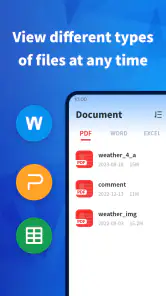
PDF Reader Point is equipped with an array of features aimed at enhancing your document reading experience. It supports various file formats including PDFs, Word documents, and more. The app offers annotation tools, bookmarking, and text highlighting, as well as a night mode for comfortable reading. Additionally, it provides cloud storage integration, allowing users to access their documents from any device.
Is PDF Reader Point available for both Android and iOS platforms?
Yes, PDF Reader Point is available for download on both Android and iOS platforms. Users can easily find it on Google Play Store for Android devices and the Apple App Store for iOS devices. The app is designed to offer a seamless experience across different devices, ensuring users can access their documents wherever they are.
Does PDF Reader Point support offline usage?
Absolutely, PDF Reader Point supports offline usage, which means you can access and read your downloaded documents without an internet connection. This feature is particularly useful for users who travel frequently or are in areas with unstable internet connectivity, ensuring that you can work on your documents uninterrupted.
Are there any in-app purchases or subscriptions in PDF Reader Point?
Yes, while PDF Reader Point offers a free version with essential features, it also includes in-app purchases and subscription options for users who require more advanced functionalities. These may include additional storage, premium annotation tools, and ad-free experience. It is recommended to review these options to decide what best fits your needs.
Pros
- Supports multiple file formats.
- Has a built-in file manager.
- Offers text-to-speech feature.
- Allows easy annotation.
- Has a user-friendly interface.
Cons
- Free version has ads.
- Limited cloud storage options.
- No dark mode available.
- Occasional lag on large files.
- Requires internet for some features.

- Category
- Productivity
- Version
- 1.2.0











