Meitu
- 7.51K
- 4.6
- Installs
- 100.00M
- Price
- Free

Screenshots



Analysis by Reviewed
Have you ever found yourself flipping through photos, wishing you could magically enhance them with just a few taps? Well, that’s exactly what Meitu is here to do! If you haven’t heard of it yet, let me introduce you to this delightful photo-editing app that’s been making waves among selfie enthusiasts and photo junkies alike.
Discovering the Magic of Meitu
When I first downloaded Meitu, I was immediately struck by its user-friendly interface. The app is designed with a vibrant and intuitive layout that just invites you to dive in and start editing. The icons are clear, and trust me, even if you’re not a tech wizard, you’ll find navigating through its features a total breeze.
Beauty Filters That Wow
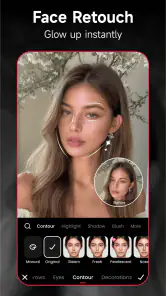
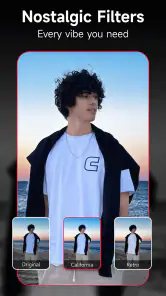
The standout feature of Meitu has to be its beauty filters. Imagine having a personal makeup artist at your fingertips! From subtle enhancements to dramatic makeovers, the app offers a wide range of filters that can cater to any mood or occasion. I tried out a few of these on my photos, and let me tell you, they add a certain flair that makes your images pop.
Advanced Editing Tools
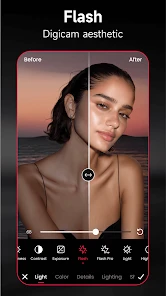
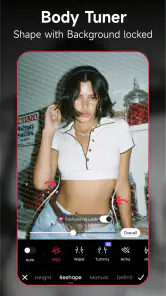
Beyond the basic filters, Meitu boasts an impressive array of advanced editing tools. Whether you’re looking to tweak brightness, contrast, or even add some whimsical effects, this app has got you covered. One of my favorite tools is the "Magic Brush," which lets you doodle on your photos with different brush styles. It’s like unleashing your inner artist!
Collage and More
Feeling creative? The collage feature on Meitu is perfect for crafting those Instagram-worthy posts. With a variety of templates and layouts, you can stitch together your favorite memories in a way that tells a story. Plus, the app’s ability to add text and stickers means you can personalize your collages to your heart’s content.
Another cool aspect I discovered was the "ArtBot" feature. Ever wanted your photo to look like a painting? With ArtBot, you can transform your images into stunning works of art, mimicking styles from famous artists. It’s definitely a fun way to see your photos in a new light.
Final Thoughts
So, is Meitu worth a download? Absolutely! Whether you’re looking to enhance your selfies, create eye-catching social media posts, or just have some fun with your photos, this app delivers on all fronts. It combines simplicity with powerful editing tools, making it a must-have for anyone who loves photography.
More From Our News Desk

Weather by Xiaomi Review: Clear at a Glance, Less Clear Up Close

X Under Pressure: Can It Recover When Posting Goes Wrong?

Clash of Clans Is Won Between the Battles

Android Auto Makes the Case for Quieter Car Software

MobiOffice: Transforming Mobile Productivity with Seamless Integration

EA SPORTS FC™ Mobile Soccer: Redefining Mobile Sports Gaming
In a world where visual content is king, having an app like Meitu in your arsenal is a game-changer. So go ahead, give it a try, and watch your photos transform from ordinary to extraordinary!
Meitu Frequently Asked Questions
Does Meitu work on older Android devices?
Meitu supports Android devices running version 8.0 or later, so checking your phone’s software before downloading is a useful first step. The app focuses on enhancing, retouching, and applying aesthetic filters to photos. If your device meets the minimum requirement, you can decide whether its photography tools suit the kind of edits you want to make.
Who makes Meitu, and how widely is it used?
Meitu is developed by Meitu (China) Limited and belongs to the photography category. It has more than 100 million installs, with an average rating of 4.6 from around 1.4 million ratings. Those figures suggest it has reached a broad audience, though whether its editing style suits you is best judged by the features you want from a photo app.
What types of photos can I edit with Meitu?
Meitu is designed for enhancing, retouching, and adding aesthetic filters to photos, so it can suit everyday portraits as well as images you want to give a more creative finish. Its editing tools make it useful for casual touch-ups or experimenting with different looks. You can also use its collage-making feature to bring several images together.
Can I save and share edited photos from Meitu?
Meitu is a photo editing app, so you can work on images and keep the results for personal use or sharing. Before downloading, consider how you want to use your finished edits: the app is aimed at enhancing and retouching photos, rather than serving as a general social network. Your usual device and sharing options can help determine where you save or send the completed image.
What is Meitu and what does it offer?
Meitu is a popular photo editing app that allows users to enhance their images with a variety of tools and filters. It offers features such as beautification, artistic effects, and collage making. The app caters to both casual users and photography enthusiasts who want to add a creative touch to their photos.
Pros
- Offers extensive photo editing tools.
- User-friendly interface for easy navigation.
- High-quality filters and effects.
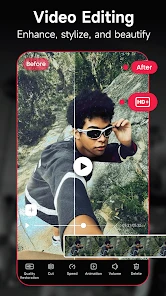
- Supports both photo and video editing.
- Regular updates with new features.
Cons
- Contains in-app purchases.
- May require a stable internet connection.
- Some features need a paid subscription.
- Advertisements can be intrusive.
- Large app size can consume storage.
- Category
- Photography
- Version
- 11.25.5












