BeautyCam-AI Photo Editor
- 3.29K
- 3.9
- Installs
- 50.00M
- Price
- Free

Screenshots
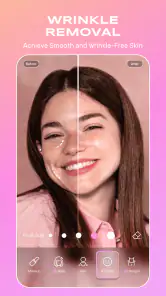
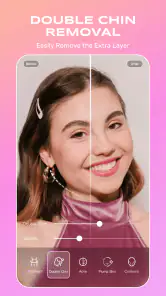
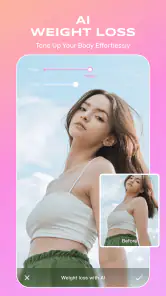
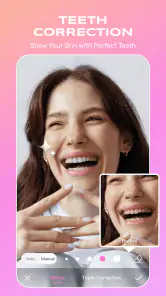
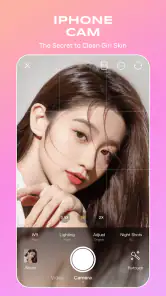
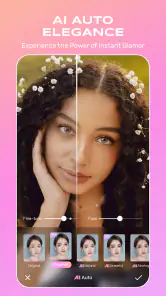
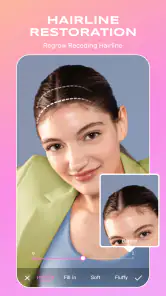
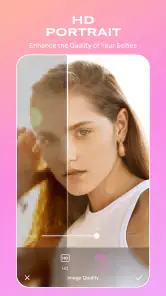
Analysis by Reviewed
BeautyCam works best when I treat it as a quick, expressive photo editor rather than a substitute for careful photography. Its mix of portrait-focused adjustments and playful effects suits casual selfies and social posts, while the range of options can take a little restraint to keep results believable. If you want a fast way to shape the look of a photo on your phone, I can see the appeal; if you prefer precise, hands-on editing, a more traditional editor may fit better.
A quick edit that still needs your eye
For a realistic result, I’d start with a light touch: choose the photo first, make one or two adjustments, then check the image at its normal viewing size before saving. That last glance matters because skin smoothing and brightening can look subtle on a small screen but more obvious when the image is shared or viewed larger. I find it helps to compare the edited version with the original rather than keep adding effects just because they are available.
A useful everyday example is taking a group selfie indoors before heading out. I might use an overall filter to bring the picture together, then make a modest portrait adjustment on the person closest to the camera. The trade-off is that a strong preset can make faces look less like themselves, so I’d favor a consistent, restrained finish over trying to make every face look polished in the same way.
Where it fits among photo editors
Compared with a general-purpose photo editor, BeautyCam puts more emphasis on faces, ready-made looks and quick results. That makes it convenient when I want a social-ready portrait without building an edit from scratch. A manual editor is usually the better choice when I need detailed control over color, composition or a batch of unrelated images. A camera app focused on capturing the shot may also be preferable if I care more about framing and exposure before pressing the shutter than reshaping the picture afterward.
One practical habit is to keep an untouched copy of a photo before experimenting. That gives me room to try a stronger look without losing the natural original, and it makes comparisons easier when I’m deciding whether an effect improves the image or simply changes it. I’d also choose effects for the setting: a playful treatment can suit a casual post, while a simple portrait is often more appropriate for a profile picture or a photo I want to keep looking timeless.
Who is likely to enjoy it
I’d recommend it to people who take frequent selfies, want quick portrait edits, or enjoy trying different visual styles without learning a complicated editing workflow. It can also be a handy choice for someone who wants to make a short clip feel more polished alongside their photos. The app is less suited to photographers looking for detailed manual control, people who dislike beauty adjustments, or anyone who wants every image to retain an unedited appearance.
BeautyCam is a photography app from Meitu (China) Limited, and its long-running presence suggests it has found a broad audience: it has passed 50 million installs and holds a 3.9 average from around 473,000 ratings. It is free to download, rated for Everyone, and offers optional in-app purchases ranging from $0.49 to $64.99 per item. I’d try the free experience first and decide whether any paid extras match the way I actually edit, rather than assuming I need them.
More From Our News Desk

Weather by Xiaomi Review: Clear at a Glance, Less Clear Up Close

X Under Pressure: Can It Recover When Posting Goes Wrong?

Clash of Clans Is Won Between the Battles

Android Auto Makes the Case for Quieter Car Software

MobiOffice: Transforming Mobile Productivity with Seamless Integration

EA SPORTS FC™ Mobile Soccer: Redefining Mobile Sports Gaming
On my phone, the most useful question would be whether the app’s look suits the photos I take every day. I wouldn’t expect every effect to fit every face or occasion, and I’d avoid judging a portrait only by how striking it looks in the editor. The current version is 12.9.15, with Android 8.0 as the minimum operating-system requirement; those details are worth checking against your device before installing. The app was released on February 25, 2013, and has accumulated about 3,300 written reviews.
Small workflow choices that improve the result
BeautyCam is easiest to judge when I use it on photos with different lighting rather than testing every tool on one flattering selfie. A bright window portrait, a dim indoor group picture and an outdoor shot can reveal whether a chosen look holds up across the situations I actually encounter. I’d make those comparisons with the same image saved in its original form, because memory is a poor guide to subtle changes in color and skin texture.
For a profile photo, I’d keep the crop and expression doing most of the work, then use beauty adjustments sparingly. For a casual post, I’d be more willing to try a bolder filter or playful effect. That separation helps avoid a common editing trap: applying the most eye-catching treatment simply because it looks impressive in the preview, even when it distracts from the person or moment the photo is meant to show.
If I’m editing a group portrait, I’d check the faces one by one before settling on an overall look. A preset that feels balanced on the person nearest the camera may affect other faces differently, especially when people are standing at different distances or under uneven light. I’d rather accept a little variation between faces than push the whole image toward a uniform, artificial finish.
What to expect from the free experience
The free download makes it easy to see whether BeautyCam’s portrait-first approach suits your habits before spending anything. I would explore the options I expect to use repeatedly, then pause before purchasing extras just because they appear appealing in the moment. The in-app purchase range is broad, so the sensible question is not whether a paid item exists but whether it solves a recurring need for you. Someone who edits only an occasional selfie may be perfectly satisfied without paying.
It is also worth deciding what “natural” means to you before editing. Some people want a clean, lightly polished portrait; others enjoy a noticeably stylized look. BeautyCam can be more satisfying for the second group, while the first may need to dial back adjustments and inspect the saved result carefully. If you want precise control over every tonal or compositional choice, I’d still reach for a conventional editor rather than expect a face-focused app to replace that workflow.
When another kind of app is the better tool
BeautyCam is not the choice I’d make for every photography task. If I’m correcting a landscape, adjusting a product photo, or trying to keep a set of images visually consistent, a general editor with more deliberate controls is likely to be a better fit. If the original shot has poor framing or missed focus, editing can only do so much; I’d pay more attention to capturing the scene well than trying to repair it afterward.
I’d also skip a beauty-focused workflow when authenticity matters more than polish, such as preserving a candid family moment or documenting something accurately. That does not make the app unsuitable for those photos; it just means I’d leave the portrait adjustments alone and use only a restrained overall treatment, if any. The best result is sometimes the one that leaves the picture close to how the moment felt.
Ever wondered how some people always seem to have the perfect selfies and photos? Well, I stumbled upon an app that might just be the secret sauce. Let me introduce you to BeautyCam - AI Photo Editor. It’s like having a digital makeup artist and photographer in your pocket. Let’s dive into what makes this app tick and why it’s worth your time.
Transform Your Photos in a Snap
First off, the beauty of BeautyCam lies in its simplicity and effectiveness. You know those days when you’re just not feeling your best but still want to capture the moment? This app has got you covered. With a plethora of filters and editing tools, it enhances your natural beauty with just a few taps. The AI technology is pretty impressive, automatically adjusting lighting and smoothing out any blemishes without making you look like a completely different person.
Features That Stand Out
One of the standout features of BeautyCam is its AI-powered beauty mode. It intelligently analyzes your facial features and applies adjustments that highlight your best attributes. Whether it’s brightening your eyes or giving your skin a flawless glow, the app does it all while keeping things natural.
There’s also a fun array of stickers and AR effects that can add a playful touch to your photos. If you’re like me and enjoy a bit of whimsy in your pictures, you’ll find this feature particularly entertaining. Plus, the app supports video editing, which is a bonus for those who love capturing moving moments.
User-Friendly and Intuitive
Now, I’m not one to spend ages figuring out how to use an app, and thankfully, BeautyCam is as user-friendly as it gets. The interface is intuitive, with all the main tools easily accessible. Even if you’re a newbie to photo editing, you’ll find yourself navigating through it like a pro in no time. The app guides you, ensuring that you get the most out of it without a steep learning curve.
Share-Worthy Results
Once you’re done editing, sharing your masterpiece is a breeze. The app integrates seamlessly with social media platforms, allowing you to upload your photos directly. This means you can show off your enhanced images to your followers instantly. And trust me, they’ll be asking how you got that perfect shot!
In conclusion, if you’re on the hunt for an app that elevates your photography game with minimal effort, BeautyCam - AI Photo Editor is definitely worth a try. It combines powerful editing tools with an easy-to-use interface, making photo editing accessible to everyone. Whether you’re a selfie enthusiast or just someone who wants to capture life’s moments beautifully, this app has something for you. So go on, give it a shot and watch your photos transform!
BeautyCam-AI Photo Editor Frequently Asked Questions
Can I use BeautyCam to take photos as well as edit them?
BeautyCam is presented as a photography app, and its feature set includes real-time beauty effects that can be applied while taking photos. That makes it relevant both when you want to adjust an existing picture and when you are preparing a new shot. You can also use its editing tools and filters to give images a different look after capture.
Who develops BeautyCam - AI Photo Editor?
BeautyCam - AI Photo Editor is developed by Meitu (China) Limited. Knowing the developer can help you identify the app when comparing photography tools or looking for support and updates. The app focuses on photo editing, with features such as beauty enhancements, filters, and effects for people who want to change or refine the appearance of their pictures.
Is BeautyCam - AI Photo Editor suitable for children?
BeautyCam is a photography app with an Everyone content rating, so it is presented as suitable for a general audience. Its beauty effects, filters, and photo-editing tools may appeal to people who want to change the look of their pictures. As with any app, parents can decide whether its features and the way a child uses photo-editing tools are appropriate for them.
Which devices can run BeautyCam - AI Photo Editor?
BeautyCam - AI Photo Editor requires Android 8.0 or later, so check your device’s operating system before downloading it. The app is developed by Meitu (China) Limited and is available for Android and iOS. Meeting the operating-system requirement helps establish compatibility, while the space available on your device and its general performance can also affect how smoothly you use photo-editing features.
What is BeautyCam - AI Photo Editor?
BeautyCam - AI Photo Editor is a versatile application designed to enhance your photos using advanced AI technology. It offers a range of features including beauty enhancements, filters, stickers, and more, allowing users to effortlessly transform their images into stunning works of art. The app is user-friendly and caters to both casual users and photography enthusiasts looking to elevate their photo editing experience.
Pros
- Intuitive and user-friendly interface.
- Wide range of filters and effects.
- Real-time editing capabilities.
- High-quality output images.
- Regular updates with new features.
Cons
- Some features require in-app purchases.
- Occasional ads can be intrusive.
- Large app size may affect storage.
- Limited free version options.
- Requires internet for full functionality.
- Category
- Photography
- Version
- 12.9.15












