Local Weather Forecast& Widget
- 515.00
- 4.6
- Installs
- 5.00M
- Price
- Free
Screenshots
Analysis by Reviewed
When I first open Local Weather Forecast & Widget, I want one simple answer: what should I expect outside, and what does that mean for my plans? This weather app is aimed at quick local checks, with information presented in an at-a-glance format as well as a fuller forecast view. I’d treat it as a practical daily reference rather than a tool for serious meteorological analysis.
What to expect from a quick weather check
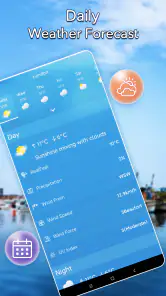
The main appeal is convenience. Instead of searching around for a forecast, I can use the app to get a local weather update and decide whether a walk, commute, or errand needs a change of plan. A home-screen widget can make that glance even quicker, although the most useful layout is the one that stays readable on your particular phone screen.
That distinction matters: a widget is handy for checking conditions without opening the app, while the app itself is better when I want to spend a moment comparing the current picture with the forecast. I would not assume a quick glance answers every planning question. For a long drive, outdoor event, or rapidly changing conditions, I’d check the forecast again closer to leaving.
Getting set up without overthinking it
For a first-time user, I’d start by opening the app and allowing it to identify the local area if prompted. If location access is not convenient, choosing a place manually is a sensible alternative when available. Then I’d take a moment to find the forecast view and add a widget only if I expect to check the weather several times a day.
A useful first test is to compare what the app shows with the sky outside, then check again later before heading out. This is not a formal accuracy test; it simply helps you learn where the current conditions and forecast appear, and how quickly you can find them. If you prefer fewer distractions, begin with the main screen and leave optional notifications off until you know you want them.
The first useful decision
Imagine it is a weekday morning and you are deciding whether to take a jacket on the way to work. I’d check the local conditions, look at the forecast for the time I expect to be outside, and make a straightforward choice. The benefit is less about staring at weather details and more about turning them into a small, useful decision before walking out the door.
For a more changeable day, I’d check once in the morning and again before an outdoor plan. That second look is a practical habit, not a promise that conditions cannot shift. Weather apps are most useful when they inform a decision at the right time; checking repeatedly without a plan can create noise rather than confidence.
More From Our News Desk

Weather by Xiaomi Review: Clear at a Glance, Less Clear Up Close

X Under Pressure: Can It Recover When Posting Goes Wrong?

Clash of Clans Is Won Between the Battles

Android Auto Makes the Case for Quieter Car Software

MobiOffice: Transforming Mobile Productivity with Seamless Integration

EA SPORTS FC™ Mobile Soccer: Redefining Mobile Sports Gaming
Making the forecast useful beyond the morning
For a typical workday, I would not try to follow every change on the screen. I’d connect the forecast to a specific choice: whether to walk, carry an umbrella, move a break indoors, or leave extra time for a weather-sensitive trip. This makes a simple local check more useful than repeatedly refreshing without knowing what I am looking for.
There is also a small but important planning habit when the forecast is for somewhere other than home. Before packing for a visit or outing, I’d make sure the selected place is the destination, then check again near departure. Otherwise, the app may be giving a perfectly relevant update for the wrong place. That is an easy mistake to make when travelling, and it is worth checking the location label before acting on the forecast.
Choosing the right amount of information
I’d begin with the clearest view rather than trying to interpret every available detail at once. A short glance is usually enough for deciding what to wear; a longer look is more useful when timing an outdoor plan. The practical trade-off is that more information can help with context, but it can also slow down a decision that should be simple.
The widget is most valuable when it earns its space. If I find myself checking the weather before leaving home every day, keeping a readable widget nearby can remove a small step from that routine. If I rarely look at it, or the chosen layout makes the home screen feel crowded, I’d remove it and open the app when there is a real reason. A widget should reduce friction, not become another item to manage.
Why I Love the Local Weather Forecast & Widget
Ever been caught in a sudden downpour without an umbrella or wished you’d worn a lighter jacket? Well, say hello to Local Weather Forecast & Widget, your new personal weather advisor. This app is like having a meteorologist in your pocket, ensuring you're always prepared for whatever Mother Nature throws your way.
First off, let me tell you, this app is a game-changer. The Local Weather Forecast & Widget offers up-to-the-minute weather updates with a precision that’s almost spooky. I’ve been using it for weeks, and the accuracy is impressive. Whether it’s predicting rain in the next hour or giving you a heads-up about a sunny weekend, this app nails it every time.
Features That Stand Out
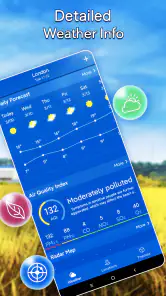
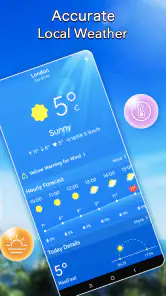
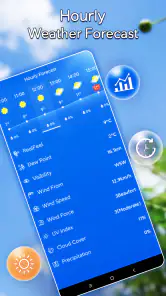
One of my favorite features has to be the real-time updates. The app’s interface is super intuitive, and I love how it gives a detailed breakdown of the weather conditions. From temperature and humidity to air pressure and wind speed, it’s all there at a glance.
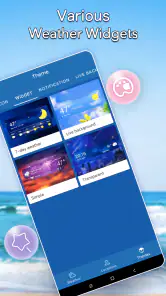
Another cool feature is the customizable widgets. You can choose the size, theme, and even the level of detail you want right on your home screen. It’s perfect for someone like me who likes having instant access to the weather without diving into the app.
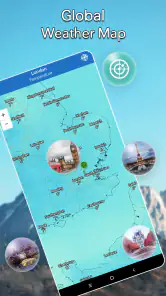
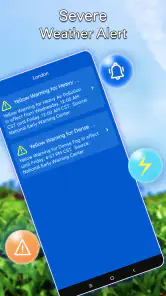
And let’s not forget about the severe weather alerts. I never worry about getting caught in a storm unprepared. The app sends timely notifications, so I’m always one step ahead. Plus, the radar maps are a lifesaver for visualizing what’s headed my way.
User Experience and Design
In terms of design, the app is sleek and user-friendly. The developers have clearly put a lot of thought into the user experience. Navigating through the app is a breeze, and even if you’re not tech-savvy, you’ll find it easy to use. The color scheme is pleasing to the eye, and the icons are straightforward.
What’s also great is that the app doesn’t drain your battery as some weather apps tend to do. It’s optimized to run efficiently in the background, so you’ve got the latest updates without sacrificing phone performance.
Using it alongside other weather sources
Compared with a phone’s built-in weather view, a dedicated app can be a better fit if you like keeping a forecast widget visible or prefer opening one place for a local check. I would not switch just for the sake of having another weather icon, though: if your built-in forecast already answers your daily questions, that may be enough. This app makes more sense for someone who values a home-screen glance and wants to explore conditions in more detail when needed.
It is also worth separating convenience from certainty. A forecast is guidance, not a guarantee, and conditions can change between checks. For a routine commute, a quick look may be all I need; for a day on the water, a hike, or another plan where weather has real safety consequences, I’d consult a trusted specialist source as well rather than relying on one general-purpose app.
Where it fits—and where it doesn’t
I’d recommend this kind of setup to someone who regularly decides what to wear, when to run errands, or whether to move an outdoor activity indoors. A widget is especially useful if the forecast is part of a repeated routine: I can check it while unlocking my phone instead of opening a separate screen. Someone who rarely changes plans based on weather may find the extra app unnecessary.
For a family outing, I’d check the local forecast before packing, then revisit it shortly before leaving. That gives me a chance to adjust without turning the morning into a stream of notifications. If a widget takes up too much home-screen space, I’d remove it and open the app only when I need it; the best weather setup is the one that makes a decision easier, not the one with the most visible information.
Practical details before you settle in
Life Assistant Studio is the developer behind this free weather app. It is rated for Everyone, has a 4.6 average from around 54,000 ratings, and has been installed over 5 million times. The current version is 1.5.6.0, and it runs on Android 6.0 or later. In-app purchases are available at $4.99 per item, so I’d check what an optional purchase covers before paying; the app’s free price makes it easy to try the basic experience first.
If the location shown seems wrong, I’d first check whether the app is using the place I actually want to forecast for, especially when travelling or planning for somewhere other than home. For a local routine, the current area is usually the most relevant; for a trip, the destination matters more than the place I’m standing. That small distinction prevents an accurate forecast for the wrong location from becoming an unhelpful answer.
Making a dependable routine
A practical way to use a local forecast is to attach each check to a moment when it can still change your plans. I’d look before getting dressed, then revisit it before leaving if the day includes a longer outdoor stretch. This is more useful than treating every notification or screen refresh as an instruction to reconsider the whole day.
For someone helping children or older relatives get ready, a quick check can guide simple choices such as suitable layers or whether an outdoor stop needs a backup plan. I would still keep the decision proportionate: a general forecast can help with ordinary scheduling, while unusual or hazardous conditions call for more authoritative information and a cautious plan.
What to do if the first check feels unclear
New users sometimes expect the widget and the full app to answer exactly the same question in the same amount of detail. I’d use the widget for orientation and open the main view when I need context. If a number or condition seems surprising, confirm the selected location and look at the forecast again rather than assuming the first glance settles it.
Another sensible question is whether the app is worth keeping if I already use a built-in forecast. I’d give it a short trial during an ordinary week and judge it by one thing: does it make the weather easier to check at the point when I make a decision? If the answer is no, the built-in option may be simpler. If a visible widget or the app’s fuller view fits your routine better, keeping both available can be worthwhile without making either one your sole source for high-stakes choices.
Final Thoughts
All in all, Local Weather Forecast & Widget is a must-have for anyone who likes to plan their day around the weather. Whether you’re a casual user or a weather enthusiast, this app offers something for everyone. It’s reliable, easy to use, and packed with features that make it stand out in the crowded weather app market. So, if you haven’t already, give it a try and see how it can simplify your life by keeping you informed and prepared.
Trust me, once you start using it, you’ll wonder how you ever managed without it. Happy weather watching!
Local Weather Forecast& Widget Frequently Asked Questions
Can I use Local Weather Forecast & Widget to check weather while traveling?
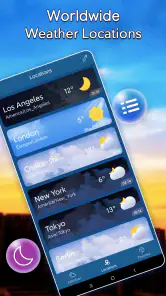
The app is described as a real-time local weather provider, so it is intended to help you check conditions in different places, not just at home. Its existing location feature lets users keep track of multiple cities and switch between them to view weather updates and forecasts. That can be useful when planning a trip or checking conditions where friends or family live.
Does Local Weather Forecast & Widget include home-screen widgets?
Yes. Home-screen widgets are among the app’s main features, letting you see weather information without opening the app each time. The published feature description says the widgets are customizable, so you can choose a presentation that suits your home screen. If you like checking conditions at a glance, this may be one of the most convenient reasons to try it.
Is Local Weather Forecast & Widget suitable for the whole family?
The app has an Everyone age rating, so it is presented as suitable for a broad audience. Its focus is checking local weather and forecasts, which can be useful for everyday planning across the household. It is free to install, though in-app purchases are available, so anyone managing app spending may want to review purchase settings on the device before handing it to a child.
Who develops Local Weather Forecast & Widget?
Local Weather Forecast & Widget is developed by Life Assistant Studio. Knowing the developer can help you distinguish it from similarly named weather apps when searching in an app store. It is a weather app centered on checking local conditions, and its summary describes it as a real-time provider for checking weather anytime and anywhere.
What should I check before installing Local Weather Forecast & Widget on Android?
Local Weather Forecast & Widget is a weather app from Life Assistant Studio, with a current version of 1.5.6.0. On Android, it requires version 6.0 or later, so check your device’s operating system before downloading. The app is free to install, and its Everyone age rating makes it suitable for a broad audience.
Pros
- Accurate weather updates
- Customizable widgets
- Detailed forecasts
- User-friendly interface
- Offers severe weather alerts
Cons
- Ads can be intrusive
- Limited free features
- Occasional slow updates
- Requires stable internet
- Some features require subscription
- Category
- Weather
- Version
- 1.5.6.0











