Infinite Painter
- 9.99K
- 4.5
- Installs
- 10.00M
- Price
- Free

Screenshots
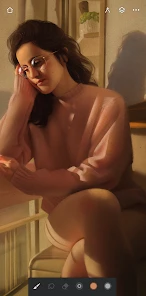
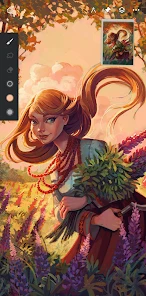
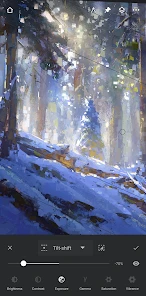
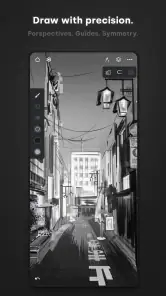
Analysis by Reviewed
When I first stumbled upon Infinite Painter, I wasn’t sure what to expect. Yet, within moments of diving into its features, it became clear that this app is a hidden gem for digital artists. Whether you're a seasoned pro or just dabbling in digital art, Infinite Painter has something to offer everyone.
Getting Started: User-Friendly Interface
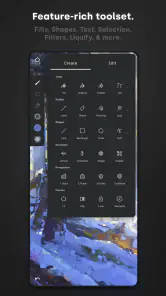
One of the first things you'll notice when you open the app is its clean and intuitive interface. Infinite Painter doesn’t bombard you with a chaotic screen full of buttons and menus. Instead, it offers a serene space where creativity can flow. The tools are neatly organized, making it easy to navigate, even if you're new to digital painting.
A Palette of Features
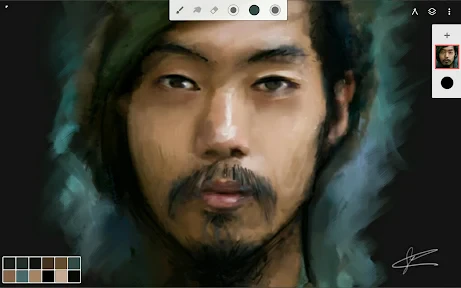
Now, let’s talk about the features that really make this app stand out. With over 160 natural brush presets, the possibilities are endless. You can tweak each brush to your liking, ensuring that your artwork is just how you envision it. Plus, the brush engine is fast and responsive, which means no lagging when you're in the zone.
Another brilliant feature is the layer system, which is incredibly robust. You can add as many layers as you need, and the blending modes are on par with those offered by more expensive desktop software. This makes it easy to experiment with different techniques without worrying about ruining your original work.
Tools for Precision
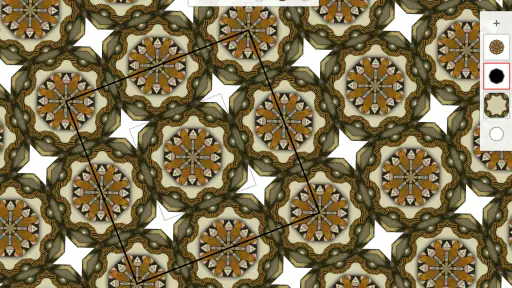
For those who love the fine details, Infinite Painter offers precision tools like transform, gradient, pattern, and liquify. These tools are designed to help you refine your art to perfection. The ability to export your work in multiple formats is also a huge plus, especially if you're considering printing your pieces or sharing them professionally.
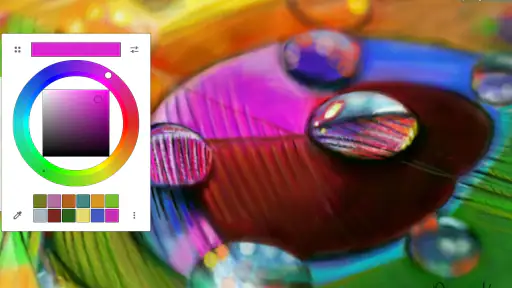
And let’s not forget the color wheel. It’s intuitive and allows for seamless color blending, which is perfect for those who love to play with shades and gradients. The app also supports pressure sensitivity, which is a must for any serious digital artist using a stylus.
Final Thoughts: An Artist's Companion
In conclusion, Infinite Painter is more than just an app; it's a comprehensive tool that can transform the way you create art on a mobile device. Whether you're sketching, painting, or designing, this app provides all the necessary tools without any of the fuss. The developers have clearly put a lot of thought into making this app both powerful and accessible.
If you're in the market for a digital painting app that won't let you down, give Infinite Painter a try. It might just become your go-to tool for all things creative. So, what are you waiting for? Let your art run wild!
Pros
- Rich set of professional drawing tools.
- Highly customizable brushes.
- Smooth and intuitive interface.
- Supports high-resolution canvases.
- Regular updates with new features.
Cons
- Occasional performance lag on older devices.
- Limited text tool functionality.
- Can be overwhelming for beginners.
- Requires in-app purchases for full features.
- Some features require a learning curve.

- Category
- Art & Design
- Version
- 7.1.18











