Apple Watch for Android
- 78.00
- 3.8
- Installs
- 50.00K
- Price
- Free
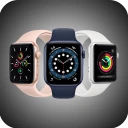
Screenshots
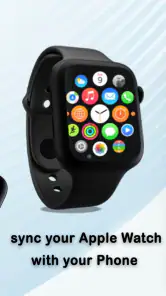
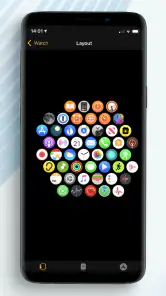
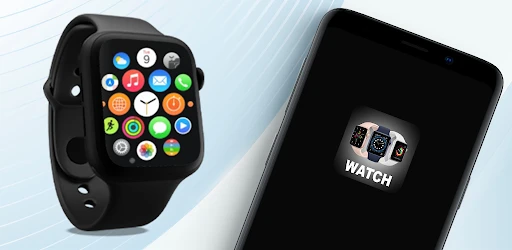
Analysis by Reviewed
I’d treat this app as a small experiment, not a shortcut to making an Apple Watch behave like a fully supported Android smartwatch. The name, Apple Watch, sets an expectation that needs a reality check: the watch is built around Apple’s ecosystem, while this free Libraries & Demo app from Shadow soft is intended to connect a phone and watch over Bluetooth and pass notifications. That idea may appeal if you already own both devices, but it doesn’t remove the compatibility limits that shape the whole experience.
Start with the devices you already own
Before installing anything, I’d ask what problem I’m trying to solve. If I already have an Apple Watch and an Android phone, I may simply want to find out whether a basic notification can make the trip to my wrist. That is a modest, testable goal. If I’m shopping for a watch to use with Android every day, the more useful question is which watch was designed for that phone in the first place.
This distinction matters because a Bluetooth connection does not make two ecosystems interchangeable. A notification relay can be useful without turning the watch into a complete Android accessory. I’d go into a trial expecting to investigate one narrow handoff, rather than expecting the same experience as pairing an Apple Watch with an iPhone.
Compatibility and First Impressions
First things first, let’s talk about compatibility. Officially, the Apple Watch isn’t designed to work with Android phones, which is a bit of a bummer. Apple’s ecosystem is pretty closed off, and they want you to pair your shiny new watch with an iPhone. However, if you’re tech-savvy and willing to jump through a few hoops, you might just get some basic functionality out of it.
For those who manage to get a hacky workaround, the initial setup can be a bit of a pain. It’s not as seamless as pairing with an iPhone, and you’ll likely miss out on some key features. But hey, if you love a challenge and enjoy tinkering, this could be a fun project!
Usability: What Works and What Doesn’t
Once you’ve jumped the initial hurdles, you might be wondering what exactly works. Well, brace yourself. The Apple Watch can handle some basic tasks like telling time (of course), tracking steps, and monitoring your heart rate. However, notifications can be a hit or miss, and you’ll find yourself missing out on iMessage, Apple Music, and other Apple-exclusive features.
Now, don't get too disheartened! If you’ve got a knack for tech and enjoy exploring apps, you might find third-party solutions to bridge some gaps. Although it’s not perfect, it’s a neat way to get some use out of the watch without having to invest in an iPhone.
More From Our News Desk

Clash of Clans Is Won Between the Battles

Android Auto Makes the Case for Quieter Car Software

MobiOffice: Transforming Mobile Productivity with Seamless Integration

EA SPORTS FC™ Mobile Soccer: Redefining Mobile Sports Gaming

How Microsoft OneDrive Became a Mobile Productivity Giant

How Google Translate Breaks Language Barriers Effortlessly
Move from a basic connection to a useful test
The app is most useful when I treat the first session like troubleshooting, not like a finished setup. I’d keep the devices close, confirm that Bluetooth is active, and try a few ordinary alerts while the phone is in view. If nothing appears on the watch, I can check the connection before building a routine around it. If alerts do arrive, I’d test again later rather than assuming one successful moment proves the handoff is dependable.
A small, deliberate test also helps answer a practical question: is the watch showing something I would otherwise miss, or am I adding another device to check? I’d start with notifications that are useful but not urgent, such as a routine message. That lets me judge whether seeing an alert at a glance is genuinely convenient without making the setup responsible for anything time-sensitive.
Getting a Notification from Phone to Wrist
The app’s central promise is a Bluetooth connection that can deliver phone notifications to a smartwatch. In a normal day, that could mean glancing at your wrist when your phone is in a bag or across the room rather than repeatedly checking the screen. The useful question is not simply whether a notification can arrive, but whether it arrives reliably enough for the messages you care about. I’d test it with low-stakes alerts first, then decide whether it deserves a place in a work or travel routine.
There is also a practical handoff to keep in mind: the phone remains the source of the notification, while the watch is the place you hope to see it. This is not the same as moving your messaging life onto the watch or gaining Apple-only services. If you need to reply, manage an account, or use a feature tied to Apple’s ecosystem, expect to return to the phone or use an alternative. That distinction can prevent a frustrating first setup based on the wrong expectation.
A realistic day, with the phone still in charge
Picture working at a desk with the phone tucked away, then walking to another room to make a drink. A glance at the wrist could tell me whether an ordinary alert has arrived, saving me from picking up the phone just to check. If I need to read more, respond, or open an app, the phone is still the next stop. That’s a small convenience, not a replacement for the phone, and it is most worthwhile when the glance itself is enough.
For travel, the same distinction can help set expectations. A wrist alert might be handy while moving through a station or carrying bags, but I would not rely on this arrangement as my only way to receive an important update. I’d keep the phone accessible and use the watch as a secondary glance point. The value is reducing casual screen checks; the trade-off is that the phone remains essential for follow-through.
A Sensible Trial Before You Rely on It
I would approach pairing as a short test rather than a one-time setup. Start with the phone and watch close together, check whether Bluetooth is connected, and send a few ordinary notifications to see how the handoff behaves. Then repeat the check after stepping away briefly and returning. This simple routine helps separate a basic connection problem from the larger limitation that Apple Watch and Android are not designed as a seamless pair.
For a realistic example, imagine leaving your phone on a desk while making coffee or tidying another room. A glance at the watch could be handy if an alert comes through, but I would still keep the phone nearby for anything important. If a notification is delayed or absent, you need a fallback; the app should not be treated as an emergency channel or as proof that every alert will reach your wrist.
What a notification relay can—and cannot—replace
Compared with checking the phone directly, a watch can make the first glance more convenient, but it adds a connection that can also need attention. Compared with the companion app for a watch built for Android, this is a narrower route: it is aimed at exploring a phone-to-watch notification handoff, not supplying a complete Android smartwatch experience. And compared with using an Apple Watch with an iPhone, it cannot make Apple’s ecosystem features available on Android.
That makes the best choice depend on what is already in your drawer. If the watch is already yours and experimentation sounds enjoyable, trying a free app is a relatively low-commitment way to investigate basic alerts. If you have not bought a watch yet, I’d choose one designed to pair with Android rather than purchase Apple hardware hoping a workaround will deliver a full experience. The convenience of starting with existing gear is real, but so is the cost in setup effort and uncertainty.
Who Benefits, and What to Compare
This is most appealing to an Android owner who already has an Apple Watch and enjoys testing compatibility, or to someone who only wants to explore whether basic notification delivery is possible. It is a poor fit if you are buying a watch specifically for dependable Android integration, complete messaging, or a polished setup with minimal troubleshooting. In that case, an Android-compatible smartwatch is the more sensible choice, because its companion experience is designed around the phone you actually use.
Compared with the usual alternatives, this app is a workaround rather than a full smartwatch platform. A watch made for Android is generally the better route for everyday pairing; using an iPhone with an Apple Watch is the natural option if Apple services matter most. The trade-off here is curiosity and the chance to reuse existing hardware versus extra setup and uncertain notification delivery. I would choose it only when experimenting is part of the appeal.
Small decisions that make the trial more useful
I’d avoid testing every possible alert at once. Start with a couple of familiar, non-urgent notifications so it is easy to tell what arrived and when. If the basic handoff is inconsistent, adding more alerts won’t make the experience clearer; it will only make it harder to identify what is working. A narrow test also helps me decide whether the wrist is useful for quick awareness or whether I’m better off leaving notifications on the phone.
It is also worth separating “the watch is connected” from “the whole routine is dependable.” Bluetooth connection is one part of the path; the phone has to receive the alert, and the watch has to show it in a useful moment. I’d check the setup again after a restart or after moving between places, then keep a phone-based fallback for anything that matters. This is a practical habit, not a guarantee that every handoff will behave the same way.
What to Expect from the App Itself
Apple Watch for Android is free and rated for Everyone, so there is no purchase decision to make before trying it. It has an average rating of 3.8 from around 480 ratings, with 78 written reviews and over 50,000 installs. Those figures suggest that people have tried it, but they cannot tell you whether it will work with your particular watch and phone combination. The app was released in April 2024, and version 19.0 is listed for Android 7.0 and newer.
Because Bluetooth notification handoffs are the point, I would check the connection again after restarting either device or moving between places; a setup that worked once is not automatically dependable in every situation. Keep expectations modest, and don’t spend time trying to recreate features that depend on Apple’s own services. If your goal is only to see whether a basic alert can reach a watch, a careful trial is reasonable. If you need a reliable daily companion, choose hardware intended for your phone instead.
Where the workflow can break
The weak point is not just the initial pairing; it is the gap between a successful test and a routine I can trust. A watch may be close enough to receive an alert in one situation and less useful when I move around or the connection needs attention. If I find myself repeatedly checking whether the relay is active, the convenience disappears. At that point, I’d stop troubleshooting for a daily role and keep the app as an experiment—or choose a watch with a companion setup built for Android.
The same caution applies to expectations about what appears on the wrist. Receiving a notification is different from having the relevant service fully available there. For a quick glance, that may be enough. For replies, account management, or Apple-specific functions, the phone and ecosystem limitations remain. I would decide based on the exact task I want to do, not on the broad idea of making an Apple Watch “work” with Android.
Final Thoughts: Is It Worth the Hassle?
So, should you go through the trouble of pairing an Apple Watch with your Android device? If you’re someone who loves challenges and doesn’t mind missing out on full functionality, then why not? It’s a fun way to experiment with technology and see just how far you can push compatibility.
However, if you’re looking for a seamless experience with all the bells and whistles, you might want to consider other smartwatches that are designed to work with Android. They’ll give you the full spectrum of features without any hassle.
Ultimately, it’s all about what you’re hoping to get out of your smartwatch experience. If you’re in it for the adventure and don’t mind a bit of compromise, give it a go! Just remember, this isn’t the setup for everyone, and that’s okay. Happy tech exploring!
Apple Watch for Android Frequently Asked Questions
What does the Apple Watch for Android app do?
Apple Watch for Android is an app in the Libraries & Demo category, with a short description of “Apple Watch.” Its summary says it connects a phone and smartwatch through Bluetooth and provides notifications. That may sound useful if you want to link an Android phone with an Apple Watch, but the watch’s compatibility limitations are important to understand before downloading.
Is Apple Watch for Android free, and what Android version does it require?
The app is free to download and is rated for Everyone. It requires Android 7.0 or later, so check your phone’s operating system before installing. The app is version 19.0 and was released on April 21, 2024. Its developer is Shadow soft; these details describe the app, not a guarantee that an Apple Watch will pair successfully with an Android phone.
Is the Apple Watch compatible with Android devices?
Unfortunately, the Apple Watch is not compatible with Android devices. It requires an iPhone to pair and function properly. Although there are some third-party apps that claim to bridge this gap, they often have limited functionality and do not provide the full Apple Watch experience. It's best used with an iPhone for optimal performance.
Can I use Apple Watch features without an iPhone?
While some features of the Apple Watch, like fitness tracking and basic timekeeping, can be used independently after initial setup, the full range of functionalities requires an iPhone. Features such as notifications, app installations, and software updates rely on a paired iPhone, making it essential for maximizing the device's capabilities.
Are there any alternatives for Android users to the Apple Watch?
Yes, there are several excellent alternatives for Android users. Popular options include smartwatches from Samsung, Fitbit, and Garmin, which offer robust features such as fitness tracking, notifications, and app support. These devices are designed to integrate seamlessly with Android devices, providing users with a comprehensive smartwatch experience.
Pros
- Seamlessly tracks fitness activities
- Customizable watch faces
- Receives notifications from phone
- Supports third-party apps
- Long battery life
Cons
- Limited compatibility with iOS devices
- Occasional syncing issues
- Restricted app ecosystem
- Requires Android 6.0+
- Lacks advanced health sensors
- Category
- Libraries & Demo
- Version
- 19.0











