

Nail Art Design: Paint Nails
- 38.00
- 4.0
- Installs
- 500.00K
- Price
- Free
Screenshots
Analysis by Reviewed
I’d use Nail Art Design: Nails Polish as a shared idea book for a quiet evening at home: one person can browse designs while another picks colors or sketches a version on paper. That makes it more useful as a source of inspiration than as a full salon-planning tool. The key is to treat the phone as a display for references, not assume everyone can save a separate profile or keep a private collection on one device.
Sharing one screen without mixing up plans
On a household tablet or a phone passed between siblings, it helps to decide whose turn it is and take a screenshot or write down a chosen design before handing the device over. I’d also keep a small note of the polish shades and tools needed; a picture alone may not tell you what supplies you already own. This simple routine avoids the common shared-device problem of losing track of which look someone wanted to try.
The app is free to install, though it offers in-app purchases from $0.99 to $14.99 per item, so I’d check the purchase screen before letting a child explore unsupervised. That’s a practical boundary rather than a reason to avoid it: agree on whether purchases are off-limits, and keep any buying decision with the adult who manages the device. The free starting point makes casual browsing easy, while paid items may matter to people who want more than a quick source of ideas.
Picking designs that fit the moment
For a realistic use, imagine getting ready for a family event and having only a short break before leaving. I’d browse for one simple accent nail, choose a design that suits the polish already at home, and use the image as a reference instead of attempting a complicated set. If a tutorial feels too ambitious, saving the idea for a weekend is better than rushing and ending up frustrated.
That is also where this app differs from broad image boards: a general visual search can produce a huge variety, but it often takes more effort to turn a picture into a doable sequence. A nail-focused app narrows the inspiration to the task at hand. On the other hand, people seeking detailed shopping comparisons, salon booking, or a professional portfolio workflow may be better served by tools built specifically for those jobs.
Who will get the most from it
I’d recommend it to beginners who want visual prompts, people who enjoy trying color combinations, and households that like sharing a low-stakes creative activity. A parent can browse alongside a younger user and help choose age-appropriate designs and products. The content rating is Everyone, but that does not replace ordinary supervision around polish, tools, purchases, or screen time.
More experienced nail artists may still enjoy browsing, but they should judge each idea against their own technique and supplies rather than expect every look to translate neatly into a home manicure. Designs can be easier to admire than reproduce, and a visual example does not guarantee the same result on every nail shape or with every polish. I’d start with one nail or a simple pattern, then decide whether the method is worth repeating across a full set.
More From Our News Desk

 Gmail
GmailGmail in a Busy Inbox: Who Benefits Most?
From first account to crowded workday, Gmail earns its place through dependable search and flexible sorting—but its best fit depends on how much inbox maintenance you can tolerate.

 Prime Video
Switching to Prime Video: What Changes in Your Viewing Routine
Prime Video can make a compelling second home for streaming, but switching means learning a different catalog, rental layer, and route from browsing to playback.

 Universal TV Remote Control
Universal TV Remote Control Works Best as a Reliable Backup
A phone remote earns its place through quick setup and reliable habits. Here is how to get more from Universal TV Remote Control—and where its limits show.

 Weather - By Xiaomi
Weather by Xiaomi Review: Clear at a Glance, Less Clear Up Close
Xiaomi’s weather app makes everyday forecasts quick to scan, but its calm surface can leave useful details and recovery paths harder to find than they should be.

 X
XX Under Pressure: Can It Recover When Posting Goes Wrong?
A resilience-focused review of X, examining setup, mistaken posts, interruptions, weak connections, and the gaps that matter when recovery needs to be dependable.

 Clash of Clans
Clash of Clans Is Won Between the Battles
Its raids are quick; its community is a long-term project of coordination, teaching, rivalry, and shared responsibility—with all the friction that entails.
Latest News



A practical way to turn browsing into a plan
One useful habit is to choose a reference before opening a polish bottle. I’d first decide whether the aim is a quick everyday look, a themed design, or a more intricate weekend project, then narrow the browsing to examples that match that effort level. This prevents a common trap with visual inspiration: saving a striking design that requires colors, tools, or patience that aren’t available when it is time to try it.
For a shared session, I’d make each person explain what they like about a design—its color pairing, shape, or small decorative detail—rather than simply voting for a whole image. That turns browsing into a practical conversation and makes it easier to adapt the idea. A single accent or color combination can be borrowed without copying every element, which is often the difference between an enjoyable experiment and a frustrating attempt to reproduce a polished picture exactly.
Household boundaries and age context
Because the app is meant for nail inspiration, it can be a pleasant shared activity, but the device itself still needs sensible boundaries. I would agree in advance whether the phone is for browsing only, whether screenshots are okay, and who can approve any purchase. That simple setup is especially useful when several people use the same device: it separates creative play from payment decisions without assuming the app provides household profiles or parental controls.
The age rating is Everyone, which makes the app approachable for browsing with younger family members, but it is not a safety guide for manicure products. I’d keep polish and tools with an adult, check that a proposed design is suitable for the person trying it, and avoid leaving a child alone with products just because the images are accessible. The useful distinction is between viewing a design and carrying out the manicure.
For coordination, a paper note can be more reliable than relying on memory after passing the phone around. Record the chosen color idea, who wants to try it, and what needs to be prepared. It also helps to agree that the first attempt is a test rather than a finished look. That takes pressure off younger users and gives everyone a chance to see whether the design suits their nails before committing to all of them.
What the app is—and what it is not
As a beauty app from Appish Studio, Nail Art Design: Nails Polish sits closer to an inspiration gallery than a specialist service. It is free to start, has an average rating of 3.9 from around 990 ratings, and has passed 100K+ installs. Those figures suggest that it has found an audience, but I would treat them as context, not proof that every design or tool will suit my taste.
The current version is 2.4.3 and the minimum operating system is 7.0. For someone with a compatible device, the basic decision is less about technical setup and more about expectations: do you want visual ideas to try at home, or do you need a precise record of products, appointments, and techniques? I’d choose this app for the first need and look elsewhere for the second.
Compared with searching social feeds, the advantage is focus: I can stay within nail art rather than sift through unrelated beauty posts. The trade-off is that broad platforms may offer more varied creators and discussion, while a dedicated app may not match the depth of a community built around sharing work. Compared with a salon or professional reference resource, this is a lighter, lower-commitment way to explore. It is best when the goal is inspiration, not expert consultation or guaranteed results.
Have you ever found yourself scrolling through endless Pinterest boards, dreaming about those perfect nails, but feeling completely overwhelmed about where to start? Well, I’ve been there! Lucky for us, there’s an app called Nail Art Design: Nails Polish that’s here to save the day. Let me walk you through it, step by step.
Getting Started with Nail Art Design
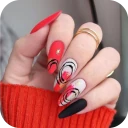
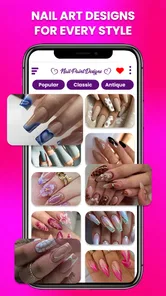
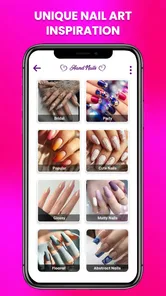
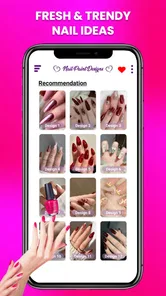
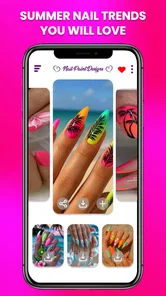
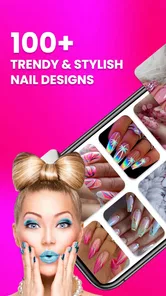
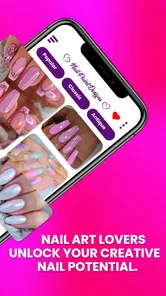
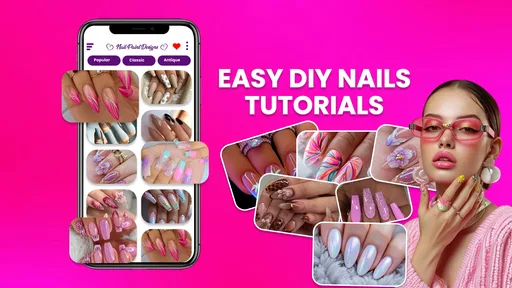
First off, the installation was a breeze. Available on both Android and iOS, just a quick download and you’re ready to dive into a world of creativity. As soon as I opened the app, I was greeted with a vibrant and user-friendly interface. It’s like a candy store for nail enthusiasts! The home screen showcases a variety of nail art designs, ranging from minimalist styles to extravagant 3D artwork. I couldn’t help but feel inspired!
Features That Stand Out
One thing that Nail Art Design: Nails Polish absolutely nails (pun intended) is the extensive collection of tutorials. Whether you’re a beginner or a seasoned pro, the app offers step-by-step guides that are easy to follow. I tried out a floral design tutorial, and honestly, the instructions were spot-on. Plus, the video quality is top-notch, so you can see every little detail.
Another feature I love is the customizable nail palette. You can experiment with different colors and patterns without the mess. It's a fantastic way to try out new looks before committing. And, if you’re someone who loves to keep up with trends, the app updates regularly with the latest nail art trends from around the globe.
Engaging Community
Oh, and let’s not forget the community aspect! The app allows you to share your creations and even get feedback from fellow nail art lovers. It’s like having a supportive community right at your fingertips. There are challenges and contests that you can participate in, which is a fun way to improve your skills and gain recognition.
On top of all that, the app provides links to purchase the exact nail polishes and tools used in the tutorials. So, if you fall in love with a particular look, you can recreate it with ease.
Using tutorials without overcommitting
I’d approach a tutorial as a guide to test, not a promise that the result will match the screen. Nail length, brush control, polish consistency, and drying time all affect the outcome, so even clear instructions can require a little adjustment. Before beginning a detailed design, I’d read or watch the full sequence, gather the colors and tools, and try the trickiest detail on one nail. If that step proves awkward, simplifying the pattern is usually more satisfying than pushing through a full set.
The palette is especially useful as a low-mess way to think through color combinations before choosing real polish. I’d use it to compare a main shade with an accent rather than assume a digital color will look identical in person. Lighting and the actual polish finish can change the impression, so the screen is a planning aid, not a substitute for checking the bottles you already have. This small distinction can save time and avoid buying a shade just because it looked perfect in a preview.
Choosing between inspiration and instruction
If I only want a fresh idea, browsing the designs is enough. If I want to learn a technique, I’d focus on a tutorial and use it at a time when I can pause, replay, and work without being hurried. Those are different kinds of use: a gallery can help me settle on a look, while a step-by-step guide is more useful when I have the materials and patience to practice. Keeping that distinction in mind makes the app easier to judge and helps avoid expecting every image to explain how it was made.
For a household, the community features may appeal to someone who enjoys showing finished work and receiving reactions, but they are not essential to the shared-reference use. A younger user can browse alongside an adult without needing to post anything. I’d decide together whether sharing is part of the fun or whether the app is simply a design book for a manicure afternoon; both approaches keep the activity manageable and avoid turning a casual creative session into a performance.
When another option makes more sense
I would skip this app if my main goal were booking a salon appointment, comparing product ingredients, or keeping a professional client record. Those tasks need services and organization that an inspiration-focused app is not designed to replace. Likewise, someone who already has a trusted technique library and wants advanced instruction may find a dedicated learning resource more useful. The app makes more sense for a person who wants approachable visual prompts and is happy to adapt them to their own skill and supplies.
It may also be a poor fit for anyone who dislikes browsing or expects every design to come with everything needed to recreate it immediately. Even when an idea catches my eye, I still need to check the materials, time, and difficulty for myself. The purchase options are another reason to set expectations before handing over a shared device; the free starting point is helpful, but I would not assume that every item or extra is included without charge.
Final Thoughts
In a nutshell, Nail Art Design: Nails Polish is a must-have for anyone passionate about nail art. It’s packed with features that cater to all skill levels, and the vibrant community makes it even more engaging. Whether you’re looking to polish your skills or just want to try something new, this app has got you covered. So, go ahead and give it a whirl – your nails will thank you!
My more measured recommendation is to treat it as a companion for choosing and adapting a look, especially if you enjoy trying small creative projects at home. It works best when you bring realistic expectations, use the designs as starting points, and keep household purchase decisions clear. For a shared evening, a quick color experiment, or a beginner’s first attempt at a simple accent, I can see the appeal. For detailed professional planning, shopping research, or a guaranteed salon result, I’d choose a more specialized alternative.
Nail Art Design: Paint Nails Frequently Asked Questions
Is Nail Art Design: Nails Polish free to download, and what does it cost to use?
Nail Art Design: Nails Polish is free to download, so you can try its nail-design tools without paying upfront. The app also offers optional in-app purchases for users who want access to paid content or features. These purchases range from $0.99 to $14.99 per item, so check the price shown for an item before confirming a purchase.
What features does Nail Art Design: Nails Polish offer?
Nail Art Design: Nails Polish app provides a wide range of features including a virtual nail salon where users can experiment with different nail polish colors, patterns, and designs. It also includes tutorials for creating intricate nail art, a gallery for inspiration, and tips for nail care. The app is designed to help users enhance their nail art skills from the comfort of their home.
Is Nail Art Design: Nails Polish suitable for beginners?
Yes, Nail Art Design: Nails Polish is perfect for beginners. The app offers easy-to-follow tutorials and step-by-step guides to help users learn various nail art techniques. It also includes beginner-friendly designs and tips to help users practice and improve their skills gradually. Whether you are new to nail art or looking to hone your skills, this app is a great starting point.
Can I use Nail Art Design: Nails Polish offline?
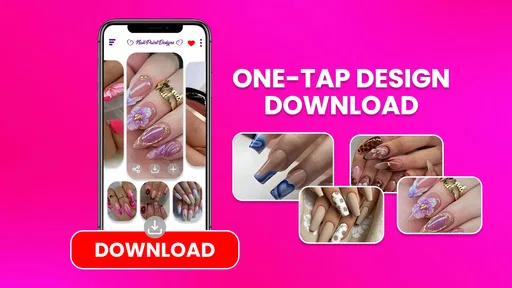
Nail Art Design: Nails Polish requires an internet connection to access certain features such as downloading new designs and tutorials. However, once content is downloaded, you can access it offline. This allows users to practice and explore different nail art styles without needing a continuous internet connection, offering flexibility and convenience.
Are there any in-app purchases in Nail Art Design: Nails Polish?
Yes, Nail Art Design: Nails Polish includes in-app purchases. While the app offers a variety of free features, some premium designs, tutorials, and tools are only available through in-app purchases. These purchases allow users to access exclusive content and enhance their nail art experience, making it more comprehensive and engaging.
Pros
- Wide range of design options.
- User-friendly interface.
- Regularly updated content.
- Offline mode available.
- High-quality design templates.
Cons
- Contains ads frequently.
- Limited free features.
- Occasional app crashes.
- In-app purchases required.
- Requires high storage space.













