Great Weather
- 229.00
- 4.2
- Installs
- 5.00M
- Price
- Free
Screenshots
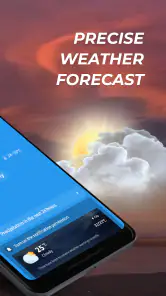
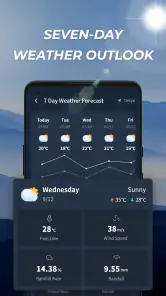
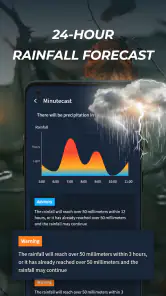
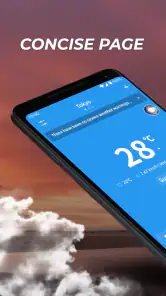
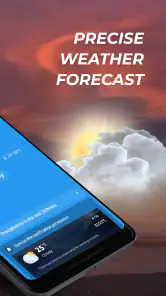
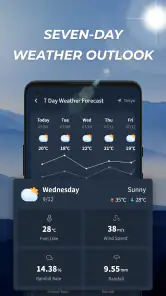
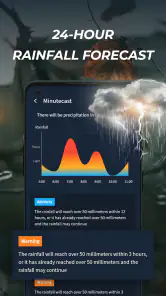
Analysis by Reviewed
The first time I open Great Weather, I want an answer to a practical question: should I bring a jacket, change my plans, or simply check again later? That is a better test than whether a weather app looks impressive. Great Weather is a free weather app from 5660 BA, LLC, and its straightforward premise makes it easy to try without turning a small daily check into a project. Its broad “Great Weather” promise sets a simple expectation: help me understand the day ahead and decide what to do.
Weather apps earn a place on a phone through repetition, not novelty. A forecast can be pleasant to look at and still become irrelevant if it takes too much effort to consult or does not help with ordinary decisions. My view of Great Weather is therefore less about treating it as a source of certainty and more about whether it can fit into a morning routine, a commute, or a quick check before heading outside. It is best approached as a convenient guide, with common sense still in charge when conditions matter.
Easy to try, but daily usefulness is the real test
The appeal of a quick first week
In its first few days, a weather app usually benefits from curiosity: I open it, explore what it shows, and compare the forecast with what I see outside. Great Weather has a low barrier to entry because it costs nothing to start using. That makes it reasonable to try alongside the weather app already on your phone rather than replacing it immediately. A few deliberate checks—before leaving home, at lunchtime, and ahead of an evening outing—give a more useful impression than a single glance.
The app sits in a crowded weather category where many alternatives can cover the basic need of checking conditions. The important distinction is not whether an app can display a forecast, but whether its presentation helps me make a decision quickly. When I am deciding between a light layer and a heavier coat, I want the relevant information to be easy to interpret. If I have to hunt through screens or struggle to understand what a forecast means for my plans, the app has not saved me time, however polished it may seem.
A useful first-week habit is to check Great Weather before a recurring activity, then notice whether its guidance matched the conditions I encountered. For example, I might look before walking to work and again before heading home. That gives me a practical basis for deciding whether I trust it for that route and time of day. It is more informative than checking only when the weather is dramatic, since ordinary days are what make up most of a routine.
One trade-off applies to any forecast: a useful prediction is not a guarantee. If I am planning a long drive, an outdoor event, or a day when a sudden change would have real consequences, I would not make the app my only source of information. I would compare it with another reliable forecast and recheck closer to departure. For everyday clothing and low-stakes plans, a quick check may be enough; for decisions with little room for error, cross-checking is sensible.
What keeps it useful after the novelty fades
After the first burst of exploration, the question becomes whether checking the app is easier than simply looking out the window. Great Weather is most valuable when it answers something the window cannot: what conditions may be like later, whether an outing is likely to be comfortable, or whether I should prepare for a change. Those are recurring needs, and a weather app has a natural role in addressing them. The habit is more likely to stick when I open it for a specific decision rather than out of idle curiosity.
For a typical weekday, I would use a short routine: check before getting dressed, make a choice, and avoid reopening the app unless plans change. That keeps weather checking from becoming a distraction. If the forecast looks uncertain or the day involves time outdoors, a second check before leaving is more useful than repeatedly refreshing without a clear reason. The practical benefit is not just information; it is reducing the number of small decisions I have to make from scratch.
Great Weather is used by a substantial audience, with over five million installs and an average rating of 4.2 from around twelve thousand ratings. Those figures suggest that many people have been willing to try it, but they cannot tell me whether its forecasts suit my location or how well it fits my own routine. I would treat them as context, not as a substitute for trying it during the kinds of days that matter to me.
For someone who only needs an occasional glance, the app can be a sensible option to keep available. A person who plans outdoor work, travel, or activities around rapidly changing conditions may need more depth or a second source, depending on the information and controls they rely on. That is the central comparison with established phone weather apps and specialist alternatives: Great Weather may be enough for everyday awareness, while a more detailed service can be preferable when forecasting is part of a larger planning process.
Keeping the routine light
Maintenance should not mean constantly tending to an app. I would give Great Weather a fair chance by checking that it opens to a useful place and by making the location choice fit how I actually use it. If I mostly want conditions where I live, repeatedly changing locations adds friction. If I regularly travel between home and another place, checking the relevant destination before departure is more useful than assuming the home forecast applies everywhere. The simple lesson is to make the app serve the routine I already have.
The release information places Great Weather’s debut on December 5, 2024, and its current version is 1.3.5. That gives a reader a basic sense of where the app is in its lifespan, but I would still judge maintenance by what happens on my own device: whether it remains usable, whether its information is presented clearly, and whether I can get the answer I need without extra steps. I do not install a weather app because it has a version number; I keep it because it continues to be convenient.
Great Weather is listed for devices running Android 7.0 or later, which gives many Android users a clear compatibility threshold to check before trying it. Its content rating is Everyone. Those details make the decision straightforward for households considering whether the app is suitable for a device, but they do not decide whether it is the right forecasting tool. The more personal questions are whether its interface works for me, whether I find its presentation understandable, and whether it earns a regular place on my home screen.
A small but useful test is to notice what happens when the forecast and the conditions seem different. Rather than immediately blaming the app or trusting it blindly, I would check whether I am looking at the right location and time, then compare another source if the decision matters. This approach helps avoid a common weather-app frustration: using a forecast for one place or part of the day to judge conditions somewhere else or several hours later. It also gives me a reason to keep a backup source available without checking multiple apps for every routine trip.
Where repeated checks can become tiring
Weather information can encourage unnecessary checking. A quick look turns into several visits, even though the forecast has not changed in a way that affects my plans. That is not a special flaw of Great Weather so much as a habit trap built into the category. I would set a purpose for each check—getting dressed, leaving for a trip, or deciding whether an outdoor plan still makes sense—and stop once I have enough information to act.
Another possible source of fatigue is a mismatch between what I expect and what the app actually makes easy to find. Some people want only a clean daily overview; others want to inspect details before trusting a forecast. If I fall into the second group, I should spend the trial period checking whether Great Weather gives me the level of detail I personally need, rather than assuming that a general-purpose weather app will satisfy every planning style. If I keep turning to another app for answers, that is a sign the first one is not doing enough for me.
There is also a difference between wanting an app to inform a decision and wanting it to make that decision for me. A forecast can help me prepare, but it cannot know whether I am comfortable walking in light rain, whether an outdoor event can move indoors, or how much risk I am willing to accept. I still have to connect the information with my plans. That is why I would skip relying on Great Weather alone for high-stakes weather decisions, and why people who need specialized or location-specific analysis may be better served by a more focused alternative.
The app is free, so the main cost to weigh is not an upfront payment but attention: another icon, another check, and another source to compare. I would not keep it simply because trying it was easy. If it helps me make routine choices faster than my existing weather app, it has earned its space. If I keep opening my phone’s built-in forecast out of habit, or another service gives me clearer answers for my plans, there is little reason to maintain a duplicate.
Who should keep it, and who should move on
I can see Great Weather suiting someone who wants a straightforward way to check conditions and is willing to judge it through normal use rather than expecting a specialist forecasting workspace. It is especially easy to recommend as a trial for people who do not want to pay before discovering whether an app fits their habits. The best test is a week of ordinary use: consult it before leaving home, during one planned outdoor activity, and when conditions could affect a later decision. Then ask whether it saved time or reduced uncertainty.
I would be more cautious about recommending it as the sole tool for people whose work or recreation depends on detailed weather planning. The right alternative in that situation is whichever service offers the specific depth and clarity they need, not necessarily the one with the most features. A casual user may find extra layers of information distracting, while a serious planner may find a simpler app limiting. Matching the app to the decision is more important than choosing the most elaborate option.
For families, the Everyone content rating is reassuring as a basic suitability signal, but each person’s needs still differ. A parent checking whether children need an extra layer has a different task from someone organizing a long outdoor trip. In the first case, a quick forecast may be plenty; in the second, I would compare sources and keep checking as the departure time approaches. That distinction helps set realistic expectations and prevents a convenient everyday app from being asked to do a job it was not chosen for.
Great Weather also makes more sense as a replacement than as one more app in a crowded folder. I would compare it directly with the forecast I already use, focusing on the same location and the same decision. Which one lets me find the answer faster? Which one do I understand without second-guessing? If the difference is small, familiarity may be a good reason to stay with the existing app. If Great Weather feels clearer in the moments I care about, then the switch has a practical basis.
A lasting place depends on a simple payoff
My long-term verdict is that Great Weather is worth trying for everyday forecast checks, but it has to earn continued attention through clarity and convenience. Its strongest case is not that every user needs another weather app; it is that a free option from 5660 BA, LLC may fit someone’s routine well enough to become the one they actually consult. I would give it a place only if it helps me make ordinary plans with less effort than my current alternative.
The decision after the first month can be uncomplicated. If I check it naturally before getting dressed or heading out, and its information regularly helps me prepare, keeping it is reasonable. If I forget it exists, open it only to compare the same forecast elsewhere, or find that it leaves important questions unanswered, I would remove it without much regret. A weather app should reduce small daily uncertainties, not create a new maintenance habit.
Great Weather earns lasting space when it makes the next decision easier, not merely when it is new. I would recommend giving it a practical trial, keeping expectations appropriate for a general weather app, and using a second source whenever the stakes are higher. That is a balanced way to see whether it belongs in your routine: let repeated usefulness, rather than a first impression, decide.
Great Weather Frequently Asked Questions
What is Great Weather, and what can I use it for?
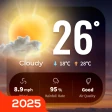
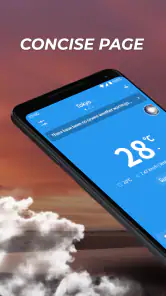
Great Weather is a weather app designed to help you check current conditions and forecasts in a clear, convenient format. Before downloading, consider whether you want a quick daily overview or more detailed information for planning ahead. Available features can vary by app version, location, and device, so review the app listing and screenshots to confirm what the current release offers.
Does Great Weather provide accurate forecasts for my location?
Forecast accuracy depends on your location, the weather data sources used, and how far ahead you are looking; no weather app can guarantee that conditions will match every prediction. Great Weather may need location access to show local conditions, or you may be able to enter a place manually. Check its listing for supported regions and remember that forecasts can change as new data becomes available.
Does Great Weather require access to my location?
Location access can help Great Weather show weather for where you are, but the exact permission options depend on your device and the app’s current version. You can often choose approximate location, allow access only while using the app, or enter a city manually if that option is available. Check the requested permissions during installation and adjust them later in your phone’s settings.
Is Great Weather free, and does it include ads or in-app purchases?
Pricing and monetization can differ between the Android and iOS versions and may change over time. Before installing, review the app-store page for its price, advertisements, subscriptions, or in-app purchases, and check whether any paid features are optional. If the app offers a subscription, read the renewal terms and cancellation instructions carefully so you know what you will be charged.
Can I use Great Weather without an internet connection, and which devices support it?
Weather forecasts usually require an internet connection to retrieve updated information. Previously loaded details might remain visible temporarily, but they can become outdated, so do not rely on offline data for important decisions. Compatibility also depends on the app’s current requirements, your operating-system version, and the store where it is offered. Check the listing for supported devices, minimum software versions, and update details before downloading.
Articles Related to Great Weather
Clash of Clans Is Won Between the Battles
Its raids are quick; its community is a long-term project of coordination, teaching, rivalry, and shared responsibility—with all the friction that entails.
Android Auto Makes the Case for Quieter Car Software
The car interface is no longer judged by how much it can do, but by how quietly it helps. Android Auto shows what drivers now expect—and what still gets in the way.
MobiOffice: Transforming Mobile Productivity with Seamless Integration
MobiOffice: Word, Sheets, PDF is redefining mobile productivity with a surprising blend of functionality and innovation.
EA SPORTS FC™ Mobile Soccer: Redefining Mobile Sports Gaming
Dive into EA SPORTS FC™ Mobile Soccer, where immersive gameplay and strategic depth transform mobile sports gaming.
Pros
- Clear forecasts make it easy to check upcoming weather at a glance.
- Useful weather details help with planning outdoor activities.
- Simple navigation makes common information quick to find.
- Multiple forecast views can help compare current and upcoming conditions.
- Convenient for checking local weather before heading out.
Cons
- Forecast accuracy can vary by location and weather conditions.
- Some features may require an internet connection.
- Frequent alerts may feel distracting if notifications are enabled.
- Detailed weather data can take time to interpret.
- Availability and features may differ between Android and iOS.
- Category
- Weather
- Version
- 1.3.5