Mirror App - Beauty Mirror
- 1.11K
- 4.5
- Installs
- 5.00M
- Price
- Free
Screenshots



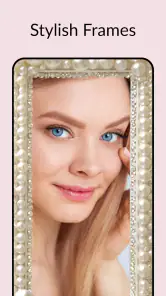

Analysis by Reviewed
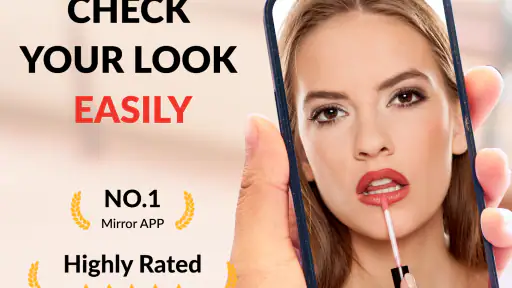
I find a phone mirror most useful when I need a quick check, not a full beauty routine. Beauty Mirror is aimed at exactly that moment: seeing whether hair, makeup, or a small detail needs attention before heading out. It turns the front-facing camera into a pocket reflection, which is more practical than searching for a reflective window or carrying a compact mirror when neither is handy.
What to expect from a quick check
Because the app’s central job is to show a live reflection, I’d expect it to feel more immediate than opening a camera, taking a photo, and reviewing the result. That distinction matters when I’m already walking out the door: a still image adds steps, while a mirror view lets me make a quick judgement and move on. The app is from Dairy App & Notes & Audio Editor & Voice Recorder, a developer name that spans several kinds of tools, but here the focus is a beauty mirror rather than a broader editing workflow.
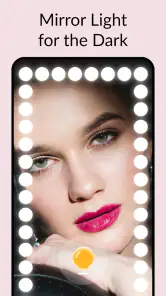
The brightness adjustment is especially useful when the room is dim, though it should be treated as help with visibility rather than a guarantee that makeup will look exactly as it does in daylight. For a careful colour match or a final check before an important event, I’d still look near a window or use a well-lit physical mirror. On the go, the phone screen can make small details easier to inspect without pretending to replace good lighting.
Where it fits in a real routine
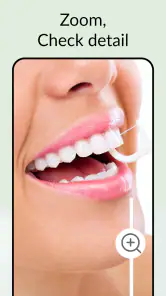
A realistic use is a quick stop in a café restroom before meeting someone: I can check for lipstick on my teeth, smooth a stray hair, and use zoom to inspect one small area. The freeze-frame option also gives me a moment to look at a detail without holding a perfectly steady live view. I’d use it for a short check, then return to the rest of my day rather than treating it as a makeup tutorial or a tool for planning a whole look.
Compared with a compact mirror, the phone is already with many people and can offer a larger view, but a physical mirror works without opening an app and may be easier to position. Compared with the regular camera, this app’s mirror-first purpose is more direct; the camera is the better choice if I want to capture a photo, while this is better suited to checking my appearance and closing it again. One practical trade-off is that a phone mirror depends on the front camera and screen, so fingerprints, reflections, or an awkward viewing angle can still get in the way.
Who may want a different option
I’d recommend it to someone who often needs brief touch-ups while commuting, travelling, or moving between work and social plans. It is less suitable if you need precise makeup colour assessment, detailed beauty guidance, or a hands-free setup for applying products; a well-lit tabletop mirror is more dependable for those jobs. If the front camera on your device is poor, the app cannot turn it into a sharper one, so the result may be less useful for close inspection.
It is a free beauty app, with optional in-app purchases ranging from under a dollar to just under ten dollars per item. Its age rating is Everyone. I’d start with the basic mirror use and decide whether anything beyond that is relevant to my routine, rather than assuming a paid option is necessary. The app has a 4.5 average from around 24,000 ratings, and more than five million installs, which suggests it has found a broad audience, though those figures don’t tell me whether it will suit a particular phone or lighting situation.
More From Our News Desk

Weather by Xiaomi Review: Clear at a Glance, Less Clear Up Close

X Under Pressure: Can It Recover When Posting Goes Wrong?

Clash of Clans Is Won Between the Battles

Android Auto Makes the Case for Quieter Car Software

MobiOffice: Transforming Mobile Productivity with Seamless Integration

EA SPORTS FC™ Mobile Soccer: Redefining Mobile Sports Gaming
What Makes Beauty Mirror Stand Out?
Alright, let’s dive into what makes Beauty Mirror, The Mirror App an absolute must-have on your smartphone. First off, it’s the simplicity and functionality that really hit home. The app turns your phone into a mirror in a snap, using the front camera with excellent clarity. No more struggling with reflective surfaces or poor lighting!
One of the coolest features is the adjustable brightness. You can tweak it according to your surroundings, ensuring you always have the perfect lighting for your beauty needs. Ever been in a dimly lit restaurant or a club where checking your makeup was a nightmare? This app solves that problem with ease.
A Handy Tool for Quick Touch-Ups
Let’s talk about usability. The interface is pretty straightforward, making it user-friendly for everyone, from tech-savvy youngsters to less tech-inclined adults. With just a few taps, you’re ready to check your reflection without any fuss.
Moreover, the app allows you to zoom in and out, which is a lifesaver when you need a closer look at something specific. Whether it’s ensuring your eyeliner is on fleek or there’s no spinach stuck in your teeth, the zoom feature has you covered.
Another nifty feature is the freeze frame option. This allows you to pause your reflection, giving you ample time to analyze or adjust your look. It's like having a personal beauty assistant right in your pocket.
Why I Love It
Now, speaking from my personal experience, Beauty Mirror has been a game-changer. I love the convenience it brings to my daily routine. It’s like having a mirror wherever I go, without the hassle of carrying one around. Plus, it’s discreet! You can check your look without anyone noticing you’re using your phone as a mirror.
The app runs smoothly without any annoying ads popping up, which is a huge plus in my book. And the fact that it’s available on both Android and iOS makes it accessible to nearly everyone.
In conclusion, if you’re someone who’s always on the go and needs a quick, reliable way to ensure you look your best, Beauty Mirror, The Mirror App is a no-brainer. It’s efficient, user-friendly, and incredibly handy. So why not give it a whirl and see how it fits into your lifestyle?
Speed, stability, and device fit
For a light task like viewing a reflection, I wouldn’t expect the app to demand the same attention as a photo editor or a feature-heavy beauty suite. The useful test is whether I can open it, check a detail, and get back to what I was doing without turning a tiny touch-up into a project. I’d keep the screen brightness at a comfortable level and avoid leaving the mirror running after I’m finished; that is a sensible habit for any camera-based app, especially when I only need a brief glance.
Reliability here is partly about the phone itself. A clear front camera and a screen that is easy to view make a bigger difference than extra controls, while a smudged lens can make the reflection look disappointing even when the app is working normally. If the image seems soft, I’d wipe the camera area and adjust my distance before deciding the app is at fault. Zoom is helpful for a detail, but pushing in too far can make an image look less clear, so I’d use it selectively rather than keep it magnified for the whole check.
The current version is 1.02.35.1028, and it supports Android 7.0 and later. That makes it an option for a range of Android devices, although the experience still depends on their camera and display. It is also available on iOS. I’d choose it for a simple pocket mirror, not for dependable colour judgement or an elaborate beauty workflow. If you want one clear answer about whether it is worth trying: for quick checks, yes; for detailed application or consistent lighting, a regular mirror remains the better tool.
Making the mirror view more useful
For a sharper check, I’d begin with the phone at a comfortable distance, clean the front-camera area, and only then zoom in on a specific spot. That sequence matters: zoom can help inspect a tiny detail, but using it immediately may exaggerate softness and make it harder to judge the overall look. I’d also hold the phone slightly away from my face rather than pressing it close, which gives me a more useful view of how hair and makeup sit together.
Brightness is best treated as a visibility control, not a substitute for changing the light around me. In a dim hallway, raising it can make my reflection easier to see, but it won’t recreate natural daylight or guarantee accurate colour. If I’m choosing between two shades of lipstick, I’d step near a window or check in a proper mirror instead. For a quick smudge check or a stray eyelash, the app is far more forgiving because exact colour judgment is not the point.
Small practical trade-offs
The freeze-frame control is useful when I want to stop holding the phone perfectly still, but it changes the task from a live glance to inspecting a paused image. I’d use it to study one area, then resume the reflection before making a final adjustment. It is not a replacement for a second mirror or another person’s perspective, and it cannot show how a look appears from every angle. That makes it handy for detail checks, but less complete for judging a hairstyle from the back or assessing an outfit head to toe.
There is also a small social trade-off: looking at a phone can seem like checking messages, which makes a discreet touch-up easy, but it may be awkward in places where using a camera feels inappropriate. I’d be considerate in shared spaces and keep checks brief. Since the app’s purpose is a live reflection, I would not open it where camera use might make people nearby uncomfortable, even if I am only checking my own appearance.
Who gets the most from it
This is a good fit for someone who already carries a phone and wants a no-fuss way to check small details between activities. A commuter can glance at their hair after removing a hat; someone travelling can check makeup without unpacking a toiletry bag; and a parent heading out with children can quickly see whether there is food on their face. These are moments where convenience matters more than perfect lighting or a large, hands-free reflection.
I would skip it if my routine depends on applying eyeliner with both hands free, comparing foundation shades carefully, or seeing my whole face in stable, even light. A tabletop or wall mirror is easier to position for those jobs and does not depend on the phone’s front camera. I’d also choose the ordinary camera when the goal is to take a photo, save a look, or share an image; a mirror app is for checking, not documenting.
On Android, the minimum supported system is version 7.0, and the current version is 1.02.35.1028. The app is also available on iOS, so people can use the same basic idea across both major mobile platforms. Before installing, I’d check that the device has a front camera and that its screen is comfortable to view; an older or less capable camera can limit close-up usefulness regardless of how simple the app is.
My performance verdict
I would not expect a pocket mirror to need the processing demands of a beauty editor, and its narrow purpose is part of the appeal. The main performance question is practical: can I open the view, make a brief check, and close it without fuss? For that kind of occasional use, I’d expect a modest workload, though actual smoothness and battery impact depend on the phone, its camera, and how long the screen stays on. I would not leave the live view open while doing other things; a quick check is the sensible use.
If the image pauses or looks poor, I’d first close and reopen the app, clean the lens, and try again in better light before blaming the software. Those simple steps address common causes of a disappointing mirror view without requiring a complicated workflow. If the problem persists across camera apps, the device itself may be the limiting factor. If it happens only here, choosing the regular camera or a physical mirror is a reasonable fallback rather than letting a small utility interrupt the day.
Overall, I see this as a convenient backup mirror, not a beauty workstation. Its strongest case is the everyday in-between moment when I need a fast reflection and have no compact mirror nearby. The free starting point makes it easy to try, while optional purchases are there for anyone who finds extra paid options relevant. I’d keep it for quick checks, but reach for a well-lit physical mirror whenever precision, comfort, or hands-free use matters more than portability.
Mirror App - Beauty Mirror Frequently Asked Questions
Can Beauty Mirror help me check my appearance in different lighting?
Beauty Mirror is described as a true mirror app with light, as well as a shaving and makeup mirror. That makes it relevant if you want to use your phone to check your appearance while getting ready. The usefulness of the view can depend on your device’s camera and the lighting around you, so it is sensible to try it in the situations where you expect to use it.
Is Beauty Mirror mainly a practical mirror or a beauty and makeup app?
It is a beauty app with a mirror-focused purpose. Beauty Mirror is presented as a true mirror, shaving mirror, and makeup mirror, so it can serve as a practical way to check your reflection as well as a tool for appearance-related use. If you are looking specifically for makeup effects or other beauty options, review the app’s available features after installing rather than assuming every beauty tool is included.
What should I check before installing Beauty Mirror on my device?
Before downloading, make sure your phone’s operating system meets the app’s minimum requirement and consider whether your device’s camera is suitable for the way you want to use a mirror app. Beauty Mirror is available for free, with optional in-app purchases. It is also worth checking the purchase controls on your device if you want to avoid accidental spending.
Can I use Beauty Mirror while shaving or applying makeup?
Beauty Mirror is described as a shaving mirror and makeup mirror, so these are among the practical situations it is intended to support. Using your phone as a mirror may be convenient when a regular mirror is not nearby, though the viewing experience depends on your device and surroundings. Try positioning the phone securely and checking that the screen gives you a clear view before relying on it.
Does Beauty Mirror need a particular Android version?
On Android, Beauty Mirror requires version 7.0 or later. Checking your phone’s software version before downloading can help you avoid compatibility problems. The app is also listed for iOS, but its Android requirement should not be treated as an iOS requirement. As with any camera-based app, a device with a usable front-facing camera can make the mirror experience more practical.
Pros
- Realistic reflection quality
- Easy-to-use interface
- Adjustable brightness settings
- Zoom feature for precision
- Lightweight
- fast performance
Cons
- Ads can be intrusive
- Limited free features
- Occasional lag on older devices
- No multi-language support
- Requires camera permissions
- Category
- Beauty
- Version
- 1.02.35.1028













