Calendar Planner - Agenda App
- 1.13K
- 4.5
- Installs
- 5.00M
- Price
- Free
Screenshots
Analysis by Reviewed
Before I put anything into a calendar, I try to decide what actually needs a time slot and what only needs to be remembered. That small distinction matters: a meeting belongs on a schedule, while “pick up groceries” may work better as a task. Calendar Planner - Agenda App is aimed at people who want those everyday plans gathered in one place, rather than scattered across scraps of paper and memory. I see it as a practical organizer, though its usefulness depends on whether its calendar and task tools fit the way you already plan.
Start with the workflow you already have
Before moving a whole routine into a new planner, I’d spend a few days noticing where my current system breaks down. Maybe I forget appointments because they live in a work calendar I rarely open, or I write errands on a note and then leave the note at home. Those are different problems, and the app is most useful when I know which one I want it to solve.
I wouldn’t begin by importing or entering every obligation I can remember. I’d start with the commitments that have a real date or time, then add the handful of tasks I repeatedly overlook. This gives the daily view a clear purpose. If it feels manageable, I can expand the routine; if it already feels crowded, that’s a useful signal to simplify instead of adding more.
Build a routine around the calendar
A planner is most helpful when it supports a habit, not when it becomes another place to maintain. I’d start by entering fixed commitments, then add only the tasks that matter that day. That keeps the agenda readable and makes reminders more meaningful. If every small thought becomes an alert, the nudges can turn into noise, so I’d be selective about what deserves a notification.
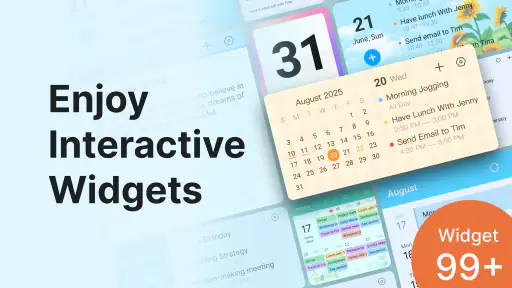
A realistic routine might be checking the day’s agenda over breakfast, adding an appointment while arranging the rest of the week, and reviewing unfinished tasks before bed. A home-screen widget can make that quick glance easier without opening the app each time. I’d still keep a short weekly review: move tasks that no longer fit, remove obsolete entries, and make sure deadlines have not become vague intentions.
Using Calendar Planner - Agenda App in everyday life
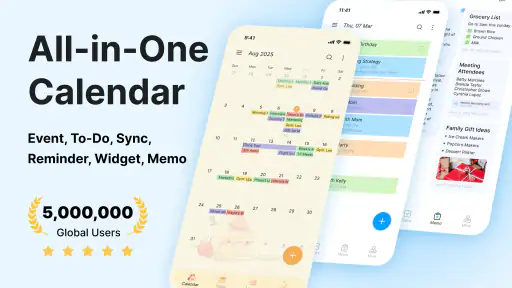
When I first opened the Calendar Planner - Agenda App, I was greeted by a clean and intuitive interface. It’s like the developers knew exactly what a busy bee like me needed! The design is minimalistic, which makes navigation a breeze. You won’t find yourself lost in a labyrinth of settings and options. Everything is right where you’d expect it to be.
Features that Stand Out
One of the standout features is the integration capability with other calendars. Whether you’re using Google Calendar, Outlook, or any other calendar service, this app syncs seamlessly. It’s like magic! You don’t have to worry about manually entering events and appointments; the app does it for you.
More From Our News Desk

Clash of Clans Is Won Between the Battles

Android Auto Makes the Case for Quieter Car Software

MobiOffice: Transforming Mobile Productivity with Seamless Integration

EA SPORTS FC™ Mobile Soccer: Redefining Mobile Sports Gaming

How Microsoft OneDrive Became a Mobile Productivity Giant

How Google Translate Breaks Language Barriers Effortlessly
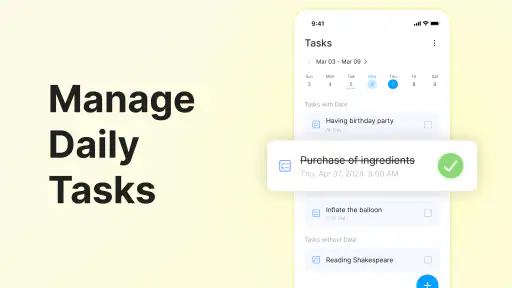
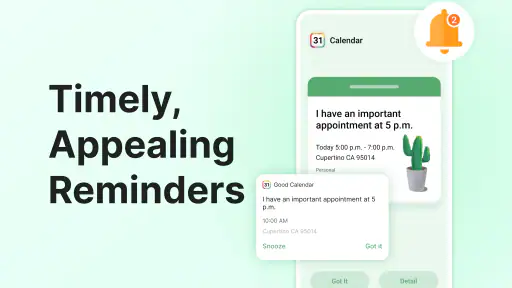
Another feature I absolutely love is the task management tool. Not only can you create tasks, but you can also set deadlines and reminders. It’s perfect for those of us who tend to procrastinate. The app gently nudges you with reminders, ensuring you never miss a deadline again.
Make capture useful, not cluttered
In practice, the best way to use a calendar-and-task setup is to give each entry a clear purpose. I’d reserve events for things tied to a particular time, and use tasks for work that can happen in a flexible window. For example, “call the dentist at lunch” is easier to act on than a bare “dentist” entry. A deadline also works better when it represents the real last day to finish something, rather than an arbitrary reminder that competes with appointments.
When deciding whether to rely on syncing, I’d check that the calendars I care about are visible and current before treating the planner as my single source of truth. Syncing can reduce duplicate entry, but it also means a problem in the connected calendar can leave the overall picture incomplete. For important appointments, I’d verify the event appears where I expect it, especially while setting up a new routine.
A realistic day, from first check to evening reset
Imagine a day with a morning appointment, a work deadline, and groceries to pick up on the way home. I’d put the appointment at its actual time, keep the deadline visible as a task, and phrase the errand so it is actionable rather than just a category. A glance at the agenda before leaving home can then answer two separate questions: where do I need to be, and what still needs doing?
The useful part of this setup is not that it makes the day effortless; it reduces the number of details I have to keep in my head. If the deadline takes longer than expected, I can make a deliberate choice about the errand instead of discovering it on an old note later. At night, I’d review what remains and decide whether it still belongs tomorrow. Carrying every unfinished task forward automatically can make a planner look busy without helping me make a decision.
For a student, the same approach can separate class times from assignments that need progress but not a fixed hour. For someone managing household plans, appointments can sit alongside flexible chores. I would keep shared responsibilities clear in the wording, though; a personal planner can organize what I enter, but it does not by itself settle who is responsible for a task.
Customization and Personalization
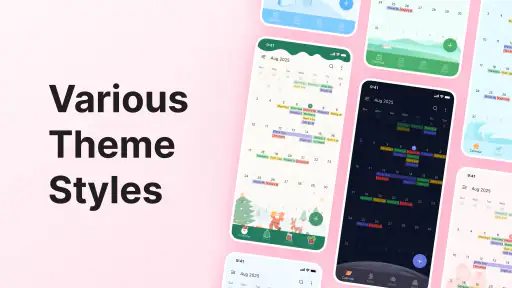
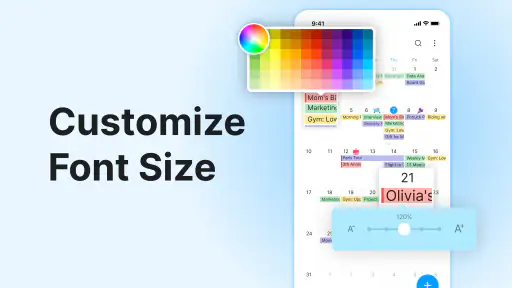
Let’s talk about customization. The app offers various themes and color schemes, allowing you to personalize it to match your style. Plus, the widget options are a game-changer. You can have your daily agenda right on your home screen, making it super convenient to check what’s on your plate for the day.
Moreover, the notification settings are highly customizable. You can choose to receive alerts via email, push notifications, or even SMS. It’s all about making the app work for you, not the other way around.
Make the widget earn its place
I’d treat a home-screen widget as a quick status board, not as a replacement for a planning session. Its strongest use is answering a simple question at a glance, such as what is coming up today. If I put too much on the screen, it stops being a shortcut and becomes another crowded list. Keeping the calendar entries precise and the task list limited to current priorities makes that glance more useful.
There is a small but important trade-off: information that is easy to see is also easy to overfill. I’d resist adding a long-term backlog to the daily view just because it is available. Tasks with no immediate next step may be better reviewed during a weekly reset, while today’s widget stays focused on what I can realistically act on. That separation helps prevent the planner from turning every ambition into a daily reminder.
Where it fits among planner apps
Compared with using a basic calendar alone, the appeal here is having tasks and appointments in the same planning flow. That can suit someone who wants a daily overview without switching between separate tools. A dedicated task manager may be a better choice for people who need elaborate project breakdowns, while a plain calendar may be preferable if they only schedule appointments and want fewer moving parts. I’d choose based on whether combining these jobs makes planning simpler, rather than assuming more options automatically mean better organization.
There are practical trade-offs, too. A widget is convenient, but a busy home screen can make it less useful; I’d keep the display focused on what helps me act today. Reminders are helpful for time-sensitive commitments, but they cannot decide priorities for you. The app can show what you entered, while leaving the judgment about what to postpone or decline in your hands.
Where a combined planner can fall short
Putting appointments and tasks together reduces app switching, but it also asks me to maintain a consistent distinction between the two. If I schedule flexible chores as fixed events, the calendar can become rigid. If I enter appointments as vague tasks, I lose the benefit of seeing where I need to be. The tool does not remove that judgment; the organization only works when I use each kind of entry deliberately.
I’d also be cautious about treating a connected calendar as infallible. A sync setup is convenient once it is working as expected, but I would check the important calendars and a few key entries before relying on it for a packed day. If I use several services or need a highly controlled work calendar, I’d compare the setup with the calendar app I already depend on rather than assume that every service will behave identically.
Another friction point is notification fatigue. A reminder can rescue an appointment from memory, but a stream of low-priority alerts teaches me to dismiss them quickly. I’d reserve alerts for events that need a prompt at a useful moment, and use the agenda itself for the rest. That makes notifications a deliberate backup rather than the whole planning system.
Who should make it part of their day?
So, is the Calendar Planner - Agenda App worth downloading? In my opinion, absolutely! It’s a well-rounded app that caters to both personal and professional needs. Whether you’re a student trying to keep track of assignments or a professional managing work meetings, this app has got you covered.
I’d also consider it for anyone coordinating a changing personal schedule who benefits from seeing appointments and tasks together. It is free to download, with in-app purchases ranging from $1.99 to $48.99 per item; its age rating is Everyone. The developer is Dairy App & Notes & Audio Editor & Voice Recorder. It has a 4.5 average from around 43,000 ratings, and more than 5 million installs. It was released on February 17, 2023, and requires Android 8.0 or later.
The free starting point makes it reasonable to try as a daily organizer, while the in-app purchases are worth considering only if a paid option fits a need you have identified. I wouldn’t pay simply in the hope that a new tool will create a planning habit for me. First I’d test the basic routine: enter a few real commitments, check the agenda consistently, and see whether the combined view saves effort. That is a better measure of fit than a long list of features.
For people who switch between personal and work schedules, the key question is whether one overview feels clearer than separate calendars. If seeing everything together helps avoid clashes, this approach can be practical. If mixing those commitments makes the screen harder to read or creates a boundary you do not want, a separate work calendar may be the better choice. I’d judge it by the quality of the overview, not by how much information I can squeeze into it.
If you prefer a paper diary, do not want reminders, or need a specialist system for complex projects, this may not be the right fit. I’d also avoid adding every task and notification at once: start with your regular commitments, then add features only when they solve a real planning problem. That makes it easier to tell whether the app is genuinely helping or simply creating another inbox to check.
In conclusion, if you’re on the hunt for an app that combines functionality with ease of use, look no further. Calendar Planner - Agenda App is your go-to tool to conquer the chaos of daily life. So why not give it a try? Your future organized self will thank you!
Calendar Planner - Agenda App Frequently Asked Questions
What devices and operating systems can run Calendar Planner - Agenda App?
Calendar Planner - Agenda App is listed for Android devices running Android 8.0 or later. Before downloading, check your device’s operating system version and make sure you have enough space for the app. If you use a different mobile platform, confirm that the app is available for your device in its app store before relying on it for your schedule.
Who develops Calendar Planner - Agenda App, and how established is it?
Calendar Planner - Agenda App is developed by Dairy App & Notes & Audio Editor & Voice Recorder. It has over five million installs and an average rating of 4.5 from around 43,000 ratings, giving prospective users a sense of its reach and overall reception. Those figures can help with initial research, though personal preferences and planning habits matter when deciding whether it is the right fit.
Is Calendar Planner - Agenda App suitable for everyday planning?
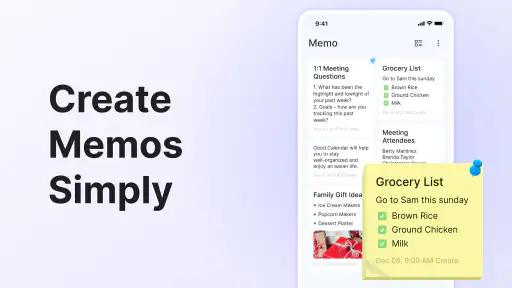
Calendar Planner - Agenda App is a productivity app for organizing day-to-day schedules, appointments, and tasks. Its calendar, agenda, memo, and widget features are intended to make plans easier to view and manage from a phone. It may suit people who want a straightforward place to keep daily plans visible, whether they are arranging work commitments, personal activities, or reminders.
Does Calendar Planner - Agenda App cost anything to download, and are there optional purchases?
The app is free to download, so you can try its calendar-planning tools without an upfront purchase. It also offers in-app purchases, with prices ranging from $1.99 to $48.99 per item, so some optional content or features may cost extra. Check the purchase details shown in your app store before confirming a transaction, especially if you prefer to keep all app use free.
What features does the Calendar Planner - Agenda App offer?
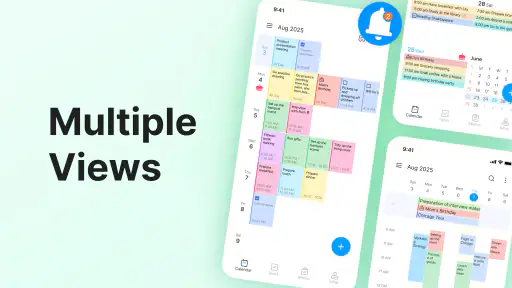
The Calendar Planner - Agenda App provides a comprehensive suite of features designed to enhance productivity and organization. Users can create and manage multiple calendars, set reminders, schedule tasks, and sync events across devices. It also offers customizable views such as daily, weekly, and monthly layouts, making it easy for users to plan and track their activities efficiently.
Pros
- User-friendly interface.
- Seamless synchronization with other calendars.
- Customizable reminders.
- Offers daily
- weekly
- and monthly views.
- Efficient task management features.
Cons
- Limited free version features.
- Occasional sync delays.
- No offline mode available.
- Ads in the free version.
- High battery consumption.
- Category
- Productivity
- Version
- Varies with device













