AI Video Generator: 3D FlixAI
- 434.00
- 2.8
- Installs
- 10.00M
- Price
- Free

Screenshots
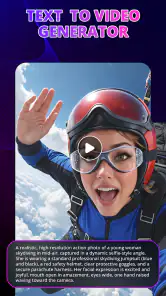
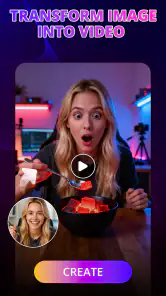
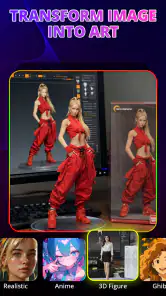
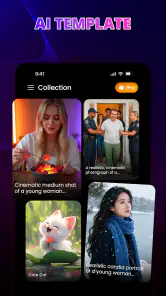
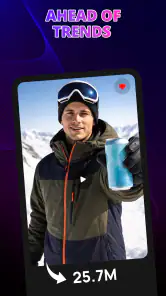


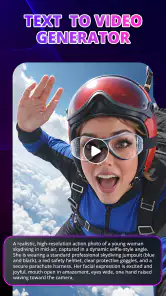
Analysis by Reviewed
I approached 3D FlixAI as a quick creative tool rather than a full video-editing suite. Its appeal is easy to understand: you choose an idea, apply an AI-driven visual treatment, and aim for something that feels ready to share without spending a long time learning a timeline editor. In my experience, that makes it interesting for casual creators, social posts, profile images, and playful experiments, but it also means the quality of the experience depends heavily on how smoothly the app can process each request.
Created by Tresor Tech, this free Art & Design app focuses on AI-generated photos and videos with anime, 3D, and other creative looks. It is aimed at Everyone, runs on Android 7.0 or later, and its current version is 1.3.3. The app has attracted over ten million installs, so it is clearly reaching people who want fast visual results rather than a complicated production workflow. That popularity is worth noting, although the average rating of 2.8 from around thirteen thousand ratings suggests that expectations should stay realistic.
How 3D FlixAI feels when the connection matters
The first thing I would tell a friend is that this is an app to use when you are comfortable with a processing step that may depend on an active connection. AI image and video generation is not the same as applying a simple color filter stored on the phone. Your request has to be interpreted, and the result may take longer than a normal camera effect. That changes how I plan to use it: I treat each creation as a small online task instead of something I can casually depend on in every situation.
That distinction matters when you are outside, moving between networks, or working with a weak mobile signal. A short creative session at home can feel straightforward, while the same session on public transport may become a series of pauses, retries, or incomplete attempts. I would avoid starting an important creation when I have only a few minutes before leaving an area with reliable connectivity. The app is more enjoyable when I can give it time and do not need an immediate result.
For a quick social post, the online nature of AI creation can be a reasonable trade-off. I can begin with a photo, choose a visual direction, and wait for the transformation instead of manually building a look layer by layer. The benefit is speed of decision-making, not necessarily instant output. I spend less time adjusting technical controls, but I still need patience when the app is processing.
The store summary presents the experience as creating AI photos and videos in one tap, with fast and simple creative styles. I see that as a useful description of the intended workflow, not a promise that every result will be perfect or that every request will finish immediately. One-tap generation reduces the number of controls, which is helpful for beginners, but it also leaves less room to correct a result before trying again.
What happens during a normal creative session
I would use the app in short stages. First, I would choose a source image or a simple concept that has a clear subject. Next, I would select a style that matches the purpose of the post. A portrait can suit an anime treatment, while a product-like object may benefit more from a 3D interpretation. Finally, I would wait for the generation step and judge the output as a draft rather than assuming it is the finished piece.
More From Our News Desk

Weather by Xiaomi Review: Clear at a Glance, Less Clear Up Close

X Under Pressure: Can It Recover When Posting Goes Wrong?

Clash of Clans Is Won Between the Battles

Android Auto Makes the Case for Quieter Car Software

MobiOffice: Transforming Mobile Productivity with Seamless Integration

EA SPORTS FC™ Mobile Soccer: Redefining Mobile Sports Gaming
This approach avoids one of the common frustrations with AI creative tools: expecting the first result to match a precise mental picture. The simpler the goal, the more useful the app feels. “Give this portrait a playful animated mood” is a better use case than expecting a carefully directed scene with exact composition, consistent details, and a professional commercial finish.
A practical tip is to prepare several suitable source images before opening the app. Choose pictures with a clear subject, reasonable lighting, and enough visual separation from the background. When a result looks awkward, the problem may be the starting image rather than the style itself. Having alternatives lets me test the workflow without repeatedly searching through my gallery while the connection is already being used.
Another useful habit is to save the strongest result immediately when it appears. AI sessions can involve several attempts, and I would not rely on being able to recreate an identical outcome later. This is especially important if a generated image has a pleasing balance of face, clothing, and background. A small change in the source or a second request may produce a noticeably different composition.
Using it away from home
On a phone, the main advantage is convenience. I can think of an idea while waiting for a friend, take a picture, and explore a stylized version without opening a desktop editor. The compact format suits spontaneous creativity, particularly when the goal is a profile image, a joke for a group chat, or a visual experiment for a personal account.
However, mobile convenience does not remove mobile limitations. A weak signal, crowded network, or interrupted session can make the experience feel less predictable. I would not make it the only tool for a time-sensitive campaign or a presentation that needs a guaranteed asset. For those situations, a conventional editor with already downloaded material is safer, because it gives me more control over timing and revisions.
The app also makes more sense for people who prefer guided choices over detailed editing. A traditional photo editor gives me control over masks, layers, curves, and individual adjustments. 3D FlixAI is more appealing when I want to explore a finished visual direction quickly. That makes it approachable, but users who enjoy precise manual work may find the simplified process restrictive.
For a realistic everyday scenario, imagine preparing a birthday message. I could take a clean portrait of a friend, try an anime-style interpretation, and use the result as a playful greeting. If the first attempt distorts an important detail, I would switch to another source photo instead of spending time trying to repair it inside the app. The workflow is strongest when the image is disposable or expressive, not when accuracy is the main requirement.
When generation fails or takes longer than expected
Connectivity problems are not the only possible source of friction. An AI request can fail because the source material is difficult to interpret, because the chosen effect does not suit the image, or because the service is temporarily busy. From a user’s perspective, these situations can look similar: I wait, receive an unsatisfying result, or need to try again. That is why I judge the app by how easily I can recover, not only by the best result it can produce.
My recovery routine would be simple. I would first check whether the connection is stable, then retry with a smaller, clearer idea. If that does not help, I would change the source image or style rather than repeating the same request. This avoids spending time and any relevant usage allowance on identical attempts. A well-lit portrait with one obvious subject is a better diagnostic image than a busy group photo.
It is also worth separating a technical failure from a creative mismatch. If the output arrives but the face, pose, or background feels wrong, the app may have completed the task successfully while interpreting the request differently from me. In that case, retrying without changing anything may not solve the problem. I would make one deliberate change at a time so I can tell whether the source or the style made the difference.
The app’s low average rating is a reminder that a fast AI workflow can still produce uneven experiences. I would not install it expecting every generation to be polished enough for professional use. Instead, I would see it as a tool for discovering ideas. When a result works, it can save time; when it does not, I need to be willing to discard it and move on.
Recovery is easier when I keep the original photo untouched in my gallery and treat generated files as separate drafts. That way, a poor transformation never replaces the source I may want to use elsewhere. I would also avoid deleting earlier successful versions until I have finished comparing them. AI outputs can vary, and the first acceptable result is not always the most useful one.
Being careful with mobile data and paid choices
Because the app creates visual content rather than merely displaying a static catalog, I would use it thoughtfully on mobile data. Video-related generation may be more demanding than a simple still image, and repeated attempts can turn a quick experiment into a longer session. I would reserve larger creative batches for a dependable connection and use mobile data selectively when the result is genuinely worth the wait.
This is not just about speed. A connection that repeatedly drops can lead to frustration, duplicated attempts, or uncertainty about whether a request finished. Before tapping again, I would check whether the result has appeared or whether the app is still processing. That small pause can prevent unnecessary repetition.
The app is free to install, but it includes in-app purchases ranging from $4.49 to $36.99 per item. That makes it important to understand my own usage before treating the tool as a regular production app. I would begin with modest experiments and only consider paying if the available workflow consistently fits what I need. Someone who wants occasional novelty may be satisfied without spending, while a frequent creator should examine whether repeated generation is worth the total cost.
I would also avoid using paid options simply to rescue a weak source image. If the composition is unclear or the subject is partly hidden, spending more does not guarantee a better creative result. Improving the source photo first is usually the more sensible decision. This is one of the app’s less obvious trade-offs: convenience encourages quick attempts, but careful preparation can matter more than another generation.
For privacy-conscious users, the sensible approach is to start with non-sensitive material. I would avoid testing the service with documents, confidential work, or photographs that I would not normally upload to an online creative tool. The app’s purpose is visual experimentation, so ordinary personal images are the natural starting point, but I would still choose them deliberately rather than sending everything in my gallery.
Who will enjoy it, and who should choose something else?
I think 3D FlixAI is best for casual creators who want a quick visual change without studying a complex editor. It can suit someone making social content, experimenting with anime-inspired portraits, creating a playful image for a message, or exploring 3D-looking treatments for personal projects. It is also a reasonable first step for users who feel intimidated by professional creative software.
It is less suitable for a designer who needs exact control over typography, spacing, color, layers, and repeatable branding. A manual editor remains better when every element must stay consistent across a campaign. It is also not my first choice for serious video production, where trimming, audio control, transitions, export settings, and detailed timeline work are central to the job.
Compared with ordinary camera filters, the app offers a more dramatic transformation and a wider sense of creative interpretation. The trade-off is that a standard filter is usually more predictable and immediate. Compared with a traditional photo editor, this app reduces technical effort but gives up fine control. Compared with a full AI production platform, it appears more focused on quick mobile experimentation than on a long, carefully managed workflow.
That comparison helps define its place. I would open it when I want to ask, “What would this picture look like in a different visual world?” I would open a conventional editor when I already know exactly what I want and need to build it precisely. Neither approach replaces the other, and choosing the right one prevents disappointment.
The age rating of Everyone also makes the app approachable for a broad audience, but that should not be confused with professional depth. A simple interface can be welcoming while still producing results that need human checking. I would always review a generated image before sharing it, particularly when the subject’s face, hands, clothing, or background is important to the message.
My verdict on its connected creative workflow
After looking at the way the app fits into real mobile use, I see it as a convenient idea generator with a strong dependence on patience and a reliable connection. Its best moments come from short, low-pressure experiments: a portrait with a new style, a playful greeting, or a quick visual concept that would take longer to build manually. The experience is less convincing when I need guaranteed timing, exact control, or consistent professional output.
The current version, 1.3.3, keeps the app relevant for people who want a modern AI-focused art tool on an Android device running 7.0 or later. Its free entry point makes trying it easy, while the optional purchases mean frequent use deserves a little financial discipline. I would begin with a clear purpose, use strong source images, and avoid repeated attempts on an unstable network.
My honest recommendation is to treat 3D FlixAI as a playful mobile sketchbook, not a dependable replacement for a full editor. If you enjoy discovering unexpected anime or 3D-style results and can accept occasional retries, it is worth exploring. If you need offline certainty, exact revisions, or a polished production pipeline, a conventional editing app will serve you better. For the right kind of user, its simplicity is the attraction; for everyone else, that same simplicity may be the main limitation.
Ultimately, I would keep it for moments when speed and curiosity matter more than precision. The strongest workflow is to create selectively, protect the original images, watch how much mobile data and paid generation you use, and judge each output before sharing it. That mindset matches what this app does well: turning a quick idea into a visual possibility while leaving the final creative decision in my hands.
AI Video Generator: 3D FlixAI Frequently Asked Questions
Who develops AI Video Generator: 3D FlixAI, and what is it designed for?
AI Video Generator: 3D FlixAI is an art and design app developed by Tresor Tech. It is designed for making AI photos and videos in a range of styles, with a one-tap approach for people who want to explore visual ideas without advanced editing skills. Its focus is creative generation rather than serving as a general-purpose video editor.
Is AI Video Generator: 3D FlixAI free to download, and are there optional purchases?
AI Video Generator: 3D FlixAI is free to download, with in-app purchases priced from $4.49 to $36.99 per item. Some features may require payment, so check the options shown in the app before making a purchase. The free starting point may suit casual experimentation, while users who want additional access should review the purchase details carefully.
What kind of content can I make with AI Video Generator: 3D FlixAI?
AI Video Generator: 3D FlixAI is an art and design app for creating AI photos and videos in a range of styles, including anime, 3D, and other creative looks. Its one-tap approach is aimed at people who want to explore visual ideas without needing advanced editing skills. What you can create will depend on the tools and options available in the app.
What is AI Video Generator: 3D FlixAI?
AI Video Generator: 3D FlixAI is an app designed to create short videos and animated scenes with the help of artificial intelligence. Depending on the available tools, users can typically turn written ideas, images, or prompts into stylized video content, including cinematic, 3D-inspired, or social-media-ready clips. It is aimed at beginners who want to experiment without advanced editing skills.
How does AI Video Generator: 3D FlixAI create videos?
The app generally works by asking you to enter a text description, select a visual style, or upload source media, after which its AI processes the request and generates a video. Results can vary according to the prompt, selected settings, and processing time. Clear, specific descriptions usually produce more useful results, although generated characters, motion, and details may not always be perfect.
Pros
- Creates stylized 3D videos from simple text prompts.
- Useful for quickly testing story and animation concepts.
- Can reduce the need for advanced 3D modeling skills.
- Suitable for short social media clips and visual experiments.
- AI-assisted workflow helps beginners start creating faster.
Cons
- Generated characters and scenes may look inconsistent between clips.
- Rendering times can vary
- especially for complex prompts.
- Free usage may include limits
- watermarks
- or restricted exports.
- Results often need manual editing to achieve polished quality.
- Some features may require a subscription or in-app purchases.
- Category
- Art & Design
- Version
- 1.3.3