AI GPT Generator-Text to Video
- 241.00
- 3.7
- Installs
- 10.00M
- Price
- Free
Screenshots
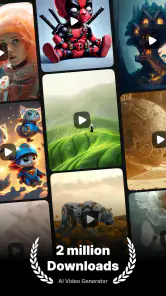
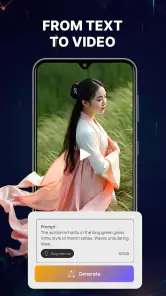
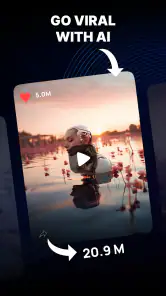
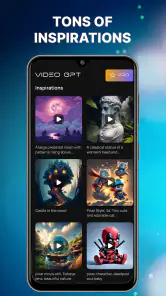
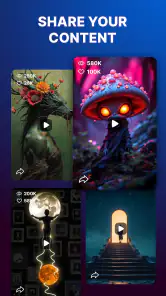
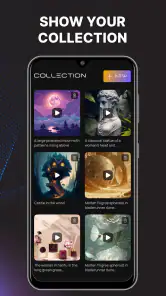
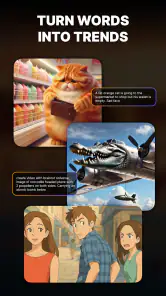
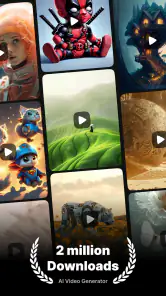
Analysis by Reviewed
I see AI GPT Generator-Text to Video as a quick idea-to-visual tool, not a replacement for a full video editor or a dependable design studio. Its appeal is the short path from a written prompt to generated imagery or video: when I have a rough concept but no finished visual, that can be a useful place to begin. The trade-off is that AI output needs judgment and often revision. I would recommend it to curious creators who want to explore possibilities, while anyone needing precise, repeatable production should keep a more hands-on tool in their workflow.
A useful fit for visual planning
One place I would use the app is early planning, before I have committed to a design direction. Say I am preparing a small presentation about a new café concept: I could describe the room, lighting, and atmosphere, then use a generated visual to show colleagues the mood I have in mind. It would help make an abstract conversation more concrete, even if the image still needs replacing or refining before anything is published.
For that kind of task, I would keep the prompt focused on the parts that matter to the discussion. If the point is a calm, welcoming interior, details about the exact menu or signage may distract from the visual question. I would also save the wording that produced a useful direction so I can reuse its core description while changing one element at a time. That is a practical way to explore variations without pretending the result will be perfectly repeatable.
This distinction matters when deciding what to do next. A generated visual can be a helpful reference for a designer, a sketch of a social post, or a personal source of inspiration. It is a weaker choice when the deliverable itself must contain exact words, precise branding, or a consistent sequence of shots. I would use it to clarify an idea, then move to tools that give me direct control over the final asset.
Turning a rough idea into a visual starting point
The app sits in the art and design space and is made by AI Tech Labs. Its central idea is easy to understand: describe what you want, then use its generator to turn that description into an image or video. That makes it approachable even if you do not know illustration software or have editing experience. You can begin with a subject, mood, or scene rather than a blank canvas.
In practice, the most useful way to approach a prompt is as a compact creative brief. I would specify the subject, setting, atmosphere, and one or two visual details that matter most. For example, instead of asking for “a cozy café,” I might describe a small corner café on a rainy evening, warm window light, and a quiet mood. This gives the generator more direction without burying the main idea beneath a long list of instructions.
That prompt-first workflow is strongest during brainstorming. If I were planning a social post, a mood board, or a short creative pitch, I could test a few contrasting descriptions and use the results to decide which direction feels right. The output is best treated as a draft or inspiration rather than a finished asset that automatically matches a detailed brief.
More From Our News Desk

Weather by Xiaomi Review: Clear at a Glance, Less Clear Up Close

X Under Pressure: Can It Recover When Posting Goes Wrong?

Clash of Clans Is Won Between the Battles

Android Auto Makes the Case for Quieter Car Software

MobiOffice: Transforming Mobile Productivity with Seamless Integration

EA SPORTS FC™ Mobile Soccer: Redefining Mobile Sports Gaming
Why the image-and-video combination matters
Many creative apps focus on one format, while this one brings text-led image and video generation together. That can save a little friction when an idea needs to be explored in more than one visual form. I might first establish the look of a scene with an image, then try expressing the same concept as a moving visual. The practical value is not that both formats will necessarily produce a consistent campaign; it is that I can experiment without changing to a separate category of tool.
There is an important trade-off here: a shared generator does not make every output equally suited to every use. A still image can work as a visual reference or a quick concept, while a generated video is more dependent on motion feeling coherent and on the scene matching the prompt. If a project relies on exact timing, continuity, or a specific shot sequence, I would move to a dedicated editor rather than assume a text prompt can control all those details.
A useful habit is to change one part of a prompt at a time. If I alter the subject, art direction, lighting, and setting together, I cannot tell which change improved the result. Keeping the core description stable and adjusting just the mood or composition makes comparisons more meaningful. It also helps me avoid mistaking random variation for a reliable improvement.
Where the process can feel less predictable
The same simplicity that makes the app approachable can limit control. A written request communicates intent, but it is not the same as arranging objects by hand, adjusting layers, or setting exact motion and timing. If a generated scene gets the general feeling right but misses a small but important detail, refining the wording may help, yet it is not as direct as editing that detail yourself.
I would also be careful about treating a visually pleasing result as automatically ready to publish. Generated material can need a close check for composition, legibility, and whether the important parts of the prompt actually came through. For a personal concept or a rough draft, that may be a fair exchange. For a client deliverable, product image, or anything with strict brand requirements, I would plan for additional review and editing.
Another practical consideration is the difference between trying an app and relying on it regularly. The app is free to download, but it includes in-app purchases ranging from $0.29 to $36.99 per item. I would explore the available workflow before spending, and decide whether the results fit a real recurring need rather than paying simply because a first generated image looks promising. The right choice depends on how often I would use it and how much control the project demands.
Everyday uses that suit a prompt-based tool
Imagine I need a visual idea for a weekend invitation but have no photo or design concept in mind. I could describe the event’s setting and mood, generate a few possible directions, and use one as inspiration for a finished invitation elsewhere. That is a realistic use because the goal is to find a look, not to guarantee that every piece of text or decorative detail is production-ready.
For a small creator, the app could also help break through a blank-page moment. A short prompt for a fantasy landscape, a character concept, or a visual theme for a post can produce something to react to. I find this kind of tool most valuable when I already know what I want to communicate but need help imagining how it might look. It is less useful when I expect the generator to invent a polished concept and make all the creative decisions for me.
There is a subtle workflow advantage in separating exploration from finishing. I would use the generator to make several concept directions, choose the one that best supports the message, then complete precise text, cropping, or layout in a tool built for those tasks. That keeps the AI step focused on visual discovery instead of forcing it to handle every stage of a design project.
Who should give it a try
AI GPT Generator-Text to Video is a reasonable fit for beginners, hobbyists, and social creators who want to test visual ideas without learning a complex editor first. It is also useful for people who enjoy prompt experimentation and do not mind reviewing results rather than expecting exact control. The age rating is Everyone, and the app has reached over 10 million installs, so it has broad reach; that does not, by itself, tell me whether its output will suit an individual project.
People who need a quick concept image or a starting point for a visual discussion may get more from it than users who already have a specific asset in mind. If I were working on a rough presentation, for instance, a generated image could help communicate the atmosphere I am imagining before a designer builds the final version. I would label it clearly as a concept and avoid treating it as a substitute for commissioned or carefully art-directed work.
I would skip it as my main tool if I needed precise typography, dependable character consistency, finely controlled edits, or a predictable video sequence. A conventional image editor gives more direct control over placement and finishing, while a dedicated video editor is better for shaping a timeline and correcting specific moments. Those alternatives take more hands-on effort, but that effort is worthwhile when accuracy matters more than speed.
What to expect from the app itself
The app is free, with optional purchases, and its current version is 1.9.0. It supports Android 7.0 and later. Those details make it easy to judge basic compatibility and the potential for extra spending before trying it. The average rating is 3.7 from around 22,000 ratings, with 241 written reviews. I read that as a mixed reception rather than a promise of uniformly smooth results: the best way to decide is to test the kind of prompt you actually expect to use.
For a fair trial, I would start with a simple subject and one clear style direction, then try a second prompt that changes only the mood or setting. If both results miss the same essential detail, that is a useful sign that the app may not offer the level of control I need. If the images or videos give me workable inspiration, I can then decide whether the free experience is enough or whether any paid option is worth considering.
One question many first-time users have is whether they need design experience. I do not think so: describing a scene in ordinary language is a low barrier to entry. The more useful skill is being specific without overloading the request. Another likely question is whether the app replaces editing software. I would say no; it helps generate material, while a separate editor remains the better choice for exact layout, corrections, and final polish.
Likewise, someone deciding whether to pay should first identify a repeatable use case. If I only want to experiment once, optional purchases may not be relevant. If I expect to return for regular creative work, I would compare the results I can get with the time and control offered by my existing tools before spending. That keeps the decision grounded in actual output rather than curiosity alone.
My verdict: a useful spark, with a clear ceiling
AI GPT Generator-Text to Video is at its best as a low-friction idea generator. It makes it easy to turn a written concept into something visual and offers both image and video creation in one creative app. I like that this can help a beginner move from “I have an idea” to a concrete starting point without first mastering a complicated design workflow.
Its limitation is just as important: prompt-based generation does not offer the reliable, fine-grained control of editing by hand. That means I would use it for exploration, personal projects, and early visual drafts, then switch tools when precision or consistency becomes essential. If that distinction matches what you need, it is worth trying. If you want a finished, tightly controlled design or video straight from a description, a dedicated editor is the better fit.
AI GPT Generator-Text to Video Frequently Asked Questions
What does AI GPT Generator-Text to Video do?
AI GPT Generator-Text to Video is designed to turn written prompts or text into video content using AI. Depending on the tools available in your version, you may be able to describe a scene, choose visual or style settings, and generate a clip from that input. Results can vary, so expect to review and refine generated videos rather than assume every prompt will produce a finished, publication-ready result.
Is AI GPT Generator-Text to Video free to use?
The app may offer free access or limited introductory features, while video generation, additional credits, or premium tools may require payment. Check the current in-app pricing, subscription terms, and credit limits before starting a generation or signing up for a trial. Availability and costs can change between versions, regions, and platforms, so confirm the details on the app’s store listing and inside the app.
Do I need an internet connection to generate videos?
AI video generation commonly relies on remote processing, so an internet connection is likely needed to submit prompts and receive completed clips. Generation may take time, particularly when the service is busy or a request is complex. If you plan to use the app while travelling, check whether it supports any offline features; do not assume that creating or exporting videos will work without connectivity.
Can I use the videos I create for commercial projects?
Commercial use depends on the app’s current terms, the rights attached to its AI-generated output, and any third-party material included in a prompt or result. Before using a clip in advertising, client work, or monetized content, review the license and content policies carefully. Avoid prompts that reproduce protected characters, brands, or other people’s work unless you have permission to use them.
What should I consider before sharing personal information or uploading content?
Read the privacy policy and permissions before entering sensitive details, uploading images, or submitting text that identifies you or someone else. AI services may process prompts and uploaded materials on their servers, and their storage or retention practices can differ. Use content you have the right to share, avoid confidential information, and check the app’s account, deletion, and data-management options.
Pros
- Quickly generates video drafts from text prompts.
- Useful for turning ideas into visual content without editing skills.
- Can help create social media clips and promotional material.
- AI generation offers a fast starting point for creative projects.
- Text-based input makes video creation approachable for beginners.
Cons
- Generated scenes may not closely match the prompt.
- Video quality and consistency can vary between generations.
- Complex prompts may require repeated edits to get useful results.
- Some features or generation credits may require payment.
- AI-generated content may need review before publishing.
- Category
- Art & Design
- Version
- 1.9.0












