YouTube Kids
- 86.58K
- 4.2
- Installs
- 500.00M
- Price
- Free

Screenshots
Analysis by Reviewed
When a child asks to watch a video while I’m making dinner, I want a simple way to offer something age-appropriate without opening the full, general-purpose video experience. YouTube Kids is designed for that moment: it gives young viewers a separate place to browse, while leaving adults responsible for deciding how much choice is appropriate. I find that balance useful, as long as I treat the app as a tool for family viewing rather than a substitute for supervision.
What the app offers families today
As an entertainment app from Google LLC, YouTube Kids gives families a dedicated place to explore children’s videos rather than handing a child the regular YouTube experience. That distinction is useful, but it doesn’t make the app a substitute for an adult’s judgement. I see it as a more child-oriented starting point: the layout is approachable, while a parent still needs to decide what fits their household.
For a typical afternoon, I’d use it when a child wants a short drawing lesson or a familiar cartoon while I prepare dinner. The practical benefit is that the app’s child-focused presentation can make browsing less daunting than the broad, general-purpose video catalogue. But I wouldn’t treat a kid-friendly design as a guarantee that every video will suit every child. Checking in, especially when a child is new to the app, remains worthwhile.
The Latest on YouTube Kids
Kid-Friendly Wonderland
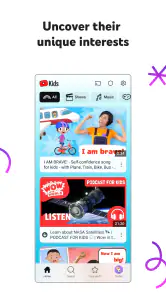
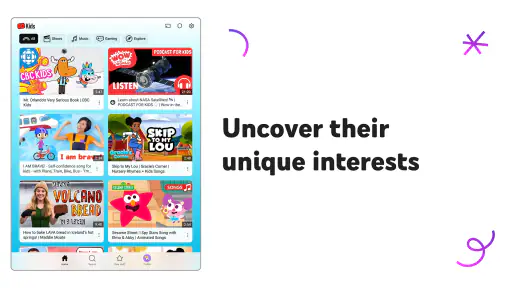
First off, let me just say that YouTube Kids feels like a wonderland designed specifically for children. The interface is colorful, playful, and incredibly intuitive. Your kids won’t need a master's degree to navigate through it. As soon as you open the app, you’re greeted with a simple and engaging layout that even toddlers can understand. The creators have really put some thought into making it user-friendly for the little ones. Kudos to them!
Content That Cares
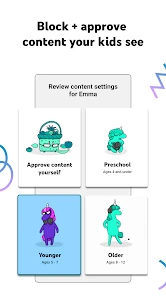
YouTube Kids is like having a digital babysitter that actually cares about what your kids are watching. The app is packed with content that is age-appropriate and educational. Whether it’s watching their favorite cartoons or learning how to draw, the app covers a vast range of topics. The best part? You can customize the content based on your kid's age. So, whether you have a preschooler or a pre-teen, there’s something for everyone.
That age-based starting point is helpful when setting things up, but I’d still make a habit of reviewing choices as a child’s interests change. A preschooler who moves from nursery rhymes to science videos may need a different mix, and a parent-curated selection can offer tighter boundaries than broad discovery. If you want a child to watch only a few familiar channels, choose that more deliberate approach rather than assuming a general age setting will match your preferences perfectly.
Making the controls work in real life
Before handing over a device, I’d decide what the session is for: a brief break, a specific drawing activity, or a few familiar videos during a meal. That small choice helps me avoid leaving a child to browse indefinitely just because the app is open. A practical setup is to agree on the viewing boundary first, then use the available controls to support it. The app’s limits are most helpful when they reinforce a routine a child already understands.
More From Our News Desk

Android Auto Makes the Case for Quieter Car Software

MobiOffice: Transforming Mobile Productivity with Seamless Integration

EA SPORTS FC™ Mobile Soccer: Redefining Mobile Sports Gaming

How Microsoft OneDrive Became a Mobile Productivity Giant

How Google Translate Breaks Language Barriers Effortlessly

Why Google Sheets Is the Ultimate Mobile Productivity Tool
It’s also worth checking the setup from the child’s point of view. A control that makes sense to an adult may not explain why a favorite video is unavailable, so I’d talk through changes calmly and keep a small set of known alternatives ready. That can turn a blocked video from a frustrating surprise into an ordinary part of the household rules. The goal isn’t to make every viewing decision effortless; it’s to make the boundaries clear enough that the device doesn’t become the family referee.
Parental Controls Galore
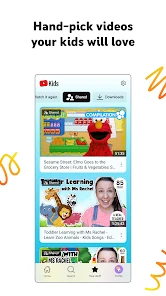
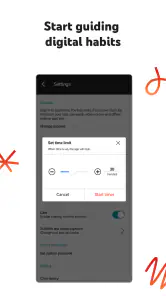
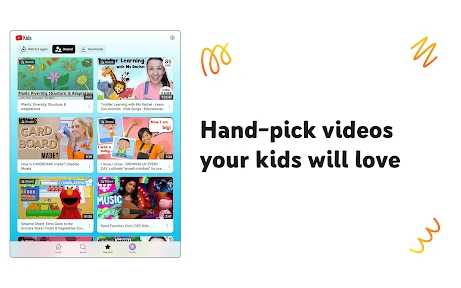
Now, let's talk about something every parent loves—control. YouTube Kids offers a plethora of parental controls that let you decide what’s best for your child. You can set screen time limits, block certain channels, and even handpick what your child can watch. It's like having the remote control in your hands at all times. I found this feature particularly comforting because, let's face it, we can’t always be around to monitor what our kids are watching.
A useful routine is to set limits before handing over the device, then use blocked channels or a smaller approved selection to respond to anything that feels unsuitable. These controls work best as a shared household habit, not a one-time setup: children’s tastes shift, and a setting that worked last month may be too open or too restrictive now. I’d also explain the rules in simple terms, so ending a session feels predictable rather than like a sudden punishment.
Additionally, the app doesn’t allow any comments on videos, which is a huge relief. No more worrying about inappropriate comments popping up alongside your child's favorite nursery rhyme video. This is a big win in my book!
What the safer setting can and cannot do
Removing comments avoids one familiar source of unpleasant material, and a child-focused app is a more suitable place to begin than the regular YouTube interface. Still, “safer” is not the same as “personally vetted by me.” I’d watch a new channel with a child at least once, and revisit the viewing choices now and then. This is especially sensible for younger viewers, who may not yet know how to stop and ask for help when something feels odd.
That distinction also helps answer whether a parent can simply hand over a phone and forget about it. I wouldn’t. The app can reduce some friction and give adults tools to shape viewing, but no video service can replace supervision or a family conversation about what is okay to watch. If you need a fully controlled, fixed set of videos with no browsing, a locally managed collection may suit you better.
Planning for trips and weak connections
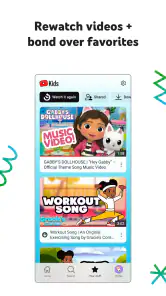
One useful way to think about offline viewing is as preparation, not as a promise that every video will be available wherever you go. Before a journey, I’d choose a few likely favorites and check that they are ready while the connection is steady. I’d also keep expectations realistic: downloads can make a trip easier, but they don’t replace a backup activity or an adult’s plan for what happens when the child gets bored of the saved choices.
This is particularly helpful for families who travel through areas with unreliable service or want to avoid depending on a live connection. For a short wait at an appointment, though, a book, game, or conversation may be a better choice than turning every quiet moment into screen time. I like having the option available without treating it as the default solution to every delay.
Offline Fun
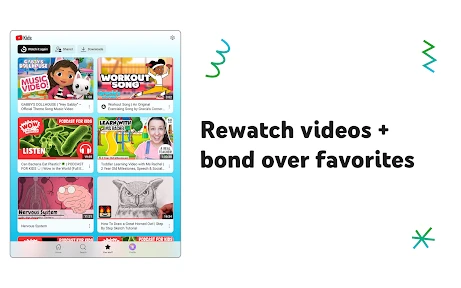
Another cool feature is the ability to download videos for offline viewing. This is a lifesaver during long car rides or when you’re in a place with spotty internet connection. Just download their favorite videos beforehand and you’re good to go. It’s like carrying a portable entertainment unit wherever you go. Plus, it saves you from the dreaded "Are we there yet?" questions.
For a smoother trip, I’d prepare the downloads while connected to reliable internet and let the child choose a few options before leaving. That avoids turning a weak connection into a last-minute negotiation. Offline viewing is handy when access is unreliable, though it won’t solve every travel problem: the adult still has to plan what is available, and the child may want a video that wasn’t saved. For a child who replays the same favorites, this is a particularly practical way to make the app useful away from home.
How it compares with other ways to watch
Compared with regular YouTube, the dedicated children’s interface and parental controls make this a more natural choice for younger viewers. Compared with a fixed playlist or videos saved directly on a device, it offers a broader browsing experience, while those alternatives give an adult more certainty about exactly what will play. I’d choose YouTube Kids for supervised discovery and convenience; for a very young child, a long journey, or a situation where browsing itself is a concern, a short preselected playlist may be the better call.
The trade-off is between variety and predictability. A child who enjoys choosing a new craft or song may benefit from a browsing space, while a child who gets unsettled by too many options may do better with a short playlist chosen together. For shared family viewing, the regular YouTube app may suit an adult who wants its broader catalogue, but I wouldn’t use that broader experience as the default for a young child. I’d match the option to the child, the setting, and how closely an adult can stay involved.
Who it suits, and when I’d choose something else
I’d recommend it most to parents who want a child-oriented place for cartoons, simple learning videos, and familiar favorites, and who are willing to set boundaries and check in. It may be less suitable for families who want every video selected in advance, or for older children who are ready for a broader viewing environment and need something more tailored to their interests. In that case, a parent-managed playlist or another carefully chosen option can be a better fit than giving a child open-ended browsing.
It is also a reasonable choice for a caregiver who needs a straightforward shared activity: a child can pick a drawing video, and an adult can join in rather than using the screen as background noise. But if your household is trying to reduce screen time, or if a child tends to keep tapping from one video to the next, the app may create more negotiation than convenience. I’d then reserve it for specific occasions and rely on offline, non-screen activities for the rest of the day.
The app is free, rated for Everyone, and has been available since February 23, 2015. It has a 4.2 average from around 3.2 million ratings, with more than 500 million installs. Those figures suggest that many families have tried it, but they don’t tell me whether its approach will match a particular child. I’d judge it by trying the controls and content choices with your own family rather than treating popularity as a guarantee.
What to reassess as a child grows
As the app continues to be used by families, the useful things to watch are whether its controls still fit your child’s changing interests and whether the available viewing choices feel right for your household. I’d also reassess how much independence to allow as a child grows. The basic decision isn’t whether a popular app is automatically safe; it’s whether this mix of discovery, adult controls, and supervision works for you.
There is no single setting that stays right forever. A child who once needed a tightly limited selection may later be ready to explore more, while a new interest can make yesterday’s approved mix feel less relevant. I’d review the choices together and ask the child what they enjoy, while keeping the adult’s boundaries clear. That gives the app a role in a changing routine instead of letting its initial setup make decisions on the family’s behalf.
Overall, YouTube Kids has managed to create a safe and entertaining space for children to explore. It's evident that a lot of thought and care has gone into developing this app. As a parent, it gives me peace of mind knowing that my child is engaging with content that's both fun and educational. If you haven’t tried it yet, I’d say give it a shot. You might just find yourself enjoying the app as much as your kids do!
YouTube Kids Frequently Asked Questions
Can I download YouTube Kids for a tablet as well as a phone?
YouTube Kids is available for Android and iOS devices, making it an option for families using either platform on a phone or tablet. Look for the app in the relevant app store for your device. After installing it, an adult can take time to configure the child’s profile and viewing settings before the device is handed over.
Is YouTube Kids free to download?
Yes. YouTube Kids is free, so families can download and use the app without paying for the app itself. It is an entertainment app made just for kids, but parents should still review its setup and controls to decide whether the experience fits their household. The app is made by Google LLC.
Is YouTube Kids available on both Android and iOS?
YouTube Kids is an app for families who want a child-focused video experience on a mobile device. It is available for Android and iOS, so parents can look for it in the relevant app store for their device. Before downloading, check that the app is being installed on the device your child will use and that you can access its setup and parental controls.
Who makes YouTube Kids, and is it a separate app from YouTube?
YouTube Kids is a separate app made by Google LLC, rather than simply a child profile inside the standard YouTube app. Its store summary describes it as an app made just for kids. The dedicated experience is intended to make it easier for families to find children’s videos and set viewing controls, while parents remain responsible for configuring the experience to suit their household.
What is YouTube Kids?
YouTube Kids is a family-friendly version of YouTube, specifically designed to provide children with a safe and controlled environment for watching videos. It offers a vast library of age-appropriate content, including educational videos, cartoons, and music, with parental controls to ensure a safe viewing experience.
Pros
- Child-friendly content
- Easy navigation
- Parental control features
- Educational videos
- Ad-free with premium
Cons
- Limited content variety
- Age-inappropriate videos slip
- Subscription cost for ad-free
- Requires internet access
- Limited offline downloads

- Category
- Entertainment
- Version
- Varies with device