Prime Video
- 1.03K
- 3.1
- Installs
- 100.00M
- Price
- Free

Screenshots
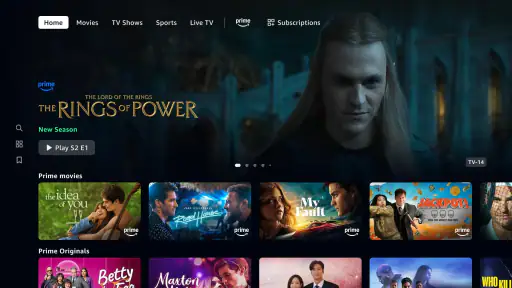
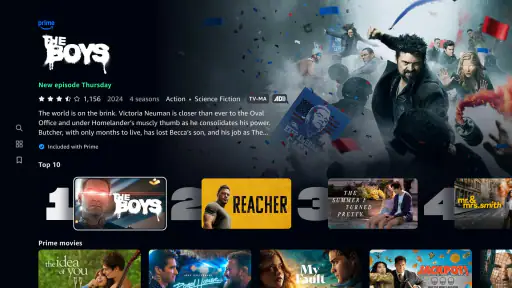
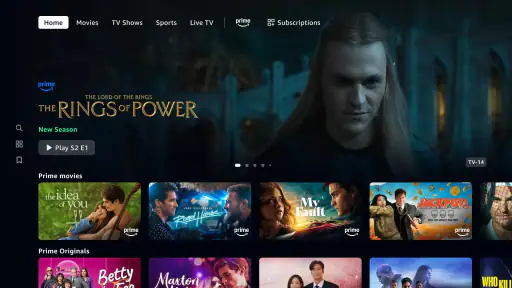
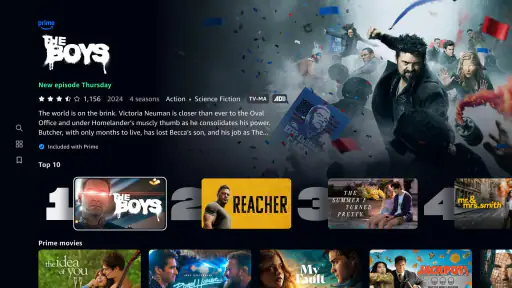
Analysis by Reviewed
I’d choose Prime Video when I want a broad mix of films, series, live programming and sports in one entertainment app, but I wouldn’t treat it as a guaranteed shortcut to something I’ll love. Its library and playback tools make it useful for different kinds of viewing; the catch is that browsing can take patience, and the value depends on what I actually want to watch. It’s a free app from Amazon Mobile LLC, rated Teen, and its 3.1 average from around 38,000 ratings suggests that plenty of viewers find the experience uneven.
A broad service with a real trade-off
My main reservation is not that Prime Video lacks options; it’s that a large range can make a simple decision feel like work. If I open it with a specific film in mind, I want to know quickly whether it’s available and what kind of access it requires. If I open it without a plan, I can end up scanning rows without feeling any closer to choosing. I get the best results when I decide on a mood or viewing window first, then browse with that limit in mind.
That makes it a better fit for flexible viewers than for someone who expects a tightly edited catalogue. I’d recommend it to a household that enjoys different kinds of programming and can take advantage of the mix, but I wouldn’t choose it solely because it has a large audience. The average rating is a useful reminder that a popular service can still feel inconsistent from one person’s device, viewing habits, or expectations to another’s.
Who will get the most from it
I think it suits people who like having movies, series, live programming and sports under one roof, especially if they don’t mind browsing. It can also make sense for someone who already uses Amazon services and wants a familiar account for video. For a family, separate profiles and parental controls can help keep recommendations and age limits more appropriate, though adults still need to make sensible choices about what younger viewers can access.
I’d be less enthusiastic about it for a viewer who watches only one narrow genre, wants a small and carefully curated collection, or dislikes checking the details of individual titles and offers. A specialist service may be easier for that person because its focus can make discovery more direct. Likewise, if I only stream occasionally and don’t see titles I’m keen to watch, the app’s range by itself is not a convincing reason to keep returning.
Small habits that make browsing easier
When I’m choosing something with friends or family, I find it helps to agree on a rough category before opening the catalogue: a short episode, a light film, or something everyone can watch together. That keeps the group from debating every thumbnail. I also like to browse before the actual viewing time, when there is less pressure to settle on something immediately. Saving a likely choice for later, where that option is available, can turn a vague search into a simple decision when everyone is ready.
For travel, the important step is to prepare while I still have a reliable connection. I’d pick the title, start the download, and make sure it appears ready for offline playback before leaving home. That is more dependable than assuming a download will finish on a train or at an airport. I’d also avoid filling my device with several long choices just in case; checking available storage first is a more practical way to make offline viewing work.
Where it earns a place on my phone
The main appeal is having several kinds of video in the same place rather than opening separate apps for a film night, a series, or live viewing. Prime Video has been available since December 2017 and has passed 100 million installs, so it’s an established option, though popularity alone doesn’t guarantee that its catalogue will suit your taste. I find it most useful when I’m open to browsing instead of arriving with one specific title in mind.
One practical way to make that browsing less tiring is to treat recommendations as a starting point, not a complete guide to the catalogue. If I’m choosing something with other people, I’ll first narrow down the mood—something short, light, or suitable for a shared evening—then look through the available options. That small step helps avoid the familiar streaming problem of spending more time deciding than watching.
What to know before you settle in
The app is free to download, but that doesn’t mean every viewing choice is automatically covered by a single subscription. Prime Video includes in-app purchases, with listed item prices ranging from a few cents to several hundred dollars. I’d check the on-screen details before confirming a purchase, especially if I’m browsing quickly or handing the phone to someone else. For me, that distinction matters: the app can be convenient while still requiring attention to what a particular title or offer costs.
It also isn’t the right pick if I want every service to behave like one perfectly uniform library. The amount of choice can be a strength, but it can also make it harder to tell at a glance which option best fits my plans. I’d use it when I’m happy to explore and compare; if I only want a highly focused catalogue or a very predictable selection, a specialist streaming service may feel simpler.
Getting Started with Prime Video
First things first, downloading Prime Video is a breeze. Whether you're on Android or iOS, just head over to your app store, search for it, and tap on download. Easy peasy! Once installed, you'll need to log in with your Amazon account. If you're not already a Prime member, they do offer a free trial, so you can test the waters before diving in.
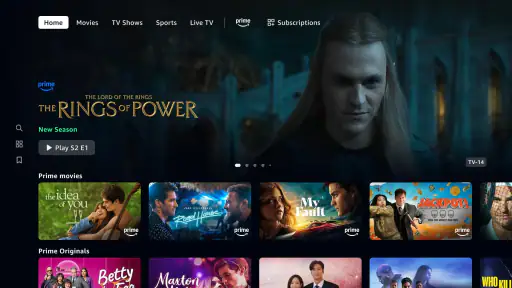
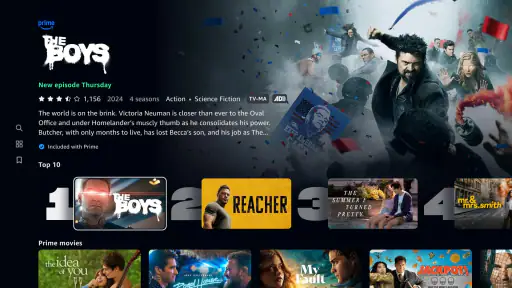
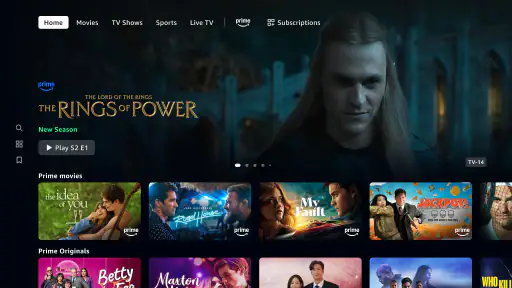
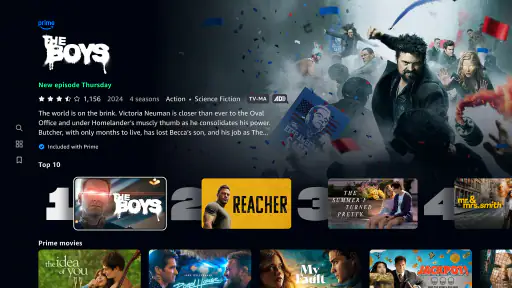
The interface is pretty sleek and intuitive. You land on the homepage, which is a smorgasbord of options, from the latest releases to curated lists based on your viewing history. I found it super easy to navigate, which is always a win in my book.
Content Galore
Now, let's talk about what really matters: the content. Prime Video isn't just about quantity; it's about quality too. There's a mix of movies, TV shows, and exclusive Amazon Originals that you won't find anywhere else. Whether you're into nail-biting thrillers, romantic comedies, or award-winning documentaries, there's something here for everyone.
A cool feature is the "X-Ray" option, which lets you tap on the screen during playback to get info on the actors, music, and trivia. It's like having IMDb at your fingertips, which is pretty neat if you're a movie buff like me.
Streaming Experience
The streaming quality is top-notch. You can watch in 4K, provided your device supports it and your internet connection is up to snuff. I didn't experience any buffering, which is a lifesaver when you're in the middle of an intense scene.
If you're worried about data usage, no worries! You can adjust the streaming quality or even download content to watch offline. This feature is a godsend for those long commutes or flights, where Wi-Fi is a distant dream.
User-Friendly Features
One of the things I love about Prime Video is its multi-user profiles. You can create up to six profiles, which is perfect for families. Each profile gets personalized recommendations, so you won't have to wade through your sibling's horror flicks if that's not your jam.
There's also a parental control feature, allowing you to set age restrictions and block specific content. It's reassuring if you have kids and want to keep an eye on what they're watching.
Integration and Accessibility
Prime Video integrates seamlessly with other Amazon services. If you've got an Echo device, you can use voice commands to play shows, which adds a cool techy touch to your viewing experience.
For accessibility, there are subtitles and audio descriptions available for a lot of the content. It's a thoughtful addition that makes the app more inclusive.
Everyday viewing, with a little planning
For a realistic weeknight routine, I’d use the app before I’m ready to watch: browse while I have a spare moment, save a likely choice, and then open it when dinner is done. If I’m travelling, I’d download a title over Wi-Fi ahead of time and check that it’s actually available offline before leaving. That avoids relying on a spotty connection at the exact moment I want to watch. Downloads are useful, but they do require a little forethought rather than being an instant fix once I’m already on the train.
X-Ray is more than a novelty when I’m watching a film with a large cast or a song I recognize. A quick check can help me identify who’s on screen without reaching for another app, while leaving the story uninterrupted for everyone else. I’d use it sparingly during a first watch, though: pausing to inspect trivia can break the rhythm if I’m trying to follow a tense scene.
Choosing it over another streaming app
Compared with services built around a narrower catalogue or a single kind of programming, Prime Video’s appeal is range: I can move between movies, TV, live programming and sports without changing apps. That flexibility is handy for a household with different tastes. The trade-off is that a broad catalogue can make the best next choice less obvious, and a focused competitor may be easier if I mainly watch one genre or want a more curated experience.
If you’re wondering whether you need to be a Prime member just to install the app, you can download it and sign in with an Amazon account; the original setup flow also describes a free trial for people who aren’t members. I’d still check the terms shown when signing up, then confirm what applies to the specific title I want. If I’m deciding whether to keep using it, I’d judge it by the shows and films I genuinely watch rather than by the size of the library.
On Android, the listed minimum operating system is version 5.0, and the current version is 6.23.23+v15.5.0.70-armv7a. I’d check that my device meets the requirement and that I have enough storage before relying on offline viewing. The app also carries a Teen content rating, so families should still use the parental controls and choose age-appropriate profiles rather than assuming that one setting covers every situation.
Final Verdict
So, is Prime Video worth it? In my humble opinion, absolutely. It's a comprehensive streaming service with a vast library, high-quality streaming, and user-friendly features. Whether you're a casual viewer or a full-blown cinephile, there's plenty here to keep you entertained. Plus, the added benefits of Amazon Prime membership make it a sweet deal.
If you haven't given it a shot yet, I'd say go ahead and try it out. Who knows, you might just find your next favorite show!
My recommendation is strongest for people who already use Amazon services, enjoy switching between different types of video, or want offline viewing for trips. I’d hesitate if you dislike checking purchase details, need a tightly curated catalogue, or rarely find titles you want in a broad streaming library. Used with a little browsing discipline, it’s a capable entertainment option; the best reason to keep it is simple: it regularly has something you’re glad to watch.
Prime Video Frequently Asked Questions
Can I watch Prime Video on a television or cast it from my phone?
Prime Video is designed for viewing across different kinds of screens, including smart TVs and streaming devices, as well as phones and tablets. You can also use a computer browser. Availability and setup can vary by device, so check that Prime Video is supported on the screen you plan to use before downloading or signing in.
Does Prime Video include live programming and sports, as well as movies and TV shows?
Yes. Prime Video’s entertainment offering includes movies, TV shows, live programming, and sports, so it is not limited to on-demand films and series. The selection can vary by title and access, so browse the app to see what is available to you. If you are downloading mainly for a particular event or program, check its details in the app first.
Is Prime Video free to download, and what might cost extra?
Prime Video is free to download, but watching content may require a subscription, and some titles or features may involve additional charges. The app also offers in-app purchases, with listed amounts ranging from a few cents to several hundred dollars per item. Check the details shown for a title or purchase before confirming, so you understand what you are choosing.
What Android version do I need to install Prime Video?
On Android, Prime Video requires Android 5.0 or later. Before downloading, check your device’s Android version in its settings and make sure you have enough available storage for the app and any content you may want to save. The app is developed by Amazon Mobile LLC, and keeping Android and the app updated can help with compatibility and performance.
What is Prime Video and how does it work?
Prime Video is a streaming service provided by Amazon, offering a vast library of movies, TV shows, and original content. Available for both Android and iOS, users can stream content directly on their devices. With a Prime membership, you get access to this service, allowing downloads for offline viewing and multiple profiles for personalized recommendations.
Pros
- Extensive library of movies and shows.
- Offline downloads for convenient viewing.
- Supports multiple profiles and devices.
- High-quality streaming with minimal buffering.
- Regular addition of new content.
Cons
- Some content requires additional purchase.
- Interface can be confusing for new users.
- Limited original content compared to rivals.
- Ads appear in certain content categories.
- Not all titles support 4K streaming.

- Category
- Entertainment
- Version
- 6.23.23+v15.5.0.70-armv7a