Volume Booster - Sound Speaker
- 790.00
- 4.9
- Installs
- 5.00M
- Price
- Free

Screenshots
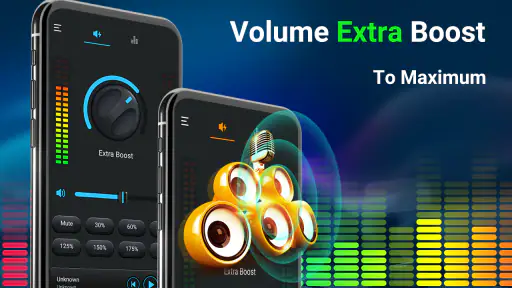
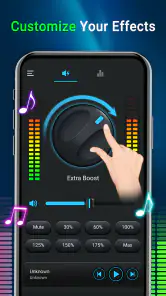
Analysis by Reviewed
I installed Volume Booster - Sound Speaker from iMediaStar to see whether it is genuinely useful or simply another oversized volume button. My first impression was straightforward: this is a focused Music & Audio app for people who feel their phone’s normal output is not loud enough. It is free to download, rated for Everyone, and designed around one main task rather than a long list of unrelated audio tools.
That narrow purpose is both its appeal and its limitation. If you regularly listen to podcasts, spoken videos, navigation prompts, or music through a phone speaker and want a quick way to push the sound higher, this app is easy to understand. If you are looking for a full equalizer, a studio-style audio editor, or a solution that can physically improve a weak speaker, you should set different expectations before installing it.
How I judged the app before deciding whether to keep it
For a volume utility, I think the important questions are practical rather than flashy. Can I reach the control quickly? Does it affect the media I am actually playing? Is the result clear enough to be useful, or does louder simply become harsher? Can I return to a safer level without hunting through several menus? Those points matter more to me than decorative graphics or a long feature list.
The app’s store summary describes its purpose as boosting volume for media on the phone, and that matches the way I approached it. I treated it as a convenience layer for everyday listening, not as a replacement for better headphones, a larger speaker, or carefully mastered audio. That distinction is important because software can change how strongly existing audio is presented, but it cannot create missing detail or repair a tiny phone speaker.
It runs on Android devices using version 6.0 or later, which makes it accessible to people with older phones as well as newer models. The current version is 3.2.8. I also found the scale of adoption reassuring: the app has passed five million installs and holds a 4.9 average from around fifty-six thousand ratings. Those figures do not guarantee that it will behave identically on every handset, but they suggest that the basic idea has found a substantial audience.
There is no purchase required to start using it. The app is free, while optional in-app purchases range from $1.99 to $9.99 per item. I would not choose it solely because of that pricing, but it does lower the risk of trying a simple volume tool. The sensible approach is to test it with the media and speaker setup you actually use before deciding whether any optional purchase is worthwhile.
The everyday situation where it makes the most sense
My most convincing use case was a quiet spoken-video session in a room where I did not want to wear headphones. Phone speakers can make voices difficult to follow when there is background noise from a fan, kitchen activity, or people talking nearby. A small increase can make speech easier to understand without repeatedly leaning toward the phone or replaying sentences.
More From Our News Desk

Weather by Xiaomi Review: Clear at a Glance, Less Clear Up Close

X Under Pressure: Can It Recover When Posting Goes Wrong?

Clash of Clans Is Won Between the Battles

Android Auto Makes the Case for Quieter Car Software

MobiOffice: Transforming Mobile Productivity with Seamless Integration

EA SPORTS FC™ Mobile Soccer: Redefining Mobile Sports Gaming
The same logic applies to podcasts and voice-heavy clips. I would not describe the result as a miracle, but a volume booster can make the difference between constantly adjusting the phone and listening comfortably. For music, the benefit depends more heavily on the recording and the handset. A track with already strong bass may become tiring when pushed too far, while a quiet acoustic recording may gain useful presence.
One practical habit helped me more than simply moving the control to its maximum: I increased the level gradually while listening to a familiar clip. That gave me a reference point for when the sound stopped becoming more useful and started becoming rough. The best setting is usually the lowest boost that solves the listening problem, not the highest level the interface allows.
What the focused design gets right
The strongest part of this app is its directness. I did not need to learn a complicated audio workflow or configure several bands of an equalizer before hearing a difference. That makes it suitable for someone who wants a quick answer to a simple problem: the phone is too quiet for this particular moment.
It is also more approachable than many general audio apps. Equalizers can be valuable, but they often introduce choices that are confusing for casual listeners. Bass, treble, gain, presets, and device-specific behavior can turn a quick adjustment into a small project. Volume Booster - Sound Speaker stays closer to the immediate control most people are actually seeking.
Another strength is that it can be considered on a situation-by-situation basis. I would use it for a spoken recording, then reduce the level for music or return to the phone’s ordinary control afterward. That flexible approach is safer than assuming one aggressive setting works for every type of media. Voice, film soundtracks, games, and music all react differently when pushed.
The app’s Everyone content rating also makes its intended audience broad. I see it as a utility for adults, older listeners who struggle with quiet speech, and families using an older spare phone for audio. That does not remove the need for sensible listening habits, especially around children or when the phone is connected to headphones or another audio device.
Where another kind of audio solution may be better
The most important limitation is that louder is not the same as better. When a small speaker is pushed beyond what it can reproduce cleanly, vocals may sound strained and music can lose balance. The app may help a quiet source, but it cannot turn a basic handset into a high-quality portable speaker. If clarity matters more than raw loudness, moving the phone closer, using headphones, or choosing a larger external speaker may produce a better result.
I would also be cautious with headphones. A boost that seems modest through a phone speaker can become uncomfortably strong through earbuds. My advice is to lower the system volume before testing any amplified setting with headphones, then raise it in small steps. This is one of the situations where the usual alternative—adjusting the device’s normal volume or using headphones with their own controls—may be more predictable.
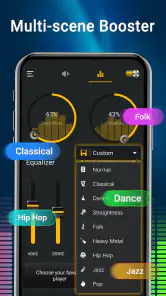
People who want to shape the character of sound may prefer a proper equalizer. An equalizer is the better category when the problem is too much bass, weak vocals, or a dull overall balance rather than insufficient loudness. Volume Booster - Sound Speaker is not the choice I would make for detailed music tuning. Its value is speed and simplicity, not fine control over every part of a mix.
It is also not the right tool for repairing poor source material. If a video was recorded with distant speech, heavy background noise, or distortion, increasing the level may make those flaws more obvious. In that case, a player with dialogue enhancement, a noise-reduction workflow, or a better version of the recording would be more useful. The app can make an existing signal more prominent; it cannot reconstruct information that was never captured clearly.
Device differences are another reason to judge the app on your own phone. Speaker placement, hardware limits, Android audio behavior, and the media player in use can all affect the result. I would not treat the 4.9 average as a promise of identical performance across every handset. It tells me that many users are satisfied, but my own decision would still depend on whether the app helps with my particular speaker and listening habits.
What switching to it actually involves
Switching from ordinary phone controls is not a major commitment because the app addresses a single, recognizable need. The real cost is not learning the interface; it is remembering that an amplified setting may not be appropriate when the audio route changes. A level that works on the built-in speaker should not automatically be carried over to earbuds, a car connection, or a Bluetooth speaker.
I would build a simple routine around that. Before starting a quiet video, I would open the booster and raise the level carefully. After finishing, I would bring it back down or disable the boost before playing something else. This takes a little discipline, but it avoids the unpleasant surprise of starting a loud track at the previous setting.
That routine is especially worthwhile for people who move between media types. A spoken podcast may need extra presence, while a modern music track may already be mastered loudly. Films can vary from quiet dialogue to sudden effects, and games may use sharp sound cues that feel more aggressive when amplified. Treating the setting as temporary rather than permanent is one of the most useful ways to get value from the app.
There is also a trade-off between convenience and control. With the phone’s standard volume slider, I know I am using the device’s ordinary audio range. With a booster, I gain extra loudness but need to listen more critically for harshness or distortion. That is not a reason to reject the app; it is simply the responsibility that comes with any tool designed to push sound beyond the usual level.
The optional purchase range is another part of the switching decision. Since the app is free, I would first use the basic experience in the exact places where I expect to need it. I would not pay just because a volume utility appears useful in theory. A purchase makes more sense only if the app becomes part of a regular listening routine and the additional offering solves a problem I have actually encountered.
Three small habits that make the app more useful
- Test with speech first: a familiar podcast or spoken clip makes it easier to judge intelligibility than a heavily produced song. Stop increasing the level once words become comfortable to follow.
- Check the audio route: treat the phone speaker, earbuds, and external speakers as separate situations. Recheck the volume whenever you change where the sound is coming from.
- Use a temporary mindset: boost for the quiet recording that needs help, then return to a moderate setting before opening another app or playing different media.
These habits reveal an important trade-off that a short store description cannot show. The app is most helpful when the problem is occasional and specific. If every recording sounds too quiet, the underlying issue may be the phone, the player, the source file, or the listening environment. In that case, a broader change—better headphones, a different player, or a small external speaker—could be a more satisfying long-term answer.
I also found that placement remains surprisingly important. If the phone speaker is partly covered by a hand, cushion, or tabletop, moving the device can improve audibility without adding as much processing. I would try that before pushing the booster harder. Software amplification works best when it complements sensible positioning rather than compensating for a completely blocked speaker.
Who should install it, and who should skip it
I would recommend trying this app if you often watch spoken content on an Android phone, use an older handset with limited speaker output, or want a straightforward volume utility instead of a full audio workstation. It is particularly appealing to people who do not want to spend time learning equalizer settings and simply need more audible media in certain everyday situations.
I would be more reserved if your priority is accurate music playback. Audiophiles, musicians, and anyone who already owns good headphones may prefer leaving the signal alone or using a carefully designed equalizer. Likewise, if your main complaint is muffled speech, background noise, or inconsistent mixing, more volume may not address the real problem.
People who frequently use headphones should approach it with extra care. The app may still be useful, but the margin for an uncomfortable level becomes smaller. I would start with the phone’s volume turned down, make only a modest adjustment, and stop immediately if the sound feels sharp or tiring. No volume utility is worth sacrificing comfortable listening.
For families, the Everyone rating makes the app broadly approachable, but I would still supervise how it is used. A simple interface can encourage experimentation, and maximum loudness is not a sensible default for children. The app should be treated as a convenience control, not as permission to listen at the highest possible level.
My recommendation after using it
Volume Booster - Sound Speaker earns a place as a focused utility rather than a complete audio solution. Developed by iMediaStar, it has a clear job, broad Android compatibility from version 6.0 onward, and enough popularity to show that the use case is real for many people. I like that it does not require me to become an audio technician before trying it.
My recommendation is conditional but positive: install it if your recurring issue is simply that phone media is not loud enough, especially for speech and casual listening. Start free, test it on your own device, and use gradual adjustments instead of jumping straight to the strongest setting. If the result is harsh, the better answer may be moving the phone, changing the source, or using headphones or an external speaker.
I would skip it if you expect a richer soundstage, cleaner detail, or precise tonal control. Those goals belong to different categories of audio equipment and software. For my own use, the app is most convincing as a quick fix that I turn on for a particular recording and then moderate afterward.
In short, this is a practical choice for a narrow problem. Its free entry point makes testing easy, its Everyone rating keeps the audience broad, and its strong user response makes it worth considering. Just remember the central rule: more volume should improve audibility, not replace good audio hardware or careful listening. Used with that expectation, it can be a handy addition to an Android phone rather than an unnecessary promise of perfect sound.
Volume Booster - Sound Speaker Frequently Asked Questions
Will Volume Booster - Sound Speaker work on an iPhone or iPad?
Volume Booster - Sound Speaker is an Android app, so it is intended for compatible Android devices rather than iPhones or iPads. If you use an Apple device, look for an audio-control app designed for iOS instead. On Android, check that your device meets the app’s operating-system requirement before downloading, and remember that the amount of extra loudness can vary with the phone and the audio equipment you use.
Who makes Volume Booster - Sound Speaker, and what is it designed to do?
The app is developed by iMediaStar and belongs to the Music & Audio category. Its purpose is to boost the perceived volume of media played on a phone, giving users a way to make playback louder through the device’s audio output. It is a utility for listening rather than a music streaming service or a source of songs, so you use it with audio already available on your device or through other apps.
Is Volume Booster - Sound Speaker free to download, and are there in-app purchases?
Volume Booster - Sound Speaker is free to download, so you can try its main audio-boosting features without paying upfront. The app also offers in-app purchases, with items priced from $1.99 to $9.99. Check the purchase details in the app before confirming anything, particularly if you only want to use the free features. It is categorized as a Music & Audio app and is developed by iMediaStar.
What Android version do I need to install Volume Booster - Sound Speaker?
The Android version listed for Volume Booster - Sound Speaker is 6.0 or later. Before downloading, check your device’s Android version in its settings to make sure it meets that requirement. The app is rated for Everyone, and its current version is 3.2.8. A compatible operating system helps with installation, although the results of audio boosting can still vary between phones and audio devices.
What is Volume Booster - Sound Speaker, and how does it work?
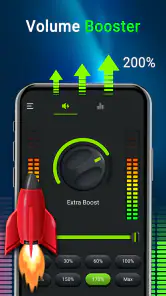
Volume Booster - Sound Speaker is designed to increase the perceived loudness of media, music, videos, games, notifications, or other audio played through your device. After opening the app, you typically adjust a boost slider or choose a preset, then play audio while the application applies software-based amplification. Its results depend on your phone, Android or iOS version, speaker quality, and the type of audio being played.
Pros
- Simple interface makes volume adjustments quick and easy.
- Works with music
- videos
- podcasts
- and many other media apps.
- Offers extra loudness without requiring complicated audio settings.
- Useful for improving sound on phones with weak built-in speakers.
- Lightweight design should have minimal impact on device storage.
Cons
- Excessive amplification may cause distortion or crackling.
- Results vary depending on the phone model and speaker hardware.
- Long-term high volume can damage speakers or connected headphones.
- Some features may be limited by Android or iOS audio restrictions.
- The app may display ads or request permissions users may not expect.
- Category
- Music & Audio
- Version
- 3.2.8












