Vidu - AI Video Generator
- 3.09K
- 4.8
- Installs
- 1.00M
- Price
- Free

Screenshots




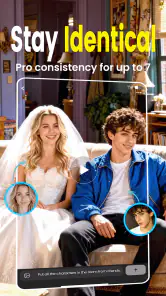
Analysis by Reviewed
AI video tools are often described as effortless, but the real test is whether I can make something useful without fighting the interface, guessing at controls, or needing a perfect setup. Vidu is aimed at people who want to turn an idea into a short video, and I found its appeal clearest when I treated it as a creative assistant rather than a replacement for a full editing suite. It can make visual experimentation feel approachable, though the experience still depends on how clearly I can describe what I want and how much control I need over the result.
Planning a first attempt that stays manageable
Before using a generated clip in a post, I would decide what job it needs to do: set a mood, introduce a subject, or provide a visual pause between other shots. That decision gives the prompt a useful boundary. It also makes evaluation easier than asking whether the video is simply “good.” If it communicates the intended beat, it may be useful even when it is not a complete piece on its own.
For a short social post, I might draft the surrounding caption and decide on the video’s role before generating anything. Then I can describe only the scene needed for that role and judge the result against a clear purpose. This is a better use of Vidu than repeatedly chasing a vague ideal, especially when I have limited time or need to keep the final message accessible to a broad audience.
Articles Related to Vidu - AI Video Generator
Making the creative flow easier to follow
A simple starting point, with an important caveat
Vidu is an Art & Design app from ShengShu AI HK Limited. Its purpose is easy to understand: give the app a creative direction and use AI to produce video. That focused premise is helpful for someone who finds a conventional editing timeline intimidating. Instead of beginning with clips, tracks, and a long list of settings, I can approach a project as a visual idea that needs shaping.
That lower entry barrier does not mean every part of the process is automatically clear. AI creation involves choices that can be unfamiliar: how much detail to put into a prompt, which visual elements matter most, and whether a result is close enough to keep refining. I recommend starting with one subject and one clear action, then adding mood or setting only after the basic idea works. A crowded prompt can make it harder to tell which instruction caused an unexpected result.
The interface is most useful when I think in small steps: decide what the video should show, describe the most important movement, review the output, and adjust one part of the description at a time. This is a practical way to keep the process understandable, especially for new creators. It also makes experimentation less frustrating because I can learn from each generation rather than changing several things at once.
Readable choices matter more than a long feature list
For a creative app, readability is not only about text size. It is also about whether the next action is apparent and whether the controls explain the consequences of a choice. Vidu’s narrow focus can help: I am not asked to manage a complete production workflow just to explore an idea. Still, anyone who benefits from very explicit instructions may need to take extra care when composing prompts, since natural-language input leaves room for interpretation.
You May Like

How Microsoft OneDrive Became a Mobile Productivity Giant

How Google Translate Breaks Language Barriers Effortlessly

Why Google Sheets Is the Ultimate Mobile Productivity Tool

Unveiling the Dynamic World of My Talking Tom Friends

Free Fire MAX: Dominating the Battle Royale Arena

Free Fire: Winterlands – The Ultimate Winter Gaming Adventure
A useful habit is to write prompts as short, separate pieces of intent: the main subject, what it does, and the overall look. I would avoid relying on a long string of conflicting adjectives. This is not a guaranteed formula for a particular output; it is a way to make revisions easier to reason about. If the subject is right but the mood is wrong, I can change the mood description without rewriting everything.
Vidu has a 4.8 average from around 67,000 ratings, and it has passed the one-million-install mark. Those figures suggest that many people are willing to try it, but they cannot tell me whether its visual interpretation will suit a particular project. I would judge it by making a small test with the kind of scene I actually plan to create, rather than assuming popularity means predictable results.
Working comfortably with different abilities
AI generation can reduce some physical demands associated with traditional editing. I do not need to trim many clips precisely or repeatedly drag elements along a timeline to explore a visual concept. For someone who finds fine touch gestures tiring, the ability to begin with a written description may be a meaningful alternative. It shifts part of the creative work from precise manipulation toward planning and reviewing.
That shift brings its own demands. Writing a prompt requires language, attention, and a willingness to interpret an imperfect result. Someone who has difficulty typing may find extended descriptions cumbersome, while a person who processes visual information differently may prefer to make direct, incremental edits rather than compare generated variations. I would keep the prompt short, use familiar wording, and pause between changes instead of trying to solve the whole scene in one pass.
Sensory comfort also depends on the person and the content being made. Video creation is inherently visual, and generated motion can be difficult for someone sensitive to movement or rapid changes. I would review the output in a comfortable setting and avoid treating an attractive preview as automatically suitable for every viewer. If a clip is intended for other people, consider whether its motion, contrast, and pace fit the audience and where they are likely to watch it.
Useful in the gaps of an ordinary day
A realistic use case is a small business owner who has a product idea but no time to film a polished scene. They could use Vidu to explore a visual concept for a social post, review whether the generated direction feels relevant, and then decide whether it is good enough to share or needs a different approach. I see the strongest value here in making a first draft or testing a look—not in assuming that one prompt will produce a finished campaign.
It may also help a creator who wants to prepare several visual ideas before committing to a shoot. For example, a person planning a short post could compare a calm, atmospheric direction with a more energetic one, then carry the preferred concept into their usual editing process. That workflow makes the generator a sketchbook for motion: useful for getting unstuck, but not necessarily the final step.
Situational access is a real advantage of this kind of tool. A person may have only a brief break to explore an idea, or may be unable to set up a camera and lighting where they are. A prompt-based starting point can make that moment productive. On the other hand, I would not count on it for a deadline-sensitive deliverable unless I had already tested the style and allowed time to revise. Generative work involves interpretation, so the time saved at the beginning can be spent correcting a result that misses the brief.
Where it fits beside familiar alternatives
Compared with a conventional mobile video editor, Vidu is better suited to creating imagery from an idea than to precise assembly of footage. An editor is the stronger choice when I need dependable timing, careful cuts, captions, or control over recorded material. Compared with filming directly, Vidu can help when a scene is impractical to capture or when I want to explore a look before arranging a shoot. But real footage remains preferable when authenticity, exact product appearance, or a specific person’s performance matters.
That distinction is important for creators with different working styles. Someone who prefers hands-on control may find a timeline more legible than prompt-based generation because each change has a visible, local effect. Someone who struggles with multiple editing tracks may find the idea-first approach less demanding. I would choose based on the kind of decision I find easier: describing an intended scene or manipulating its individual parts.
One useful trade-off is to use Vidu early, then move to a familiar editor for finishing. This avoids expecting a generator to solve every production problem while preserving its strength as a fast way to test an idea. If the generated result does not preserve a critical detail, such as a precise object shape or a specific sequence of actions, I would switch approaches rather than spend a long time trying to force it into place.
Practical limits, cost, and expectations
Vidu is free to install, with in-app purchases ranging from $0.49 to $104.99 per item. I would try the free experience on a low-stakes idea before paying for anything, and I would check the purchase details at the point of decision so that the cost makes sense for my own use. A person who only wants occasional inspiration may have different needs from a creator who expects to use generated video regularly.
The age rating is Everyone, but that is not a promise that every generated result will suit every setting or audience. The app is best approached as a creative tool whose output needs human judgment. For a public-facing post, I would review the final video carefully for visual inconsistencies and whether it communicates the intended message. When a project requires a highly controlled result, a traditional production workflow may be less convenient at first but more dependable overall.
The current version is 4.1.4, and the app was released on March 11, 2025. It requires Android 10 or later. Those details help with basic compatibility planning, but the more important question for an individual is whether the app’s way of working suits their device, comfort, and creative habits. I would test a short, simple prompt first and see whether the process feels manageable before building a larger project around it.
Questions worth settling before a project
Can I use it for finished work, or is it mainly for ideas? I would treat it as suitable for a finished post only when the output survives a careful review and the project does not depend on exact visual continuity. For anything tied to a specific product, person, or sequence, I would plan on using it for a concept draft and finishing with footage or an editor that gives me more direct control.
Does it suit someone who is new to video? It can be a gentler place to begin than a multitrack editor, but it still asks the user to make creative decisions in words and assess the result. A newcomer who wants to learn how cuts, timing, and sound work may gain more from a conventional editor. Someone who wants to explore a visual direction without first learning a timeline may find Vidu the more inviting first step.
Is it a good choice when I have only a few minutes? It can help turn a spare moment into a quick experiment, but I would not equate a short prompt with a guaranteed usable result. I would choose an idea that can tolerate revision, keep the brief narrow, and avoid relying on it for a post that must be ready immediately. That expectation makes the app more useful and prevents a time-saving tool from becoming a last-minute gamble.
An inclusive verdict for the right kind of creator
Vidu is worth trying if a prompt-led route into video feels easier than starting with a camera or editing timeline. It can lower the effort needed to explore a concept, and that may be particularly useful for creators with limited time, limited access to filming conditions, or a preference for planning in words rather than making many precise edits. The app’s usefulness depends less on a promise of instant perfection and more on whether a person can comfortably describe, review, and refine an idea.
I would skip it as a primary tool if I need exact control, consistent results under a tight deadline, or a workflow built around editing existing footage. I would also be cautious if typing prompts or evaluating visual motion is tiring, since those tasks sit close to the center of the experience. In those cases, a conventional editor—or a practical filming setup—may be a better fit.
For me, the fairest recommendation is to treat Vidu as an accessible starting point, not a universal solution. Keep the first prompt simple, change one instruction at a time, and use the result as a draft when precision matters. ShengShu AI HK Limited has built an app for turning visual ideas into a more immediate experiment; whether that experiment feels welcoming will depend on a user’s sensory comfort, input preferences, and tolerance for interpretation. If those trade-offs suit you, it can make creative exploration feel much less like a production project.
Vidu - AI Video Generator Frequently Asked Questions
What is Vidu - AI Video Generator?
Vidu is an AI-powered app for creating videos from written prompts and, depending on the available features, reference images. You describe the scene or visual style you want, then the app generates a short video for you to review. It is designed to make AI video creation approachable, but the results can vary, so you may need to adjust your prompt or try again to get closer to your idea.
How do I create a video with Vidu?
Start by choosing a creation option, then enter a clear description of the video you want. Include useful details such as the subject, setting, action, camera movement, and overall style; specific prompts generally give the AI more direction. If image-based generation is offered in your version, you can provide a reference image as well. Review the generated result and refine your prompt if it does not match your expectations.
Is Vidu free to use?
Vidu’s pricing and free-generation allowance can depend on the current app version, your account, and the offers available in your region. Check the app’s pricing screen before generating videos or starting a trial, since paid plans, credits, or other limits may apply. If you subscribe, review the renewal terms and cancellation instructions in the relevant app store to avoid unexpected charges.
Can I use videos made with Vidu for commercial projects?
Commercial use depends on Vidu’s current terms, the plan you use, and the rights associated with any prompts or reference materials you provide. Before publishing or monetizing a generated video, check the app’s terms and confirm that you have permission to use uploaded images, logos, music, or other third-party content. AI-generated results may also resemble existing works, so review them carefully before using them professionally.
What should I know about privacy and video quality before downloading Vidu?
AI video generation may require sending prompts and uploaded reference images to the service for processing. Read Vidu’s privacy policy to understand how that content is handled, stored, or used, and avoid uploading sensitive personal material unless you are comfortable with those terms. Generated videos can differ from the prompt and may contain visual artifacts; output quality, generation time, and available options can also vary by device, account, and connection.
Pros
- Turns text prompts and images into short videos with little editing effort.
- Offers a straightforward workflow that is approachable for first-time users.
- Useful for creating quick social media clips and visual concepts.
- AI-generated motion can add movement to otherwise static images.
- Multiple generation options support different creative starting points.
Cons
- Results may not match the prompt exactly and can require several attempts.
- Fine details
- faces
- and object movement may appear inconsistent.
- Video generation can take time
- especially when services are busy.
- Free usage may be limited by credits
- watermarks
- or export restrictions.
- Generated clips may need another editor for precise trimming and finishing.

- Category
- Art & Design
- Version
- 4.1.4