Video Player All Format
- 33.47K
- 4.8
- Installs
- 100.00M
- Price
- Free

Screenshots
Analysis by Reviewed
I judge a video player less by a long feature list than by whether it gets me from “I have this file” to “I can watch it” without a detour. Video Player All Format is built for that everyday problem: playing personal videos on an Android device, including files that a default player may not handle comfortably. Its appeal is practical, but it is worth knowing where that convenience ends—especially if your main goal is editing, streaming subscriptions, or detailed media-library management.
Who will get the most from it?
I’d point this player toward people who keep a mix of saved videos on their phone and want one place to try them, rather than anyone looking for a full editing suite. It is a free video player from InShot Inc., rated for Everyone, and its 4.8 average across around 1.8 million ratings suggests that it has found a broad audience. The app has passed 100 million installs, though popularity alone does not tell you whether it fits your library or viewing habits.
A practical use is the commute or a trip: before leaving, I’d check that the files I want are available on the device, then use the player instead of relying on a connection or converting a file in advance. If one clip is silent or hard to understand, the equalizer and subtitle controls offer useful adjustments without sending me into a separate tool. The trade-off is that local playback still depends on having the video stored and enough room for it.
It is also a reasonable fit for someone who receives videos from different sources and does not want to make a separate copy in a preferred format every time. I would still keep important files organized in the phone’s storage: a flexible player can make more files playable, but it cannot make a cluttered collection easier to search by itself. If you mostly watch content inside a streaming service, that service’s app will usually offer a more direct route to its catalog and account features.
Seamless Video Playback
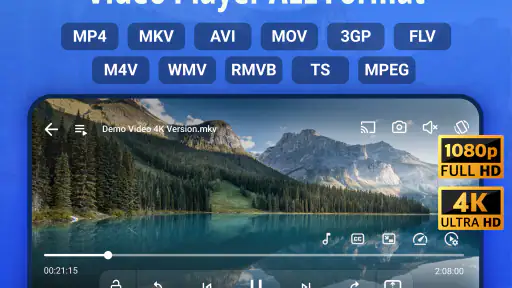
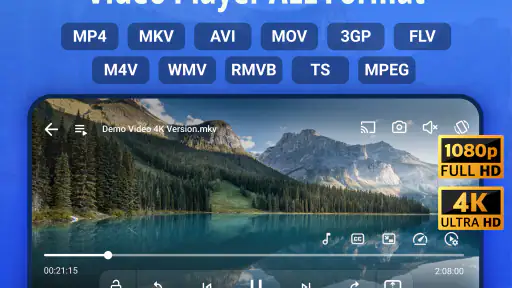
One of the first things you’ll notice about Video Player All Format is its ability to handle almost any video format you throw at it. From MKV to MP4, AVI to MOV, this app boasts a robust compatibility that makes it a one-stop shop for all your video playback needs. I tried a variety of formats, and guess what? It played them all effortlessly! This feature alone is a game-changer for anyone tired of converting videos just to watch them.
Speed, browsing, and small workflow choices
For everyday use, the main time-saver is avoiding a conversion step when a file is already in a format the player can handle. That matters most when I want to check a downloaded clip quickly, or move between a film and a short video without opening several apps. The library view is also easier to use when I keep my files sensibly organized; if the phone is crowded with unrelated media, finding a particular video can take longer than the playback itself.
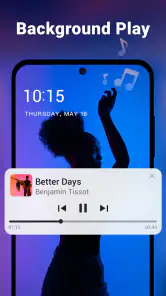
The app’s summary also points to a video downloader and an MP3 player, so it reaches beyond the basic job of opening a video. I’d treat those as useful extras rather than the reason to choose it: the strongest case is still having a flexible player ready for files already on your device. For music-focused listening, a dedicated audio app may offer a better-organized library and controls tailored to that routine.
More From Our News Desk

Weather by Xiaomi Review: Clear at a Glance, Less Clear Up Close

X Under Pressure: Can It Recover When Posting Goes Wrong?

Clash of Clans Is Won Between the Battles

Android Auto Makes the Case for Quieter Car Software

MobiOffice: Transforming Mobile Productivity with Seamless Integration

EA SPORTS FC™ Mobile Soccer: Redefining Mobile Sports Gaming
When a video takes longer to open than expected, I would avoid assuming that the app is slow across the board. First, I’d try another file already on the device. If that one starts normally, the original file or its size may be the more relevant difference. This simple check helps separate a one-off file problem from a broader playback issue without immediately deleting files or reinstalling the player.
User-Friendly Interface
Now, let’s chat about the interface. I’m a sucker for apps that are easy to navigate, and this one didn’t disappoint. The layout is intuitive, making it simple to browse through your media library, adjust settings, and more. Whether you’re tech-savvy or not, you’ll find yourself mastering it in no time. Plus, the sleek design is easy on the eyes, which is always a plus.
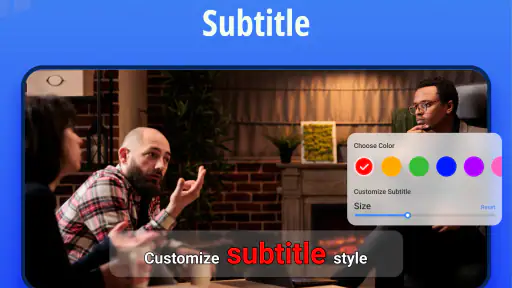
One useful habit is to adjust subtitles before settling in for a long watch, rather than pausing repeatedly once a film has started. I’d also check the sound with a short scene before using the equalizer for the whole video; a setting that helps dialogue can make music-heavy content less balanced. These controls are handy, but they work best as small corrections, not as a replacement for good source audio or a dedicated sound setup.
For a long film, I’d make a quick start-to-finish check of the basics before getting comfortable: confirm the intended video is selected, make sure subtitles are readable, and listen to a short section at the volume I plan to use. Those small checks are more useful than constantly changing settings later. They also make the controls feel like practical tools rather than features to adjust just because they are available.
Advanced Features
Beyond basic playback, Video Player All Format offers a slew of advanced features. There’s subtitle support, which is perfect for foreign films or shows. You can even customize subtitle appearance to your liking. The app also includes a handy night mode, making late-night binge-watching sessions more comfortable. Oh, and did I mention the equalizer? It’s perfect for tweaking audio settings to suit your preferences.
For those who love streaming, the app supports Chromecast, allowing you to project your videos onto the big screen. I tested this feature during a movie night with friends, and it was a hit! The streaming was smooth, with no noticeable lag, which was a relief.
Chromecast is particularly useful when the video is already on the phone and everyone would rather watch together than crowd around a small screen. I’d still keep the phone nearby and make sure the receiving display is ready before starting, since casting introduces another device and connection into the viewing chain. If I only need to watch alone, direct playback is the simpler option; if I want to browse subscription libraries, a streaming service’s own app is usually a more natural fit.
There is a useful distinction between casting a file you already have and using a service designed around online catalogs. This player makes more sense for the first situation: a personal clip, a downloaded film, or a video you want to share on a larger display. I would not choose it as my starting point for discovering shows or keeping track of subscriptions, because those jobs are better handled by the services that provide that content.
Performance and Reliability
No review would be complete without discussing performance. I’ve been using this app for a while now, and I have to say, it’s incredibly reliable. Videos load quickly, and I haven’t experienced any crashes or freezes. It’s refreshing to find an app that delivers on its promises consistently.
When playback feels demanding, I’d first consider the file and the phone rather than assume every hitch comes from the player. A large or high-resolution video can be a heavier task than a short clip, and casting adds work beyond watching on the handset. Closing other demanding apps and trying the same file again is a sensible first check. I would not choose this as a video editor: its appeal here is playback, not building a polished project from clips.
For a realistic heavy-use moment, imagine starting a high-resolution video while other apps are open, then casting it to a television. That is a more involved setup than playing a short clip on the phone, so I would test the same video directly on the handset first. If direct playback is comfortable but casting is not, the extra step is the place to investigate. If both struggle, trying a smaller or different video can help show whether the issue is tied to that particular file.
Recovery matters too. If playback pauses or behaves oddly, I’d note whether it happens with one video or with several, then close and reopen the player before making bigger changes. Keeping the original file intact while testing another clip avoids turning a minor playback question into a missing-file problem. This is a straightforward troubleshooting routine, not a promise that every damaged or unusual file can be rescued by a player.
In terms of battery usage, the app is pretty efficient. I didn’t notice any significant drain on my phone’s battery, even during extended viewing periods, which is a big thumbs up for those of us who love to watch on the go.
For longer viewing away from a charger, I would still treat screen brightness, wireless use, and the device’s general condition as part of the experience rather than expecting the player alone to determine battery life. Casting can also change how you use the phone during a watch. My practical advice is to begin a trip with the video stored locally and the phone comfortably charged, instead of relying on last-minute downloads or setup when you have limited time.
Device fit and the final call
The current version is 2.4.8.2 and requires Android 5.0 or later, so it is aimed at Android devices that meet that minimum. It is free to install, with optional in-app purchases ranging from $0.99 to $9.99 per item. I’d check the purchase screen carefully before paying for anything and start with the free experience to see whether its playback and controls suit me. Anyone using a device below the stated Android requirement should look for a compatible alternative rather than expect this release to run.
On a device that meets the minimum, the actual experience can still depend on the phone and the file being played. If you use an older or storage-constrained handset, I would start with a short, ordinary video before making this your only way to watch a long film. That gives you a quick sense of whether navigation and playback feel comfortable on your particular device, without assuming that every Android phone behaves the same.
The usual alternatives each serve a different priority. A built-in player is convenient when it already opens your files and you want as few extra apps as possible. A streaming app is the better choice for its own online library. A dedicated editor is necessary when you need to cut, arrange, or finish footage. This player’s niche sits between those choices: it is for people who want a flexible way to watch personal videos, with adjustments and casting available when useful.
Wrapping up, Video Player All Format is a fantastic addition to any smartphone. It’s packed with features that cater to both casual viewers and video aficionados alike. With its wide format support, user-friendly interface, and advanced features, it’s definitely worth the download. So, if you’re in need of a versatile video player, give this app a shot. Trust me, you won’t be disappointed!
My recommendation is strongest for someone who watches personal video files, values subtitle and sound adjustments, and sometimes wants to cast a clip to a larger screen. If your priority is editing footage, managing a large music collection, or browsing professionally curated streaming catalogs, a purpose-built app will likely feel more focused. For straightforward Android playback across a varied collection, though, this is a convenient option to try.
I’d also make the choice based on what frustrates you most today. If it is repeatedly finding that a saved video will not open, trying this player is a sensible next step. If the real problem is a crowded storage library, a slow device, or wanting to create finished videos, a different tool—or a little file cleanup—may solve the underlying issue better. Used for its intended strength, it is an approachable playback option rather than a replacement for every media app on your phone.
Video Player All Format Frequently Asked Questions
Can I cast videos from Video Player All Format to a TV?
Yes. Video Player All Format advertises Chromecast support, so you can send compatible playback to a Chromecast-enabled display rather than watching only on your phone. This can be handy for sharing a video in a room or viewing it on a larger screen. The app also serves as a local video player, so casting is an extra option rather than its only purpose.
Can Video Player All Format play high-resolution video smoothly?
The app’s description highlights playback in 4K and HD, which makes it worth considering if you watch high-resolution files. Actual playback smoothness can depend on the video and the capabilities of your device, so a high-resolution label is not a guarantee that every file will perform identically on every phone. It is still useful to have HD and 4K playback called out as core features.
Does Video Player All Format include a video downloader?
Yes. Video Player All Format’s description includes a video downloader alongside its playback features. That makes the app more than a basic player for people who want a downloading option as part of their video tools. If your main need is simply opening and watching video files, you can also use its player features without treating the downloader as the app’s central purpose.
Can I use Video Player All Format to listen to music?
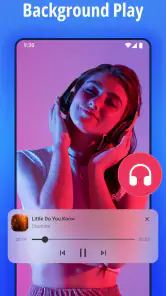
Yes. Video Player All Format includes an MP3 player, so it can handle audio listening as well as video playback. This may be convenient if you prefer keeping a video player and a basic music-listening option together in one app. The app’s main role remains video playback, but the MP3 feature broadens its usefulness for everyday media.
What does Video Player All Format offer besides playing videos?
Video Player All Format is a video player with several extra media features. Its description highlights 4K and HD playback, a video downloader, an MP3 player, and Chromecast support. These additions may make it useful if you want video and audio tools in one app, though the main purpose remains playing video files.
Pros
- Supports all video formats
- High-definition video playback
- User-friendly interface
- Subtitle support available
- Fast loading and smooth playback
Cons
- Contains ads in free version
- Limited advanced features
- No cloud integration
- Requires in-app purchases for premium
- Can drain battery quickly
- Category
- Video Players & Editors
- Version
- 2.4.8.2













