Video Downloader
- 50.68K
- 4.7
- Installs
- 100.00M
- Price
- Free

Screenshots
Analysis by Reviewed
I’d think of Video Downloader as a practical tool for a specific moment: I’ve found a clip I’m allowed to keep, and I want it available without relying on a connection later. That can be useful for a tutorial before a commute or a music video I want to revisit while offline. It is less of an all-purpose video editor or streaming service, so the value depends on whether saving online media is a regular need for you.
What the free option means in practice
The app is free to install, while in-app purchases are listed at $2.99 to $6.99 per item. I’d start with the free access and see whether the basic download workflow fits my habits before spending anything. Those purchase prices alone don’t tell me which extras matter to a particular user, so I wouldn’t treat a paid option as necessary unless the app itself makes its benefit clear when you use it.
That distinction matters: the core appeal is getting a video onto your device, not buying a larger entertainment library. If you only need an occasional clip, free access may be enough. If you expect to use it often, judge any purchase by a concrete improvement you can see, rather than assuming that paying automatically makes downloads faster or expands compatibility.
Where a saved copy is genuinely useful
One everyday example: I might find a cooking demonstration while planning dinner, save it where the app allows, then open the video in the kitchen without depending on a strong signal. A saved tutorial is also easier to revisit at the exact moment I need a step, instead of searching through a feed again. For study or travel, that convenience is real—but only when the source permits downloading and the file remains usable on the device.
A less obvious habit that helps is to check the destination and available storage before collecting several large clips. Downloads can quietly take up room, and keeping only the videos I truly plan to revisit makes the saved library more useful. I’d also test one short, nonessential clip first: that shows whether a particular source works with the app before I spend time waiting on a longer file.
How it fits beside other ways to watch
Compared with simply bookmarking a page, a downloaded file can be more dependable when a connection drops, but a bookmark is usually the better choice if I just want to return to the original page and its context. Official offline viewing inside a streaming service may be a better fit for protected subscription content; a general downloader is not a way around a creator’s or platform’s restrictions. I’d use this app for permitted saving, not as a promise that every link will work.
It also shouldn’t be confused with a video editor. If my goal is trimming footage, adding captions, or assembling clips, an editor is the right category of tool. Video Downloader is aimed at bringing online video or music onto a device, so its usefulness is narrow by design. That focus is a strength for people who want a simple saving step, but a drawback if they expect a full media workspace.
More From Our News Desk

Weather by Xiaomi Review: Clear at a Glance, Less Clear Up Close

X Under Pressure: Can It Recover When Posting Goes Wrong?

Clash of Clans Is Won Between the Battles

Android Auto Makes the Case for Quieter Car Software

MobiOffice: Transforming Mobile Productivity with Seamless Integration

EA SPORTS FC™ Mobile Soccer: Redefining Mobile Sports Gaming
Making saved clips easier to use later
For a trip or a day with patchy reception, I’d prepare a small set of permitted clips before leaving rather than trying to build an offline collection on the move. I’d open each saved item once while still connected and check that it plays from the device. This is a simple but useful distinction: seeing a file appear is not quite the same as knowing it will be ready when the network is gone.
I’d also think about how I plan to find a clip again. If the app or device gives me a choice of filenames or folders, descriptive labels are more useful than a string of generic titles, especially when several lessons cover similar subjects. Keeping a short list of what I have saved can help too, but there is little point in organizing a large archive if I only need a couple of videos for a specific week.
When the source matters more than the app
A common question is whether any online video link can be downloaded. I would not plan around that assumption. A link may lead to a page, a protected stream, or a service that does not permit saving, and those cases can behave differently from a straightforward downloadable file. If a source offers its own offline-viewing feature, I’d use that for its protected content rather than repeatedly testing a third-party downloader against restrictions.
Another practical question is whether a saved clip will remain available forever. I would treat it as a local convenience, not a permanent archive or a replacement for the original creator’s page. Keep the source bookmarked when attribution, surrounding instructions, or future updates matter. For a recipe, for example, the saved video may be handy at the counter, while the original page may still contain ingredient details that a clip alone does not preserve.
Effortless Downloads at Your Fingertips
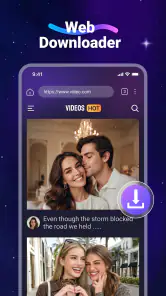
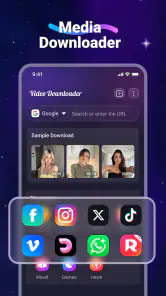
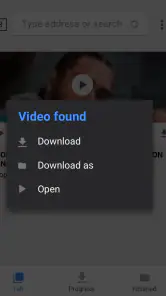
The first thing you'll notice about the Video Downloader app is its simplicity. No, seriously. It's like the developers knew exactly what we needed and delivered it without any unnecessary fluff. You simply paste the URL of the video you want, and voila! Your download begins. It's that straightforward. And believe me, there's nothing more satisfying than having the power to save videos from a plethora of platforms right to your device.
Compatibility and Speed
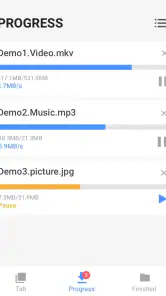
Now, I know what you're thinking. "Sure, it downloads videos, but how fast is it?" Let me tell you, this app is a speedster. Whether you're on Wi-Fi or using your mobile data, the download speed is impressive. I managed to download a full-length movie in no time. Plus, it's compatible with a variety of video formats, which means you don't have to worry about converting files after downloading them.
User Experience Like No Other
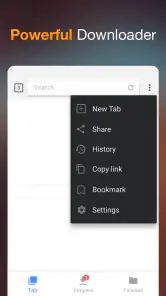
One of the standout features of this app is its user-friendly interface. It's intuitive and doesn't require you to be a tech wizard to figure it out. The layout is clean, navigation is a breeze, and the app doesn't bombard you with ads every second. This is a huge plus for someone like me who values a seamless user experience.
Safe and Secure
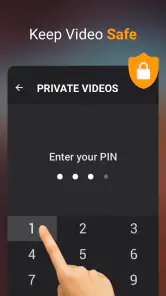
Security is always a concern when downloading apps, especially ones that allow you to download content from the internet. But with Video Downloader, you can rest easy. The app is designed with robust security measures to ensure your data remains safe while you enjoy its services. It's like having a reliable friend who watches your back.
Why You Should Give It a Try
If you're still on the fence about downloading this app, let me give you a little nudge. Imagine never having to worry about losing your favorite videos again. Whether it's a hilarious meme, an insightful tutorial, or a motivational speech, you can have it all stored safely on your device. Plus, with its regular updates, the app just keeps getting better. So why wait? Give Video Downloader a shot and take control of your video saving needs.
In conclusion, the Video Downloader app is a game-changer for anyone who loves to save and revisit online content. With its ease of use, speed, and security, it's an essential tool for your digital arsenal. So go on, download it and make your life a little bit easier. You won't regret it!
A few practical limits to keep in mind
Downloaders can behave differently from one source to another: a link may open a page rather than a directly downloadable file, or a platform may block saving altogether. I wouldn’t keep retrying a restricted link or assume a failed attempt means the app is broken. Checking the source’s own offline option, or saving a bookmark instead, is often the more sensible move. Respecting copyright and the platform’s terms is part of using this kind of tool responsibly.
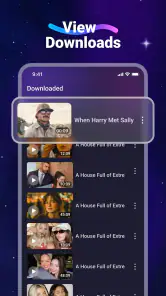
For a smoother routine, I’d save useful clips with recognizable filenames where that choice is available, and remove files once I no longer need them. That makes it easier to find a particular lesson later and avoids turning a handful of helpful downloads into a cluttered folder. If a clip matters, I’d also confirm it plays before leaving Wi-Fi rather than discovering a problem when I’m already offline.
Who is likely to get the most from it?
Video Downloader is a reasonable fit for someone who often revisits publicly accessible, permitted videos and wants a straightforward way to keep them nearby. It may also suit a person who prefers a saved file over hunting through browser tabs. InShot Inc. develops the app, which sits in the video-player and editing-tools category even though its main job is downloading rather than editing.
It is not the right choice if you mainly want to create polished videos, manage a professional media archive, or access paid streaming titles outside the service that provides them. In those cases, an editor, a file manager, or the platform’s official viewing features are better matched to the task. I’d also skip it if you only watch clips once and already have a reliable connection; adding another app and managing local files may be more hassle than benefit.
What its reputation and compatibility tell me
The app has a 4.7 average from around 2.5 million ratings, with about 51,000 written reviews, and it has passed 100 million installs. That level of adoption makes it a familiar option, but popularity is not a guarantee that every website or file will behave the same way. It is free to install, rated Teen, and the current version is 2.4.9; it requires Android 6.0 or later. Those details make it easier to check whether it suits your device and household before installing.
My practical recommendation is to try it when you have a clear, permitted use for saved videos, then test a short clip from the source you care about. Keep the app only if that workflow proves dependable and the free experience covers your needs. The idea is convenient, but it is not a substitute for editing software, a streaming subscription, or a source’s own offline mode.
My buy-or-skip verdict
I’d consider the paid option only after identifying a specific benefit that changes how I use the app. Since it is free to install, there is little reason to commit money before testing whether a permitted source works for my routine. The listed in-app purchase range gives a useful boundary for evaluating an offer, but the price alone is not proof of better results. If the free workflow already handles the occasional clip I need, I would keep it simple and spend nothing.
For someone who saves useful public videos regularly, the convenience can outweigh the small effort of checking sources, managing files, and making room on the device. For someone who mostly streams, wants editing tools, or needs access to protected subscription media, a bookmark, an editor, or the provider’s own offline feature is the better match. My verdict is therefore conditional: try Video Downloader for a clear and permitted saving task, but skip it if local copies would create more clutter than convenience.
Video Downloader Frequently Asked Questions
Does Video Downloader work on both Android and iOS?
Video Downloader is available for Android and iOS, so you can check for it in the app store for your device. Before installing, make sure your phone or tablet meets the platform’s requirements. The Android version requires Android 6.0 or later, while iOS users should review the compatibility details shown for their device.
How much storage space should I leave for downloaded videos?
The space you need depends on how many videos you save and the size of each file. Longer or higher-quality videos generally take up more room than short clips. Before downloading several items, check your device’s available storage and consider removing saved files you no longer need, so downloads do not crowd out other apps or personal content.
Can I choose where downloaded videos are saved?
Where downloads are stored can depend on your device and the app’s available settings. After saving a video, check the app and your device’s file or media library to find it. If you want to organize content into folders or move it elsewhere, review the storage options available on your particular phone or tablet before relying on a specific workflow.
Does Video Downloader support downloading music as well as videos?
Video Downloader is described as a simple app for downloading video and music from the internet. Whether a particular audio item can be saved depends on the source, the format offered, and any rules set by the platform. Check that you have permission to save the material and confirm that the result is accessible on your device.
What should I check before installing Video Downloader?
Video Downloader is a free app in the Video Players & Editors category, made by InShot Inc. It is intended for Teen audiences, so check that its age rating suits the person who will use it. The app requires Android 6.0 or later. It is also available for iOS, so review the requirements for your device before downloading.
Pros
- Supports multiple video formats.
- Fast download speeds.
- Easy-to-use interface.
- Allows batch downloading.
- Supports background downloads.
Cons
- May contain ads.
- Limited features in free version.
- Requires internet connection.
- Privacy concerns with some videos.
- Not available on official app stores.
- Category
- Video Players & Editors
- Version
- 2.4.9